Are you tired of gamesharing risks like account bans, lost progress, or stolen games? 😩 Whether it's a friend on your PS5, Xbox, or Steam library, it's time to take control. This guide shows you exactly how to stop gamesharing and remove a linked account safely. No more headaches—get back to solo gaming bliss! 🎮
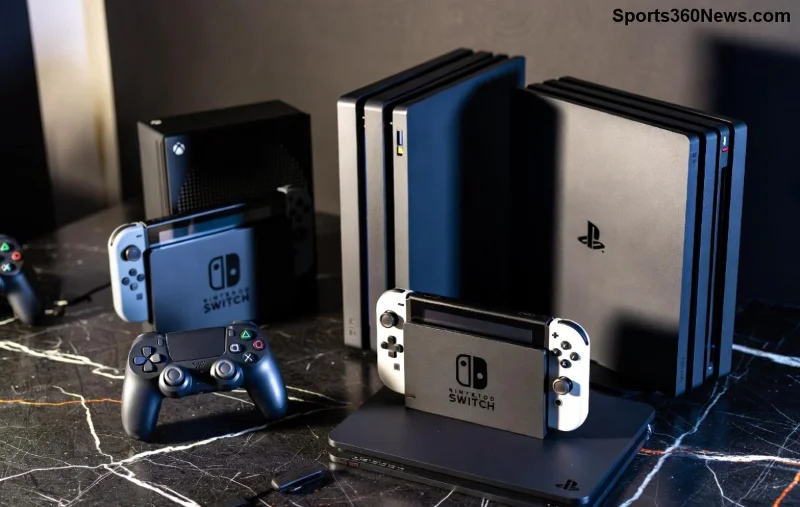
What is Gamesharing & Why You Need to Stop It Now ⭐
Gamesharing lets multiple users access the same account for free games, but it's a ticking time bomb. Platforms like PlayStation, Xbox, and Steam detect it, leading to suspensions or permanent bans. Recent updates have tightened rules, making detection easier than ever.
- ✅ Risks: Account theft, VAC bans on Steam, lost trophies/achievements.
- ✅ Benefits of stopping: Full ownership, privacy, no more drama. 😎
Ready to reclaim your setup? Let's dive into platform-specific steps. Follow along—you'll be free in minutes! 👆
How to Stop Gamesharing on PlayStation (PS5/PS4) 🕹️
PlayStation's primary console sharing is the most common culprit. Here's the foolproof way to remove a linked account:
- 1️⃣ Sign in as Primary Account Owner: Boot up your console and log into the main account used for sharing.
- 2️⃣ Go to Settings > Users and Accounts > Other Users: Select the shared profile.
- 3️⃣ Deactivate as Primary: Head to Account Management > Activate as Your Primary PS5 > Deactivate. This instantly stops sharing.
- 4️⃣ Remove User: Delete the linked profile completely for extra security.
- 5️⃣ Change Password: From a web browser, visit account.sony.com and update credentials.
| Step |
PS5 Action |
PS4 Action |
Time Needed |
| 1 |
Settings > Users |
Settings > Account Management |
1 min |
| 2 |
Deactivate Primary |
Activate as Primary > Off |
30 sec |
| 3 |
Delete User |
Remove User |
1 min |
Pro tip: Enable 2FA via PSN settings for ironclad protection. Your games are safe! 🎉
Xbox Series X/S & Xbox One: Remove Linked Account Made Simple 🥇
Microsoft's home Xbox feature allows sharing, but ending it is straightforward. Stop the share and lock it down:
- 1️⃣ Access Settings: Press Xbox button > Profile & System > Settings > Account.
- 2️⃣ Remove Profiles: Go to Family & Other Users > Select shared account > Remove.
- 3️⃣ Deauthorize Sharing: Under General > Personalization > Set as Home Xbox (switch to your console only).
- 4️⃣ Sign Out Everywhere: Use xbox.com > Devices to sign out all sessions.
- 5️⃣ Update Security: Enable two-step verification in account settings.
Recent Xbox updates prioritize single-user access—don't get caught! Check Microsoft's official guide at support.xbox.com for visuals.
![Xbox dashboard for removing linked accounts]()
Steam: End Family Sharing & Stop Gamesharing Effortlessly 💻
Steam's Family Library Sharing is great until it's not. Revoke access like a pro:
- 1️⃣ Open Steam Client: Go to Steam > Settings > Family.
- 2️⃣ Manage Library Sharing: Click "Authorize Library Sharing on this computer" > Deauthorize specific accounts.
- 3️⃣ Revoke All: Select "No one has requested access" or block individually.
- 4️⃣ Account Details: Steam > Account Details > Manage Steam Guard > Enable if off.
- 5️⃣ Change Password: Via help.steampowered.com.
Steam's latest anti-cheat scans make sharing riskier—solo play is king! 👑
Epic Games, Nintendo Switch & More: Quick Remove Linked Account Fixes 🌟
Cover all bases:
- Epic Games: Log in at epicgames.com > Account > Connections > Remove linked platforms. Disable sharing in Launcher settings.
- Nintendo Switch: System Settings > Users > Delete User. Primary console limit is strict—deactivate via eShop.
- Battle.net (Blizzard): Account Management > Security > Revoke app access.
Universal tip: Always log out from all devices first. 🔒
Post-Removal: Secure Your Gaming Empire Against Future Threats 🛡️
Congrats on stopping gamesharing! Now fortify:
- ✅ Use unique, strong passwords (password manager recommended).
- ✅ Enable 2FA everywhere—it's a game-changer.
- ✅ Monitor login activity weekly.
- ✅ Avoid VPNs for logins; they flag suspicious activity.
Stuck? Common errors like "Primary already set" mean restart your console. You've got this—your gaming throne awaits! 🏆
FAQ: Your Burning Questions on How to Stop Gamesharing Answered 🔥
- Will I lose my games?
- No! Ownership stays with the primary account. 👍
- What if the shared user won't cooperate?
- Force remote sign-out via web portals. Power move! 💪
- Can I gameshare legally?
- Platform TOS often prohibit it—play safe. ⚠️
Mastered it? Share your success story below and level up your gaming life. Stay secure, gamers! 🚀