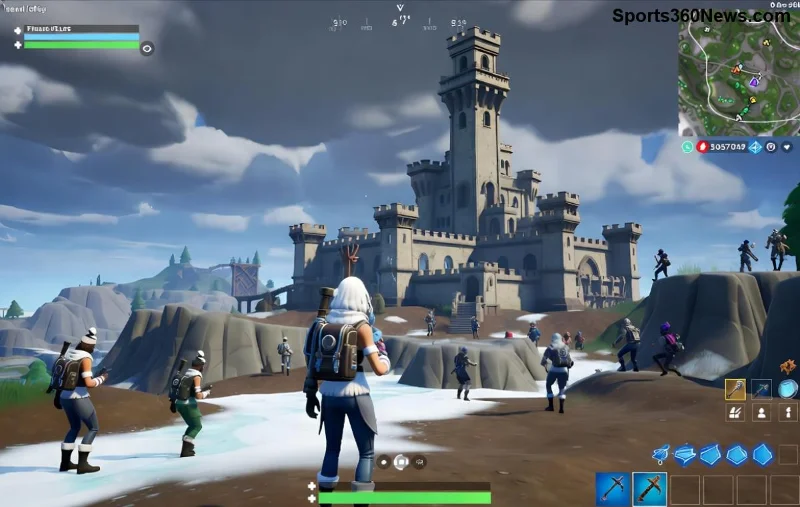
Hey, fellow Fortnite warriors! 😎 Nothing kills the hype like launching a match only to slam into the dreaded Fortnite "Out of Range" resolution error. Your screen goes black, or worse, displays a pesky "Out of Range" message, blocking your path to those Victory Royales. But fear not – this guide is your ultimate weapon! We'll blast through the fixes with simple, proven steps tailored for PC gamers. Stick around, and you'll be dropping into Tilted Towers (or wherever the latest hotspot is) in no time. Let's squad up and crush this bug! 🚀
⭐ What Causes the Fortnite "Out of Range" Resolution Error?
Quick rundown: This error hits when Fortnite's display settings don't match your monitor's capabilities. Common culprits? Mismatched resolutions, outdated GPU drivers, faulty cables, or Windows scaling glitches. Recent patches have optimized Fortnite for modern hardware, but mismatches still sneak in. No sweat – our fixes target these head-on!
👉 Method 1: Tweak Fortnite In-Game Resolution Settings (Easiest Fix!)
Start here – 70% of gamers fix it instantly. Launch Epic Games Launcher, but hold off on full game start.
- Open Fortnite settings via the launcher (gear icon).
- Head to Video tab.
- Set Resolution to your monitor's native specs (e.g., 1920x1080 for most).
- Switch Window Mode to Fullscreen or Windowed Fullscreen.
- Disable VSync and lower 3D Resolution if needed.
- Apply and relaunch. Boom! 💥
Pro tip: Match your desktop resolution first via Windows Display Settings (Right-click desktop > Display settings).
Method 2: Update Your Graphics Drivers – The Power Move! ⚡
Outdated drivers are error central. NVIDIA, AMD, or Intel? Update now:
- NVIDIA: GeForce Experience > Drivers tab > Check for updates.
- AMD: Radeon Software > Home > Check for updates.
- Intel: Intel Driver & Assistant app.
Restart PC post-update. This aligns Fortnite with the latest DirectX optimizations from recent seasons.
![Updating NVIDIA drivers to fix Fortnite out of range resolution error]()
👉 Method 3: Verify Game Files & Repair Epic Launcher
Corrupted files from updates? Epic's got your back:
- In Epic Launcher, click Fortnite > Three dots > Manage > Verify.
- Wait for scan (5-15 mins). Relaunch.
- Still buggy? Repair Launcher: Library > Three dots on Launcher > Repair.
This nukes file glitches from the newest Fortnite chapters.
Method 4: Cable & Hardware Check – Don't Overlook the Basics! 🔌
Sometimes it's physical:
- Swap HDMI/DisplayPort cables – try a new one.
- Ensure monitor input matches (HDMI1 vs. DP).
- Reset monitor to factory settings (menu button).
- Test on another display if possible.
Bonus: Disable multiple monitor setups temporarily.
⭐ Advanced Fixes for Stubborn Errors
If basics fail:
- Disable Fullscreen Optimizations: Right-click Fortnite.exe (in Epic Games\FortniteGame\Binaries\Win64) > Properties > Compatibility > Check "Disable fullscreen optimizations."
- Run as Admin: Same menu > Run as administrator.
- Clear Windows Scaling: Display settings > Scale & layout > 100%.
- Reinstall Visual C++ Redistributables: Download from Microsoft.
For Unreal Engine tweaks, edit %localappdata%\FortniteGame\Saved\Config\Windows\GameUserSettings.ini – set ResolutionSizeX/Y to your monitor specs, then save and set read-only.
Quick Comparison Table: Best Resolutions for Fortnite
| Monitor Size |
Recommended Resolution |
FPS Boost Tip |
| 24" |
1920x1080 |
Medium Settings |
| 27" |
2560x1440 |
High, DLSS On |
| 32"+ |
3840x2160 |
Performance Mode |
🚀 Prevention Tips to Keep Fortnite "Out of Range" Away Forever
Stay epic:
- Always match game res to monitor.
- Enable auto driver updates.
- Use DisplayPort over HDMI for 144Hz+.
- Monitor Epic's patch notes for graphics changes.
You're now armed! Test these in order – most resolve in under 5 minutes. Drop a like if this saved your session, and share your wins in comments. What's your go-to loadout post-fix? Let's keep the battle going! 👊 Epic Support for more.
FAQ: Common Fortnite Resolution Error Questions
Q: Does this fix work on laptops? A: Yes! Prioritize NVIDIA Optimus or switchable graphics.
Q: Error after update? A: Verify files first – patches often tweak resolutions.
Q: Still stuck? A: Check temps; overheating throttles GPU.
Game on, legends! 🎮✨