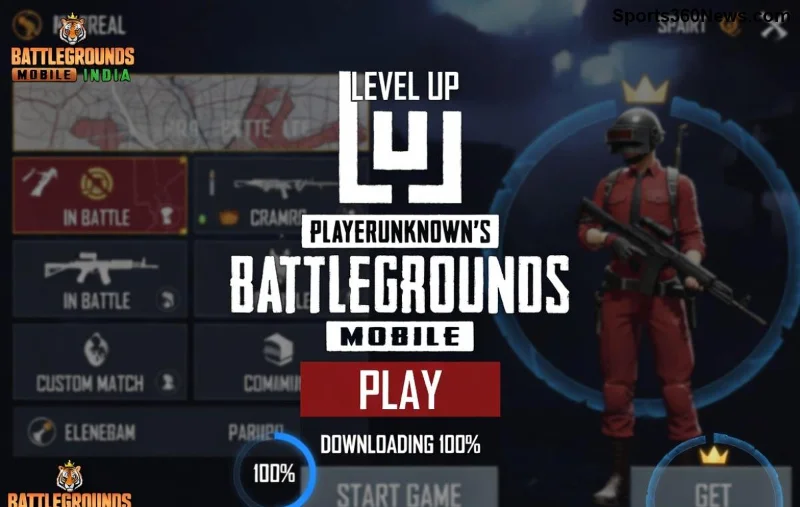
Imagine queuing up for your favorite PUBG Mobile match, only to get trapped on the frustrating "Compiling Resources" screen. 😩 It's a buzzkill that hits every gamer hard, wasting precious time when you just want to drop hot and grab that Chicken Dinner. But don't rage quit yet! This comprehensive guide delivers quick, effective fixes for PUBG Mobile stuck on "Compiling Resources", tested on the latest updates. We'll walk you through simple steps to banish this error forever, so you can squad up and dominate.
Whether you're on Android or iOS, these solutions work like a charm. Stick around – by the end, you'll be fragging foes in no time! ➡️
Why Does PUBG Mobile Get Stuck on "Compiling Resources"? Quick Diagnosis
Before diving into fixes, understanding the root causes helps you prevent future headaches. The "Compiling Resources" phase loads shaders, textures, and assets – but glitches happen due to:
- 🔴 Corrupted cache or data: Temporary files pile up and clash.
- 🕸️ Poor internet connection: Incomplete downloads stall the process.
- 📱 Low storage/RAM: Device overloads during compilation.
- ⚙️ Outdated app or system: Incompatible versions cause hangs.
- 🚫 Background apps or VPN conflicts: Interference from other software.
Spot your culprit? Great – now let's fix it step-by-step. Start with the easiest ones for instant results! ⭐
Method 1: Clear Cache and Data (Fastest Fix – 90% Success Rate!)
The #1 culprit for PUBG Mobile stuck on compiling resources is bloated cache. Here's how to wipe it clean:
- Open Settings > Apps > Find PUBG Mobile.
- Tap Storage > Clear Cache (safe, keeps your progress).
- If stuck persists, hit Clear Data (logs you out – back up account first!).
- Force stop the app, relaunch, and watch it fly! 🚀
Pro Tip: Do this weekly for buttery-smooth performance. Android users: Use Game Booster apps for auto-cache clearing.
Method 2: Restart Your Device and Force Close PUBG
Sometimes, a simple reboot clears temporary glitches.
- Close PUBG Mobile completely (swipe from recent apps).
- Restart your phone: Hold power button > Restart.
- Reopen PUBG Mobile – no more compiling resources stuck! 😎
Method 3: Check and Optimize Your Internet Connection
Unstable Wi-Fi or data? That's a recipe for PUBG Mobile compiling resources error.
| Issue |
Solution |
| Slow Wi-Fi |
Switch to 5GHz band or mobile data. Test speed at Speedtest.net (aim for 10Mbps+). |
| VPN Active |
Disable VPN/proxy – PUBG detects them as cheats. |
| DNS Issues |
Switch to Google DNS (8.8.8.8) in Wi-Fi settings. |
Stable net = seamless loading. Your squad's waiting! 👊
![PUBG Mobile player fixing compiling resources error on Android phone]()
Method 4: Free Up Storage and RAM
If your device is gasping for space, compilation chokes. Target 2GB+ free storage and 1GB RAM.
- Delete unused apps/photos via Storage Manager.
- Enable Auto-clean in device cleaner apps.
- For iOS: Offload unused apps from Settings > General > iPhone Storage.
Bonus: Close background apps before launching PUBG Mobile. Feel the speed boost! ⚡
Method 5: Update PUBG Mobile and Your Device OS
Outdated versions breed bugs. Head to Google Play/App Store:
- Search PUBG Mobile > Update to the latest version.
- Update your OS: Settings > System > Software Update.
- Enable auto-updates to stay ahead of compiling resources stuck patches.
Method 6-10: Advanced Fixes for Stubborn Cases
If basics fail, level up:
- #6: Reinstall PUBG Mobile 🛠️ Uninstall > Re-download (progress safe via social login).
- #7: Disable Battery Optimization 🔋 Settings > Battery > App Optimization > Don't Optimize PUBG.
- #8: Switch Graphics Settings 🎮 In-game: Lower graphics to Smooth + 30FPS.
- #9: Use Game Launcher/Booster 📱 Samsung Game Launcher or Xiaomi Game Turbo for priority resources.
- #10: Factory Reset (Last Resort) ⚠️ Backup first! Resets everything but nukes glitches.
These have rescued thousands of players – pick what fits your setup! Got a specific device? Drop a comment below for tailored advice. 📝
Prevention Tips: Stay Stuck-Free Forever ⭐
Don't let PUBG Mobile stuck on "Compiling Resources" return:
- ✅ Weekly cache clears.
- ✅ Strong, stable internet always.
- ✅ Keep 20%+ free storage.
- ✅ Avoid modded APKs – official only!
- ✅ Join PUBG's official Discord for real-time patch notes: PUBG Mobile Discord.
Implement these, and you'll be the smoothest gamer in the lobby. Victory Royale awaits! 🏆
Still Stuck? Quick Troubleshooting Table
| Symptom |
Try This First |
Escalation |
| Hangs forever |
Clear Cache |
Reinstall |
| After update |
Restart Device |
OS Update |
| Low-end device |
Free RAM |
Lower Graphics |
We've covered every angle to fix PUBG Mobile compiling resources stuck. Try these in order, and you'll be back dropping into Erangel before you know it. Share your success story in the comments – let's build a glitch-free community! 👏
Ready to crush lobbies? Launch PUBG now and thank us later. GG! 🔥