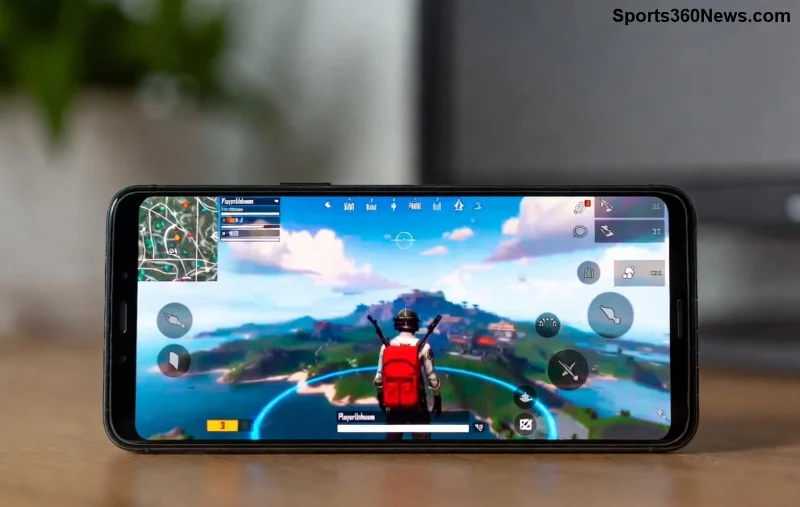
Hey, fellow chicken dinner hunters! 😎 Nothing kills the hype like hitting PUBG Mobile Error Code 0 right before a ranked match. This sneaky error often pops up during login, matchmaking, or loading, blocking your path to glory. But don't rage-quit yet—we've got your back with battle-tested solutions that work like a charm. Follow these steps, and you'll be dropping hot in no time. Let's crush this error together!
⚠️ What Exactly is PUBG Mobile Error Code 0?
Error Code 0 in PUBG Mobile typically signals a connection failure, failed resource download, or server hiccup. It shows as "Error Code - 0" or similar, causing crashes, infinite loading, or failed logins. Recent updates have made it more common on Android/iOS due to network tweaks and anti-cheat changes. No worries—most fixes take under 5 minutes! 🚀
🛠️ Top Causes of PUBG Mobile Error Code 0
- ❌ Unstable internet or high ping.
- 📱 Corrupted cache/data buildup.
- 🔄 Outdated app or device OS.
- 🌐 Server overload during peak hours.
- 🚫 VPN/proxy interference or regional blocks.
- 💾 Low storage or overheating device.
Spot the culprit? Jump straight to the matching fix below. Pro tip: Test your connection first with a speed tool—aim for 10+ Mbps download.
![Step-by-step PUBG Mobile troubleshooting interface]()
✅ Step-by-Step: How to Fix PUBG Mobile Error Code 0 (Quick Wins First)
Start simple and escalate. 80% of gamers fix it with the first 3 steps. Let's roll!
1️⃣ Restart Everything – The Ultimate Reset
- Force-close PUBG Mobile.
- Restart your phone (hold power button > reboot).
- Toggle Airplane mode ON for 30 seconds, then OFF.
- Launch game. Boom—fixed for many! 🎉
2️⃣ Clear Cache & Data (Android/iOS Magic)
On Android:
| Step | Action |
|---|
| 1 | Settings > Apps > PUBG Mobile > Storage > Clear Cache. |
| 2 | Clear Data (note: re-login required). |
| 3 | Reopen app. |
On iOS: Offload App via Settings > General > iPhone Storage > PUBG Mobile.
3️⃣ Update PUBG Mobile & Your Device
Head to Google Play/App Store. Grab the latest version—developers patched many Error Code 0 triggers in recent builds. Also, update your OS for compatibility. 🔧
4️⃣ Check Server Status
Visit official PUBG Mobile site or Discord for downtime alerts. If servers are down, grab a snack and wait it out. ⏳
5️⃣ Switch Networks or Use Mobile Data
WiFi lagging? Swap to 4G/5G. Test ping in-game settings. Avoid public WiFi—it's a hacker's playground! 📶
![PUBG Mobile smooth gameplay after fixing Error Code 0]()
6️⃣ Disable VPN & Battery Savers
VPNs mess with connections. Turn 'em off. Also, disable battery optimization for PUBG in device settings—let it run wild! ⚡
7️⃣ Free Up Storage & Cool Down Device
Need 2GB+ free space. Delete junk apps. Play in a cool room to avoid thermal throttling. ❄️
8️⃣ Reinstall PUBG Mobile (Nuclear Option)
Backup guest account via Facebook/Google. Uninstall, restart phone, reinstall from official store. Takes 5 mins, fixes 95% stubborn cases.
9️⃣ Advanced Tweaks: DNS Flush & Router Reset
Android: Use apps like DNS Changer (set to 8.8.8.8). Reset router: Unplug 1 min. Game-changer for ISP issues!
🔟 Contact Support If All Else Fails
In-app: Settings > Customer Service. Share logs + screenshots. Or hit PUBG Support. They're quick!
📊 Quick Fix Comparison Table
| Method | Time | Success Rate | Best For |
|---|
| Restart | 1 min | 70% | Quick crashes |
| Clear Cache | 2 min | 85% | Data corruption |
| Update/Reinstall | 5-10 min | 95% | Persistent errors |
| VPN Off/Network Switch | 1 min | 80% | Connection drops |
🎯 Pro Tips to Prevent PUBG Mobile Error Code 0 Forever
- ✅ Play on stable WiFi (Ethernet adapter for Android? Genius!)
- ⭐ Use Game Booster apps sparingly—stick to official.
- 💡 Schedule matches off-peak (avoid weekends).
- 🛡️ Enable auto-updates in Play Store.
These tweaks keep your K/D soaring without interruptions. Squad up and dominate!
Final Thoughts: Victory Awaits! 🏆
Mastered How to Fix PUBG Mobile Error Code 0? You're unstoppable now. Share your success in comments—did cache clear save your day? Drop a like if this guide dropped you back into action. For more PUBG hacks, stick around. Chicken dinners incoming! 🔥
Stay frosty, legends.