Watching LoL esports is free, and you can do it from a browser, a TV app, or your phone — you just need to know where to look. Whether you want to follow the LCK, tune into the LCS on a Saturday afternoon, or catch a Worlds final live, this guide covers every platform and explains how each one works.
Riot Games streams all of its major leagues — LCK, LCS, LEC, and LPL — at no cost to viewers. You do not need a subscription or cable TV to watch competitive League of Legends. The five options below cover every scenario, from first-time viewers to fans who want match reminders and rewards points on the go.
How to watch LoL esports
-
Step 1: Visit the Official LoL Esports Website
The easiest starting point is lolesports.com, Riot's dedicated esports hub. Go to the site and click the Watch button in the navigation bar. The homepage shows any ongoing live match at the top, and the Schedule tab lists every upcoming game with your local time zone automatically applied. Completed matches are archived as VODs so you can watch anything you missed at your own pace. No account is required to watch, though creating a free Riot account lets you link rewards and receive email reminders.
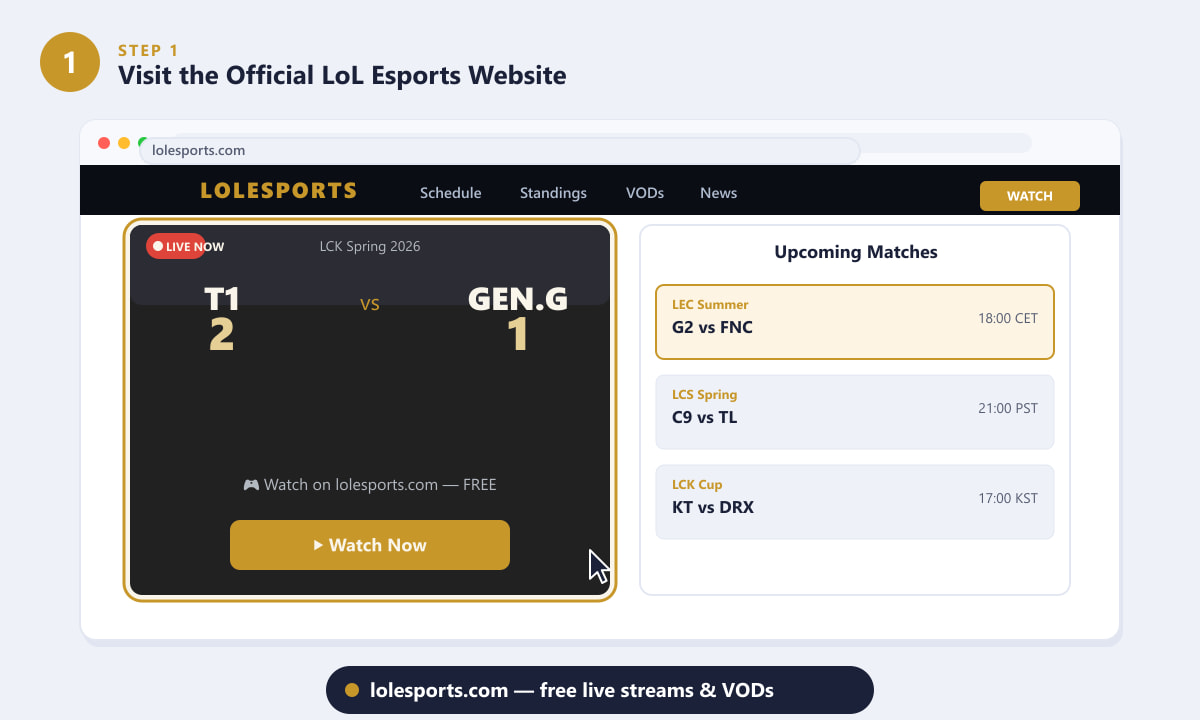
lolesports.com streams every major league live and keeps a full VOD archive. -
Step 2: Watch on Twitch
If you prefer Twitch, every official Riot broadcast also streams live on the platform. Search for riotgames to find the main channel, or look for region-specific channels such as lck, lec, or lcs. Twitch is a great option if you already spend time on the platform, because Twitch Drops are sometimes active during LoL esports events, rewarding you with in-game cosmetics just for watching. Click Follow on the channel so Twitch notifies you automatically when a broadcast starts.
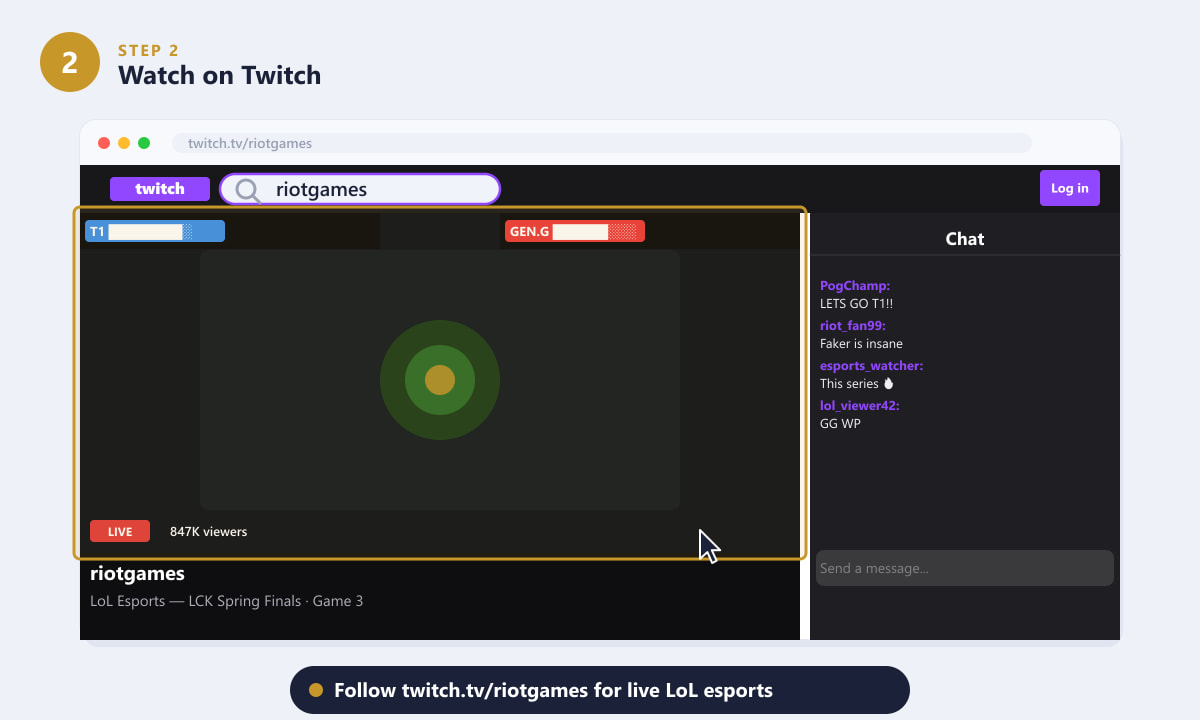
twitch.tv/riotgames — follow the channel to get a notification when a match goes live. -
Step 3: Watch on YouTube
Riot's official YouTube channel (@lolesports) simulcasts major events live and is often the best choice for smart TV viewing, since the YouTube app is pre-installed on most modern televisions. Beyond live matches, the channel posts daily highlight reels, full-series VODs, and documentary content, so it doubles as a great archive if you want to go back and watch classic matches. Subscribe and tap the notification bell to be alerted when a stream begins. Regional channels — such as LCK's own YouTube page — may also carry additional content and local language commentary.
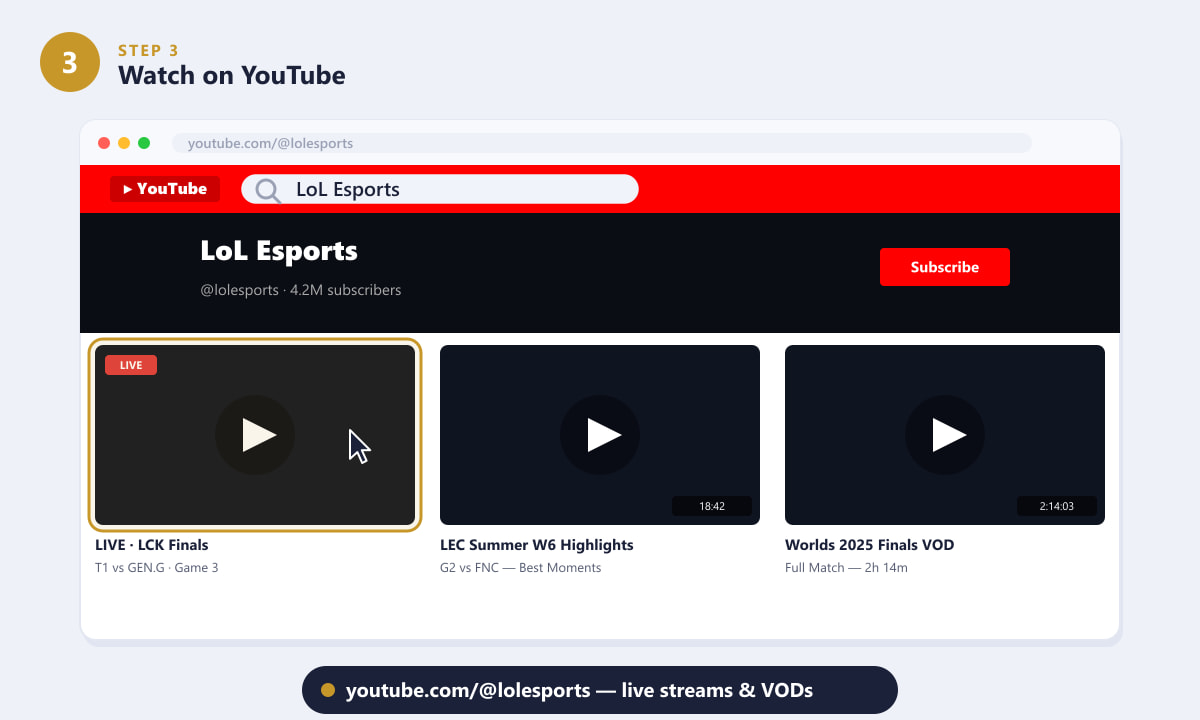
youtube.com/@lolesports — live events, highlights, and full-match VODs all in one place. -
Step 4: Download the LoL Esports App
For mobile viewing, the free LoL Esports app (iOS and Android) is the most feature-rich option. It streams matches directly inside the app, displays a schedule adjusted to your time zone, and lets you set match reminders so your phone buzzes before a game starts. The app also integrates with the Esports Points system, which rewards you with points just for watching live games — points that can be redeemed for champion skins, loot boxes, and other in-game goodies. Search "LoL Esports" in the App Store or Google Play to download it.
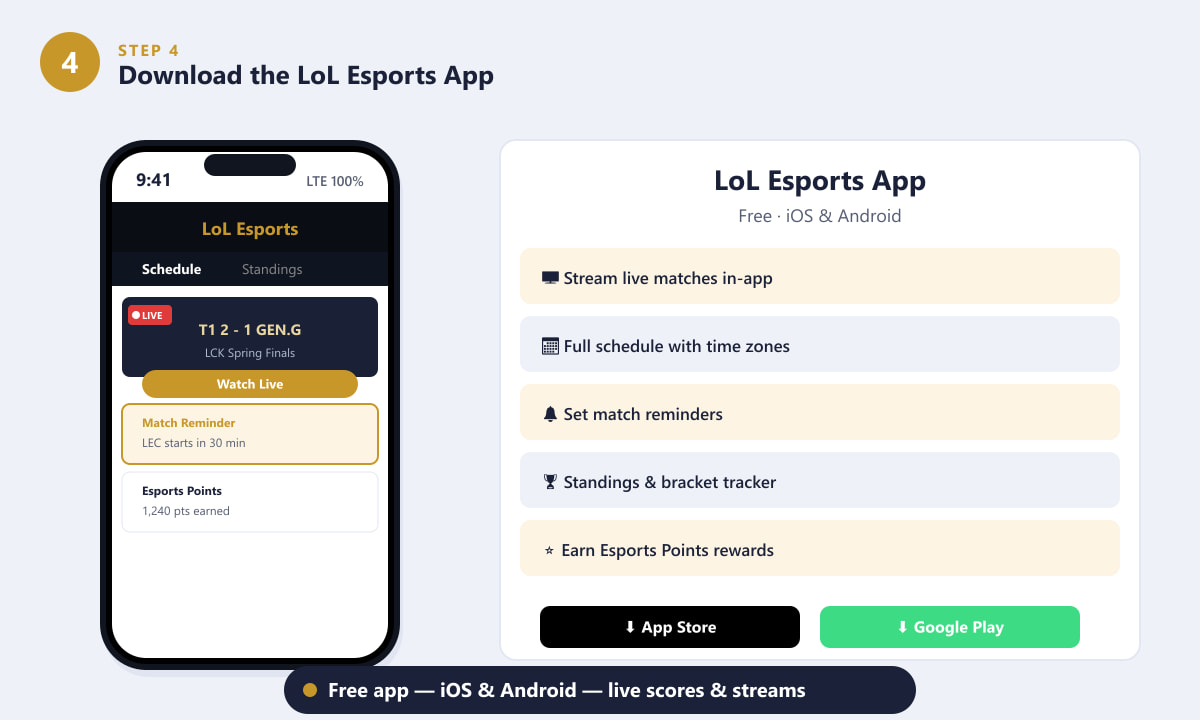
The free LoL Esports app lets you watch live, set reminders, and earn Esports Points rewards. -
Step 5: Know Your Leagues — LCK, LPL, LEC, and LCS
LoL esports is organized into regional leagues that each run their own season before players qualify for international tournaments like Worlds and MSI. The four major regions are the LCK (Korea), the LPL (China), the LEC (Europe), and the LCS (North America). All four broadcast on lolesports.com; the LCK and LCS additionally stream on Twitch, the LEC posts on YouTube, and the LPL streams on Bilibili for Chinese audiences while making highlights available internationally. Knowing which league you want to follow makes it much easier to find the right channel and time slot.
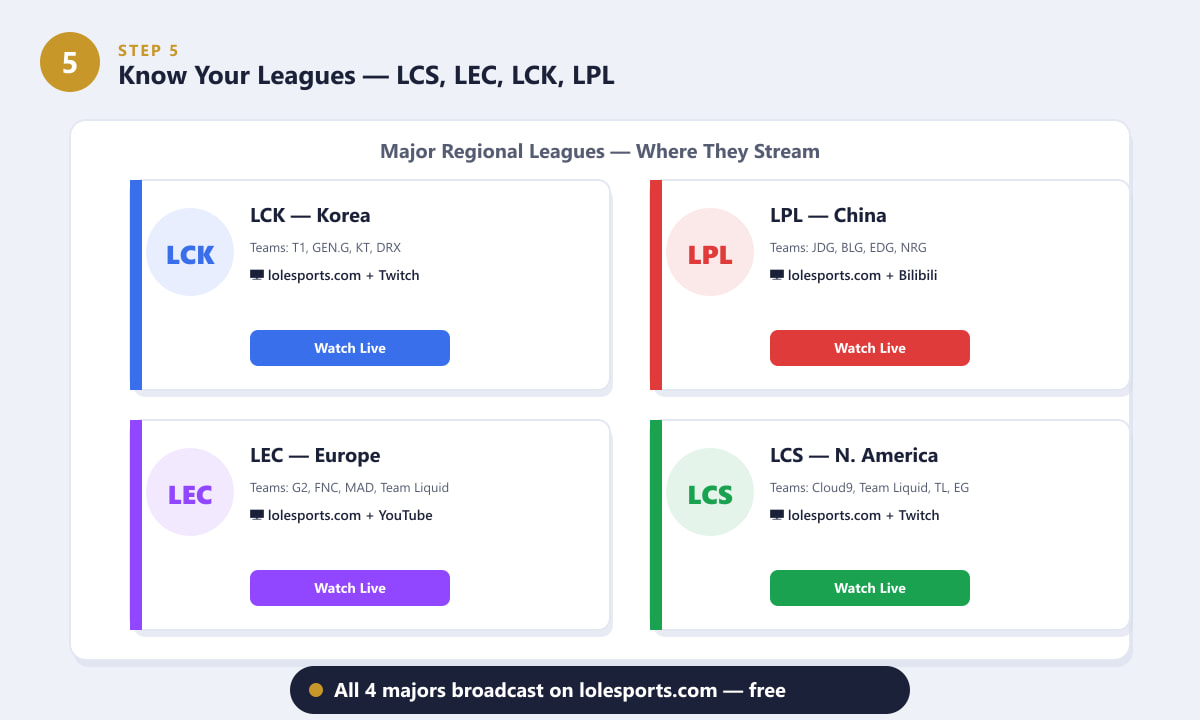
All four major regions broadcast on lolesports.com, with Twitch and YouTube carrying key leagues too.
Tips for the best viewing experience
- Use lolesports.com on a big screen. The player is full HD and requires no account, making it the cleanest option for PC or casting to a TV via Chromecast or AirPlay.
- Enable Drops before watching on Twitch. Log in to your Twitch account, visit the Drops Inventory page, and connect your Riot account once. After that, Drops activate automatically when an eligible event is live.
- Check the schedule for your time zone. Matches in Korea (LCK) air in the morning for European viewers and late at night for North Americans. The schedule on lolesports.com converts times automatically, but the app makes this even easier with push notifications.
- Follow co-streams for a different experience. Popular streamers sometimes run co-streams of LoL events on Twitch with their own commentary. These are unofficial but fully legal and can be a fun alternative perspective.
- VODs stay up permanently. If you miss a series, the official VOD is usually available on lolesports.com and the YouTube channel within a few hours of the broadcast ending.
Frequently asked questions
Is LoL esports free to watch?
Yes, all official Riot broadcasts — LCK, LCS, LEC, LPL, Worlds, and MSI — are free to watch on lolesports.com, Twitch, and YouTube. No subscription or pay-per-view fee is required.
Where can I watch the LCK?
The LCK (League Champions Korea) streams live on lolesports.com and on Twitch at twitch.tv/lck. The official LCK YouTube channel also posts VODs and highlights after each broadcast day.
How do I watch LoL Worlds?
Worlds follows the same channels as the regional leagues — lolesports.com, Twitch, and YouTube — and typically draws millions of concurrent viewers. The schedule, bracket, and all VODs are hosted on lolesports.com once the event begins.
Can I watch LoL esports on my TV?
Yes. The easiest routes are the YouTube app (pre-installed on most smart TVs), the Twitch app, or casting the lolesports.com stream from your phone or laptop via Chromecast or AirPlay. No dedicated TV app from Riot is available, but the YouTube and Twitch TV apps cover the major leagues.
What are Esports Points and how do I earn them?
Esports Points are a rewards currency you earn by watching live LoL esports through your Riot account on lolesports.com or the LoL Esports app. Points accumulate over the course of a broadcast and can be redeemed for champion skins, loot capsules, and other in-game items in the Esports Shop.
Ready to catch the next match?
Every major League of Legends esports event is one click away and completely free. Bookmark lolesports.com for the full schedule and VOD archive, follow the Twitch or YouTube channel for the league you enjoy most, and grab the mobile app if you want reminders and rewards while watching on the go. Whether you are tuning in for your first LCK series or following a team deep into Worlds, the viewing experience is designed to be as accessible as possible for fans everywhere.