Learning how to play Apex Legends is easier than it looks once you break it into a few simple steps. Apex Legends is a free, squad-based battle royale from Respawn Entertainment where teams of three drop onto a map, scavenge for gear, and fight to be the last squad standing. This getting-started guide walks you through everything a new player needs: installing the game, choosing a Legend, dropping in, looting up, and winning fights.
What you need to get started
Apex Legends is free to play, so you do not need to buy anything to begin. Before your first match, make sure you have:
- A supported device — PC, PlayStation, Xbox, or Nintendo Switch.
- A free EA account to sign in with.
- Roughly 50-75 GB of free storage space for the install.
- A stable internet connection, since every mode is online.
That is the whole shopping list. Everything else — Legends, maps, and modes — comes built into the free download. The steps below take you from the install screen all the way into a live match.
How to play Apex Legends step by step
-
Step 1: Download the game and create an account
Head to your platform's store — Steam or the EA app on PC, or the console store on PlayStation, Xbox, and Switch — and download Apex Legends for free. When you launch it for the first time, sign in with an EA account (you can create one in seconds). No payment details are required to play, so you can jump straight into the game once the install finishes.
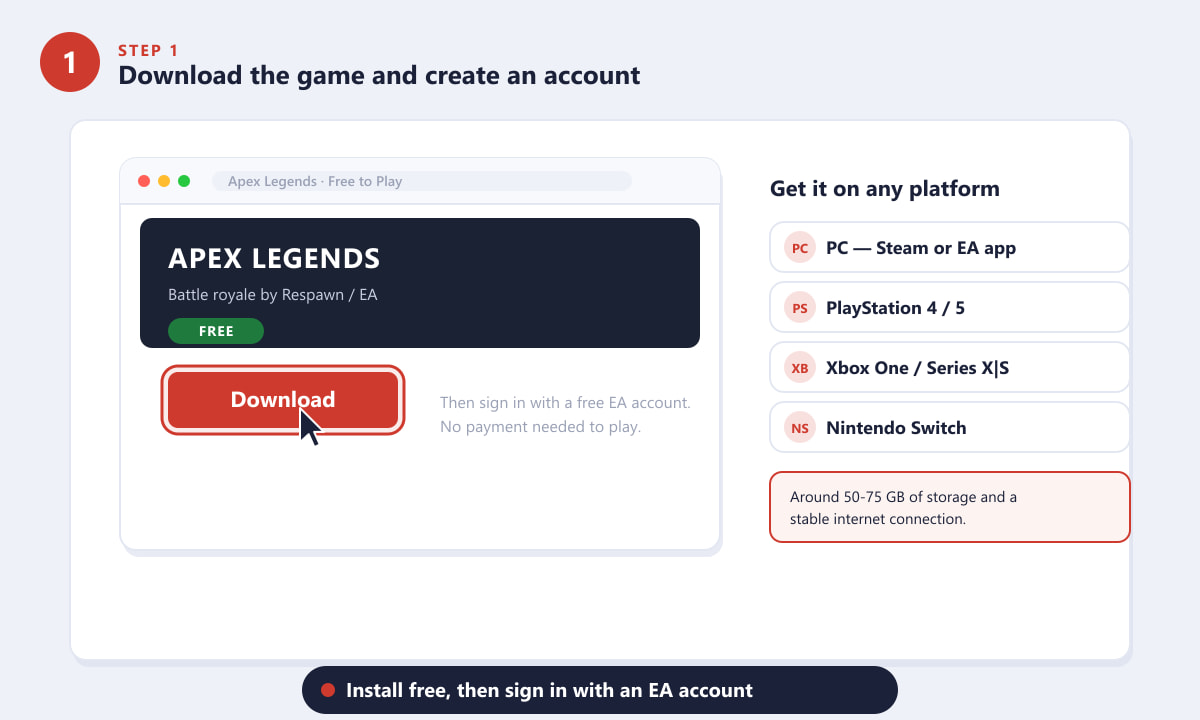
Install Apex Legends free on any platform, then sign in with an EA account. -
Step 2: Choose a Legend that fits your playstyle
Apex is built around its roster of Legends, each with a unique tactical, passive, and ultimate ability. Legends are grouped into roles such as Assault, Skirmisher, Recon, Support, and Controller. If you are brand new, forgiving picks like Lifeline (squad healer), Bloodhound (enemy tracker), Gibraltar (defensive shield), or Bangalore (smoke and speed) are great places to learn. Try a few in the firing range to see which one clicks.
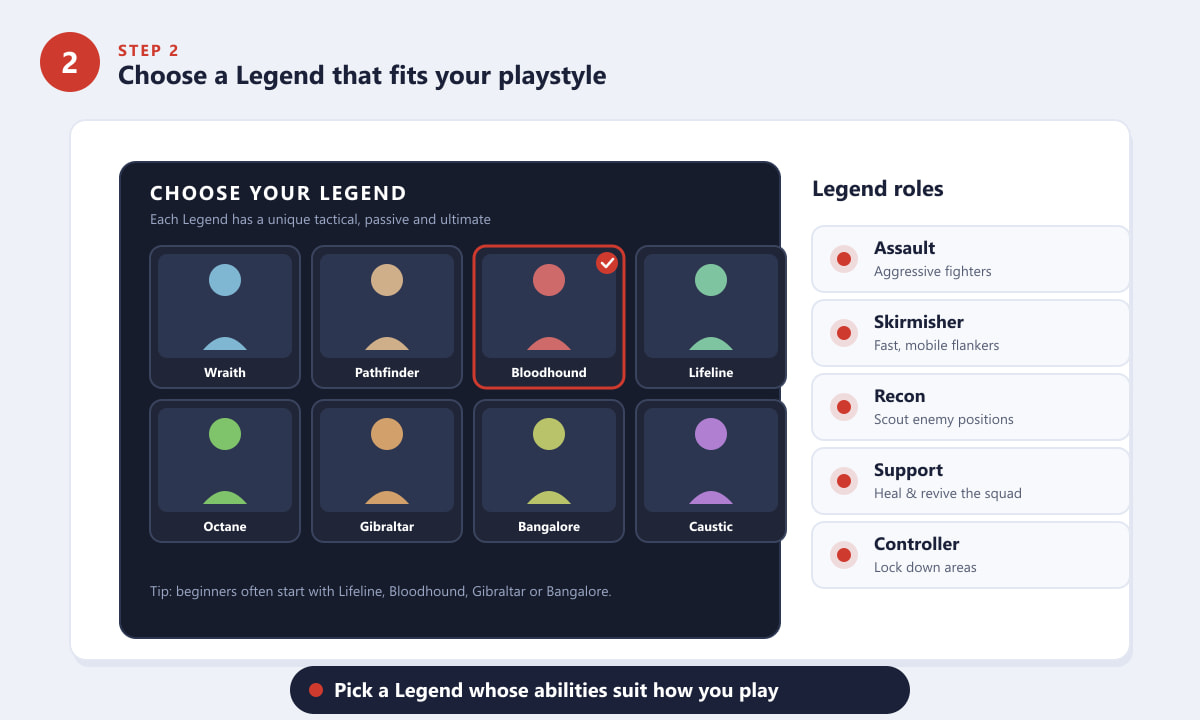
Each Legend has its own abilities and role — pick one that suits how you play. -
Step 3: Drop in and choose where your squad lands
At the start of a match, your squad rides a dropship across the map. One player becomes the jumpmaster and steers everyone toward a landing spot — though squadmates can break off if they want. Try to land together so you can fight and revive as a team. Busy, named locations have plenty of loot but draw other squads, while the map's edges are quieter and safer. Use the ping system to mark where you want to go before you dive.
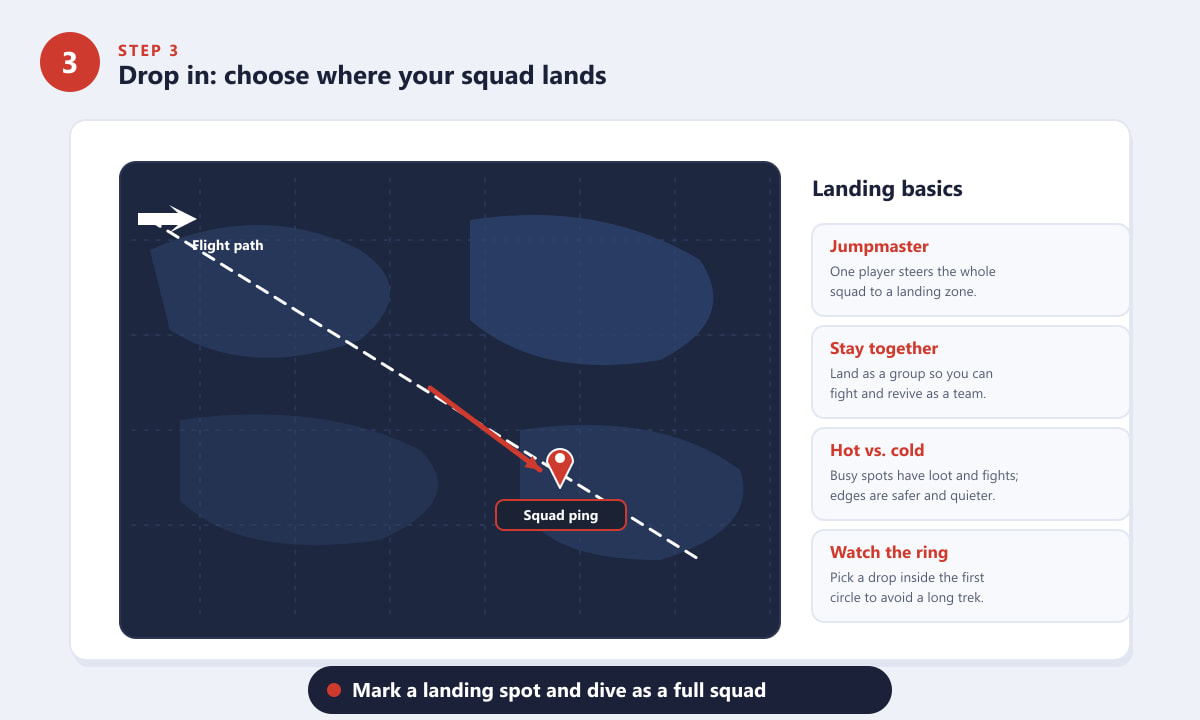
Mark a landing spot along the flight path and drop in together as a full squad. -
Step 4: Loot up — grab weapons, armor, and ammo
You start every match empty-handed, so the first job after landing is to loot. Grab a weapon and matching ammo immediately, then prioritize a body shield for survivability. Armor comes in color-coded tiers — white (Common), blue (Rare), purple (Epic), and gold (Legendary) — with each step up giving more shield health. Pick up a helmet, healing items like syringes and shield cells, and any attachments that fit your guns. A quick rule of thumb: shield and ammo first, then upgrade your weapons.
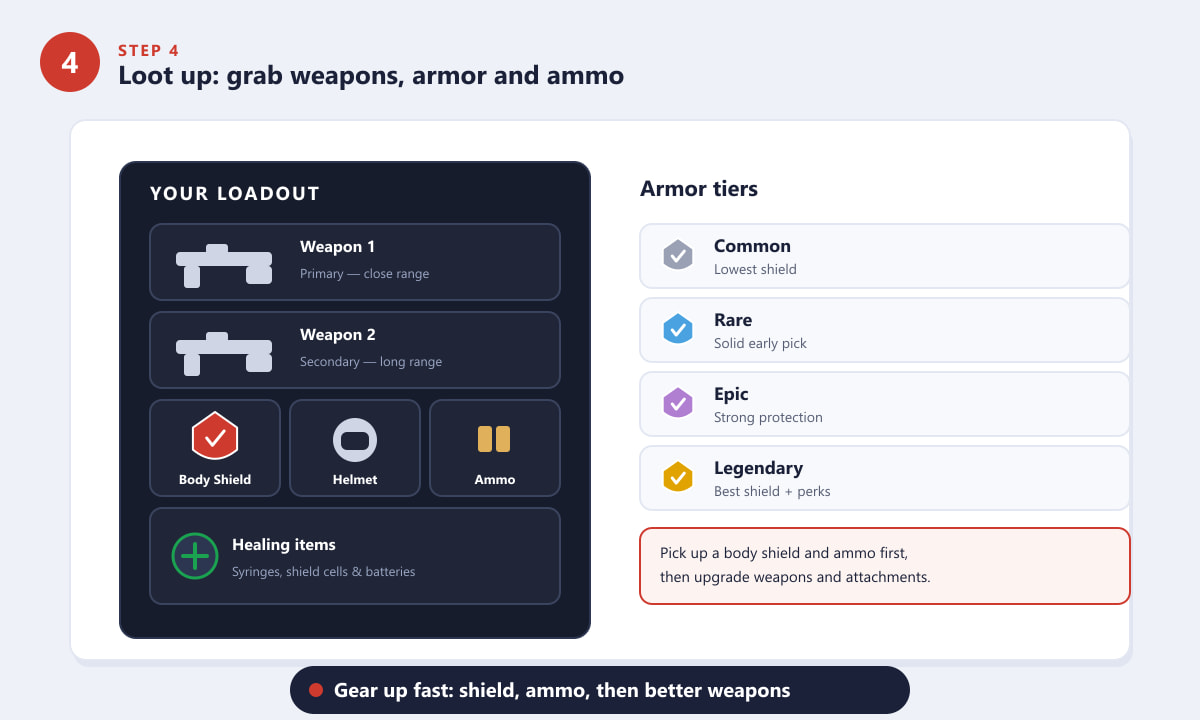
Equip a body shield and ammo first, then chase better weapons and attachments. -
Step 5: Fight smart — ping, use abilities, and beat the ring
Apex rewards teamwork. Use the ping system to call out enemies, loot, and locations without a microphone — it is the most important communication tool in the game. In a fight, lean on your Legend's kit: your tactical is a short-cooldown skill, your passive is always on, and your ultimate is a powerful move that charges over time. Meanwhile, a shrinking ring slowly closes in and damages anyone caught outside it, forcing squads together. Stay inside the safe zone, stick with your team, and you will outlast the competition.
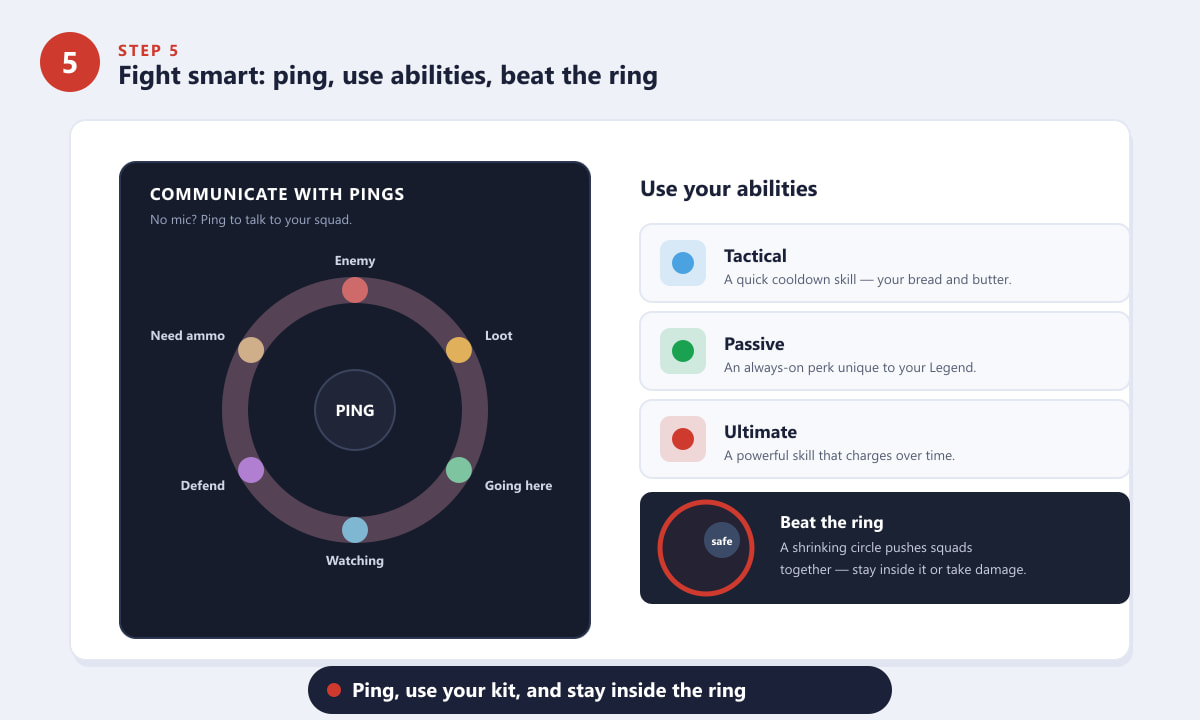
Ping to communicate, use your abilities, and always stay inside the ring.
Beginner tips
- Stick with your squad. Apex is a team game — wandering off alone is the fastest way to get eliminated.
- Master the ping wheel. A single ping can flag an enemy or share loot instantly, even without voice chat.
- Use the slide. Sprint and crouch on a slope to slide; it is faster and harder to hit than running.
- Revive and respawn. Pick up a downed teammate's banner and use a respawn beacon to bring them back into the match.
- Practice in the firing range. Test Legends, weapons, and recoil there before taking them into a real game.
Common beginner problems
I keep dying right after landing
You are probably dropping in hot zones with no gear. Try landing slightly away from the crowd, loot quickly, and regroup with your squad before pushing fights.
My teammates run off without me
Follow the jumpmaster's path on drop and use pings to suggest a spot. Once on the ground, stay within revive range so the team can support each other.
I cannot tell which armor or attachment is better
Go by color: white is the weakest and gold is the strongest. Higher rarity always means more shield or a better attachment, so swap up whenever you find an upgrade.
Frequently asked questions
Is Apex Legends hard to learn for beginners?
The basics — drop, loot, and fight — are easy to pick up in a match or two. Mastering movement, aim, and Legend abilities takes longer, but you can have fun from your very first game.
How many players are on a team in Apex Legends?
The standard battle royale puts you in a squad of three, with around 60 players total per match. There are also limited-time modes with different team sizes.
Do I need to pay anything to play Apex Legends?
No. The full battle royale is free to download and play. Purchases are limited to optional cosmetics and the premium battle pass, which never affect gameplay power.
Which Legend should a beginner pick first?
Lifeline, Bloodhound, Gibraltar, and Bangalore are all forgiving, team-friendly choices that help you learn the fundamentals without complex abilities.
What is the ring in Apex Legends?
The ring is a circle that shrinks over the course of a match. Standing outside it deals damage, so it gradually forces all surviving squads into a smaller area.
Final thoughts
That is everything you need to start playing Apex Legends with confidence: download the game, choose a Legend, drop in as a squad, loot up fast, and fight smart while the ring closes. The early games can feel chaotic, but the loop quickly becomes second nature — and with a coordinated team, every match gets more rewarding. For the latest seasons, maps, and updates, check the official Apex Legends website and drop in.