Where Can You Play GTA 5? Every Platform (2026)
You can play GTA 5 on Windows PC, PlayStation 4, PlayStation 5, Xbox One, and Xbox Series X|S. A full copy of Grand Theft Auto V includes Story Mode and GTA Online. On current consoles, GTA Online is also listed as a separate purchase, so you can choose multiplayer without buying the campaign. Rockstar’s current listings do not include a native Nintendo Switch or mobile version. Store editions, prices, and offers vary by country, so check the official store for your region before you buy.
GTA 5 platforms at a glance
| Platform | Where to get it | What to know |
|---|---|---|
| Windows PC | Rockstar Games Launcher, Steam, or Epic Games Store | New PC purchases include GTAV Enhanced and GTAV Legacy. Check the requirements for the edition you plan to run. |
| PlayStation 4 | PlayStation Store or a supported PS4 disc | Includes Story Mode and GTA Online. Eligible owners can download the PS5 upgrade at no extra cost. |
| PlayStation 5 | PlayStation Store | Play the PS5 edition, or buy the separate GTA Online edition if you only want multiplayer. |
| Xbox One | Microsoft Store or a supported Xbox One disc | Includes Story Mode and GTA Online. Digital owners can download the Series X|S upgrade for free. |
| Xbox Series X|S | Microsoft Store | The current-generation edition is available as GTAV or as standalone GTA Online. |
The official GTA V page from Rockstar Games highlights the PS5, Xbox Series X|S, and PC editions. Rockstar’s GTA Online support hub also lists PS4 and Xbox One among its supported versions.
Windows PC: Enhanced and Legacy editions
On PC, GTA 5 is sold through the Rockstar Games Store and Launcher, Steam, and the Epic Games Store. Rockstar released GTAV Enhanced for PC on March 4, 2025. Existing PC owners received the Enhanced upgrade at no extra cost, while a new purchase includes both Enhanced and Legacy. Legacy remains useful for computers that do not meet Enhanced’s requirements, but the two editions do not share GTA Online sessions.
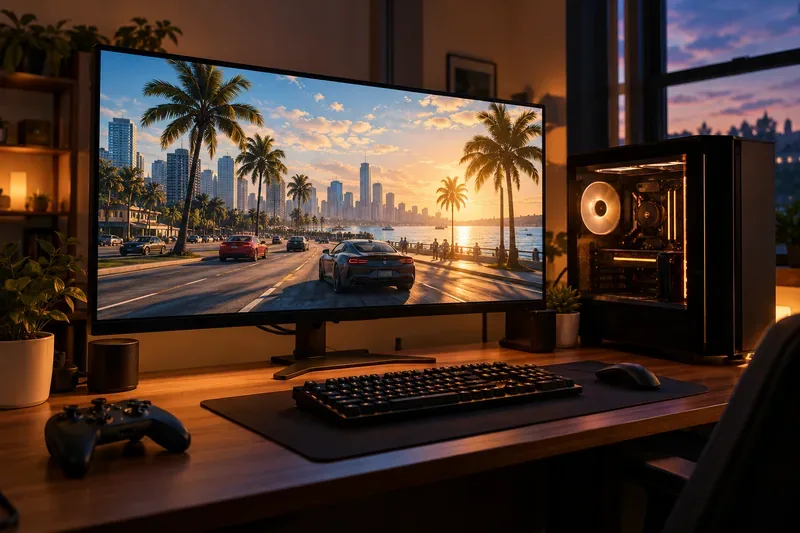
Check the store page before downloading: PC requirements depend on the edition and can change as the game is updated. Rockstar’s current Enhanced listing specifies Windows 10, 8 GB of RAM, a GTX 1630 or Radeon RX 6400 graphics card, and a 105 GB SSD. It also lists an Intel Core i7-4770 or AMD FX-9590 as the minimum processor. If your computer is older, compare every component with the official Rockstar PC requirements rather than relying on older GTA V guides.
Rockstar’s PC upgrade announcement explains the Enhanced and Legacy editions and the one-time profile migration. New players can also read the edition details on the Epic Games listing.
PlayStation: PS4 and PS5
GTA 5 is available on both PS4 and PS5. The PS4 release works on the previous-generation console, while the PS5 edition is built for Sony’s current console and adds faster loading, updated visuals, and platform features such as DualSense haptics. Rockstar describes graphics modes on current consoles that can reach up to 4K resolution and 60 frames per second on supported displays and settings; those are options, not a guarantee that every mode runs at that combination. See its PS5 and Xbox Series announcement for the original feature details.

As of Rockstar Support’s June 18, 2026 instructions, anyone who owns the PS4 version digitally or on disc can download the PS5 version free. A disc owner must keep the PS4 disc in the PS5 to verify ownership, and therefore needs a PS5 with a disc drive. See Rockstar’s PS5 and Xbox Series upgrade instructions before switching consoles.
The PlayStation game page lists GTA V with Story Mode and GTA Online. A separate GTA Online standalone edition for PS5 is available if you only want the multiplayer mode.
Xbox: Xbox One and Xbox Series X|S
On Xbox, the full game is available for Xbox One and Xbox Series X|S through the Microsoft Store, with physical Xbox One copies also available. The Series X|S edition is the current-console version, with improved visuals, faster loading, and graphics modes that can support up to 4K and 60 fps depending on the chosen mode and display. Xbox Series S is digital-only, so it cannot use a physical Xbox One disc to prove ownership of an upgrade.

Rockstar’s current upgrade guide says digital Xbox One owners can download the Xbox Series X|S version at no extra cost. Physical-disc owners cannot use that free digital upgrade path. Check the Microsoft Store’s GTA V listing and the upgrade instructions for your exact copy before switching consoles.
Xbox also lists a standalone GTA Online edition for Series X|S. Availability and pricing can differ by region.
GTA Online: standalone access is not always free
Buying the full GTA V release gives you both the single-player campaign and GTA Online. If you only want GTA Online, check whether the standalone version for PS5 or Xbox Series X|S is the better fit. Console multiplayer may also require the platform’s online subscription, depending on the platform and any active promotion.
Do not rely on old giveaway headlines when budgeting. Rockstar documented a free GTA Online trial on PS5 and Xbox Series X|S from November 11 through November 17, 2025; its support page says that after the trial, players needed to acquire the standalone game and the usual online-subscription requirement returned. Store promotions and subscription catalogs can change, so confirm what is included on the day you purchase.
Devices that do not have a native GTA 5 release
Rockstar’s current game and support listings cover Windows PC, PS4, PS5, Xbox One, and Xbox Series X|S. They do not list native versions for Nintendo Switch, iPhone, iPad, Android phones or tablets, macOS, or Linux. A streaming service may let a device display a game running elsewhere, but that is not a native mobile or Switch edition; check the service’s current catalog and device support before subscribing.
Which GTA 5 platform should you choose?
- Choose the platform your friends use. For GTA Online, check the precise platform and edition before buying. Rockstar explicitly separates PC Enhanced and Legacy sessions, and character progress does not stay synced between those PC profiles after migration.
- Choose PC for settings and hardware flexibility. Compare the Enhanced requirements with your PC and confirm that your group uses the same PC edition.
- Choose PS5 or Xbox Series X|S for the current console version. These releases include newer performance and visual options; choose your console ecosystem before purchasing a standalone copy of GTA Online.
- Keep your PS4 or Xbox One copy if you still use that console. If you are upgrading, confirm whether your copy qualifies for the free next-generation download—especially if you own a physical Xbox One disc.
Frequently asked questions
Can you play GTA 5 on Nintendo Switch?
No native Switch version appears in Rockstar’s current GTA V platform listings. A streaming option, if available through a third-party service, is not a Switch release.
Can you play GTA 5 on a phone?
There is no native iOS or Android version of GTA 5 in Rockstar’s official listings. Remote or cloud streaming depends on the service, your account, and current game availability.
Does GTA V include GTA Online?
Yes. The full game includes Story Mode and GTA Online. Standalone GTA Online editions are also listed for PS5 and Xbox Series X|S, while promotions and subscription access can change.
For the safest purchase, open the official store for your platform and confirm the edition name, regional price, system requirements, and any online subscription requirement. The full Rockstar GTA V page links to current platform information.









