Where Can I Play League of Legends? (2026 Guide)
If you want to play the original League of Legends, use a Windows PC or Mac and download it from Riot Games. For a phone or tablet, Riot offers League of Legends: Wild Rift, a separate mobile game for iOS and Android. The full PC game does not have an official Linux version, and Riot’s current download pages do not provide a console version. This guide covers the supported choices, how to find the right download, and what changed about Southeast Asian servers.
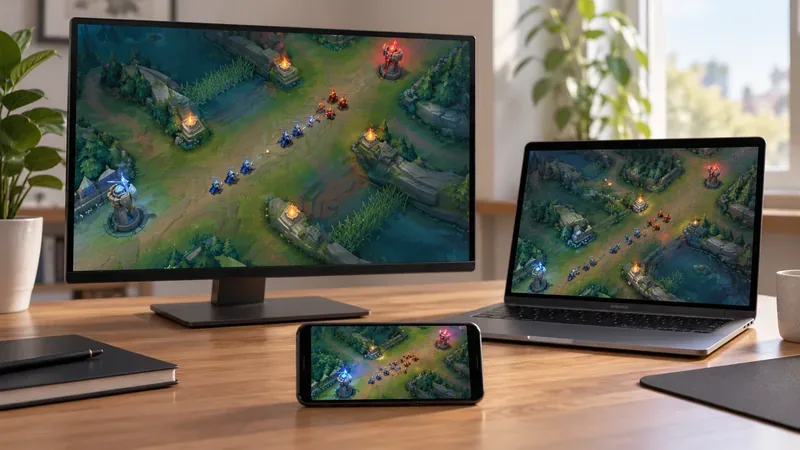
Quick answer: League of Legends platforms
| Device | What you can play | Official route |
|---|---|---|
| Windows PC | Original League of Legends | Riot’s League download page |
| Mac | Original League of Legends | Choose the Mac installer on Riot’s download page; check current Mac requirements first. |
| iPhone or iPad | League of Legends: Wild Rift | Apple App Store |
| Android phone or tablet | League of Legends: Wild Rift | Google Play |
| Xbox or PlayStation | No current official console download was verifiable when this guide was checked | Wait for a current Riot announcement and console-store listing. |
| Linux or SteamOS | No officially supported PC client | Riot lists Windows and macOS as supported operating systems. |
Both PC League and Wild Rift are free to download, with optional in-game purchases. Choose by the kind of game you want: the PC/Mac client is the original desktop game, while Wild Rift is a mobile-first adaptation with its own game systems.
Play the original League of Legends on Windows
Windows is the main platform for PC League. Open Riot’s official download page, select the Windows installer, install the Riot client, and sign in with a Riot Account. If you do not have an account, create one through Riot’s official signup flow and select the region you intend to play in. Avoid third-party download sites and unofficial installers.
Check the current system requirements before installing. Riot’s support page, updated September 22, 2026, lists Windows 10 build 19041 or later, or Windows 11 with TPM 2.0 enabled; a 64-bit system; DirectX 11 feature level 11_0; 2 GB RAM; and 16 GB of free storage as minimum specifications. Meeting the minimum does not guarantee smooth performance, so use Riot’s recommended specifications if your PC has older hardware.
Can you play League of Legends on Mac?
Yes. Riot provides a Mac installer for the original game from the same official download page. Mac compatibility has changed since older guides listed macOS 10.14, 4 GB of memory, and 16 GB of space. Riot’s current requirements table lists macOS 12, an Apple M1 processor, 8 GB of unified memory, and 40 GB of available storage. Riot also says Intel Mac users may be able to continue playing, while support is focused mainly on Apple Silicon. Review the live requirements page for its full compatibility notes before downloading.

Windows and Mac players use the PC version of League of Legends. You do not need a mobile emulator to play on Mac, and the official client is the safer route for updates and account access.
Play on a phone or tablet with Wild Rift
For mobile, download League of Legends: Wild Rift from the Apple App Store or Google Play. Riot describes Wild Rift as a 5v5 MOBA designed for mobile, with touch controls and streamlined matches. Search for the complete game title and confirm the publisher is Riot Games. Store availability and device compatibility can vary by country, operating system, and device model, so use the official game page if a store result is missing.

Wild Rift is related to League of Legends but is not the same client as PC League. It has its own balance updates, modes, progression, and item inventory. A Riot Account can provide a shared login, but Riot says PC League skins and Wild Rift skins do not carry between games. Your PC rank and mobile rank are separate, too.
Is League of Legends available on console?
Do not rely on older articles that list Xbox One, Xbox Series X|S, PlayStation 4, or PlayStation 5 as current platforms. Riot’s 2020 Wild Rift announcement trailer mentioned consoles as a planned platform, but the current official Wild Rift download paths reviewed for this guide point to mobile, and Riot’s PC download page lists Windows and Mac. I could not verify an active official Xbox or PlayStation store listing on October 16, 2026. Based on those current pages, treat console play as unavailable unless Riot publishes a new launch announcement and a live store listing.
Which server should you use?
Your League of Legends region is tied to the Riot Account you use. Riot’s regional server list includes North America, Europe, Brazil, Japan, Taiwan, Thailand, the Philippines, Singapore/Malaysia/Indonesia, and other regions. Create or choose the account for the region where you want to play; an account associated with one region may not sign in to another region’s client or site. Riot says one launcher can access multiple servers, but each server may need separate patching.
The old claim that Southeast Asian PC players must use Garena is out of date. Riot took over League of Legends publishing in Southeast Asia in January 2023, and Riot’s current support instructions direct new SEA players to create a Riot Account for the SEA servers. If an older Garena account is involved, use Riot Support for account-specific migration or recovery guidance rather than downloading an old client.
What to choose
- Choose Windows PC for the standard desktop version and the broadest compatibility with the current PC client.
- Choose Mac if your device meets Riot’s current macOS requirements, especially if you have Apple Silicon.
- Choose Wild Rift on iOS or Android if you want a mobile version designed around touch controls.
- Do not install a purported Linux, Chromebook, Xbox, or PlayStation version from an unofficial site. Check Riot’s official download and support pages for any future platform changes.
In short, the dependable official choices are the original League of Legends on Windows or Mac, and Wild Rift on iOS or Android. Pick the game and region first, then install only from Riot or the official app store for your device.
Official platform and support pages
- League of Legends downloads for Windows and Mac
- Riot’s current League of Legends system requirements
- League of Legends regional servers and account regions
- Riot’s Southeast Asia publishing transition notice
- League of Legends: Wild Rift official site
- Riot’s original Wild Rift console announcement
- Wild Rift account and skin FAQ









