What to Do in GTA Online: Best Activities to Try in 2026
If you are wondering what to do in GTA Online, choose an activity that fits the time and company you have: run a short Contact Mission to get moving, join a Heist for a longer crew challenge, build a business for ongoing progression, or queue for races and combat modes when you want competition. Freemode and community-created jobs are there when you just want to explore. You do not need to buy every property before you can have a useful session.
GTA Online has added years of missions and modes, so the best starting point depends on whether you want money, a story-like job, a solo run, or a casual activity. This guide focuses on the main GTA Online activities and flags 2026 content that changes what is available. Rockstar’s July 2026 update introduced the Kortz Center Heist, a one-to-four-player heist unlocked through an Art Studio for an owned Mansion; check the official notes for its requirements and platform details.
Start with a Contact Mission or a short job
When the map and menus feel crowded, start with a Rockstar-created mission. Contact Missions are structured jobs with clear objectives, usually involving a mix of driving, combat, or delivery. They are a practical way to learn how matchmaking, checkpoints, weapons, and payouts work before you commit to a long setup chain or an expensive property.
Open the Pause Menu and browse the Online jobs list, or use a phone Quick Job option to find an activity already in progress. You can also accept an invite from a friend. If you prefer a quieter session, Rockstar’s support instructions show how to start an Invite Only Session from Story Mode through Pause Menu > Online > Find New Session. The precise menu labels can vary by platform and game version.

Best for: new or returning players, a short play session, or anyone who wants a clear objective without planning a full heist. Try a few different jobs before spending money on a property; the activities themselves will show whether you prefer driving, combat, or cooperative play.
Join a Heist for a bigger cooperative mission
Heists are the main choice when you want a longer job with preparation, a finale, and distinct crew roles. The original apartment heists include The Fleeca Job, The Prison Break, Humane Labs Raid, Series A Funding, and The Pacific Standard Job. For those original heists, Rockstar says a host needs Rank 12 and a high-end apartment; a lower-rank player can still join an invite from another host. Use the in-game Quick Job menu or a crew invite if you are not ready to host.
Later heists add different kinds of planning. The Cayo Perico Heist is a strong option for players who want a heist they can complete solo, while the Diamond Casino and Doomsday Heists are natural picks for a coordinated group. In July 2026, Rockstar added the Kortz Center Heist: its prep missions and finale can be completed by one to four players, and access requires buying an Art Studio for an owned Mansion. That makes it a current option for players who already have the required property, but it is not a starter purchase.
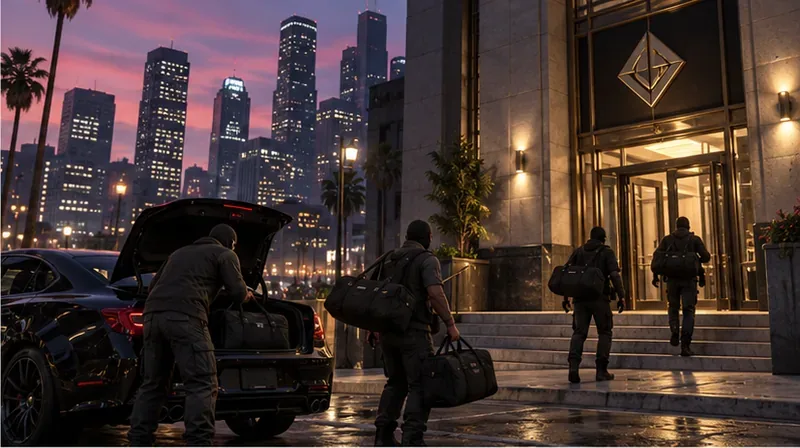
Before joining, check the player count, property requirement, difficulty, and expected session length. A heist is more satisfying when everyone knows whether they are doing setup missions or the finale, and when the host explains the plan before the lobby launches.
Build a business if you want long-term progression
Businesses give you a repeatable loop: complete sourcing or resupply work, let eligible stock build, and launch a sale. Examples include the Bunker, Motorcycle Club businesses, Nightclub warehouse, and Acid Lab. Newer property and side-business content, including the Hands On Car Wash, adds other mission and income loops. These systems differ: some require active resupply or sales, while others can connect to businesses you already own. Read the in-game purchase and management screens before spending, and choose one operation you actually want to run instead of buying a collection of properties at once.
You can now launch business content, including sell missions, in private sessions. Rockstar added that option in the Criminal Enterprises update, so you do not need to enter a public lobby just to sell stock. An Invite Only Session can reduce interruptions from other players, though it does not remove the mission’s own time limits, delivery risks, or NPC enemies.

A useful progression plan is to learn one business first, then add another only if you enjoy its work or it complements what you already own. Avoid treating old online payout charts as fixed: Rockstar rotates bonuses, adjusts rewards, and updates requirements.
Race, drive, and try competitive modes
If you would rather improve a vehicle than manage stock, GTA Online has street, stunt, drift, and transform races, along with the LS Car Meet and time-trial-style driving challenges. Race playlists are easy to sample without buying a business. The LS Car Meet is a hub for car culture and tuning, while the race lobby lets you compare vehicle classes and custom settings.
2026 updates have continued to add racing choices. Rockstar’s Title Update 1.73 notes list new Random Transform Races, and the game also has adversary modes, survival rounds, and other competitive jobs. These are good alternatives when you want a structured match without the planning overhead of a heist. Rewards depend on the activity and current weekly rotation, so pick a mode you enjoy rather than assuming every race pays the same.

Explore Freemode, challenges, and community jobs
Freemode is the open world between jobs. Use it to explore Los Santos and Blaine County, meet friends, practice driving, look for map activities, or handle business tasks. Public sessions can add unpredictable player encounters; Invite Only sessions suit private plans and business work. Freemode Events and Business Battles can create short competitions in a public lobby, while daily and weekly challenges give you a changing checklist.
For something different, browse Rockstar-created playlists and community jobs. The Mission Creator and featured community series bring in custom objectives, race routes, and combat maps. Check the current Newswire before you settle on a money-making activity: bonus GTA$ and RP can shift from one week to the next. The official 2026 update notes also specify weekly first-completion bonuses for a list of heist and contact-mission finales, so replay value and payouts may depend on the current weekly period.
Pick an activity by what you want from the session
| If you want… | Try… | Why it fits |
|---|---|---|
| A simple first session | Contact Missions or Rockstar-created jobs | Clear objectives and no need to host a property-based heist. |
| A solo heist | The Cayo Perico Heist | It is designed to allow a solo completion. |
| A mission with friends | Kortz Center, Diamond Casino, or Doomsday Heist | Multi-stage jobs reward coordination; confirm player and property requirements first. |
| Steady account progression | One business you enjoy running | Learn its supply, production, and sale cycle before adding another. |
| A competitive break | Races, Survival, or Adversary Modes | Jump into a structured match without a long business loop. |
| A relaxed session | Freemode exploration or a community playlist | Play at your own pace or sample player-created content. |
What should beginners do first?
Start with a few short missions, learn the job menu, and try both public and Invite Only play so you know which session style suits you. Then decide whether your next goal is a heist, a vehicle collection, or a business. If you want a crew activity, join before you buy a high-end apartment; if you want to play alone, try solo-compatible jobs and confirm the listed player requirements. This keeps early spending tied to an activity you already know you like.









