What Is the League of Legends Launcher? Riot Client Explained (2026)
The League of Legends launcher is the Riot Client, Riot Games’ desktop app for opening its PC games. It routes you to League of Legends, checks or installs game updates, and provides game news and shared social features. In 2026, launching League from its desktop shortcut still opens Riot Client first; you then select Play to continue into League.
The launcher is not the live game and is not the same screen as the League lobby or champion select. It is the first step in a short chain: Riot Client opens, the League client loads, and then a match begins. Riot’s Riot Client FAQ, updated May 27, 2026, explains the current launch flow.
What the Riot Client does
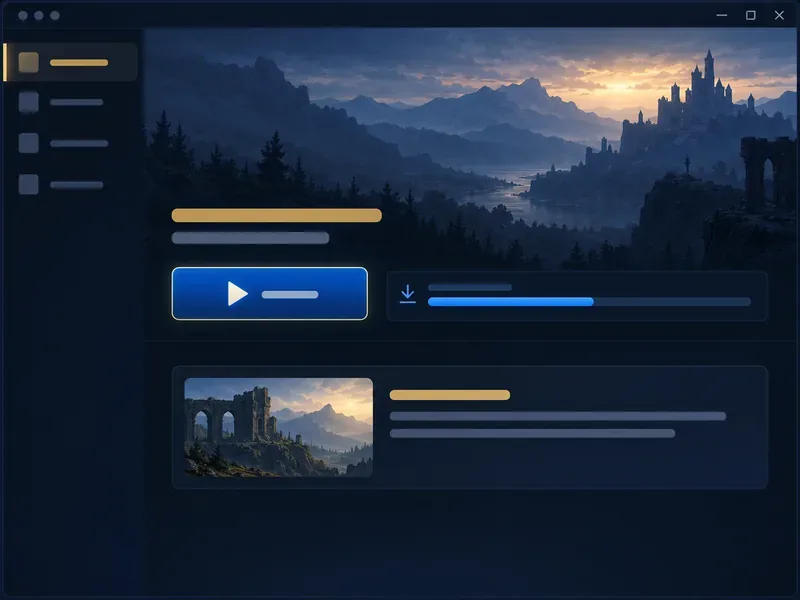
Riot Client is best understood as the PC gateway shared by Riot’s desktop games. Its job is to get the selected game ready and open it. The current Riot FAQ lists access to Riot PC games, patch notes and game updates, game-specific news and announcements, and friends and social features across Riot games.
- Launches PC games: Choose an installed Riot game or use its desktop shortcut. The shortcut now opens that game’s page inside Riot Client.
- Handles updates: The client checks the game’s update state and can require a patch before Play is available. Let the update finish before trying again.
- Surfaces news: Game pages can show relevant announcements and patch information, with links to fuller details.
- Provides shared social features: Riot describes friends and social tools across its PC games as part of Riot Client.
This is a narrower and more accurate description than calling the launcher a store or loot manager. Riot’s current list of Riot Client features focuses on launching, updates, news, and shared social tools. League-specific screens and systems remain in the League experience after you open the game.
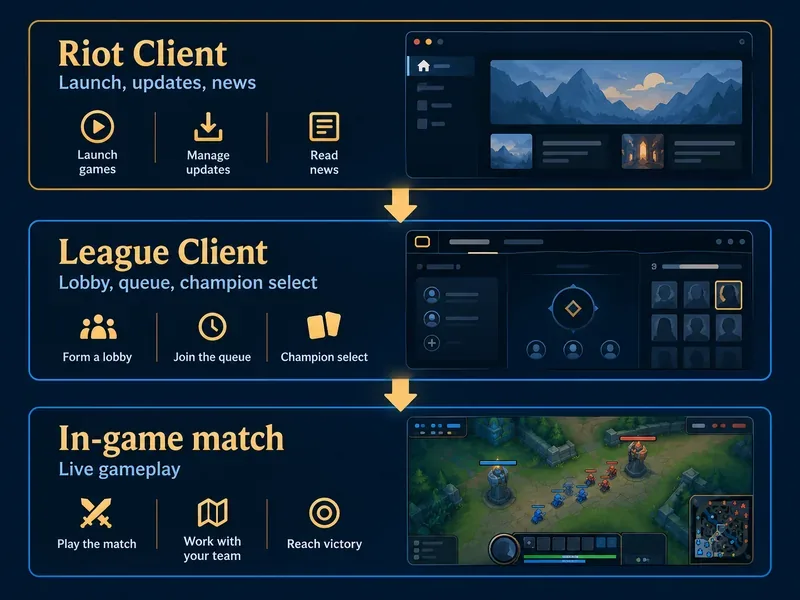
Riot Client, League client, and the match are different
Players often use “client” to mean any Riot game window, which can make troubleshooting confusing. These names refer to different stages:
| Part | What it is for | When you see it |
|---|---|---|
| Riot Client | The PC launcher for game access, updates, news, and shared social features. | Before the game opens; in 2026 it appears on every PC launch. |
| League client | The League-specific interface for the game’s home, party, queue, and champion-selection flow. | After you press Play in Riot Client. |
| In-game match | The live match interface where you control your champion and play on the map. | After champion selection and loading. |
What happens when you launch League in 2026?
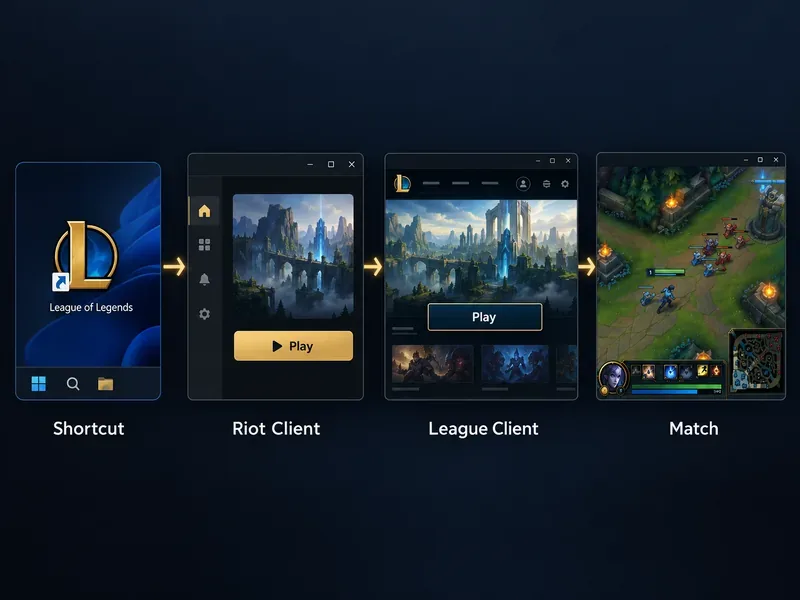
- Open a League shortcut or Riot Client. Riot says existing desktop shortcuts continue to work, but they now open the selected game’s page in Riot Client first.
- Sign in and let any required update complete. If the game is already current, you can move on; if a patch is pending, the client handles the update before launch.
- Choose Play. Riot Client hands off to the League-specific client, where you can use the game’s menus and prepare for a match.
- Enter a match. After queue and champion selection, League loads the separate in-game interface.
Riot made this extra visible launcher step part of its 2026 PC launch flow, even for players who are already signed in and up to date. Riot says account progress, purchases, settings, and friends lists are not changed by the launch-flow update. The same FAQ says Riot is planning a new League client rollout in 2027, while Riot Client continues as the shared PC platform.
How to download the League of Legends launcher
Use the official League of Legends download page and choose the installer for Windows or Mac. Run the downloaded installer and follow its prompts; the setup installs Riot Client and the game files needed to play. Sign in with a Riot account, then use Play when installation and any required patching are complete. Avoid third-party “launcher” downloads, since Riot’s site is the official source for the installers.
Riot’s system requirements page was updated September 22, 2026. Its listed requirements apply to running League, not just to the small launcher window: Windows support includes Windows 10 build 19041 or later and Windows 11, while the Mac table lists macOS 12 and Apple M1, with 40 GB available storage. Riot says Mac support is focused on Apple Silicon; check the current League system requirements before installing, because Riot can revise them. Riot lists Windows and macOS as supported operating systems, not Linux or SteamOS.
Basic fixes when the launcher will not open League
If Riot Client opens but League does not, start with Riot’s current steps: restart Riot Client, make sure it is up to date, restart the PC, and try launching again from Riot Client. If login or patching fails, check the Riot Games Service Status page for an outage, then search Riot Support for the exact error message or code. Repeated blank screens or launch attempts are not expected behavior; Riot directs players with persistent problems to Player Support.
League of Legends launcher FAQ
Is the League of Legends launcher free?
Yes. Riot’s official download page offers League as a free-to-play game. Optional purchases are separate from downloading the launcher.
Can a desktop shortcut bypass Riot Client?
No. Riot’s 2026 change routes PC game shortcuts through Riot Client first. You can still use the shortcut, but you will press Play inside the client to continue.
Is Riot Client the same as the League client?
No. Riot Client is the PC launcher. The League client is the game-specific interface that opens after Play; the match itself is another stage after champion selection.
Does Riot Client launch every Riot game, including mobile games?
Riot Client is the shared launcher for Riot’s PC games. It is not a universal launcher for every Riot title on every device; use the platform and installer Riot provides for each game.
In short, the League of Legends launcher is Riot Client: the required PC entry point for launching League, receiving updates, and finding Riot game news. The League client and the match begin later in the startup process.









