What Is Adaptive Force in League of Legends? (2026)
Adaptive Force in League of Legends is a flexible stat that becomes either bonus Attack Damage (bonus AD) or Ability Power (AP). The game compares your champion’s bonus AD with AP, then gives Adaptive Force in the higher stat; when they are tied, the champion’s default adaptive type breaks the tie. One point of Adaptive Force equals 0.6 bonus AD or 1 AP, so the current +9 Adaptive Force shard gives either +5.4 bonus AD or +9 AP.

The important detail is bonus AD. Your total attack damage includes base AD, which rises as your champion levels. That base amount does not decide the conversion. This is why a mage does not automatically get bonus AD just because the champion has attack damage before buying an item.
How Adaptive Force converts
Adaptive Force is not a third damage stat that you build separately. It is a label for a stat bonus that resolves into one of two familiar stats. The comparison uses bonus AD from items, runes, and other effects against your AP. The result can affect ability scaling, basic attacks, or other effects that use the resulting stat, depending on the champion and ability.
| Your stats before the Adaptive Force bonus | What Adaptive Force grants | Example with +9 Adaptive Force |
|---|---|---|
| Bonus AD is higher than AP | 0.6 bonus AD per point | +5.4 bonus AD |
| AP is higher than bonus AD | 1 AP per point | +9 AP |
| Bonus AD and AP are equal | The champion’s default adaptive type | May resolve to bonus AD or AP, depending on the champion |
The tie rule matters most before you have items that add AD or AP, and for builds that keep the two values close. It is not safe to assume that every champion defaults to bonus AD. Riot has changed individual champions’ default Adaptive Force type in patch notes; for example, its Patch 13.12 notes changed Rell’s default from attack damage to Ability Power. The champion-specific setting is part of the tie rule.

Two quick examples
- Bonus AD build: If you have 55 bonus AD and 30 AP before the shard is applied, bonus AD is higher. The +9 shard therefore adds 5.4 bonus AD.
- AP build: If you have 20 bonus AD and 90 AP, AP is higher. The shard adds 9 AP.
- Equal values: If bonus AD and AP match, the champion’s default adaptive type decides the output. Do not compare the shard against total AD, because total AD includes base AD.
As your build changes, the balance between bonus AD and AP can change too. A hybrid champion may therefore receive a different stat from an adaptive source after buying different items. Adaptive Force does not choose based on a champion’s class label or on whether an ability deals physical or magic damage; it follows the stat comparison and the tie rule.
Where Adaptive Force appears in the rune page
The most familiar source is the Adaptive Force stat shard in the Flex row of the rune page. Riot’s Patch 14.2 notes list 9 Adaptive Force as the first Flex option and mark its value unchanged in that patch. The rune client’s current tooltip is the best place to confirm shard values and alternatives after later balance updates.
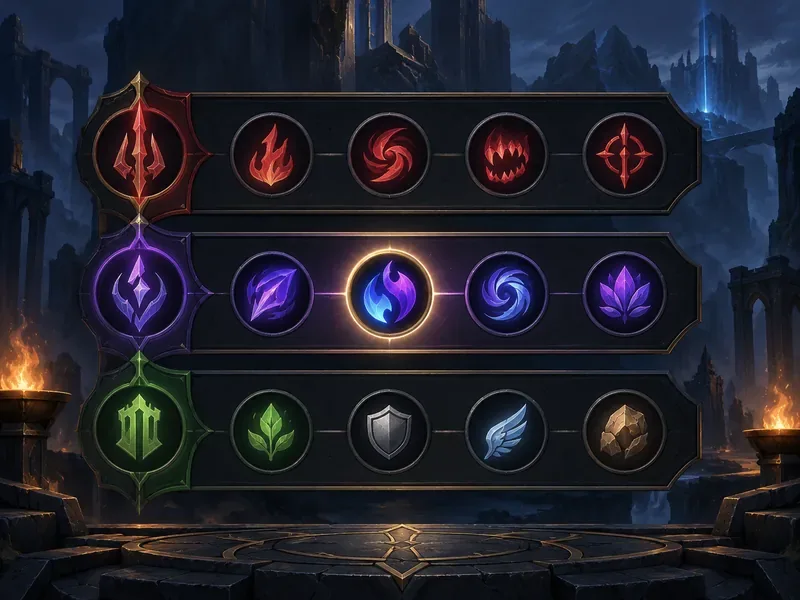
Other runes and temporary effects can also grant Adaptive Force. Their amount, duration, and stacking rules depend on the specific tooltip, so a +9 shard example should not be applied to every effect. If an effect says it grants adaptive stats, read the full condition and then use the same bonus AD-versus-AP rule to understand which stat it supplies.
When should you choose the Adaptive Force shard?
Adaptive Force is a practical choice when your champion benefits from bonus AD or AP and you want that damage stat in the Flex slot. It is useful across many builds because the rune page can adapt to the direction of your item build. However, it is not automatically the best shard for every champion or every matchup.
- Choose it for damage scaling when your attacks or abilities use bonus AD or AP and the extra stat is more valuable to your plan than the other Flex choices.
- Consider another shard for a specific need. Movement speed or a health option can be more useful if mobility or staying power matters more in the matchup.
- Do not choose by role alone. Some supports and tanks have useful AP or AD ratios, while some damage champions may prefer another stat for their game plan.
- Remember what it changes. Adaptive Force adds AD or AP; it does not turn physical damage into magic damage, make every ability scale with both stats, or replace an ability’s damage type.
The best choice depends on what your champion’s kit uses and what the lane or game requires. Treat Adaptive Force as a flexible damage stat, not a universal default that must be selected on every rune page.
How to check your Adaptive Force in game
Open the champion stats panel during a match (C is the default key unless you changed your bindings) and inspect your AD and AP. If the panel offers a breakdown on hover, use it to distinguish bonus AD from total AD. The comparison that matters is bonus AD versus AP, not the larger-looking total AD number. Rune tooltips and the current client display should take precedence if a patch changes the interface or shard values.
Frequently asked questions
Does Adaptive Force give both AD and AP?
No. A particular Adaptive Force bonus resolves into bonus AD or AP, not both at once. Which one it grants depends on the bonus AD-versus-AP comparison, with the champion’s default adaptive type used for a tie.
Does Adaptive Force compare against total AD?
No. Base AD is excluded. Compare bonus AD with AP; total AD includes base AD and can make the wrong stat appear to be ahead.
Patch and reference notes
This guide was checked against Riot’s Patch 26.20 notes, published October 6, 2026. Riot’s Patch 14.2 stat shard notes document 9 Adaptive Force in the Flex row, unchanged in that update. For the detailed conversion and tie mechanics, Riot’s patch notes also direct players to the community-run League of Legends Wiki entry on Adaptive Force. Check the live rune tooltip after later patches for any balance changes.









