VALORANT redemption codes are strings Riot assigns to a specific reward or currency. Promotional content codes can unlock an item named in an official campaign; prepaid or gift-card codes add premium currency such as VP. For a content code, use Riot's official code redemption page, sign in to the Riot account that plays VALORANT, and follow the confirmation steps. Codes are campaign-specific, so check Riot's original post for the reward and any deadline.
One important distinction: a Twitch Drop is a separate reward system, and a prepaid VP card is not a free cosmetic code. The steps, region rules, and expiration terms depend on which kind of code you have.
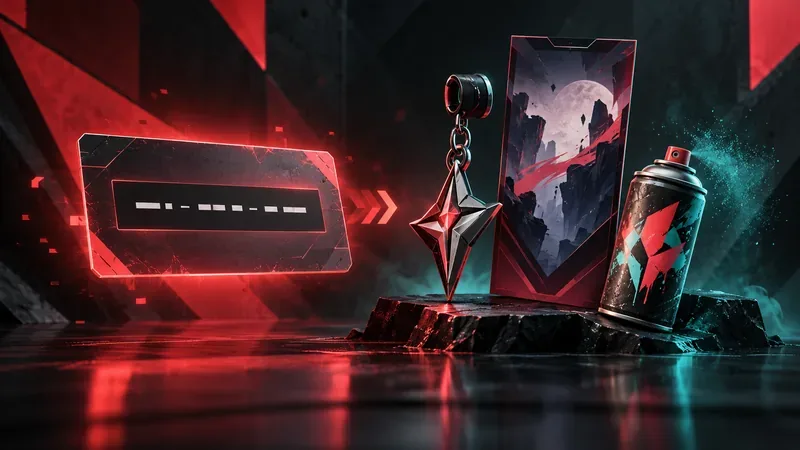
What a VALORANT redemption code can unlock
Riot calls a code for a specific game item a content code. Riot's support page lists a VALORANT Gun Buddy as one example of content that may be distributed through promotions, streamers, or events. The campaign announcement—not the code's appearance—tells you exactly what it grants. For example, Riot's June 2026 Pride post listed codes for a title, a spray, and Player Cards. Those are examples of a time-bound campaign, not a permanent list of working codes.
A prepaid cash code works differently: it represents premium currency, such as VALORANT Points (VP), and typically comes from a purchased gift card or PIN. It is not a promo code for a free skin. Riot's current support guide explains both categories and their separate redemption rules.
| Code or reward type | What it does | Key rule |
|---|---|---|
| Content code | Grants the specific item or content named by Riot's campaign | Single-use; check the account and reward before confirming |
| Prepaid or gift-card code | Adds premium currency such as VP | One game and one use; region-locked; Riot says cash codes do not expire |
| Twitch Drop | Grants a campaign reward through Twitch's Drops system | Follow that campaign's account-linking, watch-time, and claim instructions; it is not automatically a redemption code |
Where to find legitimate VALORANT codes
There is no reliable reason to treat third-party “active code” lists as authoritative. Look for the code in the original Riot announcement or a clearly identified official partner promotion. Riot posts campaign details on its official news site and official VALORANT channels. A legitimate campaign should identify its reward and any region, account, or deadline restrictions.
Twitch Drops are different from redemption codes. When a VALORANT campaign offers Drops, check its event instructions, link the required game account, and claim the reward through Twitch as directed. Twitch's official Drops guide explains the general process. A streamer's appearance on Twitch does not by itself mean that a code or Drop is available.
How to redeem a VALORANT content code
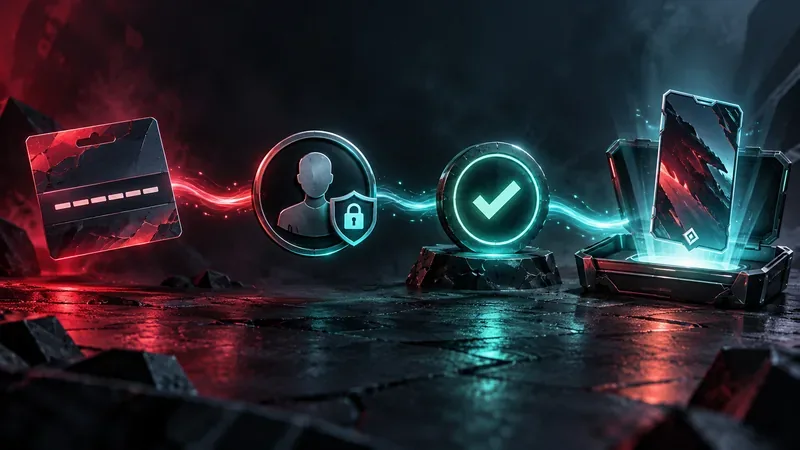
- Verify the source. Open the Riot or official campaign post and check that the code is intended for VALORANT and that its redemption window is still open.
- Open Riot's code redemption page. Go to shop.riotgames.com/redeem. Check the address before signing in.
- Sign in to the right Riot account. Use the account where you want the item delivered. If you use more than one Riot account, confirm which one is active before you proceed.
- Enter the code as provided. Copy it carefully, preserving the characters and formatting shown in the campaign. Riot's support instructions say not to add spaces.
- Review the reward, then confirm. The page should show what content will be added. Check that you do not already own it: Riot says duplicate content is not granted and the code will still be marked as used.
- Check your game account. Riot says content usually appears right away but can take up to 24 hours. If it is still missing after a day, contact Riot Player Support with the code details and redemption confirmation.
Redeeming a prepaid VP code
For a prepaid currency code on PC, Riot's support instructions say to open the VALORANT client, select the VALORANT icon beside the VP balance, choose Prepaid Cards & Codes, and enter the code exactly as printed. Riot's guide says cash codes are region-locked, can be used for one game and one time, and cannot be split across games or accounts. The same guide says cash codes do not expire. For console, Riot directs players to its web code-redemption page.
Do VALORANT redemption codes expire?
Promotional content codes can expire. Their deadline is set by the campaign, so use the date and time in the original announcement. Riot's support page says it cannot help with expired content codes; the old claim that every code lasts a fixed number of days is not supported by Riot's current instructions. Redeem a code promptly, but do not assume an expiration window if the campaign does not state one.
Prepaid cash codes are a separate case: Riot's support guide says they never expire, though the region restriction and other card rules still apply. If a card fails because it was not activated at checkout, keep the receipt and contact the retailer or follow Riot's support instructions.
Common code errors and what to check
- “Not valid” or “not found”: Recheck every character and remove accidental spaces. Confirm that you are using the code on Riot's official page and that the campaign applies to your game and region.
- “Already redeemed”: Check whether you claimed it on another Riot account. A code shared in a post may already have been used; Riot's content-code rules say a used code cannot be redeemed again.
- Region error: Riot says cash codes are region-locked. Content codes generally work across regions, with exceptions, so follow any campaign-specific restrictions.
- Reward not visible: Confirm the Riot account, allow up to 24 hours, then contact Player Support if the item is still missing.
Do not buy “working” codes from auction listings or unofficial code sites. Riot warns that it cannot guarantee third-party prepaid codes are legitimate, unused, or properly activated. Never enter your Riot password on a site reached from an unsolicited code message; go directly to Riot's official redemption page.
Frequently asked questions
Are VALORANT redemption codes free?
Promotional content codes may be distributed at no cost through Riot campaigns or official partners. Prepaid cash codes are gift-card products and are usually purchased. Check the offer rather than assuming every code is free.
Do codes give VP?
Some prepaid codes add VP. A content code grants the specific in-game content described by its campaign. These are different code types with different rules.
Can I redeem a code on console?
Riot's support page directs console players to its web code-redemption page. Use the Riot account connected to the console profile where you play.
Can I redeem an old code again?
No. Riot says content codes are single-use, and expired content codes cannot be restored through support. Check the campaign terms before trying to claim an old code.









