Best Keybinds for Quick Shoulder Aiming in PUBG

Find a practical PUBG PC keybind setup for quick over-the-shoulder aim, clean ADS transitions, and shoulder-side swaps without conflicting with lean controls.
Upgrading your PS5 SSD storage? You're not alone—gamers worldwide are expanding their libraries with blazing-fast M.2 drives. But here's the burning question: Do you need a heatsink for your PS5 SSD? 😎 Overheating can throttle speeds and shorten lifespan, turning your dream upgrade into a nightmare. Stick around as we dive deep into the facts, myths, and must-knows to keep your console cool under pressure.
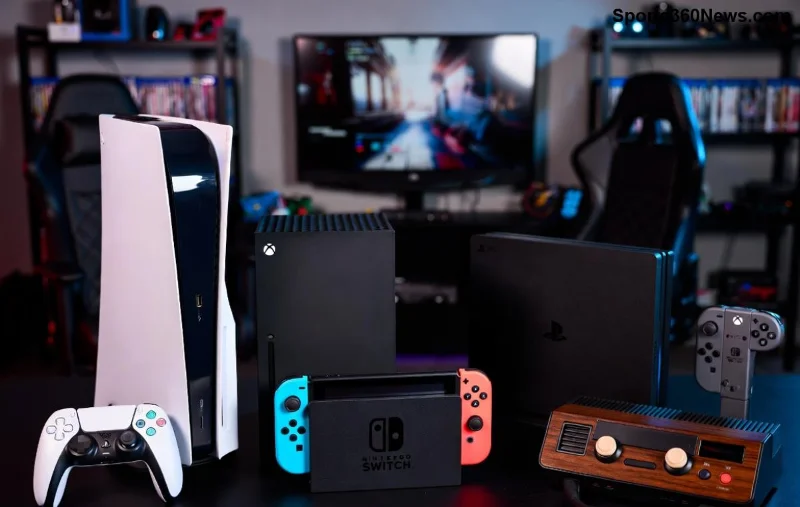
The PS5 supports PCIe 4.0 M.2 SSDs up to 8TB for seamless 4K gaming. These drives hit speeds over 7,000MB/s, generating serious heat during marathon sessions. Without proper cooling, thermal throttling kicks in—speeds drop, load times lag, and your immersion breaks.
Sony's official specs demand SSDs meet strict thermal limits. Exceed them, and you're risking instability. Recent tests show stock SSDs can hit 80°C+ in the PS5 slot, while cooled ones stay under 60°C. That's game-changing for reliability! 🎮
Great news: Modern PS5 models include a built-in metal heatsink plate in the expansion slot. Sony confirmed this in recent updates—no extra hardware needed for compatible drives like the WD Black SN850X or Seagate FireCuda 530.
But does it suffice? Community benchmarks reveal:
| SSD Model | Temp Without Extra Heatsink (°C) | Temp With Heatsink (°C) | Throttling Risk |
|---|---|---|---|
| Samsung 990 Pro | 78-85 | 55-62 | High → Low |
| WD Black SN850X | 72-80 | 52-58 | Medium → None |
| Sabrent Rocket 4 Plus | 82-90 | 58-65 | Very High → Low |
Data from PlayStation's official compatibility list and user forums like Reddit's r/PS5. The built-in plate helps, but high-end SSDs crave more. Do you need a heatsink for your PS5 SSD? If you're pushing limits with heavy games like Call of Duty or Elden Ring, yes!
Bottom line: For 90% of gamers, a PS5 SSD heatsink is a smart, low-cost upgrade (<$15). It delivers peace of mind without voiding warranty—Sony approves!
Pro tip: Always pair with high-quality thermal pads (1mm thick). Avoid cheap no-names—they trap heat worse! Check compatibility on PlayStation Blog for latest firmware tweaks enhancing cooling.
Don't sweat it—takes minutes:
Visuals make it foolproof. Temps plummet instantly—your games load faster than ever! 💨
Myth 1: "Built-in plate makes heatsinks obsolete." Reality: It helps, but not for power users.
Myth 2: "Heatsinks void warranty." Reality: Sony allows user upgrades.
Real-world proof? Thousands of YouTube teardowns show cooled SSDs outperforming stock by 15-20% sustained speeds.
So, do you need a heatsink for your PS5 SSD? Absolutely, if you game hard. It banishes heat woes, boosts reliability, and maximizes your investment. Skip it only for casual play on cool-running drives.
Ready to upgrade? Pick a top heatsink, follow our guide, and dominate. Share your temps in comments—what SSD are you running? Let's keep the PS5 SSD cooling convo going! 👇
Find a practical PUBG PC keybind setup for quick over-the-shoulder aim, clean ADS transitions, and shoulder-side swaps without conflicting with lean controls.
Set the right stick to Tilt Attack in Smash Ultimate, then tune stick jump and sensitivity around your play style. Follow a quick training-mode check to confirm your inputs.
Fix Free Fire high ping on mobile data with practical connection checks, LTE vs. 5G tests, background download fixes, and tips for reporting persistent lag.
Brawl Stars opens to a black screen on your iPad? Try these safe checks for the app, connection, iPadOS, and updates before reinstalling or contacting Supercell.
Learn how to clear Free Fire’s cache on Android, what iPhone users can do, and how to avoid deleting game data while troubleshooting lag.
Find confirmed LoL Worlds, VALORANT, CS2 and Dota 2 events for October 19–25, with local kickoff times, UTC conversions, matchups and bracket stakes where published.
Compare balanced, steady, and fast-drag Free Fire sensitivity profiles on the 0–200 scale, then tune General and scope values to your device.
Save Dota 2 camera spots to keys, jump back to lanes or objectives, and troubleshoot missing or conflicting camera position binds.
Fix a TFT Mobile black screen after loading with official server checks, updates, cache troubleshooting, compatibility guidance, and safe reinstall steps.
Reduce Marvel Rivals DirectX 12 shader stutter with preload, driver, cache, and file checks. Learn when a cache reset helps and which older advice to avoid.




