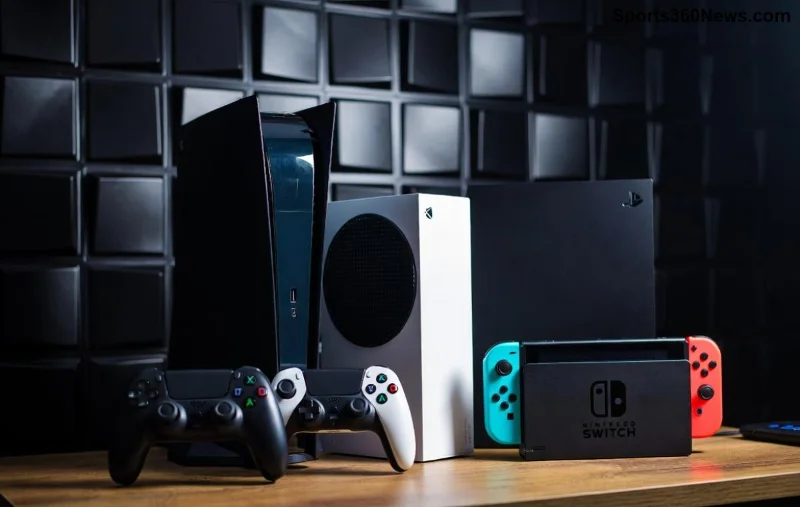
PlayStation Portal Remote Play: Pros & Cons Exposed – Game-Changer or Gimmick?

Imagine unleashing your PS5 library anywhere your WiFi reaches. The PlayStation Portal makes this a reality through seamless Remote Play, streaming games from your console to a dedicated handheld screen. But is it the ultimate freedom for gamers, or a WiFi-dependent luxury? This guide breaks down the pros and cons of the PlayStation Portal for Remote Play, helping you decide if it's your next must-have. Let's dive in! 🎮
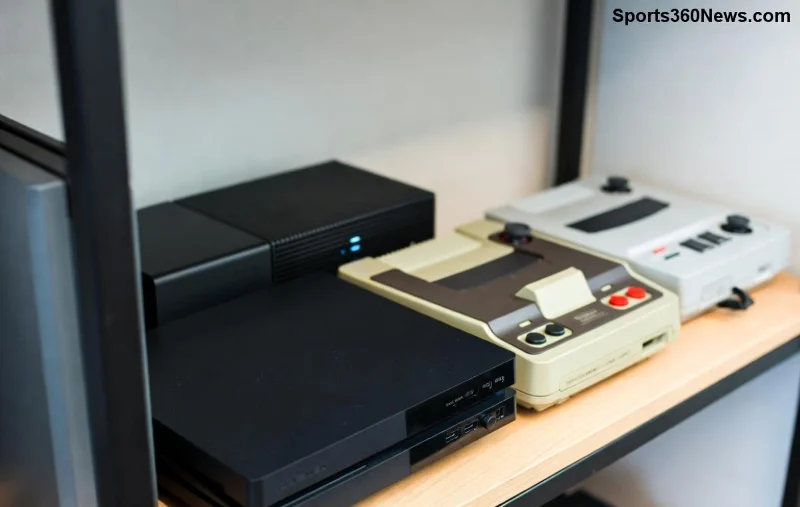
PlayStation Portal in action during Remote Play session

Top Pros of the PlayStation Portal for Remote Play

The PlayStation Portal shines brightest when streaming your PS5 games via Remote Play. Here's why gamers are raving about it:

  • 👍 Ultimate Portability: Slip it into your bag and play PS5 titles on the go. No need to lug your console – just ensure your PS5 is powered on at home. Perfect for commutes or couch surfing without sacrificing power.
  • 8-Inch LCD Brilliance: Crisp 1080p display at 60Hz delivers immersive visuals. DualSense controller integration brings haptic feedback and adaptive triggers to your fingertips, feeling just like native PS5 play.
  • 🎮 Low Latency Magic: With a strong WiFi 5 connection (WiFi 6E supported in latest updates), input lag is minimal – often under 20ms on optimal networks. It's responsive enough for fast-paced shooters like Call of Duty or racing sims.
  • 💡 Cloud Saves & Trophies Sync: Everything transfers instantly. Jump from TV to Portal mid-game, earning trophies on the fly. Battery lasts 4-6 hours of solid Remote Play, ideal for sessions.
  • 🔥 Exclusive PS5 Streaming: Tailored for Sony's ecosystem, it supports party chat, Share Play, and quick resume. Recent firmware boosts stability, making it smoother than phone-based Remote Play.

These perks turn downtime into epic gaming marathons. But wait – there's more to uncover before committing. Keep reading for the flipside! 😊

The Drawbacks: Cons of PlayStation Portal for Remote Play

No device is perfect, and the PlayStation Portal has hurdles that could sideline your hype. Here's the honest lowdown:

  • ⚠️ WiFi Dependency: It's purely a streamer – no offline play. Weak signals mean stuttering, lag spikes, or blackouts. Public WiFi? Forget it; home networks only for reliable Remote Play.
  • 😩 Battery & Heat Issues: Drains fast during intensive titles. Prolonged use warms it up, though not scorching. Chargers are pricey extras.
  • 💸 High Price Tag: At around $200, it's premium for streaming-only. Cheaper alternatives like phones or Steam Deck offer broader versatility.
  • 🚫 Limited Features: No Bluetooth audio (uses WiFi speakers), no native apps, and PS VR2 support is spotty. Screen lacks HDR or VRR, capping visual pop.
  • 🔒 PS5 Exclusive: Useless without a PS5. Setup requires console tweaks, and remote wake-up isn't always instant.
Close-up of PlayStation Portal controllers and screen for Remote Play

These cons highlight why it's not for everyone. Wondering how they stack up? Check this comparison:

Pros Cons
Portable PS5 gaming anywhere with WiFi Requires strong, stable home WiFi
Full DualSense haptics & 1080p screen No offline or cloud gaming support
Low latency on good networks 4-6 hour battery; gets warm
Seamless PS ecosystem integration $200+ price without extras
Quick resume & trophy sync PS5-only; limited audio options

Real-World Performance: Latest Insights on PlayStation Portal Remote Play

In the latest tests from gaming outlets, PlayStation Portal Remote Play excels on gigabit home WiFi, hitting near-native performance in titles like God of War Ragnarök. Latency averages 15-30ms, beating many rivals. However, 5GHz isn't enough for 4K streaming dreams – it's 1080p capped.

For multi-room play, it's a star: stream to the Portal while others use the TV. Recent updates added better sleep mode handling and UI tweaks, boosting usability. Pro tip: Use a WiFi extender for whole-home coverage! 🌟

PlayStation Portal Remote Play setup with PS5 console

Who Should Buy the PlayStation Portal for Remote Play?

  • Yes for: PS5 owners craving couch-to-bed flexibility, families sharing the console, or travelers with rock-solid home WiFi.
  • No for: Budget gamers, those without PS5, or anyone needing offline play. Consider PS Remote Play app on phones instead.

Official details confirm its streaming prowess – check Sony's site for firmware notes: PlayStation Portal Support.

Final Verdict: Worth the Hype?

The PlayStation Portal for Remote Play is a niche powerhouse for dedicated PS5 fans. Its pros – portability, immersion, responsiveness – outweigh cons if your setup aligns. Tired of console tethers? This could revolutionize your playstyle. Ready to portal-jump into action? Your move, gamer! 👏

What's your take? Drop thoughts below and share your Remote Play wins!


Leave a Comment

PlayStation Portal vs. Phone Remote Play: Which Wins for Epic Gaming? 🎮

PlayStation Portal vs. Phone Remote Play: Which Wins for Epic Gaming? 🎮

Discover the ultimate showdown: PlayStation Portal vs. Phone Remote Play. Compare performance, features, price & more to find the best remote gaming solution for PS5 gamers. Which is better?

Unlock Portable PS5 Bliss: How PlayStation Portal Masters Remote Play

Unlock Portable PS5 Bliss: How PlayStation Portal Masters Remote Play

Dive into how PlayStation Portal works with Remote Play for seamless PS5 streaming on the go. Get setup tips, performance secrets, and troubleshooting to game anywhere like a pro.

Unlock Seamless Gaming: Best Ways to Play PS5 Games Remotely Anywhere!

Unlock Seamless Gaming: Best Ways to Play PS5 Games Remotely Anywhere!

Dive into the top methods for playing PS5 games remotely with zero lag. Compare PS Remote Play, PlayStation Portal, and more for the ultimate mobile gaming freedom. Essential tips inside!

PlayStation Portal Exposed: Is It REALLY Just a Remote Play Device? Shocking Truth Revealed!

PlayStation Portal Exposed: Is It REALLY Just a Remote Play Device? Shocking Truth Revealed!

Uncover the truth: Is the PlayStation Portal just a Remote Play device? Explore its unique features, cloud streaming capabilities, and why it's revolutionizing PS5 gaming for handheld enthusiasts. Essential read for gamers!

Unlock Epic Gaming Anywhere: How PlayStation Portal Revolutionizes Remote Play!

Unlock Epic Gaming Anywhere: How PlayStation Portal Revolutionizes Remote Play!

Dive into how the PlayStation Portal works with Remote Play for seamless PS5 streaming. Master setup, tips, and troubleshooting for lag-free gaming on the go. Essential guide for every gamer!

Ultimate Guide: Best Ways to Play PS5 Games Remotely – Zero Lag, Epic Wins! 🎮

Ultimate Guide: Best Ways to Play PS5 Games Remotely – Zero Lag, Epic Wins! 🎮

Master choosing the best way to play PS5 games remotely with PS Remote Play, PlayStation Portal, and cloud streaming. Compare speed, setup, and features for seamless gaming anywhere in 2026.

PlayStation Portal Remote Play: Pros & Cons Exposed – Must-Have for PS5 Gamers?

PlayStation Portal Remote Play: Pros & Cons Exposed – Must-Have for PS5 Gamers?

Uncover the real pros and cons of the PlayStation Portal for Remote Play. Perfect for PS5 owners craving portable gaming – discover if it's your next game-changer!

PlayStation Portal vs Phone Remote Play: Ultimate PS5 Gaming Showdown – Which Wins? 🎮

PlayStation Portal vs Phone Remote Play: Ultimate PS5 Gaming Showdown – Which Wins? 🎮

PlayStation Portal vs Phone Remote Play: Dive into the ultimate comparison for PS5 gamers. Discover latency, battery life, controls, and more to pick the best remote play option for seamless gaming anywhere.

🚀 Ultimate Fix: Banish Console Not Found Error on PlayStation Portal Forever!

🚀 Ultimate Fix: Banish Console Not Found Error on PlayStation Portal Forever!

Tired of the frustrating "Console Not Found" error on your PlayStation Portal? Discover proven, step-by-step fixes to reconnect your device to PS5 instantly and dive back into seamless remote gaming. No tech skills required!

Ultimate Guide: Master League of Legends Baiting with Objectives to Crush Ranked Games!

Ultimate Guide: Master League of Legends Baiting with Objectives to Crush Ranked Games!

Dominate League of Legends with expert baiting with objectives strategies. Learn pro tips for Baron, Dragon setups, champion picks, and mistakes to avoid for easy rank-ups. Outsmart enemies now!

🚀 GTA Online Cloud Servers Unavailable FIXED: Instant 2026 Guide for PC, PS5 & Xbox

🚀 GTA Online Cloud Servers Unavailable FIXED: Instant 2026 Guide for PC, PS5 & Xbox

Tired of GTA Online Cloud Servers Unavailable error ruining your heists? Discover proven, step-by-step fixes to get back online fast. Works on PC, console – no tech skills needed!

PlayStation Portal Remote Play: Pros & Cons Exposed – Game-Changer or Gimmick?

PlayStation Portal Remote Play: Pros & Cons Exposed – Game-Changer or Gimmick?

Dive into the pros and cons of the PlayStation Portal for Remote Play. Perfect for PS5 owners seeking portable gaming – discover low latency thrills, portability perks, and WiFi pitfalls in this ultimate guide.

Top 5 Funniest Champions in League of Legends: Laugh-Out-Loud Picks for Epic Trolls! 😂

Top 5 Funniest Champions in League of Legends: Laugh-Out-Loud Picks for Epic Trolls! 😂

Dive into the Top 5 Funniest Champions in League of Legends! From Teemo's sneaky shrooms to Ziggs' explosive chaos, these hilarious heroes guarantee non-stop laughs and troll potential in your games. Perfect for LoL players craving fun.

Ultimate PUBG Mobile Guide: Best Ways to Counter a Squad Hiding in Houses – Win Every Fight! 🔥

Ultimate PUBG Mobile Guide: Best Ways to Counter a Squad Hiding in Houses – Win Every Fight! 🔥

Discover the best ways to counter a squad in a PUBG Mobile house. Proven strategies, pro tips, and tactics to dominate house fights and clutch victories in the newest updates. Level up your gameplay now!

Fix Connection Timed Out in Minecraft Multiplayer: Ultimate Guide to Instant Recovery!

Fix Connection Timed Out in Minecraft Multiplayer: Ultimate Guide to Instant Recovery!

Tired of Connection Timed Out errors ruining your Minecraft multiplayer fun? Get proven, step-by-step fixes for Solving Connection Timed Out Errors in Minecraft Multiplayer and dive back into seamless gaming today.

Unlock the Elite Free Fire Partner Program V Badge: Ultimate 2026 Step-by-Step Guide!

Unlock the Elite Free Fire Partner Program V Badge: Ultimate 2026 Step-by-Step Guide!

Master how to get the Free Fire Partner Program V Badge with proven eligibility criteria, application steps, and insider tips. Elevate your Free Fire streaming game today!

Why the Buzzard Remains the #1 Must-Have Helicopter in GTA Online – Unbeatable Value!

Why the Buzzard Remains the #1 Must-Have Helicopter in GTA Online – Unbeatable Value!

Unlock why the Buzzard helicopter is still essential in GTA Online: deadly weapons, blazing speed, unbeatable price, and endless utility. Perfect for grinding, PvP, and missions – your ultimate guide.

PSN Connection Hell? Fix It FAST Even When Servers Say Up - Ultimate Troubleshooting Guide

PSN Connection Hell? Fix It FAST Even When Servers Say Up - Ultimate Troubleshooting Guide

Frustrated by PSN connection issues when the status shows "Up"? Dive into our expert troubleshooting guide with proven steps to resolve lag, disconnects, and NAT errors on PS5/PS4. Get back to gaming instantly!

🚀 Fix It Fast: How to Reconnect Discord to PlayStation After System Update – Seamless Gaming Chat Restored!

🚀 Fix It Fast: How to Reconnect Discord to PlayStation After System Update – Seamless Gaming Chat Restored!

Discover the ultimate step-by-step guide on how to reconnect Discord to PlayStation after a system update. Quick fixes for PS5 and PS4 to get your voice chat back online instantly. No downtime for gamers!