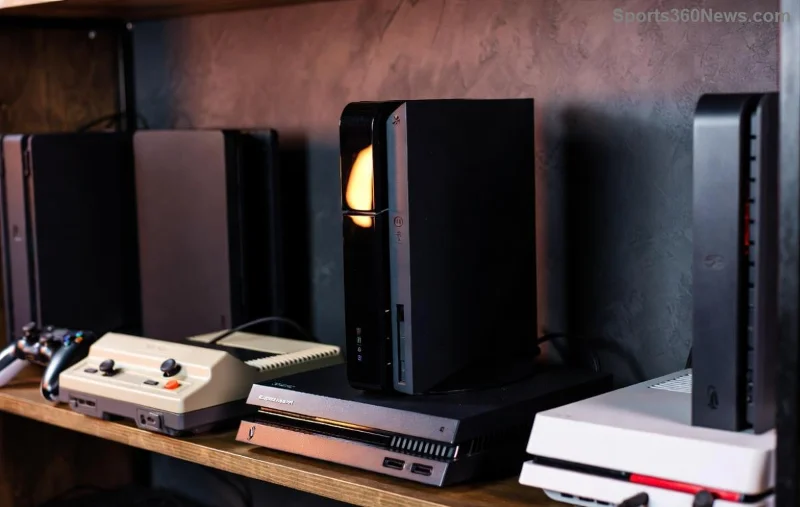
Imagine diving into your favorite PS5 games remotely from a coffee shop, on a road trip, or even at a friend's house—no console in sight. As a passionate gamer, you've got the power to break free from your TV setup. But with options like PS Remote Play, the sleek PlayStation Portal, and cloud streaming, how do you pick the best way to play PS5 games remotely? This guide cuts through the noise, delivering actionable insights to supercharge your mobile gaming adventure. Let's level up! 🚀
Why Go Remote PS5 Gaming? The Game-Changer for Modern Players
Remote PS5 gaming streams your console's power to phones, tablets, PCs, or dedicated handhelds. Your PS5 does the heavy lifting at home (connected to stable internet), while you play fluidly elsewhere. Perfect for grinding levels during downtime or sharing epic moments. Key perks? Portability, no extra hardware buys (mostly), and full access to your library. But success hinges on Wi-Fi speed—aim for 15Mbps upload/download minimum for 1080p bliss. Ready to explore the top contenders? Let's rank them! ⭐
Option 1️⃣: PS Remote Play – Free, Flexible, and Everywhere
The official Sony powerhouse, PS Remote Play lets you mirror your PS5 to Windows PCs, Macs, iPhones, Androids, or PS Vita. Download the app, link your console via PSN, and stream at up to 1080p/60fps. It's the go-to for budget gamers craving instant setup.
- 👍 Pros: Zero cost, supports DualSense controller, customizable bitrate for lag control.
- ❌ Cons: Needs PS5 powered on (or Rest Mode), battery drain on mobiles.
Pro Tip: Enable Remote Play in PS5 Settings > System > Remote Play. Use Ethernet on your console for rock-solid streams. Gamers rave about it for titles like God of War Ragnarök—feels native! Test your network first to avoid frustration.
PlayStation Portal: The Premium Handheld Revolution
![PlayStation Portal in action for remote PS5 gaming]()
Enter the PlayStation Portal—a $200 handheld wizard built solely for PS Remote Play. Its 8-inch LCD screen shines at 1080p/60Hz, with DualSense-inspired controls including haptic feedback and adaptive triggers. No local storage; it's pure streaming magic from your PS5.
- ⭐ Standouts: Immersive 3D audio, effortless DualSense pairing, up to 12-hour battery.
- ⚠️ Caveats: PS5 must be online, pricier upfront, no Bluetooth headphones (uses Wi-Fi audio).
Ideal for road warriors—picture battling in Spider-Man 2 on a plane (with Wi-Fi). Recent firmware boosts stability, making it a fan-favorite for couch-to-couch pros.
Option 3️⃣: PS Plus Cloud Streaming – Console-Free Cloud Power
PS Plus Premium subscribers unlock cloud streaming for hundreds of PS5/PS4 titles—no PS5 needed! Stream directly from Sony's servers to PC, PS4, or Portal via the app. It's evolving fast with more PS5 games remotely added.
- ✅ Advantages: Play without owning a PS5 (for catalog games), global servers reduce latency.
- ❌ Drawbacks: Subscription required ($18/month), limited to PS Plus library—not your full collection.
For newcomers, it's a gateway drug to Sony's ecosystem. Check PlayStation's official PS Plus page for the freshest catalog.
Side-by-Side Comparison: Pick Your Best PS5 Remote Play Weapon
| Method |
Cost |
Resolution/FPS |
Device Support |
Best For |
| PS Remote Play |
Free |
1080p/60fps |
Phone/PC/Mac/PS Vita |
Budget versatility |
| PlayStation Portal |
$200 one-time |
1080p/60Hz LCD |
Handheld only |
Premium portability |
| PS Plus Cloud |
$18/mo Premium |
Up to 1080p/60fps |
PC/PS4/Portal |
Library access sans console |
This table spotlights why PS Remote Play wins for most—free entry to elite streaming. But if handhelds excite you, Portal steals the show! 🏆
Essential Tips for Flawless Remote PS5 Gaming Sessions
- Network Mastery: 5GHz Wi-Fi or wired PS5. Use tools like Speedtest.net for checks.
- Controller Hacks: Pair DualSense via Bluetooth to phones/PCs for authentic vibes.
- Lag Busters: Lower resolution if stuttering; close background apps.
- Security First: Strong PSN password, enable 2FA.
Troubleshoot? Restart router or console. Thousands of gamers swear by these for buttery-smooth play in fast-paced shooters like Call of Duty.
Your Next Move: Which Way to Play PS5 Games Remotely Wins?
For pure freedom, start with PS Remote Play—it's unbeatable value. Crave that handheld glow? Grab the PlayStation Portal. Cloud fans, level up your PS Plus. Whichever path, remote PS5 gaming transforms downtime into triumphs. Dive in today, share your wins in comments, and game on endlessly! What's your setup? 👇