How to Play Teamfight Tactics (TFT): A Beginner’s Guide for 2026
Teamfight Tactics (TFT) is a round-based strategy game in which you buy champions, build a team, arrange them on a hex board, and let them fight automatically. To learn how to play TFT, focus on five things: choosing a beginner-friendly queue, buying and upgrading units, activating traits, managing gold, and positioning your team. Your goal in a standard solo match is to outlast the other players.
You make decisions during planning phases; you do not steer champions or cast their abilities during combat. That makes TFT for beginners easier to approach than a real-time action game, while still rewarding planning and adapting to what appears in each match.
Before your first TFT match: install and launch the game
TFT is free to play and uses a Riot account. On PC, open Riot Client, choose League of Legends, then select the TFT section in the League client and start a non-ranked Standard or Normal match. Riot’s current support FAQ says the dedicated PC client is expected on November 3, 2026; until that rollout, TFT on PC still launches through the League client. Riot can change release timing, so check the Riot Client FAQ and the TFT migration FAQ if your launch screen looks different.
On iOS and Android, install the official Teamfight Tactics app from your device’s app store and sign in with your Riot account. Riot’s migration FAQ currently lists macOS support as temporarily unavailable for live TFT during the engine transition, so Mac players should check the latest compatibility note before installing or updating. The official TFT site links to the current game and announcements.
As of October 16, 2026, Riot’s site lists Set 18, Enchanted Wilds, and patch 18.4. Champions, traits, items, and special mechanics rotate between sets, so treat this guide as the lasting foundation and read the current in-game tooltips for set-specific rules. Riot’s patch 18.4 notes show how frequently balance and set details can change.
How to play Teamfight Tactics: five steps
1. Start in a non-ranked queue
Choose a standard, non-ranked queue for your first match; the exact label can vary by region or client version. A standard solo lobby has eight players. You will cycle through planning and combat rounds, with occasional PvE rounds that award resources. Ranked uses the same basic loop but adds ladder points, so save it until you are comfortable reading the board and shop.
2. Buy champions and put them on the board
At the start of a round, look at the Shop, which offers a small selection of champions for gold. Click a unit to buy it; it goes to your bench, the reserve row beneath the board. Drag it from the bench onto an open hex on your side of the field to deploy it. Your level determines how many champions you can field, so buying a unit does not always mean you have room to play it immediately.
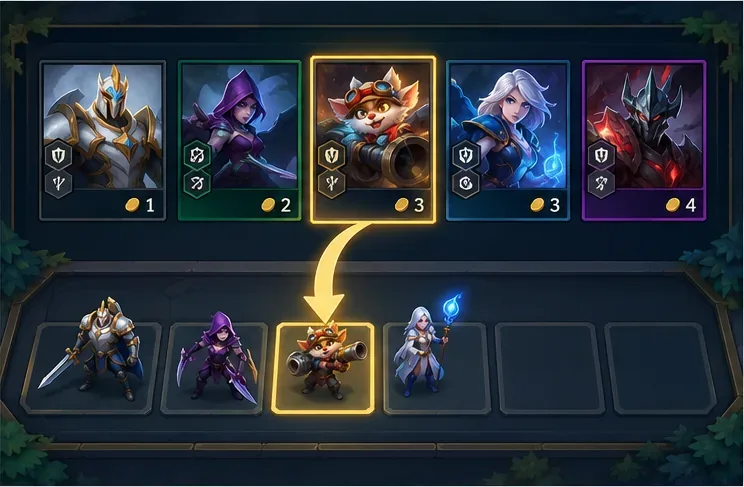
Each champion has a cost and one or more traits. Early on, prioritize units that strengthen your current board or help complete a trait rather than buying every champion you see. You can sell a unit from your bench or board when you need room or gold, but check its value before removing a useful upgrade.
3. Combine traits and upgrade duplicate champions
Traits are shared tags that grant bonuses when you field enough matching champions. The trait panel shows which effects are active and how many units you need for the next threshold. Build around a few traits that fit together, and read each tooltip: a trait may boost its own units, selected allies, or the whole team.
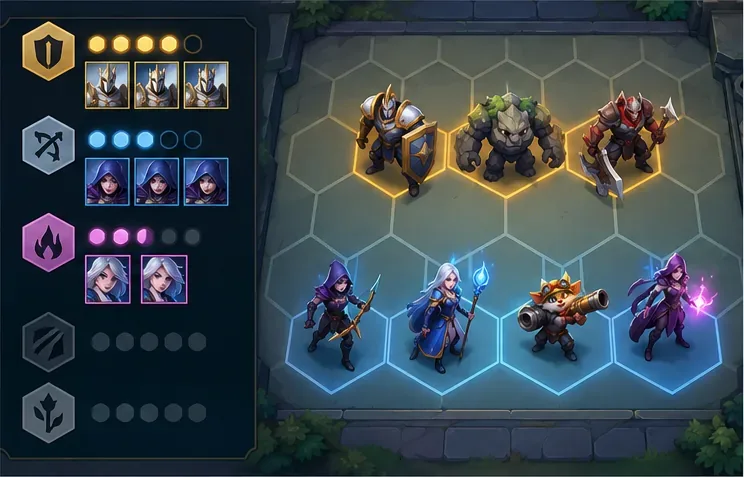
Three copies of the same one-star champion usually combine into a stronger two-star unit; three two-star copies can become a three-star unit. Higher-star units have improved stats or abilities. A few set mechanics can add special requirements, so use the champion’s tooltip when an upgrade does not happen as expected.
4. Manage gold: save, level up, or reroll
Gold is your main planning resource. You spend it to buy champions, refresh the shop, or buy experience. Experience raises your level, which lets you field another unit and generally improves the odds of seeing higher-cost champions. In the standard rules, buying XP commonly costs 4 gold for 4 XP and refreshing the shop costs 2 gold, but special modes or updates can change costs.
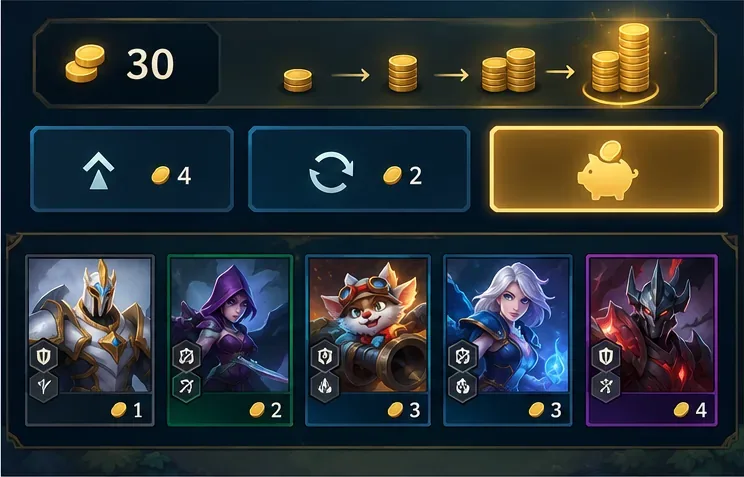
Unspent gold can earn interest. In standard TFT, the familiar baseline is 1 extra gold for each 10 gold saved, up to 5 extra at 50 gold; streaks can also add income. Treat 50 gold as a useful target when your board can survive, not a rule to follow at any cost. Spend sooner if you need an upgrade to stop losing health, or if leveling gives your team a meaningful improvement. Avoid rerolling repeatedly without a specific unit or upgrade in mind.
5. Equip items, position, and learn from each fight
Champions attack and cast abilities automatically once combat begins. Use the planning phase to place durable frontliners where they can absorb damage, and keep fragile ranged carries farther back. This is a starting point, not a fixed formation: move units if an opponent’s lineup threatens your back row or your frontline is not protecting your main damage dealer.
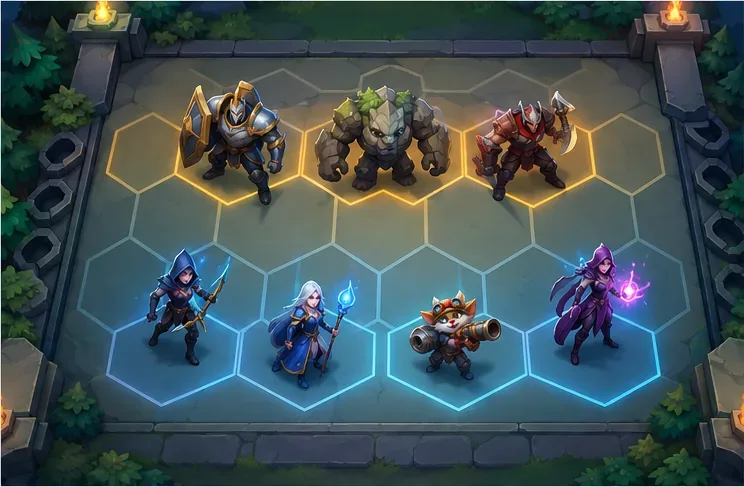
Combine and equip items according to their tooltips. A useful first rule is to put defensive items on a unit that can stay alive in front and damage items on a champion that attacks or casts often. After each fight, check what survived, which enemy units reached your backline, and whether your trait bonuses activated. Use that information to adjust the next round’s board.
Simple TFT tips for your first games
- Stay flexible. Make the best team from the units the shop offers instead of forcing a memorized composition every game.
- Keep your carries safe. Frontline units buy time; backline damage dealers need space to attack. Reposition when opponents change.
- Read the trait and item text. Set names and effects rotate, and an icon alone does not tell you the full bonus.
- Spend with a purpose. Save when your team is stable; buy XP to add a useful unit or reroll when you have a clear upgrade target.
- Do not panic over an early loss. One round is feedback, not a verdict. Learn which units dealt damage and adjust your next placement or purchase.
- Ignore old mode advice. Riot retired Hyper Roll in 2025. Check the current client for the queues that are available in your region.
Quick answers for new TFT players
Is Teamfight Tactics free to play?
Yes. You can play TFT for free. Optional purchases are cosmetic and do not buy combat power. The game is available on desktop and mobile, though platform support can be affected by updates; check Riot’s current compatibility notes for Mac.
Do you control champions during a TFT battle?
No. Combat runs automatically. Your choices happen before the fight: which champions to buy, what traits and items to use, how to spend gold, and where to place each unit.
Is TFT the same game as League of Legends?
No. TFT uses League champions and setting, but it is an auto-battler rather than a team-controlled action game. You build and position a full team instead of directly controlling one champion.
Once you understand the shop, traits, gold, and positioning, the rest of how to play TFT becomes a series of small decisions between fights. Start with a non-ranked game, learn one screen element at a time, and let each match teach you what to adjust.









