How to Play League of Legends: A Beginner’s Guide (2026)
To play League of Legends, choose a champion, work with four teammates to earn gold and experience, and destroy the opposing Nexus before the other team reaches yours. Start with the tutorial or a Co-op vs. AI match, then learn one role and one champion while you get used to the map, minions, controls, and team objectives.
This League of Legends beginner guide covers the fundamentals that remain useful as champions and balance patches change: where to go, how to build your champion’s strength, when to retreat, and how to turn a small advantage into a win.
What is the goal in League of Legends?
League is a five-versus-five team strategy game. Each player controls one champion. You earn gold, buy items, and gain experience to level up abilities. The goal is not to finish with the most kills: it is to break through the enemy base and destroy its Nexus.
On Summoner’s Rift, three lanes connect the two bases, with a jungle between them. Turrets protect each lane, and an inhibitor sits behind the inner defenses. To reach the Nexus, your team must clear a route through one lane and then deal with the two Nexus turrets. Riot’s official How to Play guide explains the map, structures, champion abilities, and main objectives.
How to play League of Legends in six practical steps
Step 1: Install the client and start with a beginner mode
Download League from the official League of Legends site, create or sign in to a Riot account, and follow the client’s setup prompts. The game is free to play. Open the tutorial first if it is offered, then try Co-op vs. AI to learn movement, abilities, and match flow without facing a full team of human opponents.
New accounts unlock modes as they progress. Riot’s current support page says Co-op vs. AI and custom games are available at the start; Swiftplay opens at level 3, Practice Tool at level 9, and Draft at level 10. Ranked queues have additional requirements. If you do not see a mode yet, check the client’s Play screen and your account level.

An illustrative game-mode menu: begin with the tutorial or Co-op vs. AI before trying a player match. Step 2: Learn the map and choose one role
The five standard LoL roles are Top, Jungle, Mid, Bot (often called ADC or marksman), and Support. Top and Mid usually play solo lanes. The Bot carry and Support share the bottom lane. The Jungler farms neutral camps between lanes and helps teammates with ganks and objectives. These are common jobs, not strict rules for every champion.
Role Typical job Beginner focus Top Hold a long solo lane and fight on the front line or in a side lane. Manage minions and avoid extended trades when behind. Jungle Clear neutral camps, watch lanes, and help contest objectives. Learn the map first; this role asks you to make decisions across all lanes. Mid Play the central solo lane and look for chances to help elsewhere. Balance lane safety with awareness of the river and side lanes. Bot / ADC Farm as a ranged damage dealer, usually alongside a Support. Keep distance from threats and collect minion gold consistently. Support Protect or engage for the Bot partner, provide vision, and control space. Watch the map and communicate before leaving your lane partner. For your first games, choose a lane that sounds enjoyable and repeat it long enough to recognize its routine. You do not have to memorize the jungle or every objective before queuing.
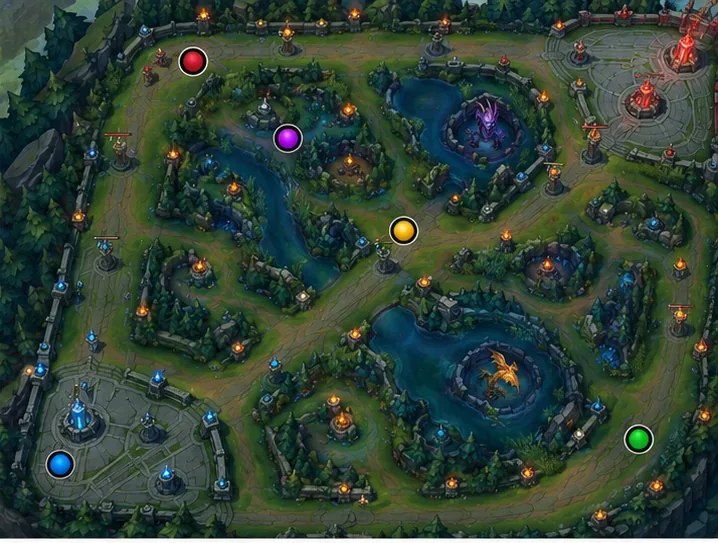
The colored markers show approximate team assignments; use the in-client map to learn the exact layout. Step 3: Pick a champion and learn a small kit
There are many champions, each with different abilities and strengths. Choose one whose basic job sounds clear, and play it for several matches before switching. Riot’s champion guide suggests trying straightforward Battle Training options such as Ashe, Ryze, or Garen. Garen is a durable close-range fighter, Ashe is a ranged marksman, and Ryze is a spell-focused mage. The champion pool for a new account can vary, so use the client’s recommendations if one is not available.
Before a match, read your ability descriptions and the recommended item page. In game, level an ability when prompted and try the recommended build until you understand what the items do. You do not need to memorize a perfect build; focus on what your champion can do and when each ability is ready.
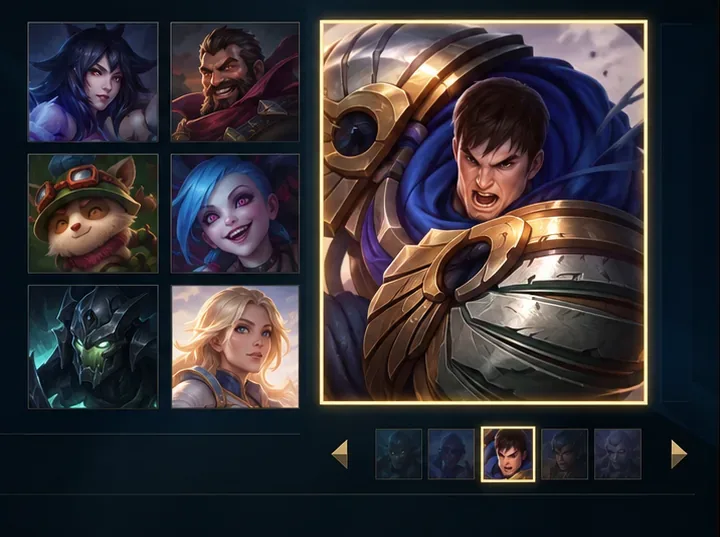
Choose a champion whose abilities and job make sense to you; the selection screen can change over time. Step 4: Learn movement, abilities, and the HUD
League’s default input is point-and-click: use the mouse to move and interact, then press the ability keys shown on screen. In the classic layout, Q, W, E, and R correspond to your abilities and ultimate; summoner spells are commonly mapped to D and F. Hotkeys can be changed, so check Options before a match. Riot also supports optional WASD controls as a separate input style. Try either layout in the tutorial or Practice Tool before a live match.
Glance at your health, resource bar, champion level, ability cooldowns, gold, and minimap. The minimap shows your teammates and enemies your team can currently see; an enemy who disappears from view may be moving toward another lane. Build a habit of checking it between last hits and before you move toward the river.
Use pings to share information without stopping to type. In the default setup, G sends a regular ping and V a caution ping; the radial wheel has more options. Check the keybind in your settings if those keys do not work.
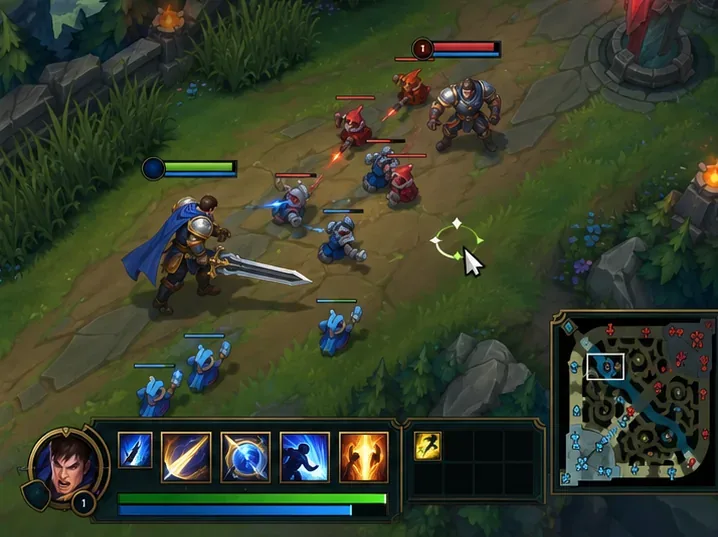
Illustrative HUD: keep track of health, cooldowns, and the minimap; the actual layout depends on your settings. Step 5: Farm minions and take safe trades
Minion waves meet in each lane and fight automatically. When a minion is low on health, try to land the finishing attack—this is called a last hit. In standard lane play, last-hitting is the main way to collect a minion’s full gold reward, while standing nearby helps you earn experience. Swiftplay has a catch-up rule that gives some gold for nearby minions you did not last-hit, so the exact gold system can depend on the mode.
Your CS (creep score) is the number of lane minions you have killed. Treat it as a way to track farming practice, not a score you must hit in your first games. Focus on timing one last hit at a time. Attacking every minion constantly can push the wave toward the enemy turret and leave you exposed, so mix last hits with short, safe attacks on your lane opponent.
When your health is low, enemy champions are missing, or the wave is pushing toward you, prioritize staying alive over chasing a kill. A death can cost time and give the other team a chance to take minions, a turret, or an objective.
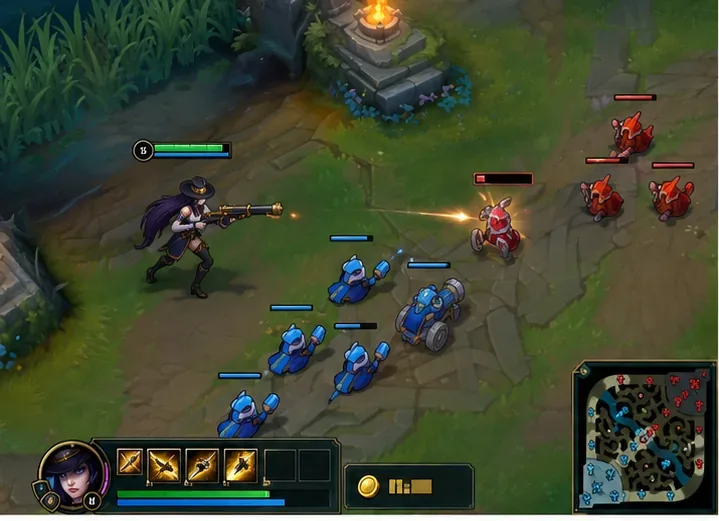
Last-hitting minions is a core way to build gold and practice lane timing. Step 6: Recall, spend gold, and help your team take objectives
Return to base when you have enough gold for a useful purchase, need to restore health, or can leave lane without losing too much. Recall only from a safe spot; taking damage interrupts the channel. At the Fountain, use the shop’s recommended items if you are still learning. Spending gold at the right time also means getting back to the map safely.
When a lane wave is pushing forward, group with teammates to attack a turret. The structures punish champions who dive them alone, so let allied minions move into range first. Destroying the defenses along one lane opens a path to its inhibitor. Destroying that inhibitor strengthens minions pushing the lane. After your team clears a route, the Nexus turrets and then the Nexus are the final targets.
Major jungle objectives such as dragons and Baron can give the team powerful advantages. Do not start one alone just because it is available. Look at the minimap, check whether teammates can help, and ping your intention. The safest beginner habit is to move with nearby allies and the minion wave, rather than entering fog of war by yourself.
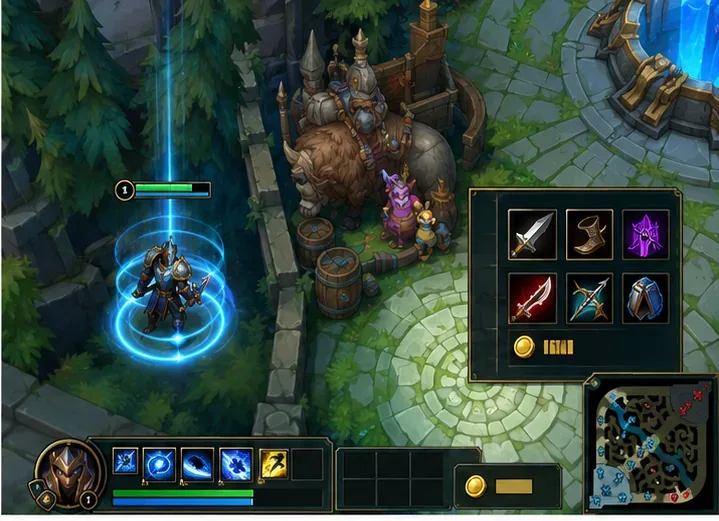
Return to base safely, then spend your gold on recommended items for your champion. 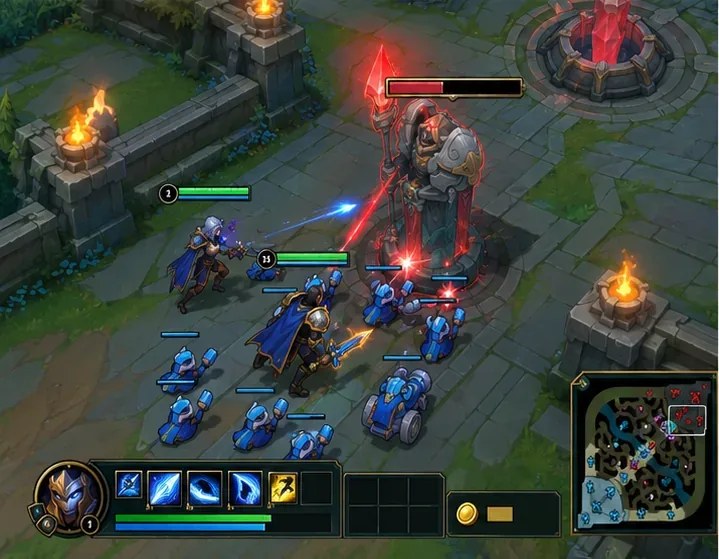
Let your minion wave enter turret range before attacking the structure. 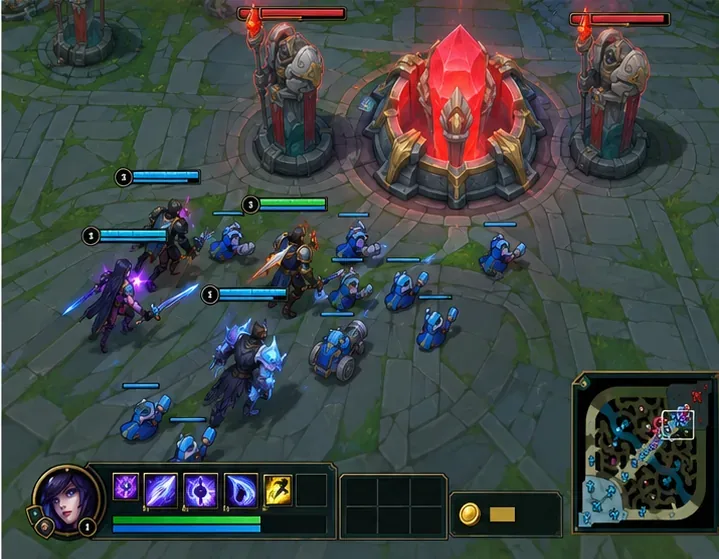
Group with your team and minions to finish the route to the Nexus.
League of Legends tips for your first matches
- Use the tutorial and Co-op vs. AI first. They let you learn the camera, movement, and abilities at a manageable pace.
- Learn one role before learning all five. A consistent starting position makes it easier to recognize what to do next.
- Watch the minimap before crossing the river. If opponents are missing, assume they could be nearby and wait for information.
- Spend your gold. Unspent gold does not strengthen your champion during a fight; recall when safe and buy an item.
- Ping clearly and briefly. Use a caution ping when backing away and an on-my-way ping when moving to help.
- Do not chase a low-health opponent blindly. Check nearby enemies, turrets, and your escape options first.
- Play around teammates. A group taking a turret or objective usually creates more lasting progress than a risky solo fight.
Quick answers for new League players
What game mode should a beginner play?
Start with the tutorial or a Co-op vs. AI match. When available, try Swiftplay for a standard Summoner’s Rift game with other players. Modes unlock as an account levels up; Riot’s current mode-unlock guide lists the requirements.
Which League role is easiest?
There is no single easiest role for everyone. Top has a straightforward lane routine but can feel isolated; Bot and Support share a lane and need coordination; Mid asks you to watch side lanes; Jungle requires map-wide decisions. Choose a role you enjoy, then repeat it until the early-game routine feels familiar.
Can I play League of Legends with WASD?
Yes. Point-and-click remains the default, and Riot offers optional WASD input as another control style. Select it in Hotkeys and practice before a live match. See Riot’s WASD input FAQ for current details.
Your first-match checklist
Before the next queue, remember four things: pick one champion, go to your assigned lane, collect minions safely, and move with your team when it is time to take a structure or objective. You do not need to master every matchup to start. A few focused games will teach you more than changing champions and roles after every mistake.
For more detail, read Riot’s champion selection guide, Smart Ping guide, and Swiftplay guide. Mode rules and details can change as Riot updates the game.









