V-Bucks are Fortnite's in-game currency, used to buy skins, emotes, back blings, the Battle Pass, and everything in the Item Shop. There are two main ways to get them: purchasing them directly with real money, or earning them for free through gameplay — and this guide covers both in full detail.
What you need to know before you start
V-Bucks are tied to your Epic Games account, not a specific platform. That means V-Bucks you buy on PC are available when you log in on PlayStation, Xbox, Nintendo Switch, or mobile — and vice versa. However, V-Bucks purchased through a console's own store (PlayStation Store, Microsoft Store, Nintendo eShop) may be restricted to that platform. To keep your V-Bucks fully cross-platform, buy them through the in-game "Get V-Bucks" screen or the Epic Games website.
How to earn and buy V-Bucks in Fortnite
-
Step 1: Open the V-Bucks purchase screen
Launch Fortnite and from the main lobby, look for the V-Bucks icon in the top bar (it looks like the blue V-Bucks coin). Click or tap it to open the "Get V-Bucks" screen. You will see all available bundles listed with their V-Buck amounts and prices. You can also reach this screen by navigating to the Item Shop and selecting "Get V-Bucks" from the tab row.
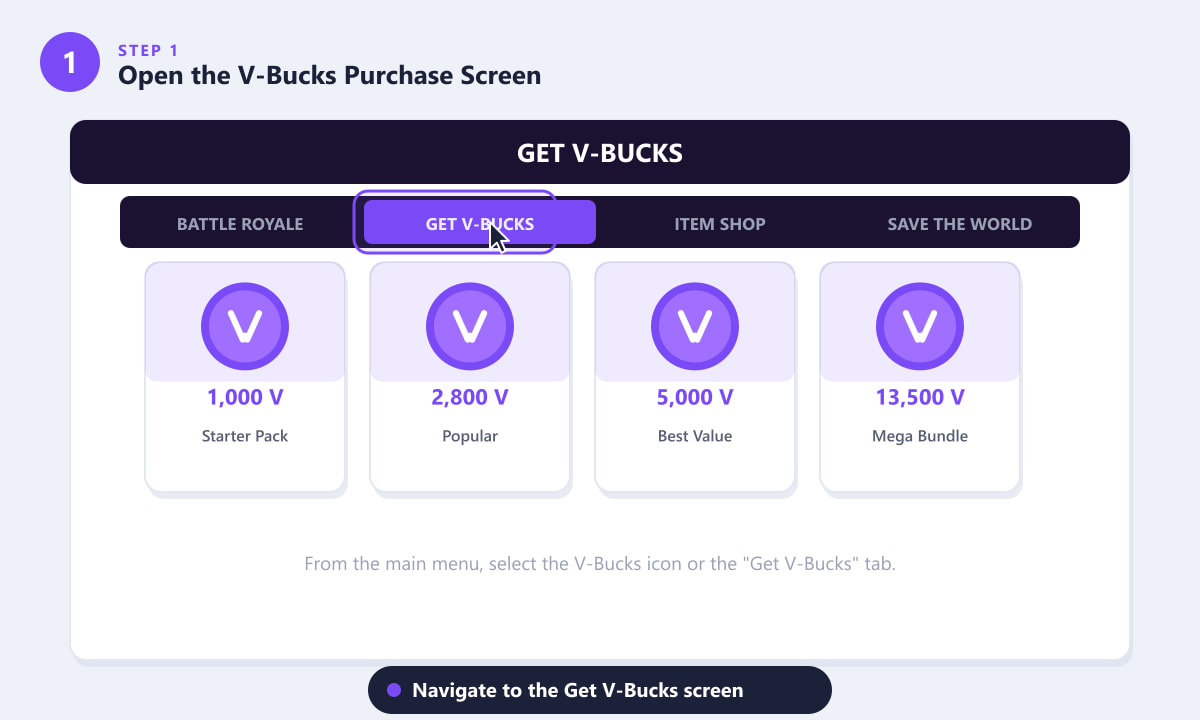
Navigate to the "Get V-Bucks" tab from the main Fortnite lobby to see all purchase bundles. -
Step 2: Choose a bundle and complete your purchase
Fortnite offers V-Bucks in several bundle sizes — starting around 1,000 V-Bucks at the low end and going up to bundles of 13,500 or more for a bigger upfront saving. Select the bundle that fits your budget, then confirm your payment using your saved card, PayPal, or the wallet attached to your platform account. V-Bucks are credited to your Epic account instantly after purchase. Larger bundles offer better value per dollar, so if you plan to buy the Battle Pass plus a few skins, a mid-size bundle is usually the most cost-efficient option.
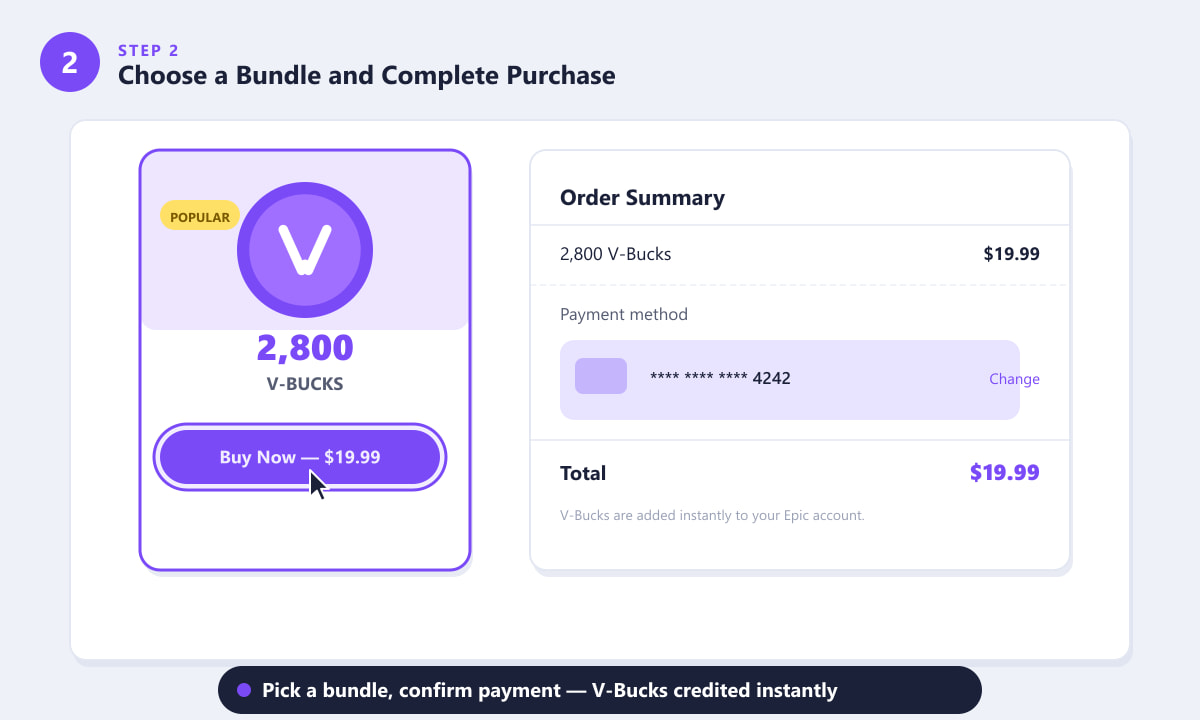
Pick a bundle size, review the order summary, and confirm — V-Bucks appear in your account immediately. -
Step 3: Earn free V-Bucks through the Battle Pass
Buying the Fortnite Battle Pass each season (around 950 V-Bucks) unlocks a reward track with over 100 tiers of cosmetics, XP boosts, and — crucially — V-Bucks scattered throughout the tier ladder. Over the course of a full season you can earn back 1,200–1,500 V-Bucks just from Battle Pass tiers, effectively making the pass pay for itself if you complete enough challenges and play enough matches. V-Buck rewards appear at specific tier milestones: complete daily quests, weekly challenges, and matches to keep climbing the track.
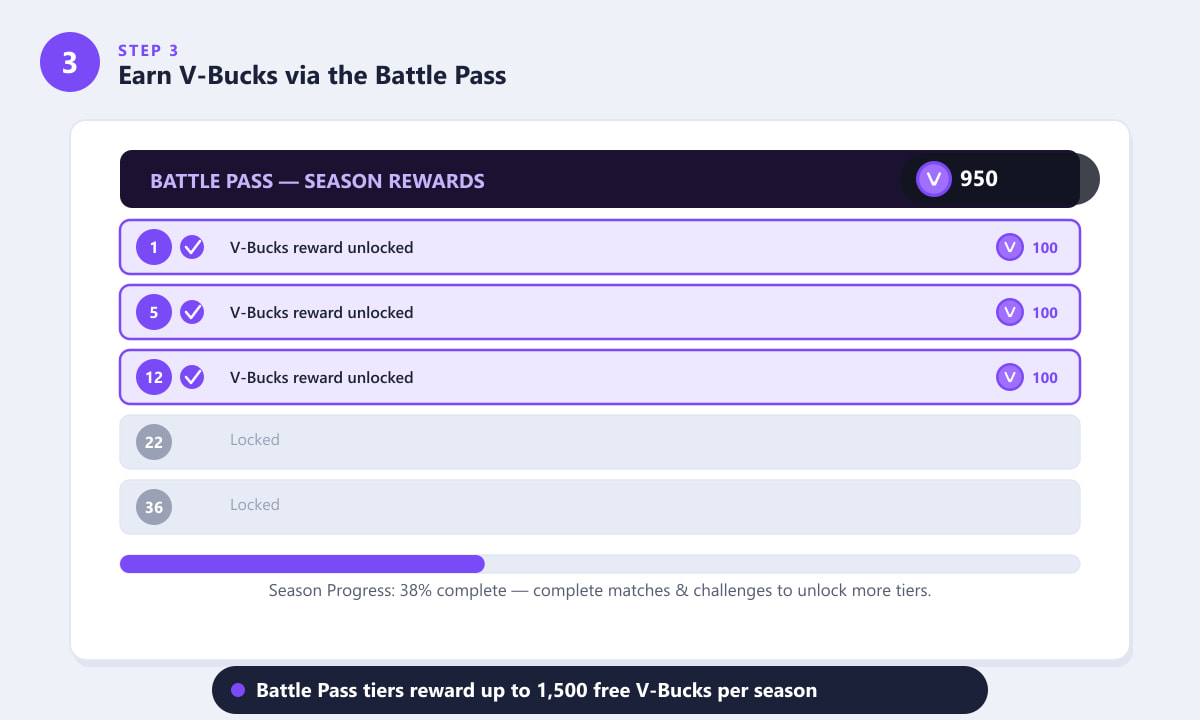
Completed Battle Pass tiers (shown with checkmarks) reward 100 V-Bucks each at multiple milestones throughout the season. -
Step 4: Earn V-Bucks in Save the World
Save the World (Fortnite's co-op PvE mode) is the most consistent source of free V-Bucks in the game. While Save the World requires a one-time purchase to access, it rewards V-Bucks through several ongoing systems: daily login rewards, daily quests (typically 50 V-Bucks each), storm shield missions, main story quest lines, and Collection Book rewards. Players who play consistently can earn several hundred V-Bucks per week without spending anything beyond the initial access cost. The V-Bucks earned here go into the same cross-platform wallet as purchased V-Bucks.
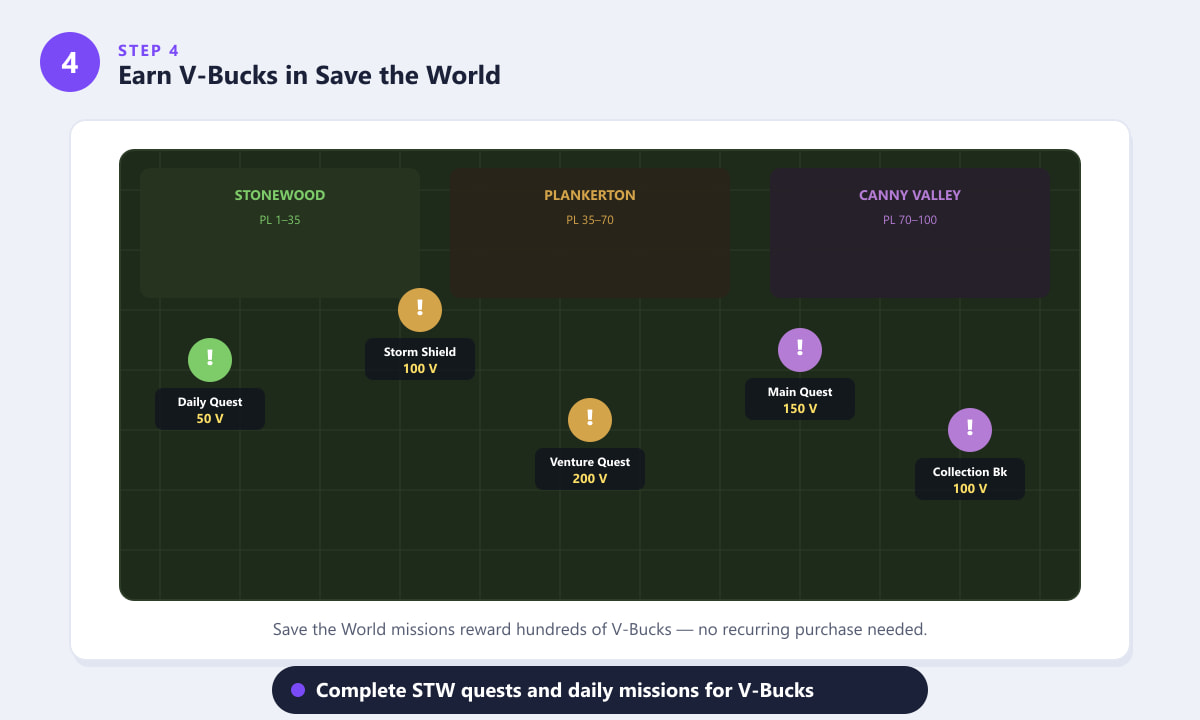
Save the World zones are filled with quests and missions that each reward V-Bucks upon completion. -
Step 5: Spend your V-Bucks in the Item Shop
Once you have V-Bucks in your account, head to the Item Shop from the main lobby. The Item Shop rotates its stock daily and features outfits (skins), harvesting tools, back blings, emotes, gliders, and bundles. Click any item to preview it in 3D before buying. Prices typically range from 200 V-Bucks for simple cosmetics up to 2,000+ V-Bucks for full Legendary sets. The Battle Pass itself costs 950 V-Bucks and is also available here. Check the shop daily, because popular items do return but on no fixed schedule.
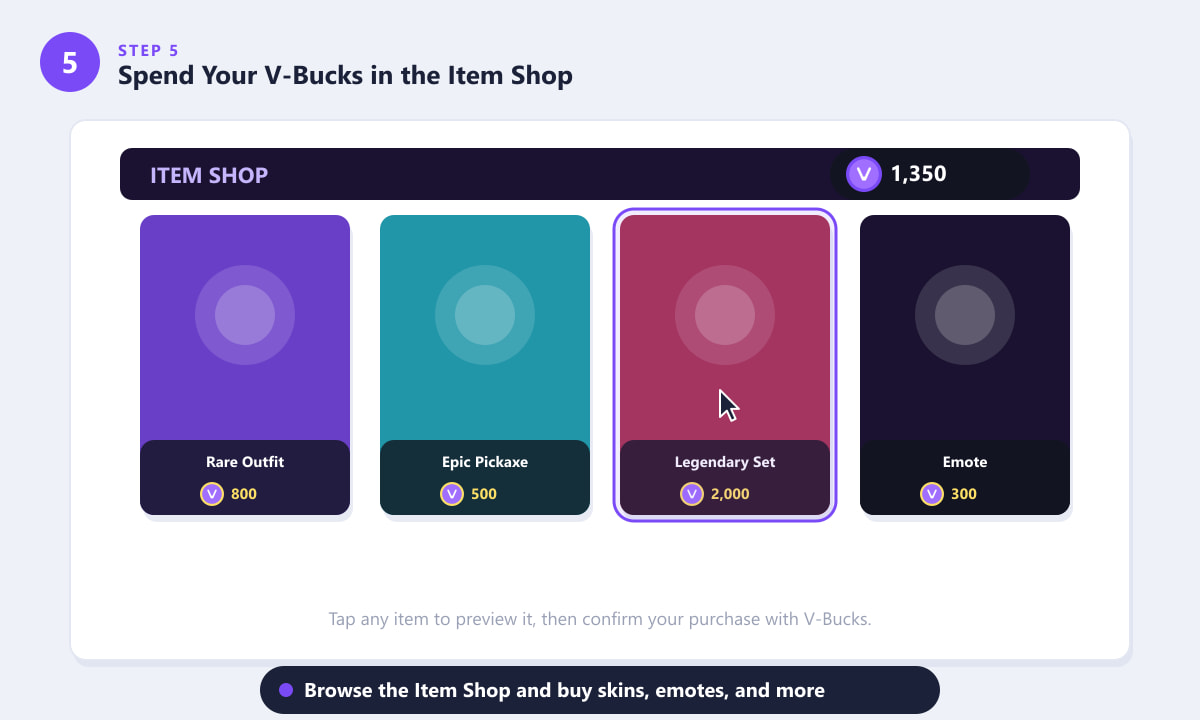
The Item Shop rotates daily — tap any card to preview and buy with your V-Bucks balance.
Tips for getting more value from V-Bucks
- Always buy the Battle Pass. At 950 V-Bucks it typically rewards more than 1,500 V-Bucks back if you complete the season track — making it more than self-funded.
- Use mid-size purchase bundles. The per-V-Buck cost drops with larger bundles, so buying 2,800 or 5,000 at once is cheaper per cosmetic than buying the smallest pack repeatedly.
- Log in to Save the World daily. Even just claiming a daily login reward and completing one quest per day adds up to hundreds of V-Bucks per month with no extra effort.
- Don't impulse-buy from the Item Shop. Check the preview, decide if you'll really use the item, and remember that most cosmetics return to the shop eventually — so you rarely need to rush.
- Avoid third-party "free V-Bucks" generators. These are universally scams. Epic Games never distributes V-Bucks through unofficial websites or apps.
Frequently asked questions
Can you get V-Bucks for free in Fortnite Battle Royale?
Directly in Battle Royale (the free-to-play mode), you can earn V-Bucks by purchasing the Battle Pass and completing its tier rewards. Without the Battle Pass you cannot earn V-Bucks in Battle Royale itself — you would need Save the World for free V-Buck earnings.
Do V-Bucks carry over between seasons?
Yes. V-Bucks do not expire and carry over from one Fortnite season to the next. They remain in your Epic account indefinitely as long as your account is active.
Can I gift V-Bucks to a friend?
You cannot directly transfer V-Bucks between accounts. However, Fortnite's gifting system lets you spend your own V-Bucks to send a specific Item Shop purchase to a friend, which achieves a similar result.
Are V-Bucks the same across PC, PlayStation, Xbox, and Switch?
V-Bucks purchased through the in-game "Get V-Bucks" screen or the Epic Games website are shared across all platforms you log into with your Epic account. V-Bucks bought exclusively through a platform's own store (PlayStation Store, Microsoft Store, or Nintendo eShop) may be locked to that platform — check the purchase screen for any platform-restriction notices before buying.
How long does it take for purchased V-Bucks to appear?
In almost all cases, V-Bucks appear instantly in your account balance once the payment is processed. If they don't show up within a few minutes, try logging out and back into Fortnite. If the issue persists, contact Epic Games Support with your order receipt.
Wrapping up
Getting V-Bucks in Fortnite comes down to two routes: pay for a bundle through the in-game store and get them immediately, or invest in the Battle Pass and Save the World to steadily earn them back through gameplay. Most dedicated players find that combining both approaches — buying a mid-size bundle once, keeping the Battle Pass active each season, and doing daily Save the World quests — keeps their V-Bucks balance healthy without overspending. For the latest bundles and pricing, visit the official Fortnite website.