How to Copy a Base in Clash of Clans (2026 Guide)
To copy a base in Clash of Clans, open a shared layout link on a device with the game installed, accept the in-game copy prompt, choose a spare layout slot, and save. You can then review the imported design and set it as your active base when you are ready. The main navigation changed in October 2026, so the current route to the Layout Editor is through the Build menu.
This guide covers shared links for Home Village and Builder Base layouts. The copied design is a starting layout; check that it fits your Town Hall or Builder Hall, your available buildings, and the role you want the base to serve.
Before you copy a base
- Install and update Clash of Clans on the phone or tablet where you want to use the layout.
- Get a base layout link from a clanmate or a creator you trust. Official examples use the link.clashofclans.com domain.
- Check whether the link is for a Home Village, War Base, or Builder Base design.
- Keep an empty or spare layout slot available so you can compare the imported design before replacing a layout you use.
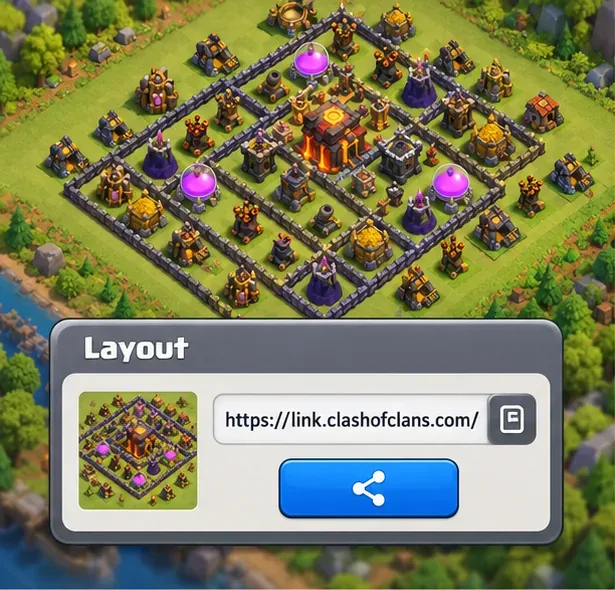
How to copy a base in Clash of Clans
-
Get the shared layout link
Ask the player to share the exact base layout, or use a link published by a creator. A layout link is different from a player profile link. If a clanmate is sending the design, have them create or share the link from the layout they want you to copy. Supercell has published base layouts as links that open directly in the game’s Layout Editor.
-
Open the link on your mobile device
Tap the link on the same phone or tablet where Clash of Clans is installed. If your browser asks whether to open the game, choose Clash of Clans. The game should show its copy or import flow for that layout. Follow the prompt; its wording and order can differ slightly by device and game build.

Illustration of opening a layout link on a phone. Make sure the game is installed on the device that receives the link. -
Open the Layout Editor if the link does not take you there
On the redesigned interface, tap Build at the lower right of your village. With the Build menu open, tap Edit Layout, which appears at the lower right of the screen. Supercell’s October 8, 2026 interface guide identifies this as the current route to layout editing; older instructions that send you to a Town Hall menu may no longer match your screen.
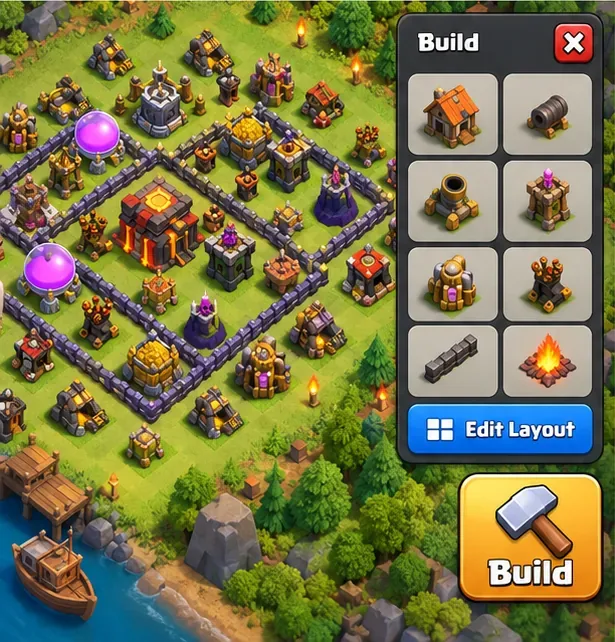
Illustration of the current Build menu path. Supercell says Edit Layout appears at the bottom right while the Build menu is open. -
Choose a spare slot and import the layout
In the Layout Editor, select an unused or spare slot for the copied design. If the game offers an import or copy action for the link you opened, choose it and confirm the destination slot. Avoid selecting a layout you still need unless you are comfortable replacing it.
-
Review the design, save it, and set it active
Check the full base before saving: look for gaps, misplaced defenses, and buildings that your village has not unlocked. A design made for a different Town Hall or Builder Hall may not fit your account exactly, so adjust it in the editor instead of assuming every structure will transfer unchanged. Save the layout, then use the editor’s active-layout control if you want to defend with it now.
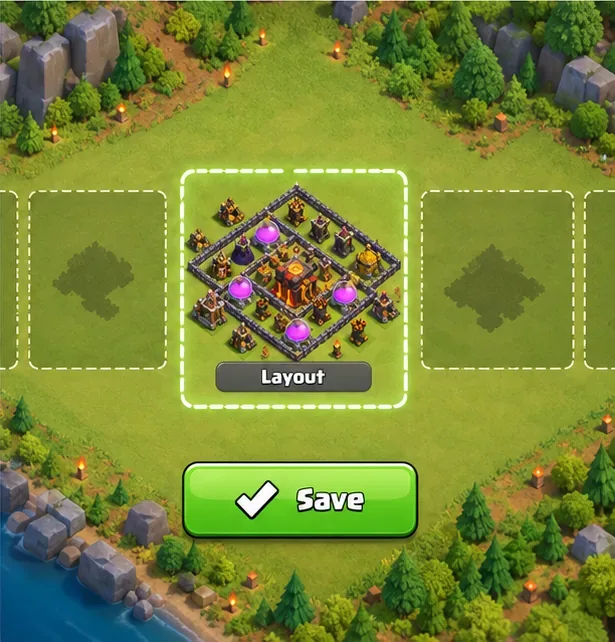
Illustration of a selected layout and save action. Review the design before saving or making it your active base.
Make sure you copied the right kind of base
Clash of Clans keeps layouts for different parts of the game separate. A Home Village design will not serve as your War Base automatically, and a Builder Base layout belongs to the Builder Base editor. For Builder Hall 6 and above, Builder Base has two stages, so check that the imported design matches the stage you intend to edit. Supercell’s Builder Base 2.0 notes describe the second stage and the separate layouts for higher Builder Hall levels.
Also match the design to your goal. A farming layout protects resource buildings; a trophy or war layout may place defenses and the Town Hall differently. A copied base is not guaranteed to be effective against every attack strategy, so test it in friendly challenges or other low-risk practice before relying on it in an important match.
Fix common layout-link problems
The link opens a browser page but not the game
Open it on the device with Clash of Clans installed, check that the app is updated, and use the browser’s option to open the link in the game if it appears. A desktop browser can display or handle a link without importing the layout into your village.
The copy prompt or layout is missing
Tap the shared link again after confirming that the right game account and village are open. Then go to Build → Edit Layout and check the available slots. Confirm that the link is for the village type you intended to edit.
The imported design has gaps or will not activate
Compare the design with your unlocked buildings and the correct Town Hall or Builder Hall level. Move or remove any items that do not fit, fill open spaces with your available defenses, and save again. If the layout is for a different Builder Base stage, switch to the intended stage before editing.
Quick checklist
- Open a trusted layout link on a device with the game installed.
- Use the copy prompt or find the editor through Build → Edit Layout.
- Import into a spare slot and confirm the correct village type.
- Review compatibility, save, and set the layout active only when ready.
Official references
- Supercell’s October 8, 2026 guide to the redesigned Clash of Clans interface explains that Edit Layout appears at the bottom right when the Build menu is open.
- Supercell’s published MCES War Bases includes layout links intended to copy designs into the Layout Editor.
- Supercell’s Builder Base 2.0 layout notes describe the second stage for Builder Hall 6 and above.









