Converting Riot Points to GBP simply means choosing a Riot Points bundle priced in British pounds — there is no direct exchange or calculator because Riot sells RP in fixed GBP packages rather than at a floating rate. This guide shows you every step: opening the store, reading the bundle prices, picking the right amount, paying, and confirming your new balance.
What you need to know first
Riot Points (RP) are League of Legends' premium currency. Unlike some games that offer a floating exchange rate, Riot prices RP in pre-set bundles. If your Riot account is set to the United Kingdom region, the store shows prices in GBP (£) automatically. You cannot convert RP back to cash — the flow is one-way: spend pounds, receive RP, spend RP in-game.
How to buy Riot Points in GBP
-
Step 1: Open the League of Legends website and sign in
Go to leagueoflegends.com (or launch the desktop client and look for the RP wallet icon at the top). Click Log In and enter your Riot account credentials. Your account must be registered to the EUW or EUNE server — or any server that bills in GBP — for pound prices to appear.
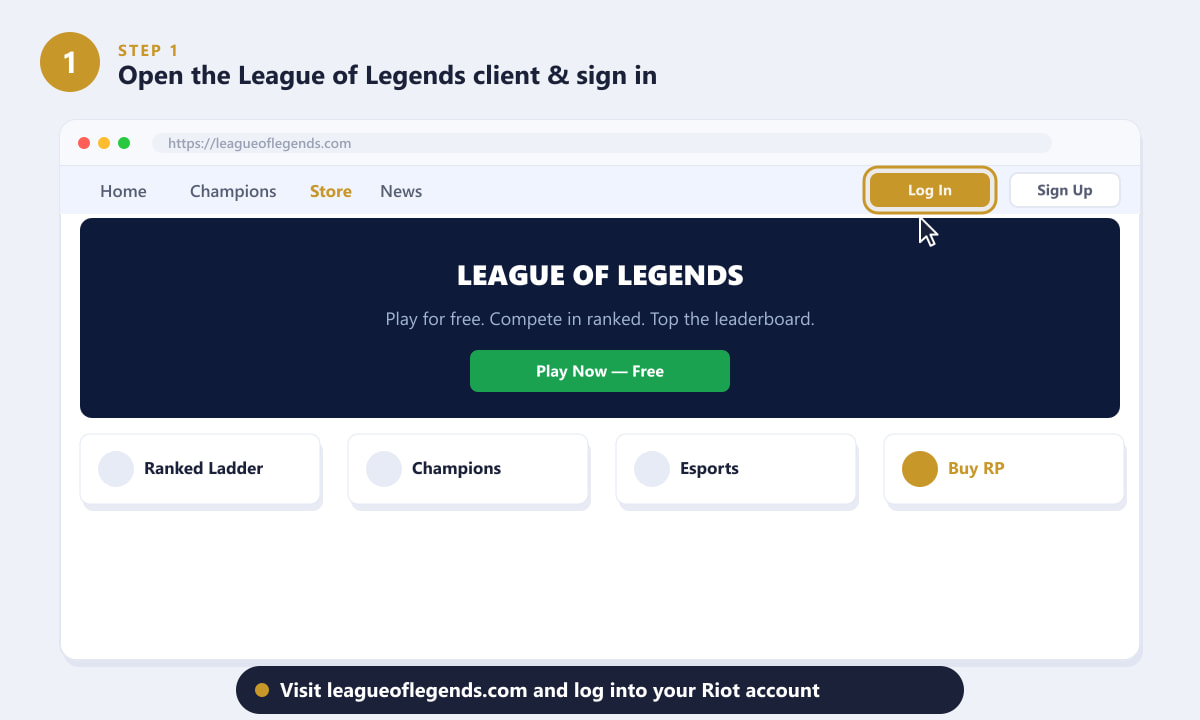
Log into your Riot account before accessing the RP purchase page. -
Step 2: Navigate to the "Buy RP" section
Once signed in, click Store in the top navigation bar (or the cart/RP icon inside the game client). In the Store sidebar, click Buy RP. This takes you to the official purchase page where GBP bundle prices are listed.
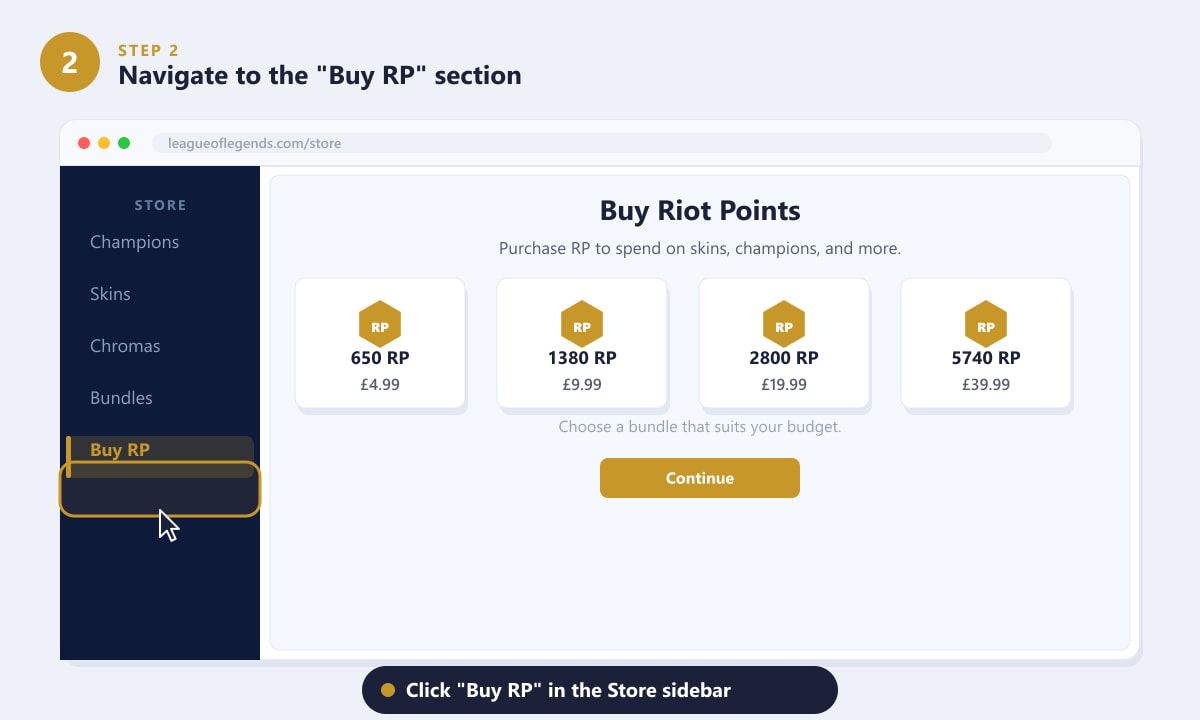
The Store sidebar has a dedicated "Buy RP" link that shows all available GBP bundles. -
Step 3: Choose a GBP bundle
The page displays several RP bundles priced in pounds. Larger bundles typically include bonus RP, making them better value per pound. A rough reference for typical bundle tiers (exact prices may vary slightly over time):
- 650 RP — around £4.99
- 1380 RP — around £9.99
- 2800 RP — around £19.99 (often includes bonus RP)
- 5740 RP — around £39.99 (includes a large bonus)
Click the bundle that matches your budget. A highlight ring confirms your selection.
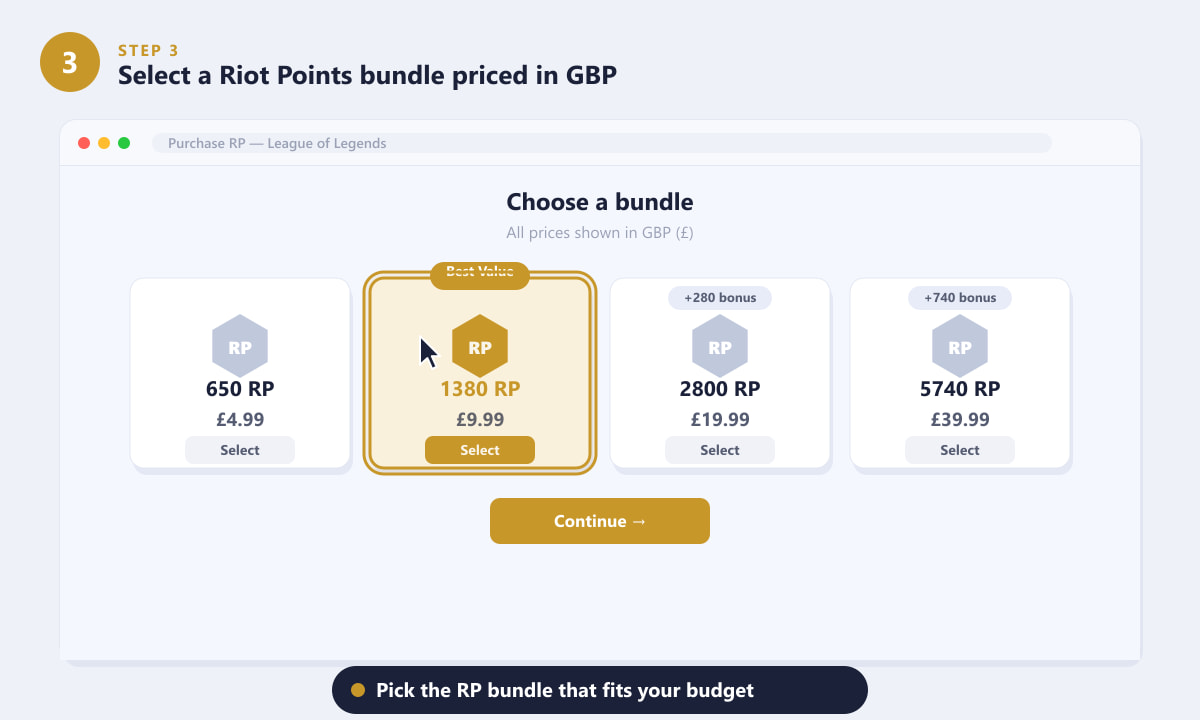
Pick the GBP bundle that fits your spending limit — larger bundles give better RP-per-pound value. -
Step 4: Choose your payment method
Riot supports several payment options in GBP, including credit and debit cards (Visa, Mastercard), PayPal, and prepaid vouchers such as Paysafecard. Select the method you prefer, enter your details if prompted, then review the order summary to confirm the GBP total before proceeding.
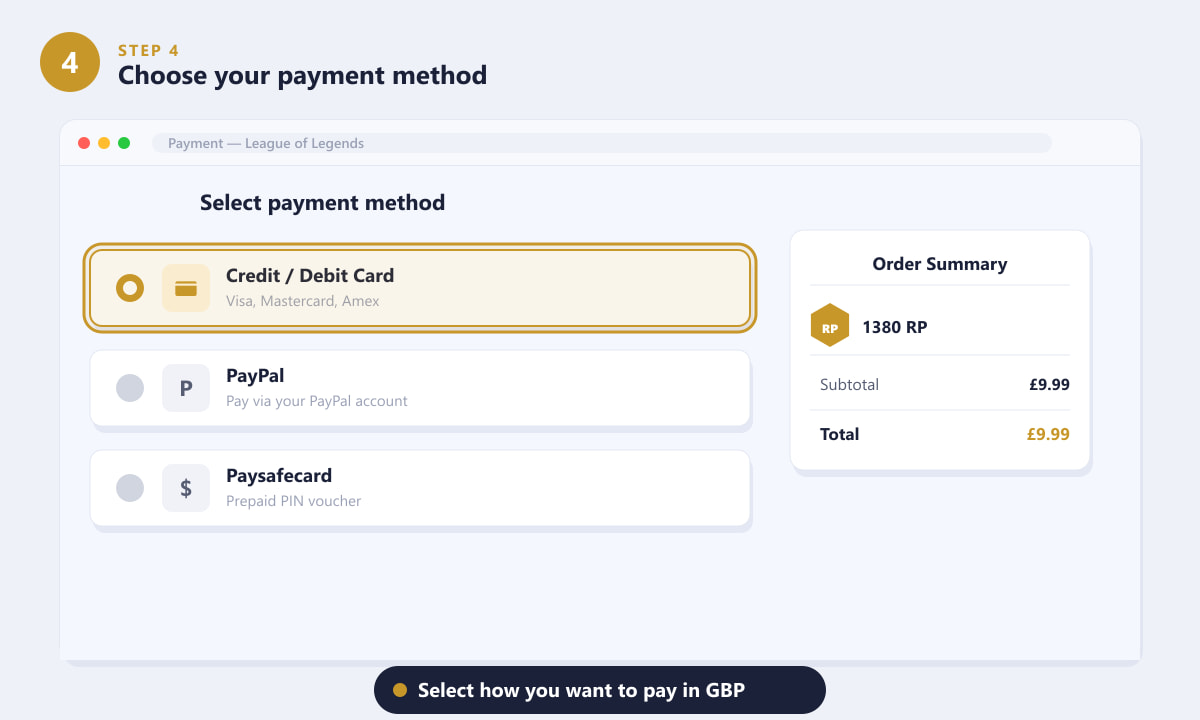
Choose a payment method and verify the GBP total in the order summary panel. -
Step 5: Confirm the purchase and check your RP balance
Click Purchase (or the equivalent confirmation button). Riot processes the payment immediately and the RP lands in your account within seconds — there is no waiting period. A success screen shows how much RP was added. To verify, look at the RP counter in the top bar of the League of Legends client; your new total is displayed there.
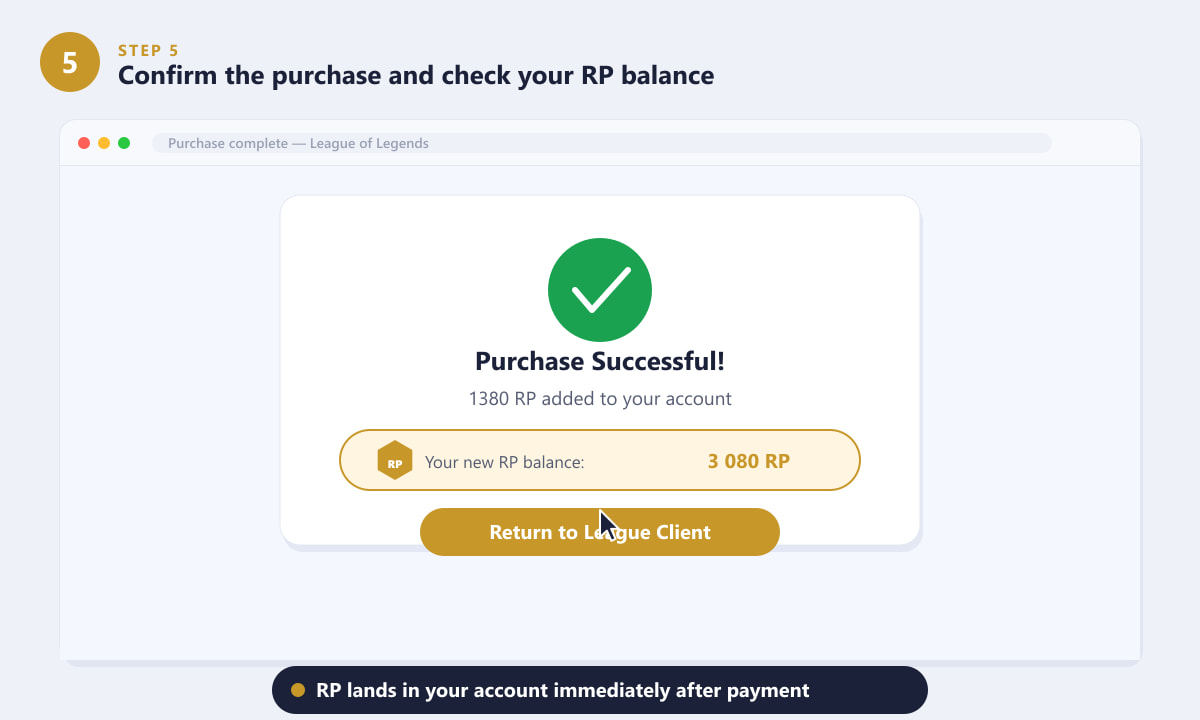
RP is credited instantly — your updated balance appears at the top of the game client.
Tips for getting more value from your GBP
- Buy during events. Riot occasionally offers bonus RP promotions tied to seasonal events. Keep an eye on the client lobby for banners advertising extra RP on purchases.
- Larger bundles = better rate. The higher-tier bundles include bonus RP on top of the base amount, so spending £39.99 once is more efficient than four separate £9.99 purchases.
- Gifting RP to a friend. You can gift specific skins or champions via the store, but you cannot transfer raw RP between accounts.
- Prepaid cards work offline. Paysafecard vouchers (available at UK supermarkets and convenience stores) are a good option if you do not want to enter bank or PayPal details online.
Troubleshooting
I see USD prices instead of GBP
This usually means your Riot account is registered to a non-UK server (such as NA). The currency shown depends on your account's server region, not your physical location. If you play on EUW or EUNE, prices should appear in GBP automatically. Unfortunately, you cannot change an account's server region to switch currencies without a region transfer.
My payment failed
Double-check that your card or PayPal account supports international purchases — some UK banks briefly flag gaming purchases. Trying a prepaid Paysafecard is a reliable alternative if card payments keep failing.
My RP hasn't appeared after purchase
Fully close and relaunch the League of Legends client. RP is credited server-side within seconds, but the client sometimes needs a restart to reflect the updated balance.
Frequently asked questions
How much is 1380 RP in GBP?
The 1380 RP bundle typically costs around £9.99 in the UK. This is one of the most popular tiers as it covers the price of most standard champion skins (which cost 975–1350 RP).
Can I convert Riot Points back to GBP?
No. Riot Points are non-refundable and cannot be converted back to real currency. Once you buy RP you can only spend it in-game on champions, skins, and other store items.
How many Riot Points is £10?
Roughly 1380 RP for approximately £9.99, which is the closest standard bundle to the £10 mark. The exact bundle tiers can change, so always check the official store for the current GBP price.
Is RP cheaper if I use a gift card?
Riot Points gift cards and Paysafecard vouchers are denominated in GBP at face value — there is no discount built in. However, retailers occasionally sell them at a small discount, so it is worth checking UK deal sites if you are buying in bulk.
Does Riot charge VAT on RP purchases in the UK?
Yes. UK VAT is included in the displayed GBP price, so the price shown in the store is what you pay — no hidden tax is added at checkout.
Wrapping up
Converting Riot Points to GBP comes down to picking the right bundle for your budget on the official store. Log in, head to "Buy RP," select the GBP bundle that suits you, pay, and your RP appears in seconds. For the largest purchases, opt for higher-tier bundles to get bonus RP and better value per pound. Check your balance in the client's top bar to confirm everything went through correctly.