Changing the difficulty in Diablo 4 takes only a few seconds from the in-game menu — you don't need to restart your character or start a new game. This guide walks you through every difficulty option, from the early-game tiers (Normal, Hard, Expert and Penitent) to the endgame Torment tiers, and shows exactly how to unlock and switch between them on PC, PlayStation and Xbox.
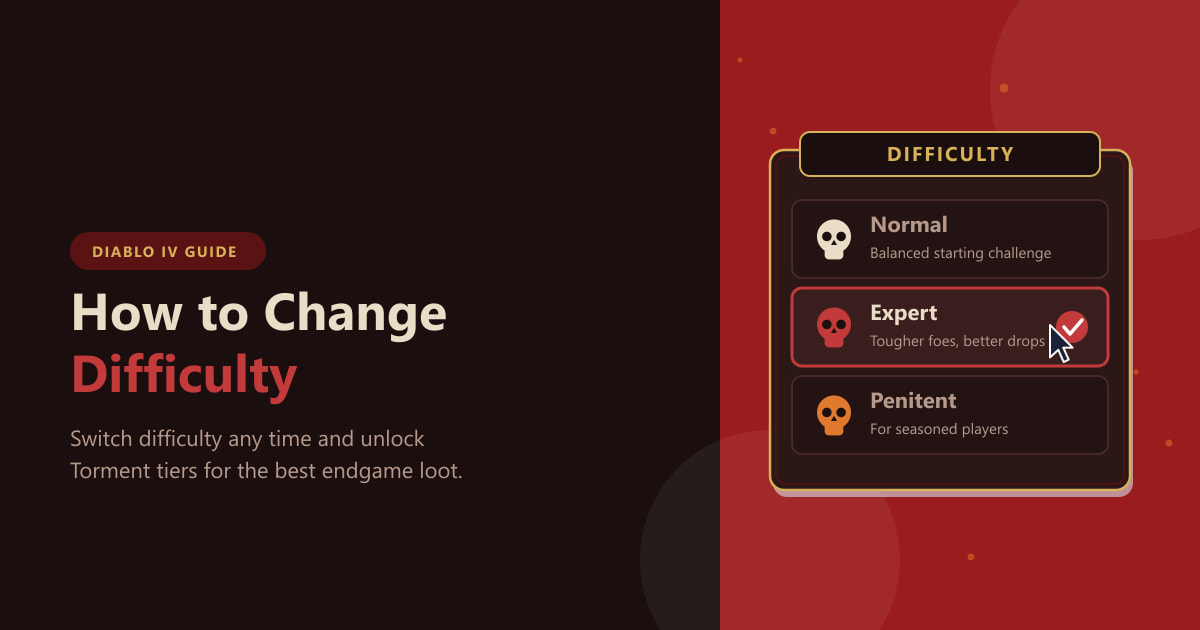
Since the Vessel of Hatred update, Diablo 4 replaced the old World Tier system with a streamlined difficulty list. The first four tiers — Normal, Hard, Expert and Penitent — are available to everyone, while the four Torment tiers are unlocked once you reach the endgame. You can move freely up or down the list whenever you want.
What you need before you start
- An active Diablo 4 character (any class, season or Eternal Realm).
- To be out of combat — the difficulty option is greyed out mid-fight.
- For the Torment tiers: a finished campaign and a cleared Capstone Dungeon (explained in Step 4).
How to change difficulty in Diablo 4
-
Step 1: Open the game menu
While standing in a town or any safe area, press ESC on PC or the Menu button on a controller (Options on PlayStation, the Menu button on Xbox). You can change difficulty out in the open world too, but only when you're not actively in combat, so a town is the easiest place to do it.
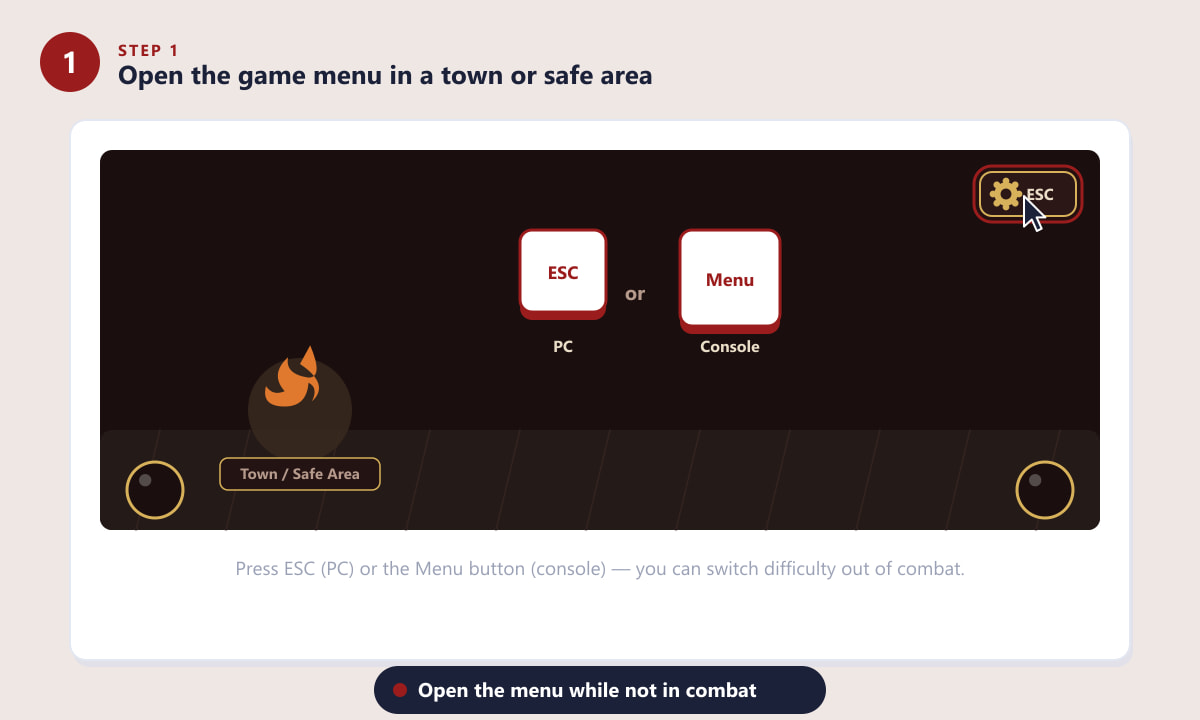
Press ESC (PC) or the Menu button (console) to open the game menu. -
Step 2: Select the Difficulty option
In the pause menu you'll see a Difficulty entry alongside Resume, Options and the exit choices. Highlight and select it to open the difficulty list. There's no need to quit your session or load a fresh game — everything happens right here.
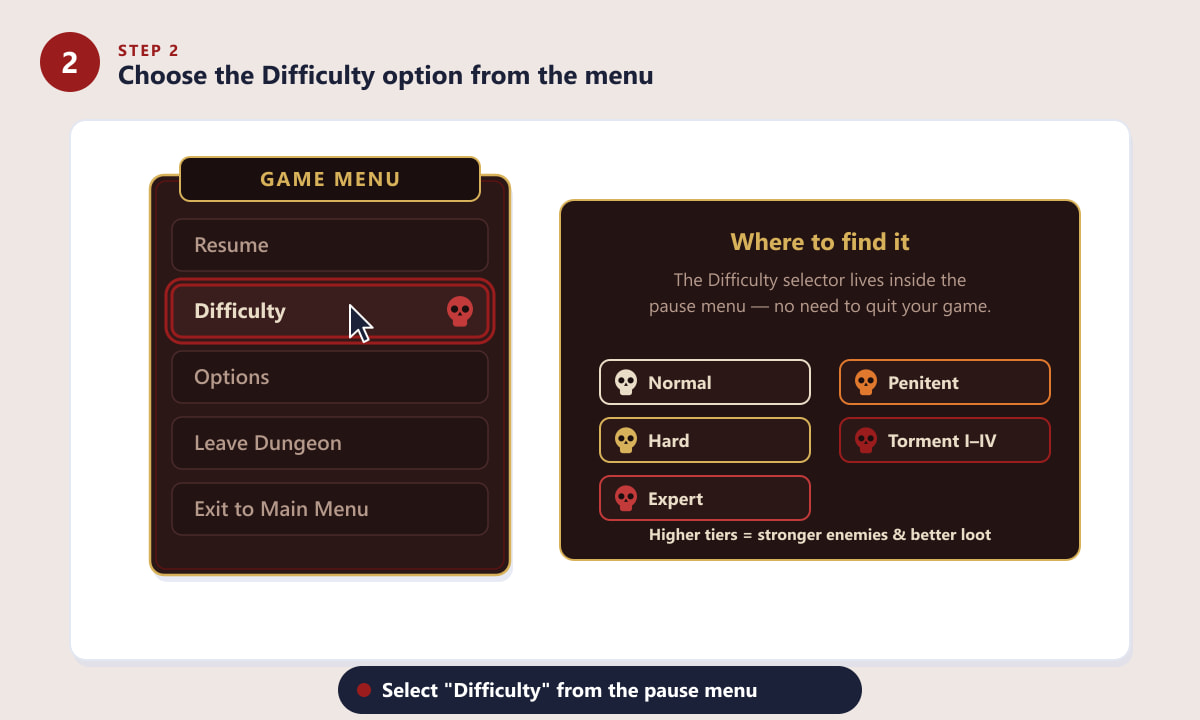
The Difficulty selector lives inside the pause menu. -
Step 3: Pick a difficulty and confirm
Choose the tier you want. Normal is a relaxed introduction, Hard raises enemy damage and health, Expert pushes things further with better drop rates, and Penitent is the toughest pre-endgame option. Confirm your choice and the change applies instantly — monster levels, experience and loot all scale to match. Pick a tier where fights stay challenging but you don't constantly die, as that's where Diablo 4's loot and XP rewards feel best.
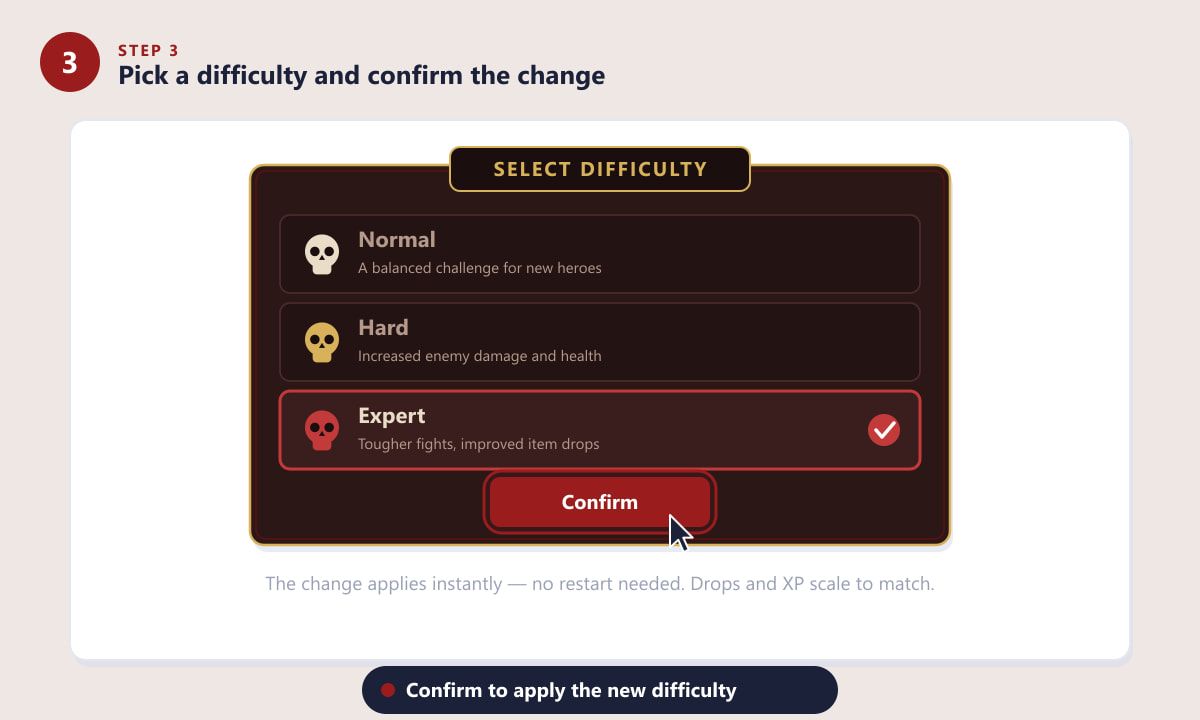
Select a tier and confirm — the change takes effect immediately. -
Step 4: Unlock the Torment tiers
The four Torment tiers are the real endgame. To unlock them you must finish the campaign (or skip it on a returning account), reach the appropriate level, and clear the Capstone Dungeon — the Cathedral of Light, found in Kyovashad once you're ready. Beat its boss and Torment I through IV appear in your difficulty list.
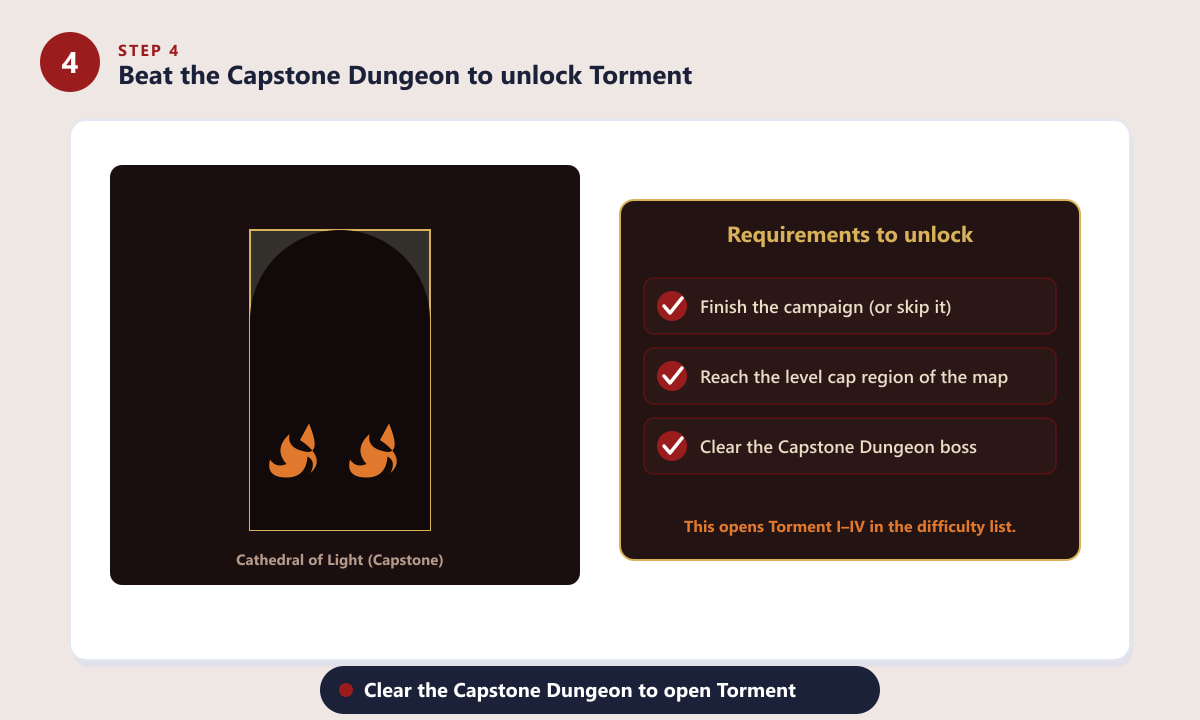
Clearing the Capstone Dungeon unlocks the Torment tiers. -
Step 5: Select a Torment tier
Open the Difficulty menu again and you'll now see Torment I, II, III and IV. Each tier increases monster level and improves your rewards: Ancestral gear, Unique items and (at the higher tiers) Greater Affixes, plus more Paragon experience. Start at Torment I and climb the tiers as your build gets stronger.
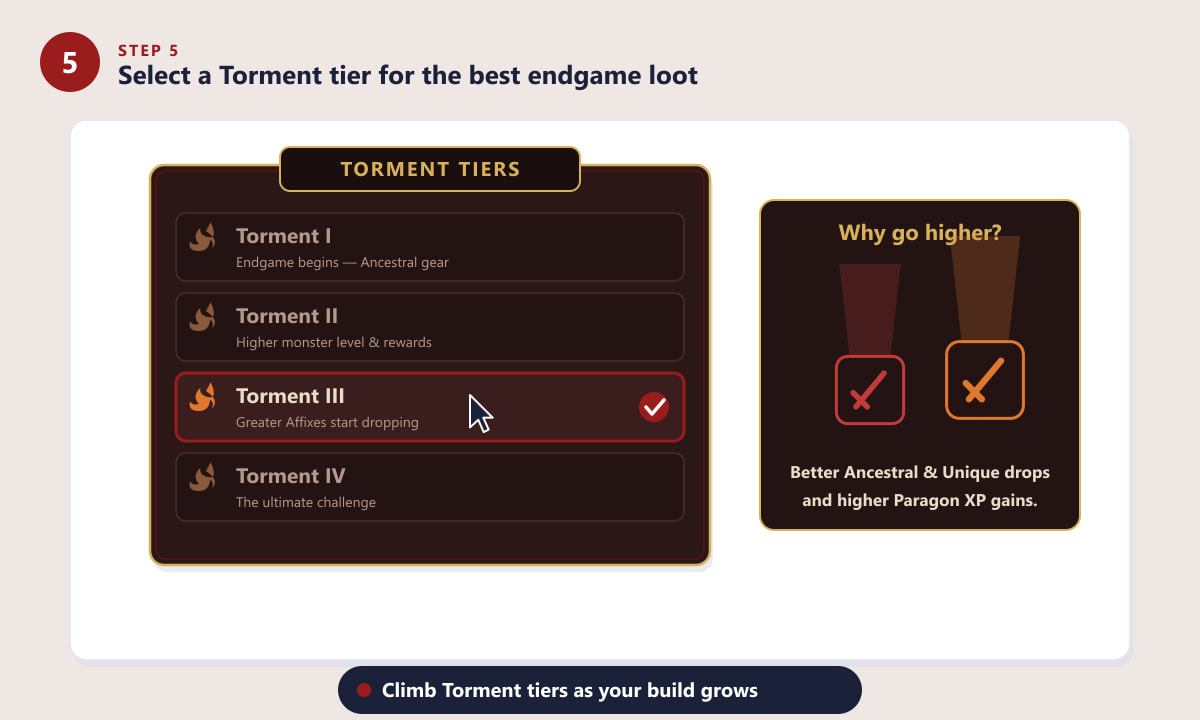
Climb the Torment tiers for the best endgame loot and XP.
Tips for choosing the right difficulty
- Match the difficulty to your gear. If enemies barely scratch you, move up a tier; if you're dying repeatedly, drop back down.
- Higher isn't always faster. A tier where you can clear packs quickly often yields more loot per hour than one where every fight is a slog.
- Greater Affixes only start dropping at the higher Torment tiers, so push upward once you're chasing perfect endgame items.
- You can switch any time. There's no penalty for changing difficulty, so experiment to find your sweet spot.
Troubleshooting
The Difficulty option is greyed out
You're probably still in combat or in an instanced encounter. Return to a town or wait until the fight is fully over, then reopen the menu.
I can't see the Torment tiers
Torment tiers only appear after you've cleared the Capstone Dungeon and met the level requirement. Finish the campaign, level up, and beat the Cathedral of Light first.
My friend has higher difficulty than me in a party
In a group, difficulty is tied to each player's own progression, but co-op scaling means you can still play together — the host's settings and your unlocked tiers determine what's available.
Frequently asked questions
Can you change difficulty any time in Diablo 4?
Yes. Open the menu out of combat, select Difficulty, choose a tier and confirm. The change is instant and there's no penalty for switching up or down.
What are the difficulty levels in Diablo 4?
The pre-endgame tiers are Normal, Hard, Expert and Penitent. After clearing the Capstone Dungeon you also unlock Torment I, II, III and IV for the endgame.
How do I unlock Torment difficulty?
Finish the campaign, reach the required level, and clear the Capstone Dungeon (the Cathedral of Light). The Torment tiers then appear in your difficulty list.
Does higher difficulty give better loot?
Yes. Higher tiers increase monster level and improve drops, with Ancestral gear, Unique items, Greater Affixes and bonus Paragon experience at the top Torment tiers.
How do I change difficulty on PlayStation or Xbox?
Press the Options button (PlayStation) or the Menu button (Xbox) to open the game menu, then select Difficulty exactly as you would on PC.
Final thoughts
Changing difficulty in Diablo 4 is quick and risk-free: open the menu, pick a tier, and confirm. Lean on the early tiers while you build up a character, then unlock and climb the Torment tiers to chase the game's best loot. For the latest patch notes and difficulty tuning, check the official Diablo IV website.