Hey, fellow Fortnite warriors! 😤 Nothing kills the hype like firing up the game only to watch it crash on startup. Whether it's a black screen, Epic Games Launcher freeze, or instant shutdown, you're not alone. But don't sweat it—this complete guide packs the most effective fixes tested on the latest patches. We'll get you Battle Bus-ready in no time. Stick with me, and you'll be dropping hot before you know it!
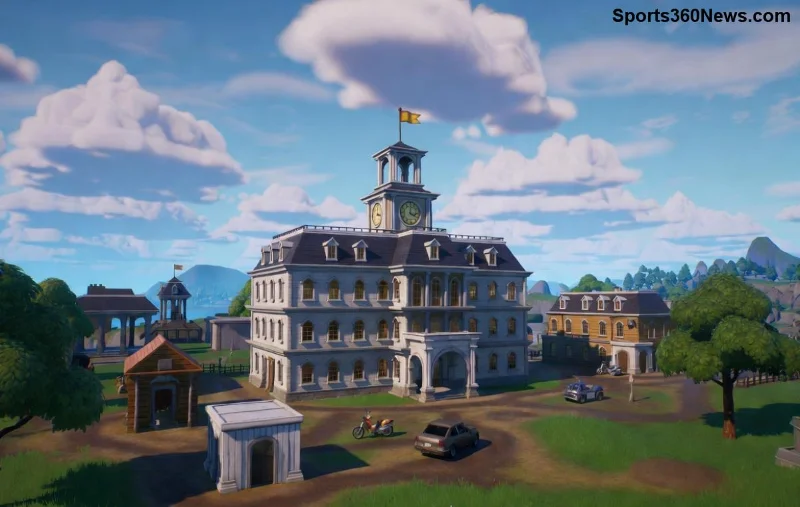
Why Does Fortnite Crash on Startup? Quick Diagnosis
Common culprits include outdated drivers, corrupted files, overlay conflicts, or hardware hiccups. Before diving in, restart your PC and check for Windows updates—simple but game-changing. Ready for the fixes? Let's crush this step-by-step. Pro tip: Test after each one to pinpoint the winner. 👆
🛠️ Basic Fixes: 80% of Fortnite Startup Crashes Solved Here
- 1️⃣ Verify Game Files (Easiest First Step)
Launch Epic Games Launcher > Library > Fortnite > Three dots > Manage > Verify. This scans and repairs corrupted files in minutes. Epic's own tool—flawless for most crashes.
- 2️⃣ Update Graphics Drivers
NVIDIA/AMD/Intel drivers are crash magnets if outdated. Grab GeForce Experience, AMD Software, or Intel Driver Assistant. Restart after updating. Boom—smooth launches!
- 3️⃣ Run as Administrator
Right-click Epic Launcher > Properties > Compatibility > Run as admin. Permissions issues vanish, especially on Windows 11.
- 4️⃣ Disable Overlays
Kill Discord, NVIDIA ShadowPlay, or Steam overlays—they interfere with Fortnite startup. In Discord: User Settings > Overlay > Off. Test and re-enable one by one.
These basics fix Fortnite crashing on startup for millions. If it's still glitching, level up to advanced tweaks. You've got this! 💪
⚡ Advanced Fixes: For Stubborn Fortnite Crashes
Time for the heavy hitters. These target deeper issues like cache buildup or DirectX woes.
| Error Type |
Symptom |
Quick Fix |
| Black Screen Crash |
Launcher opens, game vanishes |
Delete %localappdata%\FortniteGame\Saved |
| Engine Error |
"Fatal Error" popup |
Reinstall Visual C++ Redistributables |
| Out of Memory |
Crash with low RAM warning |
Close background apps; add virtual memory |
| D3D Error |
DirectX failure |
Run dxsetup.exe from Fortnite folder |
- 5️⃣ Clear DNS & Cache
Open Command Prompt (admin): ipconfig /flushdns then netsh winsock reset. Restart. Clears network glitches causing launcher hangs.
- 6️⃣ Delete Temp Files & Cache
Windows Search > %temp% > Delete all. Then Epic Launcher: Settings > Manage Games > Clear Cache. Fresh start = no crashes.
- 7️⃣ Reinstall Epic Launcher
Uninstall via Settings > Apps, download fresh from Epic's site. Often revives stubborn installs.
- 8️⃣ Check Hardware & Temps
Use HWMonitor for overheating. Undervolt GPU if needed. Ensure 16GB RAM minimum—Fortnite loves it.
![Fortnite running smoothly after fixes]()
PC vs Console: Tailored Fortnite Startup Crash Fixes
- PC: Follow above—drivers rule here.
- PS5/Xbox: Clear cache (Power off > Hold power button 10s), rebuild database, or reinstall. Check Epic server status at status.epicgames.com.
- Mobile: Force stop app, clear cache via settings.
Prevention Tips: Stay Crash-Free Forever ⭐
Lock in those Victory Royales:
- Enable auto-updates in Epic Launcher.
- Use wired internet over Wi-Fi.
- Defrag HDD or optimize SSD monthly.
- Join Fortnite Discord for patch alerts.
No more
Fortnite crashing on startup—promise!
Still Crashing? Next Steps
If all fails, submit a ticket at Epic Games Support with DxDiag logs (Win+R > dxdiag > Save). Community heroes on Reddit's r/FortniteBR swear by it.
There you have it, squad—the ultimate arsenal against Fortnite startup crashes. Drop a like if this saved your session, and queue up. GLHF! 🎮✨