The "Unable to download patch files" error in FFXIV almost always comes from a blocked, corrupted, or interrupted patch download rather than a problem with your account. It usually appears when the launcher tries to update the game and something — your antivirus, a leftover patch file, or your network — gets in the way. The good news is that it's fixable at home in a few minutes. This guide walks through the five fixes that resolve it for the vast majority of PC players, in the order you should try them.
What you'll need
Before you start, make sure you have a Windows account with administrator rights, a stable internet connection, and a few gigabytes of free disk space for the patch to re-download. You don't need to reinstall the game for most of these fixes — that's strictly a last resort. Work through the steps in order and try launching FFXIV again after each one; many players are back in within the first two or three.
How to fix the "Unable to download patch files" error
-
Step 1: Run the FFXIV launcher as administrator
The patcher needs permission to write new files into the game folder. If Windows blocks that write access, the download fails instantly. Close FFXIV completely, then right-click the FFXIV launcher icon (or the Square Enix / FINAL FANTASY XIV shortcut) and choose Run as administrator. Accept the User Account Control prompt and let the patcher try again.
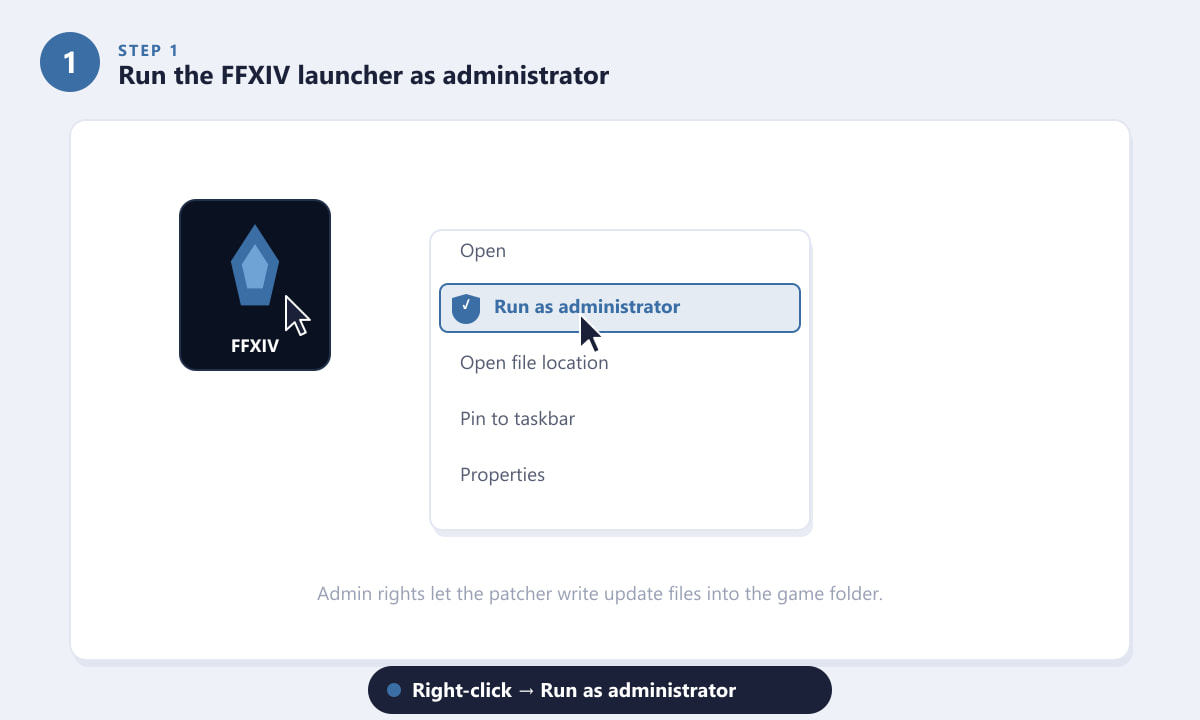
Right-click the launcher and select Run as administrator before patching. -
Step 2: Whitelist FFXIV in your antivirus and firewall
Overzealous security software is the single most common cause of this error. Antivirus tools sometimes block or quarantine the patcher while it downloads, which corrupts the update. Add an exclusion for the FFXIV folder and allow these files through your firewall: ffxivboot.exe, ffxivboot64.exe, ffxivlauncher64.exe, and ffxiv_dx11.exe. Allow them on both private and public networks. If you only have a third-party antivirus, temporarily disabling it during the patch is a quick way to confirm whether it's the culprit.
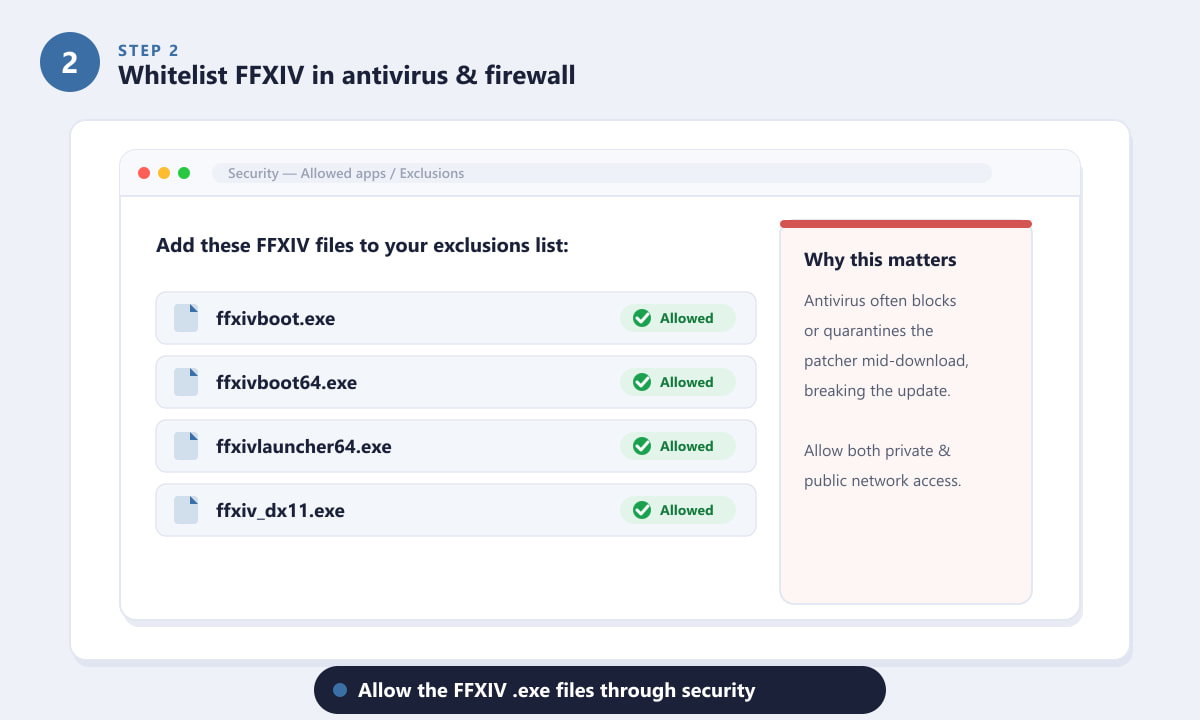
Add the FFXIV .exe files to your antivirus exclusions and firewall allow list. -
Step 3: Delete corrupted leftover patch files
A half-downloaded or damaged patch file will fail every time the launcher tries to resume it. Clearing those leftovers forces a clean re-download. Browse to your installation folder, typically ...\SquareEnix\FINAL FANTASY XIV - A Realm Reborn, and look for the download cache. Delete any .patch files (and partial .patch.tmp files) you find there. Do not delete the whole game folder or the main "game" data — only the temporary patch files. Relaunch and the patcher will fetch them fresh.
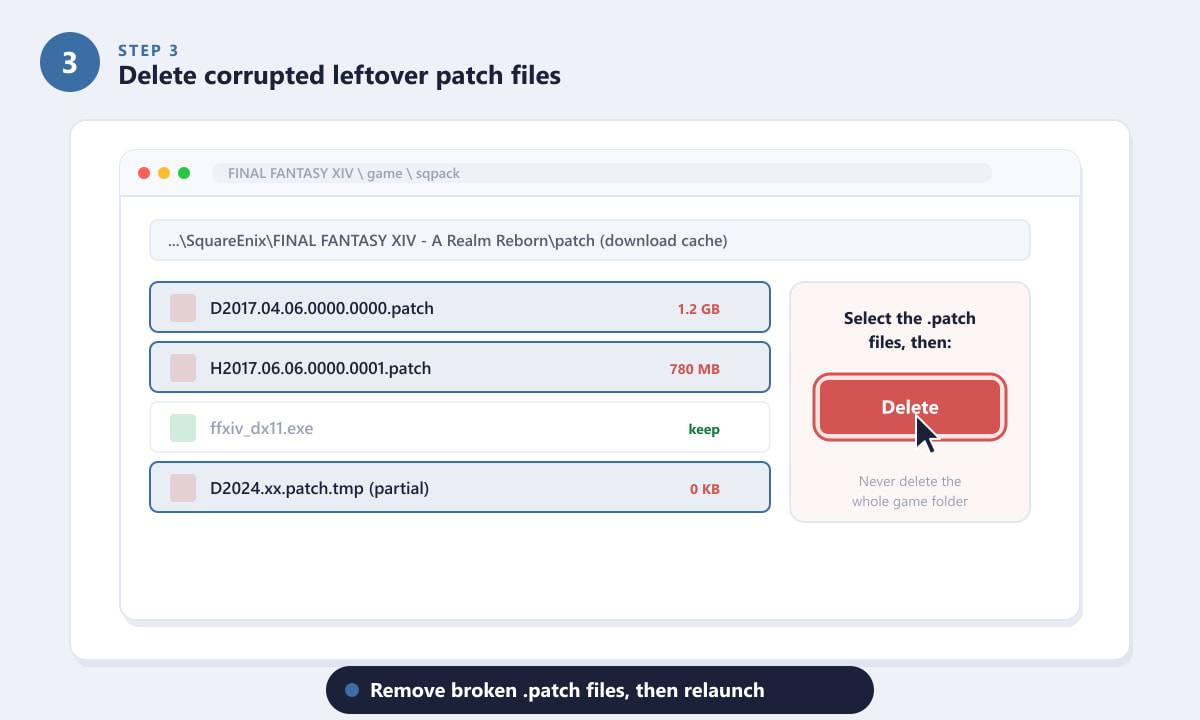
Remove broken .patch files so the launcher downloads them again cleanly. -
Step 4: Improve your connection to the patch server
Network hiccups break large downloads. For the most reliable patch, switch from Wi-Fi to a wired (LAN) connection, and turn off any VPN or proxy — these often throttle or reroute the patcher and cause it to time out. Changing your DNS to a public resolver such as Google's 8.8.8.8 or Cloudflare's 1.1.1.1 frequently resolves regional routing problems. After changing DNS, reboot your router, then relaunch the game.
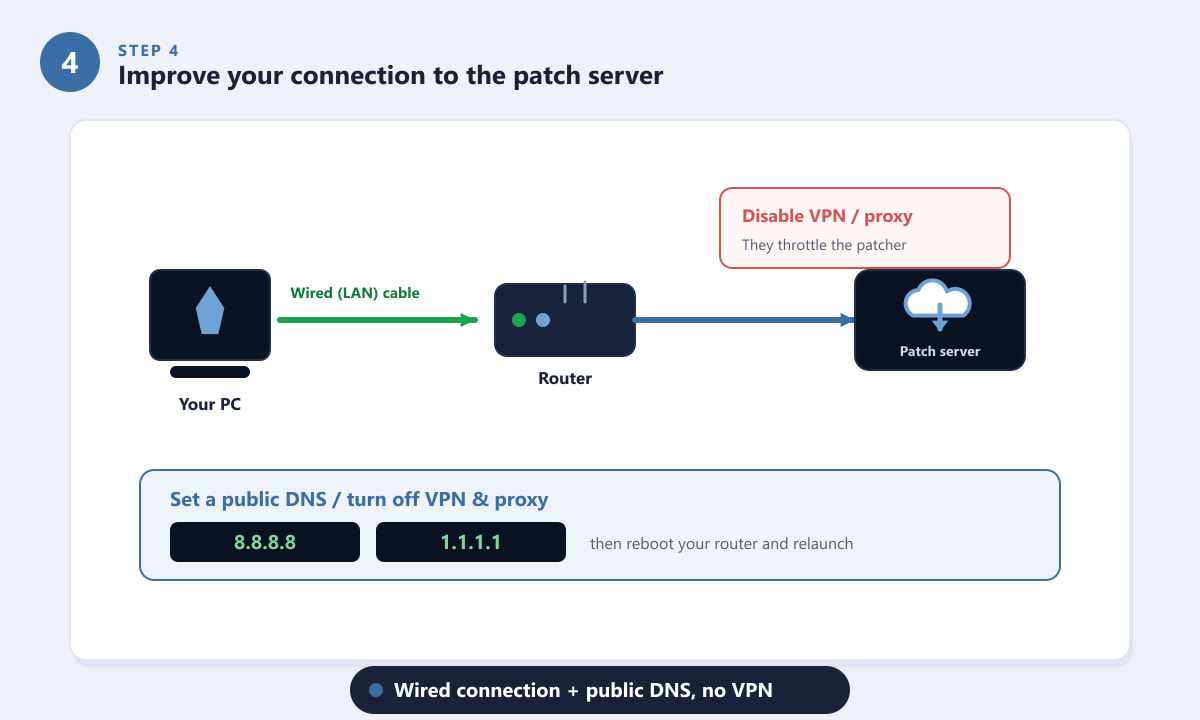
A wired connection plus a public DNS, with no VPN, gives the patcher a clean path. -
Step 5: Run a file check or reinstall as a last resort
If the patch still won't download, repair the existing installation. In the launcher, open Configuration → Game and run the File Check / Repair tool — it scans your data and re-downloads only the missing or damaged pieces instead of everything. If even that fails, your safest final option is to download a fresh copy of the game from the official Square Enix installer and patch from a clean state. This keeps your character and progress, which live on the server, fully intact.
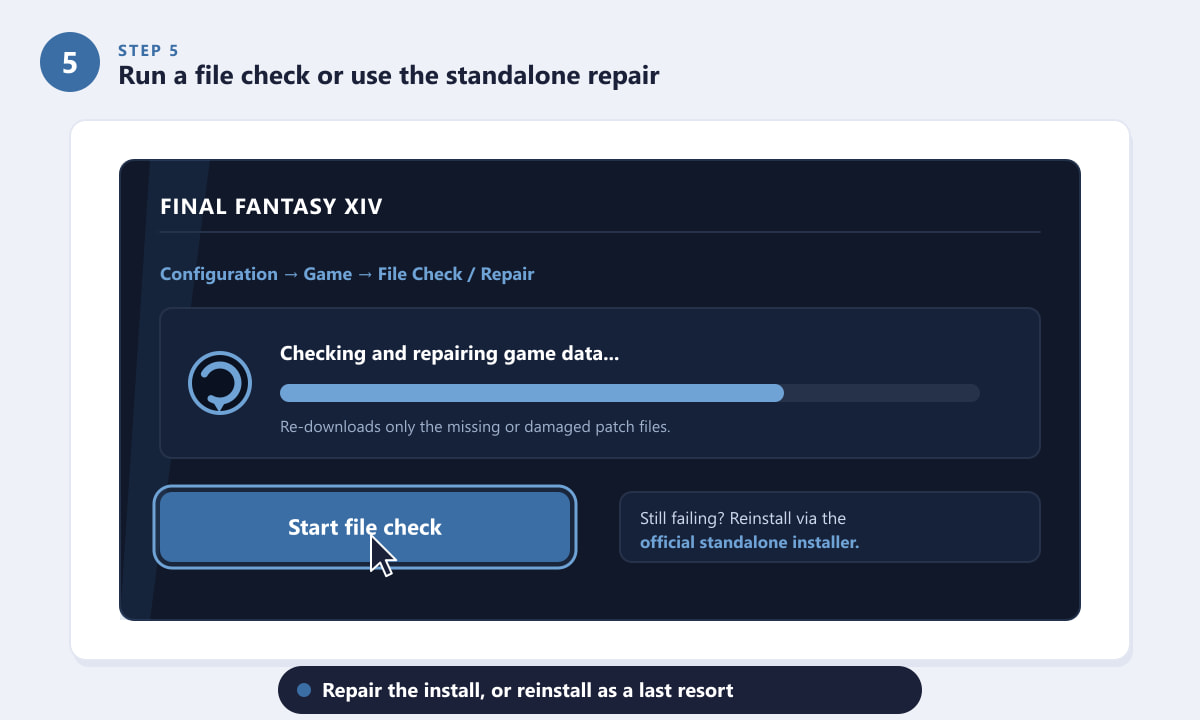
The file-check tool repairs the install without a full reinstall.
Extra tips that help
- Reboot first. A simple restart clears stuck processes and frees the file locks that can block a patch.
- Check your free disk space. Major patches are large; if the drive is nearly full, the download cannot complete.
- Update Windows and your network drivers. Outdated networking components can drop the connection mid-patch.
- Try a different time. Right after a big content update the patch servers are busy worldwide, so waiting an hour can be enough on its own.
- Whitelist, don't just disable. Re-enable your antivirus after patching, but keep the FFXIV exclusion in place so the problem doesn't return next update.
Still seeing the error?
The patch starts but stops partway every time
This points to a network drop or an antivirus interrupting the file. Combine Step 2 and Step 4: whitelist the executables, switch to a wired connection, and disable any VPN before retrying.
The launcher won't even reach the download stage
Run it as administrator (Step 1) and confirm your firewall allows the boot and launcher executables. A corporate or school network may also block the patch servers entirely.
It says files are corrupt after I deleted patches
Use the built-in File Check / Repair tool in Step 5. It validates your existing data and pulls only the broken pieces, which is faster and safer than a full reinstall.
Frequently asked questions
Why does FFXIV say "unable to download patch files"?
It means the launcher could not finish writing the update — usually because antivirus blocked it, a previous patch file is corrupted, the launcher lacks admin rights, or your connection dropped during the download.
Will fixing this delete my character or progress?
No. Your character, items, and progress are stored on Square Enix's servers, not in the local patch files. Even a full reinstall leaves your account untouched.
Do I have to disable my antivirus completely?
Not permanently. Adding an exclusion for the FFXIV folder and its executables is enough. You can disable the antivirus briefly just to confirm it's the cause, then turn it back on with the exclusion in place.
Does this error happen on PlayStation or Xbox too?
The exact wording is a PC launcher message. Consoles handle patches through their own system, so the fixes here — admin rights, antivirus, and patch-file cleanup — apply to the Windows version.
Is changing my DNS safe?
Yes. Public resolvers like 8.8.8.8 and 1.1.1.1 are run by Google and Cloudflare and are widely trusted. You can switch back to your default DNS at any time.
Final thoughts
The "Unable to download patch files" error looks alarming, but it's almost always a local block rather than a broken account. Work through the fixes in order — run as administrator, whitelist your security software, clear corrupted patch files, tidy up your connection, and repair the install — and the patch should download cleanly. If you want to double-check server status or grab a fresh installer, head to the official FINAL FANTASY XIV website.









