How to Check Real-Time Server Latency in the PUBG HUD

Enable PUBG’s network statistics HUD to monitor ping and packet loss in a match. See where to find it, what the numbers mean, and what they cannot diagnose.
If Minecraft Java Edition disconnects with a Payload Custom Minecraft Clientbound Encode Failed message, start by matching the client and server’s exact modpack, Minecraft version, and mod loader. Then isolate changes in a copied profile and inspect the full log. The message does not identify one universal culprit: it points to a failure involving custom data sent from a server to a client, which can come from incompatible mods, a broken payload codec, or a server or proxy issue.
This is a modded Java networking problem, not a Bedrock setting. “Clientbound” describes the direction of a packet: from the server toward a player’s client. It does not prove the player’s computer is at fault. If other players are also disconnected, ask the server owner to inspect the server log before changing your installation.
Mods use custom payloads to exchange data that the base game does not define. A loader or mod needs to agree on the payload’s identifier, direction, and data format; the receiving side must know how to handle it. Fabric’s networking guide describes direction-specific payload registration and stream codecs, while NeoForge documents registering payload types, codecs, and handlers. Those developer references explain why a client/server mod mismatch can fail during encoding or handling, but the wording alone cannot tell you which mod is responsible.
Use the rest of the log and the pattern of failures to narrow it down. A normal internet connection can still carry data that a mod cannot serialize correctly, so changing Wi-Fi, opening ports, or forcing IPv4 is not the first fix.
Before changing anything, save a copy of the client’s latest.log and any new crash report. Record when the disconnect occurs, the server address or name, and the modpack release you launched. Keep your original instance and worlds untouched while troubleshooting.
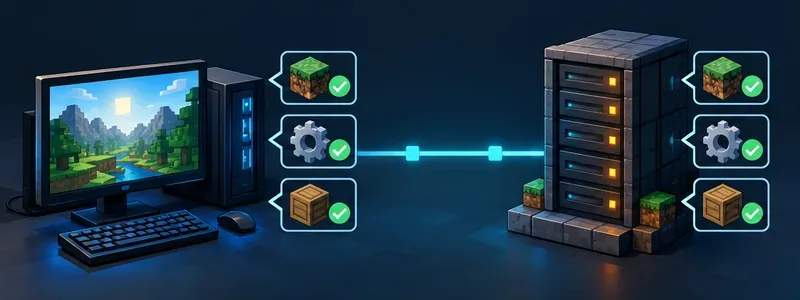
Confirm these items against the server owner’s modpack manifest or installation instructions:
Do not update every mod to its newest release just because the error appeared. A curated pack may depend on a particular combination. Install the version specified by the pack, and ask the admin to confirm that the server was updated to the same release. If you maintain the mod, use the relevant loader’s Fabric networking documentation or NeoForge payload documentation to check that the payload type, direction, codec, and handler agree across the two sides.
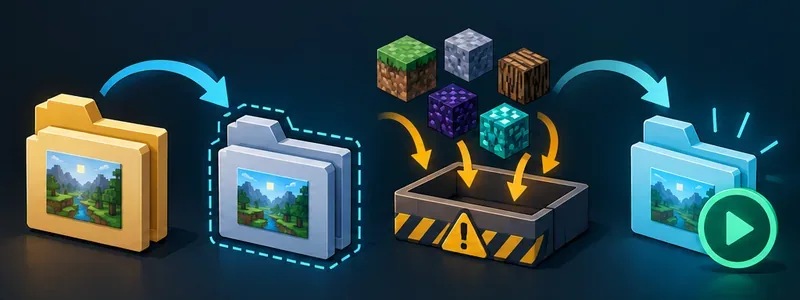
If the error began after adding or updating a mod, test that change in a duplicate launcher instance or copied modpack. Do not remove files from the server or load an important world with required mods missing. In the copy, temporarily remove the suspected mod and its dependencies only if the pack’s instructions allow it, then test again. If several recent changes are involved, add them back in small groups until the failure returns. Change one variable at a time and keep notes so the result is useful.
Some mods are intended only for the client or only for the server, while others must be present on both. Check each mod’s own compatibility notes instead of assuming that every file belongs in both folders. If you do not control the server, do not test by changing its files; send your findings to its administrator.
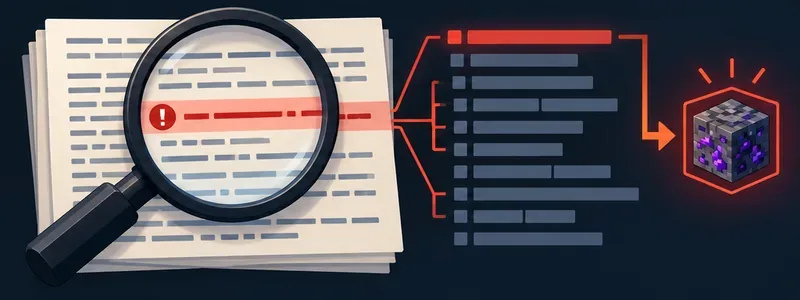
Open the log captured immediately after the disconnect. Search for phrases such as Failed to encode, custom_payload, or Caused by, then read the surrounding stack trace. The first underlying exception is often more useful than the final disconnect line. Look for a mod ID, package name, payload identifier, or codec mentioned near the failure. Also check the server log at the same timestamp if you can access it; the server may have the clearer error.
A log can point to a mod without proving that the mod alone is broken. The root cause may be an incompatible version, missing dependency, unexpected data, or a proxy forwarding a channel the backend does not handle. Preserve the complete relevant excerpt for the mod author or server admin. Before posting publicly, remove private server addresses, account names, or other personal details that appear in the file.
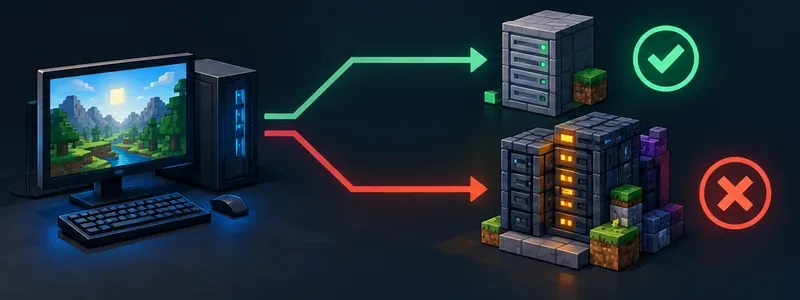
Use a known-compatible test instance and server only when available. A plain vanilla server can help check whether the launcher starts and connects, but it cannot validate a modded custom payload; a vanilla server does not use the same modpack messages.
| What happens | Where to investigate first |
|---|---|
| Your client fails on several compatible modded servers | Your copied profile, loader, or a shared client-side mod |
| Your client fails only on one server while the same pack works elsewhere | That server’s mod versions, configuration, or proxy path |
| Several players fail at the same join step or game action | The server log and the mod that sends that payload |
| The failure began immediately after one pack update | The changed mod and its dependencies on both sides |
These are clues, not guarantees. “Clientbound” means the server is sending data to the client, so a server owner should check the outgoing payload and any proxy between the server and player. A single affected player can still have a local compatibility mismatch. Share the exact versions, the time of failure, and the log excerpt so the admin can compare both sides.
Keep a note or export of the exact modpack release used by the server. Update the client and server as a coordinated change, back up worlds before changing server mods, and test a new pack release in a separate instance before deploying it. Minecraft’s support guide explains how to save a backup of a Java Edition world. If the error continues, send the administrator the pack and loader versions, the first causal log lines, and the result of your controlled comparison. That evidence is far more actionable than changing memory or network settings at random.
Enable PUBG’s network statistics HUD to monitor ping and packet loss in a match. See where to find it, what the numbers mean, and what they cannot diagnose.
Learn how to import VALORANT crosshair codes, compare presets with manual settings and spectator copy, and fix common import issues.
Choose Dota 2 minimap size, hero icons, team colors, and background settings by readability, fewer misclicks, and clear results on your own display.
Fix Fortnite texture pop-in on PC with official steps for GPU drivers, file verification, DirectX 12, high-resolution textures, VRAM, SSDs, and stutter.
Learn what Heroes of the Storm minimap size and position options are verified, improve readability, and choose camera-click controls that suit you.
Set Super Smash Bros. Ultimate Quickplay to prefer hazards-off stages. Follow the Preferred Rules menu steps and learn why matchmaking may not always honor them.
Enable Server Latency and Packet Loss in Warzone to monitor connection quality, read the overlay, and use recurring spikes to guide troubleshooting.
Learn how to carry from mid lane in League of Legends by setting up waves, choosing safe roam windows, reading side lanes, and converting pressure into objectives.
Fix Minecraft Evoker spell problems with a safe vanilla test, version checks, log review, and a step-by-step way to isolate mod or datapack conflicts.
Fix PUBG stuck on Initializing on Steam with a focused checklist for PC service notices, launch options, game files, downloads, and connection issues.








