How to Check Real-Time Server Latency in the PUBG HUD

Enable PUBG’s network statistics HUD to monitor ping and packet loss in a match. See where to find it, what the numbers mean, and what they cannot diagnose.
For competitive play, start with Smooth graphics and select the highest frame rate your phone can sustain without stutters or heat-related slowdowns. If 90 FPS or 120 FPS appears in your game settings and remains stable during a match, try it; if the frame rate dips, step down. A steady lower rate is more useful for tracking and timing than a higher number that keeps fluctuating. PUBG MOBILE exposes different graphics and frame-rate combinations depending on device support and the current game build, so there is no universal preset for every phone.
The official update notes show that higher frame-rate support is added for eligible devices over time. The 4.4 notes, for example, describe 120 FPS support with platform-specific eligibility; check the options shown in your own client instead of relying on a generic phone list. See the official Version 4.4 update announcement and the current Version 4.6 update announcement for how support and client options can change.
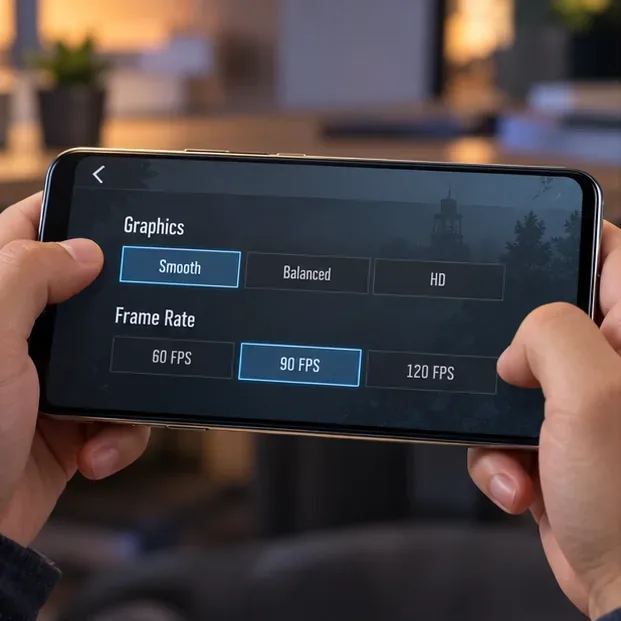
This is an illustrative settings view, not a capture of a specific device or game client. Your available labels and choices may differ.
Use this as a baseline, then adjust one setting at a time. Some options appear only on certain devices or versions; skip anything that is not in your menu.
| Setting | Starting choice | How to decide |
|---|---|---|
| Graphics | Smooth, if available | Prioritizes a lighter visual load. If the image becomes too hard for you to read, compare the next graphics tier while checking that performance stays steady. |
| Frame Rate | Highest option that stays stable | Try 90 or 120 FPS only when the game offers it. Otherwise choose the highest available tier that does not become choppy during play. |
| Style | Classic as a neutral baseline | Choose the palette in which you can distinguish characters, cover, and the play zone most consistently. Preference and map conditions matter. |
| Anti-aliasing | Off for the first comparison, if available | It can smooth jagged edges but may add workload. Compare both choices on your own device; do not assume it improves visibility for everyone. |
| Shadows or extra effects | Lower or off if the option exists and you see dips | These controls are not universal. Change them only when they are present and you can compare the result. |
| Auto-adjust graphics | Off while tuning manually, if available | A fixed profile makes comparisons easier. If your device struggles and the built-in auto-adjust option is available, you can test whether it gives you steadier play. |
Do not treat settings such as “grass off,” “BR lights,” or a particular shadow switch as guaranteed features. The menu varies. Avoid editing configuration files or installing unlocker apps to reveal options the client does not provide.
Open PUBG MOBILE’s in-game settings and find the graphics controls. Review the graphics quality and frame-rate combinations the client actually offers. Update through the official app store if you need the latest game build, then reopen the menu. A 120 Hz screen by itself does not guarantee that PUBG MOBILE will offer 120 FPS on every device.
Choose Smooth as the first performance-focused test when it is available. Keep the style consistent while you compare options; Classic is a sensible starting palette, not a proven visibility advantage. Look at distant cover, rooftops, and characters in a familiar area. If a lower-detail scene is harder for you to parse, try the next graphics tier and keep it only if the game remains responsive.
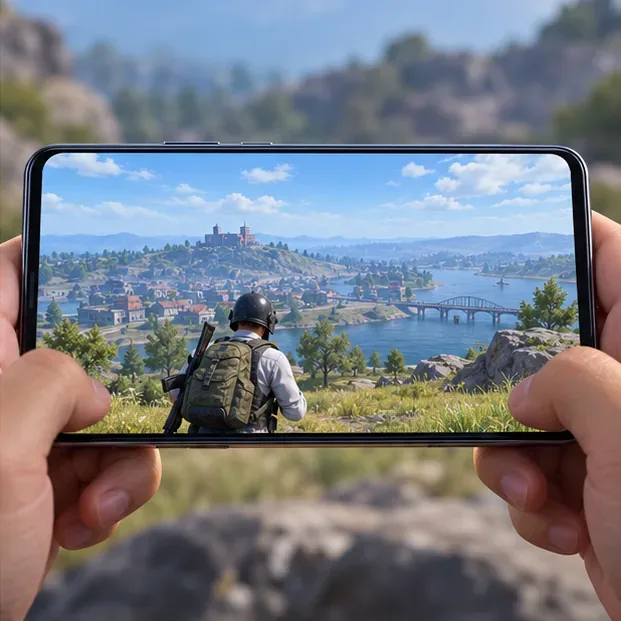
Choose the highest frame-rate tier displayed in your client, then play long enough to see how it behaves after the phone warms up. Higher frame rates can make motion look smoother, but the phone must render more frames and may use more battery or heat up faster. If camera movement or aiming becomes uneven, lower the rate one step and compare again. Keep the highest tier only when it feels consistently smooth through movement, aiming, and busy fights.
Use the game’s own controls. PUBG MOBILE’s published User Agreement prohibits unauthorized third-party software designed to modify or interfere with the game. For that reason, this guide sticks to the official client and does not recommend GFX tools, config edits, or unofficial FPS unlockers.
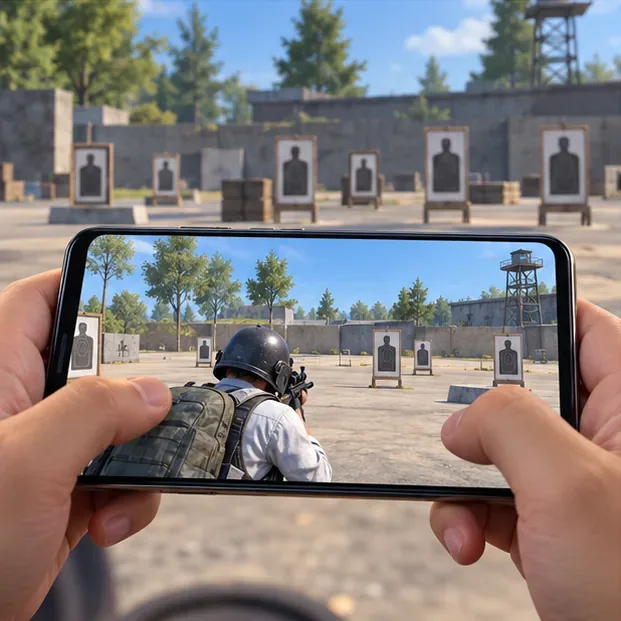
Use the Training Ground or another familiar low-pressure mode. Repeat the same short sequence: rotate the camera, sprint, aim at a target, fire a few bursts, and check distant details. Change only one graphics option between comparisons so you can tell what affected clarity or smoothness. Then play a normal match before using the setup in ranked; a quiet lobby does not reproduce the load of a crowded fight.
If 90 or 120 FPS is listed, test the highest available setting rather than assuming the display’s refresh rate is the same as the game’s frame rate. If the device becomes uncomfortably hot or performance falls during a longer session, lower the frame-rate tier and retest. A cooler, steady setup is a better competitive choice than forcing a headline number.
Start at Smooth with the highest rate that remains consistent. Close downloads and other demanding apps before a match if they are competing for the phone’s resources. If frame pacing still falters, reduce effects or choose the next lower frame-rate setting. Do not keep switching between many options at once; isolate the change and compare.
The most useful PUBG Mobile graphics settings for competitive play are the ones your own device can hold consistently. Prioritize smooth motion and readable scenes, verify changes in a real match, and revisit the profile after a game update changes the available options.
Enable PUBG’s network statistics HUD to monitor ping and packet loss in a match. See where to find it, what the numbers mean, and what they cannot diagnose.
Learn how to import VALORANT crosshair codes, compare presets with manual settings and spectator copy, and fix common import issues.
Choose Dota 2 minimap size, hero icons, team colors, and background settings by readability, fewer misclicks, and clear results on your own display.
Fix Fortnite texture pop-in on PC with official steps for GPU drivers, file verification, DirectX 12, high-resolution textures, VRAM, SSDs, and stutter.
Learn what Heroes of the Storm minimap size and position options are verified, improve readability, and choose camera-click controls that suit you.
Set Super Smash Bros. Ultimate Quickplay to prefer hazards-off stages. Follow the Preferred Rules menu steps and learn why matchmaking may not always honor them.
Enable Server Latency and Packet Loss in Warzone to monitor connection quality, read the overlay, and use recurring spikes to guide troubleshooting.
Learn how to carry from mid lane in League of Legends by setting up waves, choosing safe roam windows, reading side lanes, and converting pressure into objectives.
Fix Minecraft Evoker spell problems with a safe vanilla test, version checks, log review, and a step-by-step way to isolate mod or datapack conflicts.
Fix PUBG stuck on Initializing on Steam with a focused checklist for PC service notices, launch options, game files, downloads, and connection issues.








