๐Ÿš€ Ultimate Guide: How to Contact Roblox Support for Account Issues in Minutes!

Hey, fellow Roblox gamer! ๐Ÿ˜Ž Nothing ruins the fun like a Roblox account issueโ€”whether it's a hacked profile, unfair ban, or forgotten password. Don't panic! Roblox has a super responsive support team ready to help. This guide walks you through how to contact Roblox Support quickly and effectively, so you can get back to building, battling, and playing ASAP. Stick around for pro tips that boost your success rate!
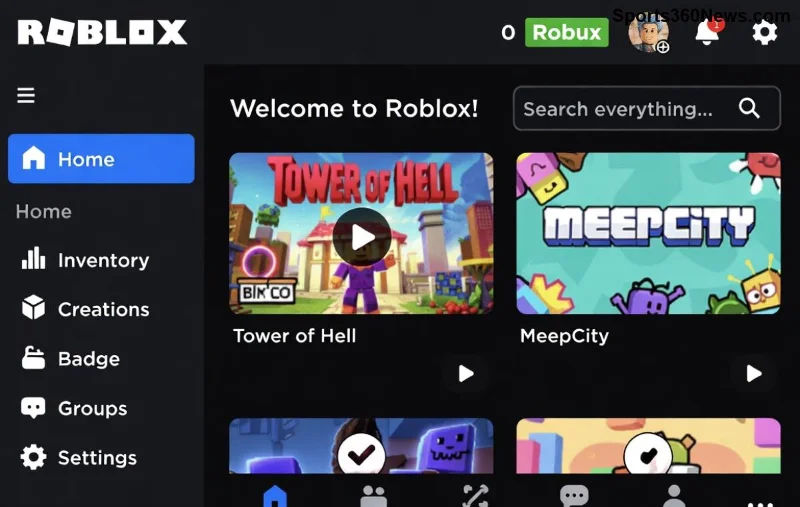
Roblox support dashboard interface showing account help options

Why You Need to Contact Roblox Support Right Now

Account issues hit hard: lost items, stolen Robux, or locked access. Roblox's support is your lifelineโ€”they handle millions of tickets yearly with a focus on player safety. Acting fast prevents permanent loss. Pro tip: Gather evidence like screenshots before starting. Ready? Let's dive into the steps!

๐Ÿ‘‰ Step-by-Step: How to Contact Roblox Support for Account Issues

Roblox makes it simple with their official Support portal. No phone or live chat (yet), but tickets get real human replies. Follow these steps:

  1. ๐ŸŒŸ Log In (If Possible): Head to roblox.com/support. Sign in to your account for personalized help. Can't log in? Use the "I can't log in" option.
  2. ๐Ÿ“ Choose Your Category: Select Account Issues from the dropdown. Sub-options include "Hacked Account," "Banned/Unfair Moderation," or "Login Problems."
  3. โœ๏ธ Fill the Form: Be detailed! Include:
    • Your username and User ID (find it in settings).
    • Exact issue description.
    • Screenshots or transaction IDs.
    • Any recovery email/phone linked.
  4. ๐Ÿš€ Submit and Track: Hit send. You'll get a ticket numberโ€”bookmark it! Check status via the same portal.
  5. โณ Wait Smartly: Responses come in 1-7 days, faster for urgent hacks. No reply? Follow up politely with your ticket ID.

Bonus: For in-game reports, use the Report Abuse button, but Roblox Support tickets are best for account-level fixes.

Common Roblox Account Issues and How Support Handles Them

Here's a quick reference table for top Roblox account issues. Use it to prep your ticket!

Issue Symptoms Support Action Success Tips
Hacked Account Unauthorized logins, missing items/Robux Password reset, IP ban thieves Enable 2FA immediately
Unfair Ban Sudden moderation without reason Appeal review, unbanning if valid Provide chat logs/screenshots
Forgot Password Can't access despite email Verification & recovery Use backup codes
Login Errors "Invalid credentials" loops Account verification Clear cache, try incognito
Robux Scams/Theft Missing currency Refund if proven Transaction proofs
Roblox account recovery success screen with support ticket confirmation

Pro Tips to Get Faster Responses from Roblox Support โญ

  • Be Polite & Precise: Support agents are humansโ€” "Hi, my account was hacked on [date]. Here's proof" works wonders. Avoid caps or spam.
  • Enable Security Features: Turn on 2-Step Verification (2SV) post-recovery. Go to Settings > Security.
  • Multiple Channels? Nah: Stick to tickets. Twitter (@RobloxSupport) is for announcements, not tickets.
  • Prevent Future Issues: Never share passwords. Use unique emails per account. Download the Roblox app for mobile support access.
  • Escalation Hack: If no reply in 7 days, submit a new ticket referencing the old one. Persistence pays off! ๐Ÿ‘

What Not to Do When Contacting Roblox Support โŒ

Avoid these pitfalls to prevent delays:

  • Don't spam ticketsโ€”merge issues into one.
  • Skip fake generators or "free Robux" scams; they worsen things.
  • No VPNs during submission (flags as suspicious).
  • Ignore phishing emails pretending to be Roblox.

Got a tricky case? Roblox's Help Center has self-serve articles firstโ€”search "account compromised" for instant wins.

Ready to Reclaim Your Roblox Empire? ๐ŸŽฎ

There you have itโ€”the definitive way on how to contact Roblox Support for account issues. Follow these steps, and you'll be back in action faster than a speed-builder OOF! If your ticket succeeds, drop a like or share your story below. What's your biggest Roblox scare? Comment and let's game on! ๐Ÿš€

Stay safe, Roblox legends. Happy gaming! ๐Ÿ˜Š


Leave a Comment

Master Roblox Terrain Editor: Ultimate Step-by-Step Guide to Epic Landscapes!

Master Roblox Terrain Editor: Ultimate Step-by-Step Guide to Epic Landscapes!

Discover how to use the Terrain Editor in Roblox like a pro. This complete guide covers opening the editor, essential tools, advanced techniques, and pro tips for creating stunning terrains in Roblox Studio.

๐Ÿš€ Fix Lan Getsockopt Minecraft Error: Local Lapses in Minutes โ€“ Ultimate 2026 Guide!

๐Ÿš€ Fix Lan Getsockopt Minecraft Error: Local Lapses in Minutes โ€“ Ultimate 2026 Guide!

Tired of Lan Getsockopt Minecraft Error: Local Lapses ruining your LAN sessions? Get instant fixes for Minecraft Java Edition, including firewall tweaks, port forwarding, and more. Play seamlessly today!

๐Ÿš€ Ultimate Guide: How to Contact Roblox Support for Account Issues in Minutes!

๐Ÿš€ Ultimate Guide: How to Contact Roblox Support for Account Issues in Minutes!

Struggling with Roblox account problems? Discover the fastest ways to contact Roblox Support for hacked accounts, bans, or login issues. Step-by-step guide with tips for quick resolutions.

Ultimate PUBG Mobile Graphics Guide: Boost Enemy Visibility for Epic Wins!

Ultimate PUBG Mobile Graphics Guide: Boost Enemy Visibility for Epic Wins!

Master how to optimize PUBG Mobile graphics for superior enemy visibility. Discover the best settings, tweaks, and tips to spot foes faster and dominate every match. Perfect for all devices!

๐Ÿšจ Fix Payload Custom Minecraft Clientbound Encode Failed Error FAST: Conquer Minecraft Packet Problems Now!

๐Ÿšจ Fix Payload Custom Minecraft Clientbound Encode Failed Error FAST: Conquer Minecraft Packet Problems Now!

Tired of Payload Custom Minecraft Clientbound Encode Failed crashing your Minecraft? This ultimate guide reveals exact causes, step-by-step fixes, and prevention for packet problems. Get back to epic builds in minutes!

๐Ÿšจ Fix Crashing Minecraft Error: Total Terminations Instantly โ€“ Ultimate 2026 Guide!

๐Ÿšจ Fix Crashing Minecraft Error: Total Terminations Instantly โ€“ Ultimate 2026 Guide!

Tired of the Crashing Minecraft Error: Total Terminations ruining your sessions? Get proven fixes for Minecraft 1.21+, causes explained, and prevention tips to play crash-free forever!

๐Ÿšจ Fix World Downloading Minecraft Error: Copy Catastrophes FAST โ€“ Minecraft 1.21 Guide

๐Ÿšจ Fix World Downloading Minecraft Error: Copy Catastrophes FAST โ€“ Minecraft 1.21 Guide

Stuck with World Downloading Minecraft Error: Copy Catastrophes? Discover proven fixes for Minecraft Java & Bedrock editions. Step-by-step guide to resolve copy errors and resume playing instantly!

๐Ÿš€ Fix Bootstrapping Forge Minecraft Error: Mod Starts โ€“ Ultimate 2026 Guide for Seamless Modding!

๐Ÿš€ Fix Bootstrapping Forge Minecraft Error: Mod Starts โ€“ Ultimate 2026 Guide for Seamless Modding!

Tired of the Bootstrapping Forge Minecraft Error: Mod Starts crashing your game? Discover step-by-step fixes, common causes, and pro tips to bootstrap your mods effortlessly and dive back into Minecraft adventures!

Dominate Every Match: Best PUBG Mobile Graphics Settings for Competitive Play

Dominate Every Match: Best PUBG Mobile Graphics Settings for Competitive Play

Unlock peak performance with the best PUBG Mobile graphics settings for competitive play. Boost FPS, enhance visibility, and crush opponents in the latest seasons. Essential guide for pros and aspiring champs.

League of Legends Replay Not Working? 10 Proven Fixes to Download & Play Replays Instantly!

League of Legends Replay Not Working? 10 Proven Fixes to Download & Play Replays Instantly!

Frustrated with League of Legends replay not working or not downloading? This ultimate guide delivers step-by-step fixes, expert tips, and quick solutions to restore your replays and analyze those epic plays without hassle. Perfect for every Summoner!

