Home
» 🎮 Esports
»
Xbox Controller Bluetooth Disconnecting? 7 Fixes That Actually Help
Xbox Controller Bluetooth Disconnecting? 7 Fixes That Actually Help
Xbox Controller Bluetooth Disconnecting? 7 Fixes That Actually Help
If your Xbox controller keeps disconnecting over Bluetooth, check the controller’s power and range first, then clear its saved pairing and reconnect it. On Windows, the next high-value steps are updating controller firmware over USB, updating the PC’s Bluetooth driver, and disabling adapter power saving. These fixes target Bluetooth connections to a Windows PC or mobile device.
One important distinction: Xbox consoles connect to controllers through Xbox Wireless, not Bluetooth. If the controller drops from an Xbox console, troubleshoot the console’s Xbox Wireless connection rather than following the PC Bluetooth steps below. Microsoft lists Bluetooth for supported Windows and mobile connections and Xbox Wireless for Xbox consoles in its Xbox Wireless Controller specifications.
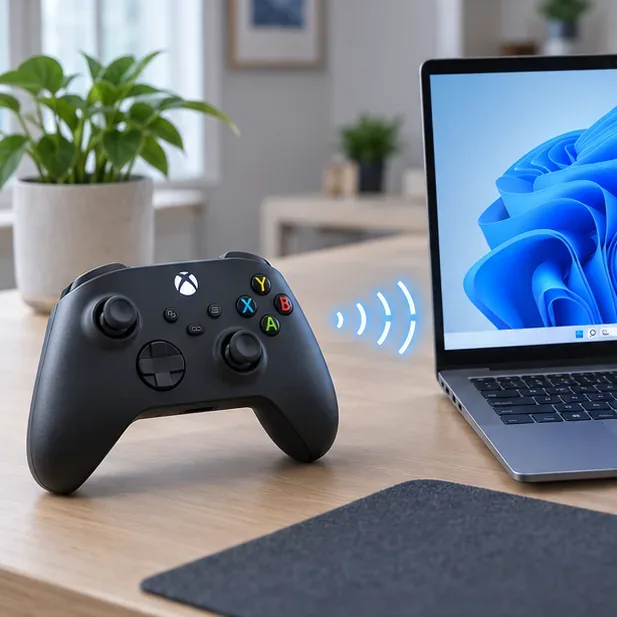
Keep the controller close to the PC during testing and check its battery before changing drivers.
Quick diagnosis: find out where the drop starts
Before changing settings, test the controller close to the computer with fresh batteries or a charged battery pack. If possible, try it with another Bluetooth host, such as a phone, and test a USB cable on the PC. These comparisons help separate a controller problem from a PC adapter or driver problem.
What you notice
Check first
It drops only on one PC
Bluetooth pairing record, driver, or adapter power settings
It drops on multiple Bluetooth devices
Controller battery, firmware, range, or controller hardware
It stays connected over USB
Focus on Bluetooth settings or the PC’s Bluetooth adapter
It drops only from an Xbox console
Xbox Wireless pairing and console-side troubleshooting
Windows labels can vary slightly between versions. The steps below use Windows 11 wording; Windows 10 generally places Bluetooth controls under Settings > Devices.
7 fixes for Xbox controller Bluetooth disconnects
1. Check battery, range, and obstacles
Replace disposable AA batteries or charge the controller’s rechargeable pack, then test within a few feet of the PC or phone. Move the controller into a clear line of sight and temporarily move away from metal objects, a crowded USB hub, or other nearby wireless equipment. If the problem stops at close range, the controller may be fine and the original setup may have had a weak or obstructed signal. Microsoft’s Windows guidance also recommends moving a Bluetooth device closer when the connection is unstable.
Do not rely on a fixed battery percentage as a diagnosis. Battery reporting varies by controller, pack, and host. A fresh or fully charged power source is a more useful test.
2. Remove the old Bluetooth pairing and pair again
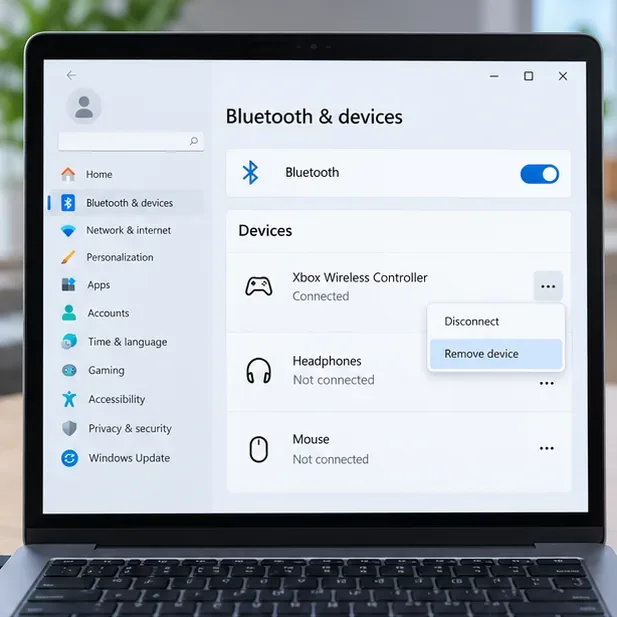
A saved pairing can become stale after an operating-system update, controller firmware update, or repeated switching between devices. On Windows 11, open Settings > Bluetooth & devices > Devices, find Xbox Wireless Controller, open its menu, and choose Remove device. Then select Add device > Bluetooth.
In Windows Bluetooth settings, remove the stale Xbox Wireless Controller entry before pairing again.
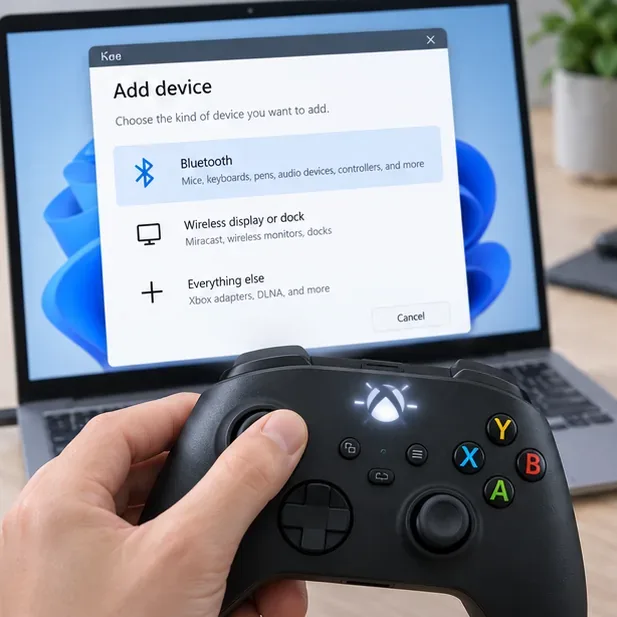
Turn on the controller, then press and hold its Pair button for about three seconds until the Xbox button flashes. Select Xbox Wireless Controller when it appears in the Bluetooth device list. Microsoft’s PC connection guide and Bluetooth setup instructions describe the controller’s pairing process.
Choose Bluetooth in Add device, then put the controller into pairing mode with its Pair button.
On iOS or Android, remove or forget the controller in the device’s Bluetooth settings, restart pairing mode, and select it again. If the controller is already paired to another device nearby, temporarily turn Bluetooth off on that device while testing.
3. Refresh the controller and Bluetooth connection
Turn the controller off by holding the Xbox button until it shuts down, then turn it back on. On the PC or phone, switch Bluetooth off, wait about 10 seconds, and switch it back on. Restart the host device if the controller still drops. This clears a temporary connection state without deleting unrelated devices or resetting the controller.
If Windows 11 offers the automated Bluetooth troubleshooter in the Get Help app, run it after the restart. Microsoft lists toggling Bluetooth, removing and adding a device, moving it closer, and running the troubleshooter among its current connection checks.
4. Update controller firmware with a USB connection
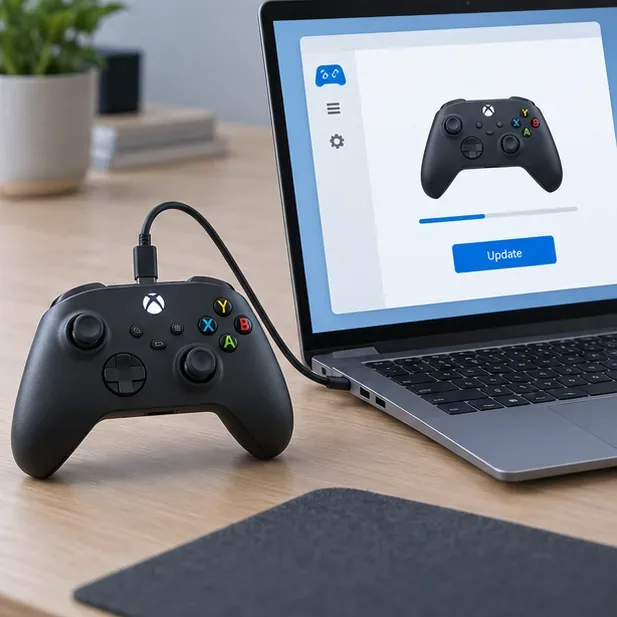
Use the Xbox Accessories app on a Windows PC or update from an Xbox console’s Accessories settings. For a PC update, connect the controller with a compatible USB cable or use the Xbox Wireless Adapter for Windows, open the app, select the controller, and install an offered update. Do not try to update the controller over Bluetooth; use the wired or supported Xbox Wireless connection described by Xbox Support.
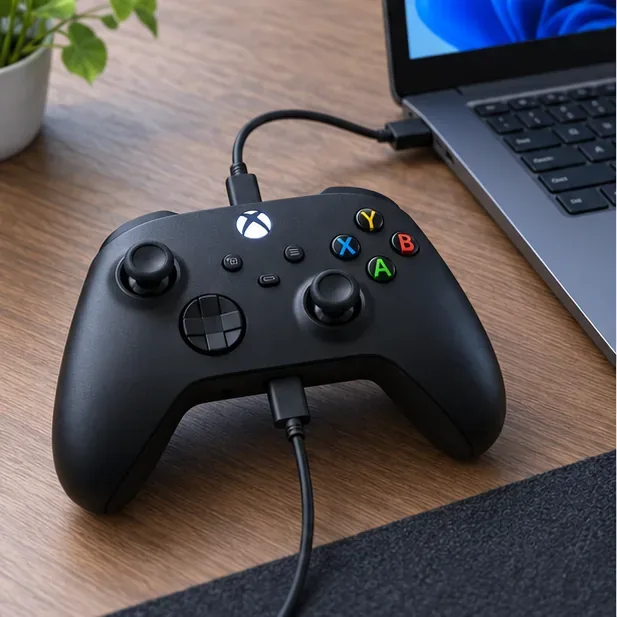
For a controller firmware check on Windows, connect the controller to the PC with a compatible USB cable.
Keep the cable connected until the app finishes. Firmware can address compatibility or stability bugs, but an update is not guaranteed to resolve a fault in the PC’s Bluetooth adapter.
5. Update the PC’s Bluetooth driver
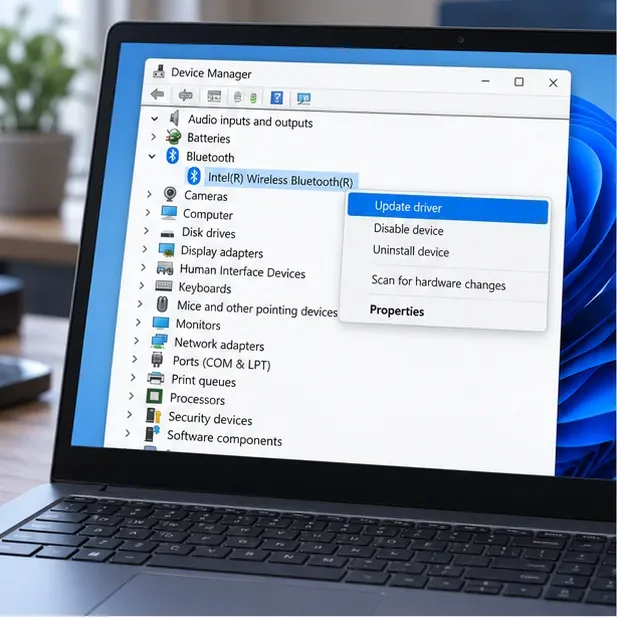
If the controller works with a phone or over USB but disconnects from one Windows PC, update the PC’s Bluetooth adapter driver. Open Device Manager, expand Bluetooth, right-click the adapter (often labeled with the PC or adapter manufacturer), choose Update driver, and select the automatic search option. Then check Settings > Windows Update for available updates and restart.
The Device Manager illustration shows the Bluetooth adapter selected before choosing Update driver.
If Windows says the best driver is already installed and the issue continues, check the support page for your PC or adapter manufacturer. Install a driver made for your exact model and Windows version; avoid third-party driver updater utilities. Microsoft’s Bluetooth driver update instructions include Device Manager, Windows Update, and manufacturer downloads.
6. Stop Windows from turning off the Bluetooth adapter
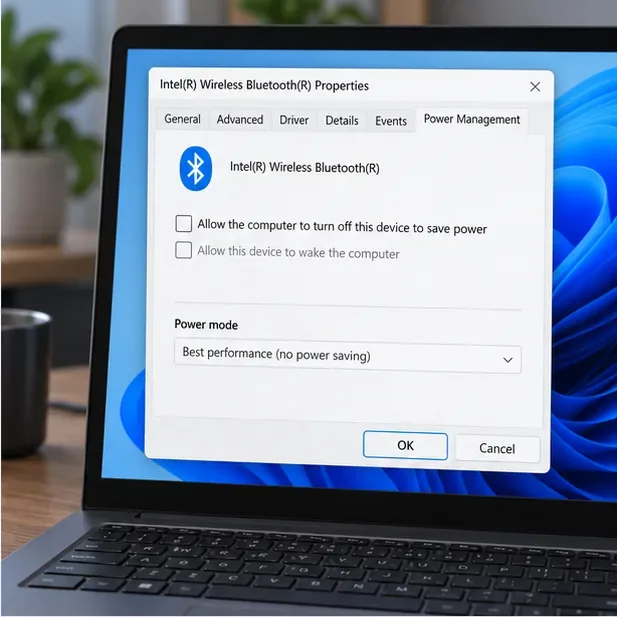
On some PCs, power management can interrupt a Bluetooth connection. In Device Manager, open the Bluetooth adapter’s Properties and look for a Power Management tab. If present, clear Allow the computer to turn off this device to save power, select OK, and restart. The tab is not available on every adapter or Windows build, so skip this step if it is missing.
If this Power Management tab is available, clear the option that lets Windows turn off the Bluetooth adapter.
Also turn off Battery Saver or Energy Saver temporarily while testing. Microsoft includes both the adapter power setting and energy-saving mode among its suggestions for Bluetooth that keeps disconnecting in Windows.
7. Test USB or a different wireless adapter
Connect the controller to the PC with a data-capable USB cable. If the wired connection is stable, the game and controller can communicate, so focus on Bluetooth. If the controller also disconnects over USB or fails on multiple Bluetooth hosts after a firmware check and fresh batteries, inspect the cable, USB port, battery contacts, or controller hardware and contact Xbox Support if needed.
A USB connection helps determine whether the controller itself works when Bluetooth is out of the path.
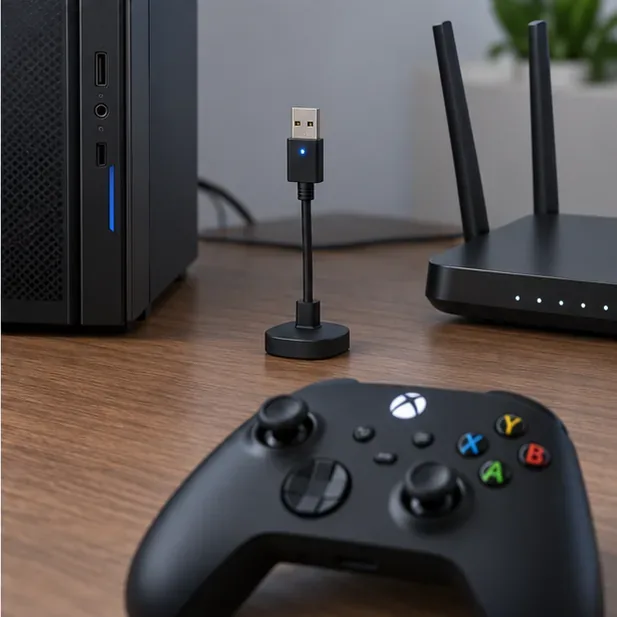
For Windows gaming, a compatible Xbox Wireless Adapter for Windows is another option when the built-in Bluetooth radio remains unreliable. It uses Xbox Wireless rather than Bluetooth, so it bypasses the PC’s Bluetooth adapter; it is not a Bluetooth repair. If you are testing a separate Bluetooth dongle, put it on a short USB extension and away from the PC case or router to check whether placement is part of the problem.
A short USB extension can move a Bluetooth adapter away from a PC case and nearby router during testing.
When to contact support
If dropouts continue after these checks, note the controller model, Windows version, Bluetooth adapter name, whether USB works, and whether the controller disconnects from another device. That information makes support troubleshooting more specific. Persistent failures across multiple hosts and connection methods can point to a controller or battery-compartment fault; a failure limited to one PC points more strongly to that PC’s Bluetooth hardware, driver, or settings.
For a final comparison, use Xbox’s controller compatibility and connection information and Microsoft’s Bluetooth troubleshooting pages. The key is to change one variable at a time, so you can tell whether the fix was the pairing record, power setting, driver, or radio path.