Home
» 🎮 Esports
»
PUBG Mobile Glass Cannon Achievement: How to Earn the Title
PUBG Mobile Glass Cannon Achievement: How to Earn the Title
PUBG Mobile Glass Cannon Achievement: How to Earn the Commando Title
If you came here looking for a 5,000-damage challenge, there is an important correction: the Glass Cannon achievement in PUBG Mobile is not earned by dealing and taking 5,000 damage in one match. Glass Cannon is the title reward associated with the Commando achievement. The widely listed requirement is to win 50 Solo Classic matches while at Platinum tier or higher, without equipping a helmet, vest, or backpack in those qualifying matches. Your goal is to win while lightly equipped, not to trade damage or chase a kill total.
Choose a landing area that gives you room to loot and plan your first rotation.
What the Glass Cannon achievement actually requires
Mode: Solo Classic.
Wins: 50 qualifying match wins.
Tier: Platinum or higher for the qualifying run.
Gear restriction: Do not equip a helmet, vest, or backpack during those matches.
There is no 5,000-damage quota, and you do not need to let enemies hit you. The restriction is demanding because you give up the protection and carrying capacity those items provide, so a cautious route and good positioning matter more than aggressive damage farming.
PUBG MOBILE's public Help Center explains that achievements can award points or items, that completed achievements can be shown on your achievement page, and that War modes do not count toward achievements. Its public article does not spell out the Commando threshold, so open the Commando entry in your current game client and confirm its wording before you start counting wins; regional builds and updates can change achievement details.
Set up a clean qualifying run
Check your tier and progress. Open the achievement page and locate Commando. Confirm the current requirement and note your progress before queueing. Keep your rank at Platinum or above while completing qualifying wins.
Queue Solo Classic. Do not assume a Duo, Squad, Arcade, or War match will count. The mode label matters as much as the result.
Leave defensive gear unequipped. Avoid looting helmets, vests, and backpacks if you tend to equip items automatically. If one is equipped by mistake, treat that match as practice and verify the counter afterward instead of assuming it counted.
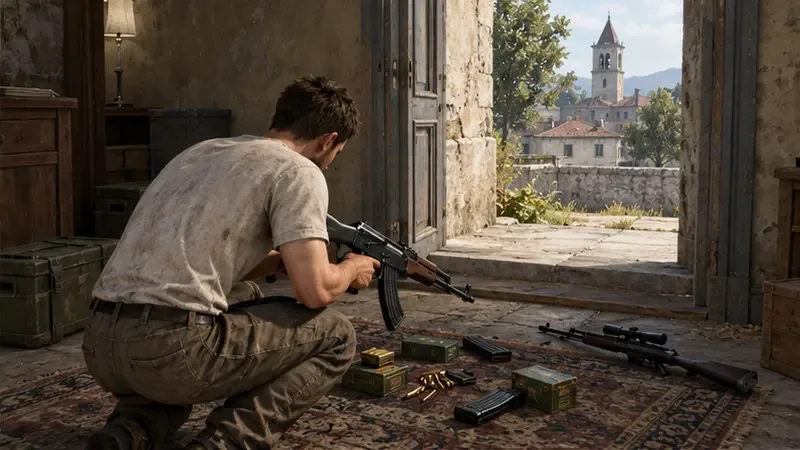
Use a familiar, compact loadout. Choose weapons you already control, carry enough ammunition and healing for your route, and avoid spending time collecting supplies you are unlikely to use. Without a backpack, inventory space is tighter.
Prioritize a familiar weapon, useful ammunition, and a small set of supplies.
A practical five-step match plan
1. Land for control, not spectacle
A hot drop can end a no-armor attempt before you have a weapon. Pick a familiar landing area with several loot options and a safe path away from the first crowd. You want enough equipment to defend yourself, then space to rotate—not the busiest landing spot on the map.
2. Loot quickly and leave
Take a dependable primary weapon, ammunition, healing items, and a scope or attachment you know how to use. Skip extra gear that does not help you survive or win. Because the achievement is about the match result and equipment restriction, there is no benefit to filling every inventory slot before moving.
3. Take fights from cover
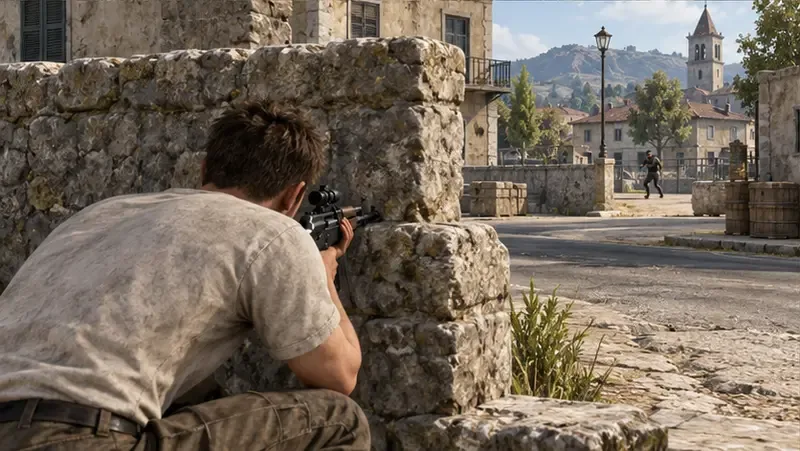
Without a vest or helmet, an even exchange is usually a poor trade. Use walls, rocks, terrain, and buildings to limit how long an opponent can see you. Fire when you have a clear angle, break line of sight after an exchange, and reposition before an enemy can pre-aim your next peek. Skip a fight when the only approach is across open ground.
Hard cover and a planned angle reduce the time you are exposed.
4. Rotate before the zone forces you
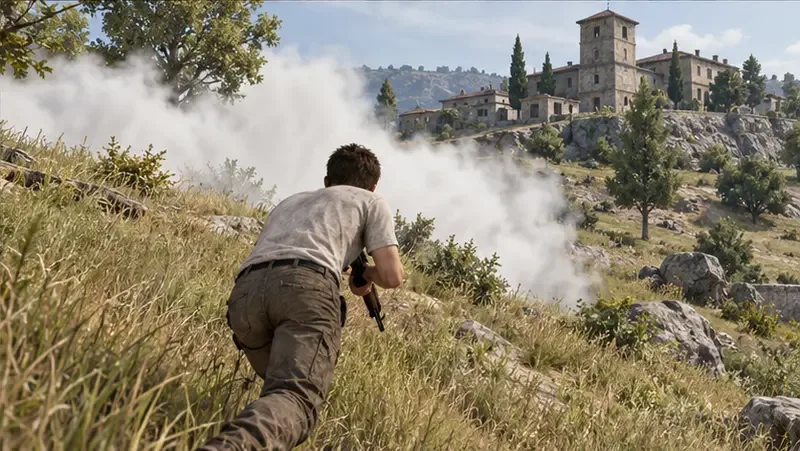
Check the play zone early and move while you still have several route choices. Use terrain and buildings to cross open areas; a smoke grenade can screen a crossing or a retreat when you need it. A vehicle can shorten a risky rotation, but its noise can reveal your position, so leave it when the final area makes driving unsafe.
Smoke can screen an exposed crossing while you move toward safer ground.
5. Protect the win in the final circles
As the lobby gets smaller, resist chasing every sound. Hold a defensible position, listen for nearby movement, and move with the zone rather than arriving late under fire. Heal when safe and take a fight when you have a clear advantage. The achievement does not ask for a dramatic damage total; surviving the last encounter is what completes a qualifying win.
Mistakes that can waste progress
Chasing 5,000 damage: It is not the listed Glass Cannon/Commando condition. Do not deliberately absorb shots or keep firing at low-value targets.
Equipping restricted gear: A helmet, vest, or backpack can disqualify the match. Check your character after looting.
Queueing the wrong mode: A win outside Solo Classic will not satisfy a Solo Classic requirement. The Help Center also excludes War modes from achievements.
Taking every early fight: With no armor, an unnecessary duel can erase a strong run. Break contact when the position is bad.
Assuming progress updated live: Check the achievement counter after the match, and use the in-game Commando description as the final authority if it differs from a guide.
Quick answers
Does the Glass Cannon achievement require 5,000 damage?
No. The 5,000-damage claim is incorrect for the Commando achievement that awards the Glass Cannon title. Focus on the qualifying Solo Classic wins and gear restriction shown in your client.
Do I need to win 50 matches in a row?
The commonly listed condition is 50 qualifying wins, not a streak. Check the Commando progress counter in your game client to see which wins have registered.
Can I use healing items, scopes, or smoke?
The listed restriction concerns helmets, vests, and backpacks. Healing, weapons, scopes, and smoke remain useful tools, but confirm the current in-game description in case the achievement has been revised.
For the general achievement rules, see the PUBG MOBILE Help Center achievement overview. It covers achievement rewards and excludes War modes, while the Commando-specific threshold should be checked in your current client.