What Ranks Can Play Together in Valorant? (2026)
What ranks can play together in Valorant? In Competitive, duos and trios must stay within Riot’s rank range, a four-player party cannot queue, and a full five-stack can play across any ranks. At Immortal 1 and above, parties are limited to solo, duo, or five players. A mixed-rank five-stack may queue, but Riot reduces its Rank Rating (RR) gains and losses in some cases and matches it against other five-stacks.
The distinction matters: the old advice that Iron-to-Gold or Platinum-to-Diamond are separate fixed windows is incomplete, and the claim that Immortal and Radiant players can only duo is outdated. Here are the current Valorant Competitive rank restrictions, based on Riot’s Competitive Mode FAQ, updated May 17, 2026.
The Valorant rank ladder

Competitive has nine ranks in this order: Iron, Bronze, Silver, Gold, Platinum, Diamond, Ascendant, Immortal, and Radiant. Each rank has three numbered divisions—1, 2, and 3—except Radiant, which has no numbered divisions. The rank ladder helps explain the party rules, but the rules depend just as much on party size.
Competitive rank limits for duos and trios
For a party of two or three, compare the lowest and highest ranks in the group. Riot’s current chart sets the upper limit based on the lowest-ranked player:
| Lowest rank in the party | Highest rank allowed by Riot’s chart |
|---|---|
| Iron or Bronze | Silver |
| Silver | Gold |
| Gold | Platinum |
| Platinum, Diamond, Ascendant, Immortal, or Radiant | Up to one rank tier higher |
For the upper-rank rule, Riot gives this example: a Platinum 2 player can queue with a player as high as Diamond 2. Every teammate in a duo or trio needs to fit within the allowed range from the party’s lowest rank; the system does not average the ranks to make an otherwise ineligible group qualify.
Examples: a Platinum 2 and Diamond 2 can queue as a duo. An Iron player and a Gold player cannot queue as a two- or three-person Competitive party under the normal limits. They can play together if they make a full five-stack, or switch to Unrated.
Party-size rules: no four-stacks
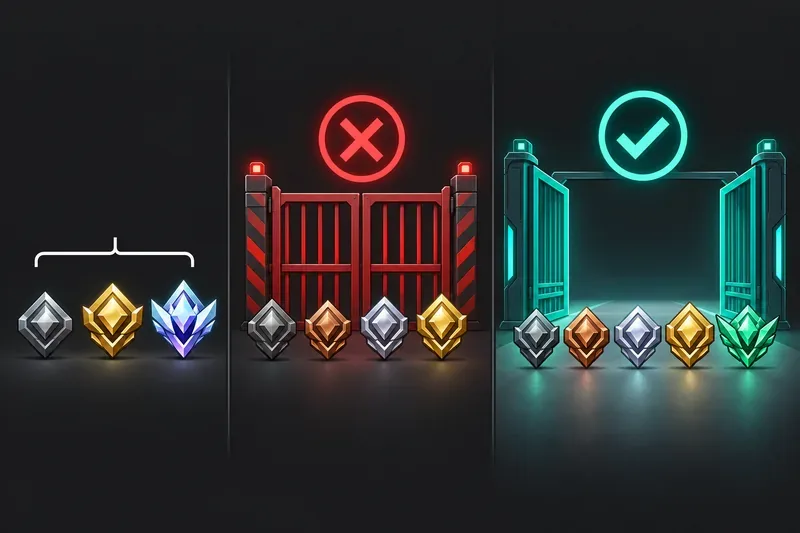
- One player: Solo queue is allowed.
- Two or three players: Follow the rank range in Riot’s chart.
- Four players: Not allowed in Competitive at any rank. Add a fifth player or reduce the group to three.
- Immortal 1 and above: The allowed party sizes are solo, duo, or five-stack. A three-player party is not available at this level.
- Five players: A complete five-stack may queue regardless of rank disparity.
The high-rank party-size limit is separate from the ordinary duo/trio rank chart. For example, three Immortal players cannot queue together even if they are close in rank; two Immortal players can, and a full five-person party can also queue.
Can a five-stack include any Valorant rank?
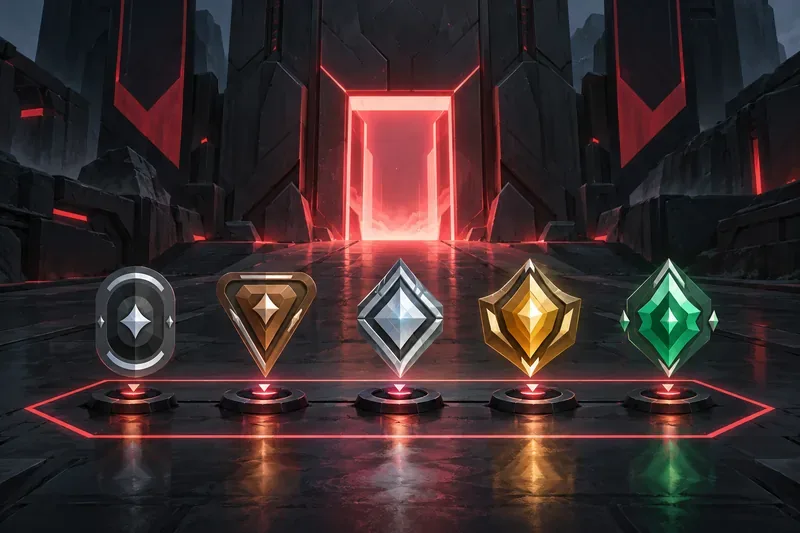
Yes. A full Valorant five-stack can include players at different ranks, including a very wide gap. This is the exception to the duo/trio chart. Riot restored unrestricted rank eligibility for five-stacks in Patch 7.07 after briefly adding a restriction in Patch 7.06; the current Support FAQ confirms that five-stacks are not bound by the normal rank chart.
Unrestricted eligibility does not mean every five-stack earns standard RR. Riot’s current rules list these reductions:
| Five-stack makeup | RR adjustment |
|---|---|
| Everyone is Ascendant 3 or below, and the group stays within normal party ranges | No five-stack RR reduction |
| Everyone is Ascendant 3 or below, but the group falls outside normal party ranges | 25% RR reduction |
| At least one player is Immortal 1–3 and none is Radiant | 25% RR reduction |
| At least one player is Radiant | 75% RR reduction; if anyone is below Radiant, potential RR is reduced by 90% |
These are adjustments to Competitive RR, not a ban on queuing together. Five-stacks should also expect longer waits: Riot says they are matched only against other five-player parties. The exact wait depends on who is queueing and the matchmaker’s available options.
When to use Unrated instead
If your group has too large a rank gap for a duo or trio, or you have four friends online and cannot find a fifth, Unrated is the straightforward option. Riot has described Unrated as the mode for playing with friends across skill levels, without a ranked party skill limit. Your Competitive rank and RR are not at stake there. A full five-stack is another option when you want Competitive, but remember the possible RR adjustments and longer queue.
Quick answers
Can Iron and Gold play Competitive together?
Not as a duo or trio under the normal rank limits. They can queue together as part of a full five-stack, which can include any ranks.
Can Radiant play with lower-ranked friends?
Yes, in a full five-stack. If the group includes a Radiant and anyone below Radiant, Riot’s FAQ says potential RR is reduced by 90%. For a smaller party, the normal rank limits apply, and Radiant players at Immortal 1 or above cannot form a trio.
Can four players queue Competitive?
No. Competitive does not allow four-player parties. Play as three, invite a fifth, or choose another mode.
Why does my party still get a queue error?
Check both the party size and the lowest-to-highest rank span. A group of four is ineligible; a trio with an Immortal 1-or-higher player is also ineligible; and a duo or trio outside Riot’s rank chart cannot enter Competitive. If the group is a valid five-stack, confirm that all five players are in the lobby and try again.
Official Riot references
- Riot’s Competitive Mode FAQ — current rank tiers, duo/trio restrictions, five-stack rules, RR adjustments, and party-size limits.
- VALORANT Patch Notes 7.07 — Riot’s removal of the temporary rank restriction for five-stacks.
- Ask VALORANT #1 — Riot’s explanation of Unrated matchmaking and skill disparity.









