Home
» 🎮 Esports
»
Minecraft World Creation Fail: How to Fix Java and Bedrock Errors
Minecraft World Creation Fail: How to Fix Java and Bedrock Errors
If Minecraft will not create a world, freezes while loading one, or closes when you press Create New World, start by protecting existing saves and testing a fresh world with default settings. Then check free storage and updates, and isolate Java mods or Bedrock add-ons. A seed is rarely the first thing to blame, and there is no universal “5 GB” free-space rule for every device.
What a Minecraft world creation failure usually points to
The right fix depends on where the failure happens. A world that never appears in the list, a crash during terrain generation, and a multiplayer join error are different problems. Java Edition and Bedrock Edition also use different add-on systems and storage locations.
What you see
First thing to check
The Create button does nothing
Restart the game, check device storage, and make sure the game has finished updating.
The game hangs or closes during the first load
Try a new default world; then test without mods, data packs, resource packs, shaders, or add-ons.
Java Edition crashes or reports a memory error
Use a clean launcher installation and review memory allocation only if the error points to it.
Bedrock shows a pack or storage error
Keep a copy of the world, check device storage, and test without optional packs.
You can create a local world but cannot join a friend
Treat this as a multiplayer, account, service, or edition/version compatibility issue.
How to fix Minecraft world creation errors
1. Confirm your edition, version, and the exact failure point
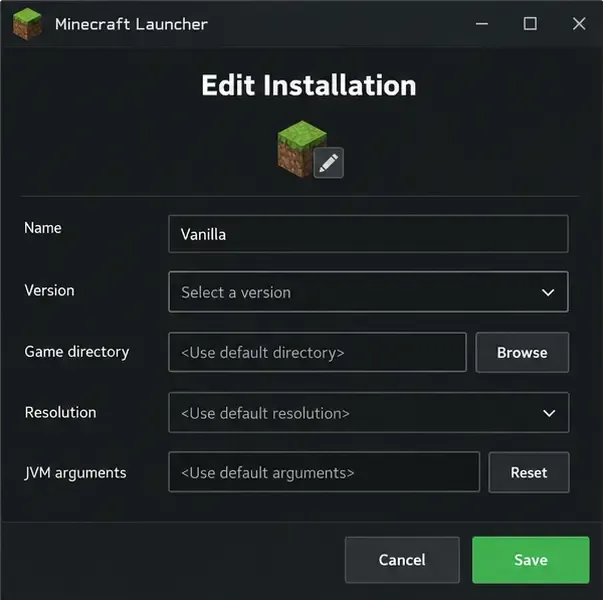
Write down whether you are using Java Edition or Bedrock Edition, the device, and the game version shown by the launcher or platform store. Note whether the button is unresponsive, the world is created but stuck on “Preparing,” or the game crashes. If you are joining a server or Realm rather than creating a local save, switch to the multiplayer troubleshooting path; Java and Bedrock players cannot join each other’s standard worlds, and the host may require a matching game version.
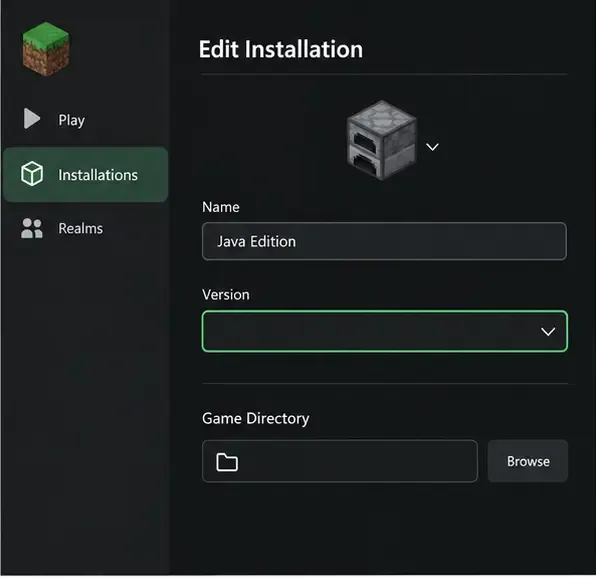
The version selector is shown blank as a visual cue: confirm which Java profile and game version you are testing. Launcher layouts can change between releases.
2. Back up any world you already care about
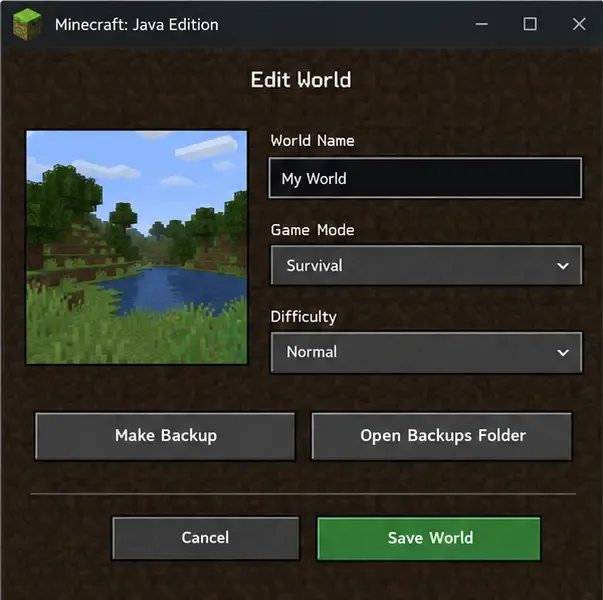
Do not troubleshoot by deleting your saves folder. In Java Edition, open Singleplayer, select the world, choose Edit, and use Make Backup. Mojang’s guide explains that the backup is saved as a dated ZIP file and can be opened from Open Backups Folder. For Bedrock, make a copy or export the world using the options available on your device before changing packs or reinstalling anything. Keep the untouched original until the problem is resolved.
Back up the selected Java world before troubleshooting; keep the original save untouched.
3. Restart, update, and check the drive that stores Minecraft
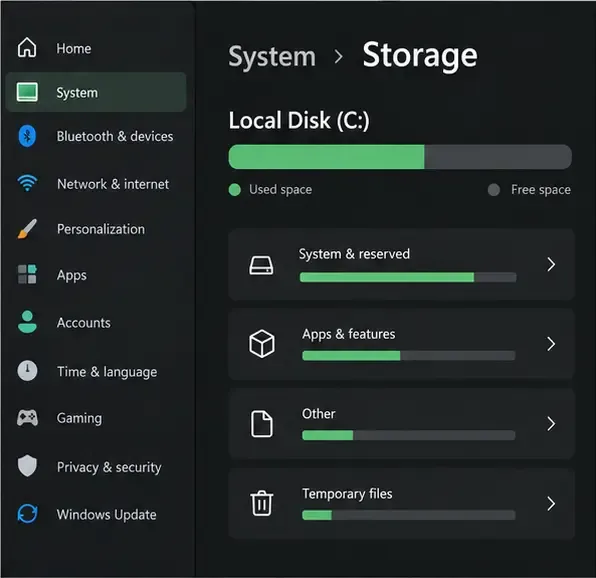
Quit Minecraft and the launcher completely, restart the device, and install any pending Minecraft update through the official launcher or your platform’s store. Check the storage on the drive or device that holds the game data, not just the drive where the launcher shortcut sits. Free space by removing files you recognize as safe to remove; do not delete world folders to make room. Minecraft does not publish one fixed free-space minimum that applies to every platform and world.
Check the storage device used by Minecraft and leave enough room for the game and new world data.
4. Try one clean, default world
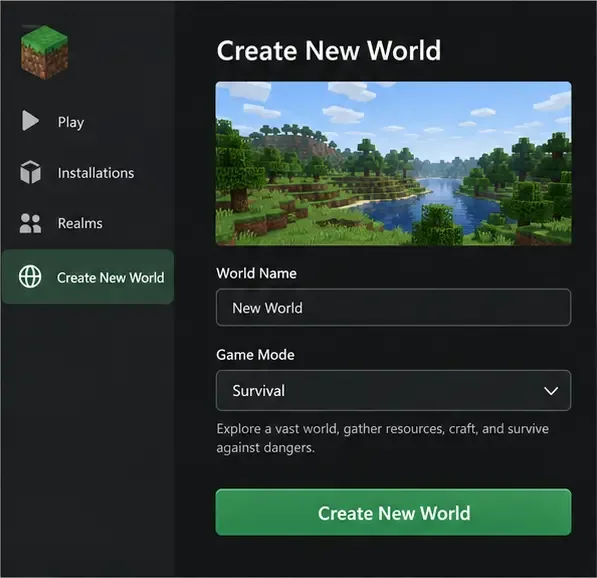
Create a new test world with ordinary default settings. Use a new name and a default or random seed, and leave optional packs, experiments, and custom generation settings off for this test. On Java, also disable mods, shaders, and nonessential data packs for the test profile. If the plain world opens, add custom content back one item at a time until the failure returns; that identifies a likely conflict. If the plain world also fails, the cause is more likely the installation, available storage, device, or a game bug.
Use a fresh default world as a diagnostic test before changing a valuable save.
5. Isolate Java Edition with a fresh launcher installation
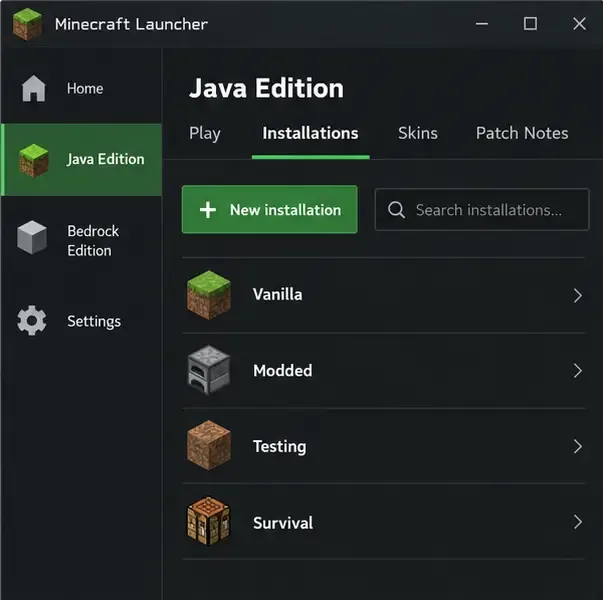
In the Minecraft Launcher, select Minecraft: Java Edition, open Installations, choose New installation, and select the same game version that fails. Leave advanced settings at their defaults for the test. Mojang recommends this clean-install approach for diagnosing launcher crashes: if it works, troubleshoot the downloaded mods or advanced settings on the previous installation rather than changing the world data. If a mod loader or custom game directory is involved, test a standard release profile separately.
Do not uninstall Minecraft or remove the entire .minecraft folder as an early step. That folder can contain saves, screenshots, resource packs, and other data. If you eventually reinstall, back up your worlds and follow the official instructions for your edition and operating system.
Create a separate, clean Java profile to check whether the existing launcher installation or its settings are involved.
6. Change Java memory only when the symptoms support it
More allocated RAM is not automatically better. First restore the launcher’s default JVM arguments if you previously copied settings from an old guide. Minecraft Support says systems with 4 GB of total RAM or less may need Java Edition allocation reduced to 2 GB for stability; systems with 8 GB or more available may have room for a higher allocation. Leave memory for the operating system and other apps, and save the original arguments before changing them. If the error is about storage, permissions, or a pack, changing RAM is unlikely to help.
Keep the default JVM arguments unless a memory-related crash or current official guidance calls for a change.
7. Test Bedrock without optional add-ons
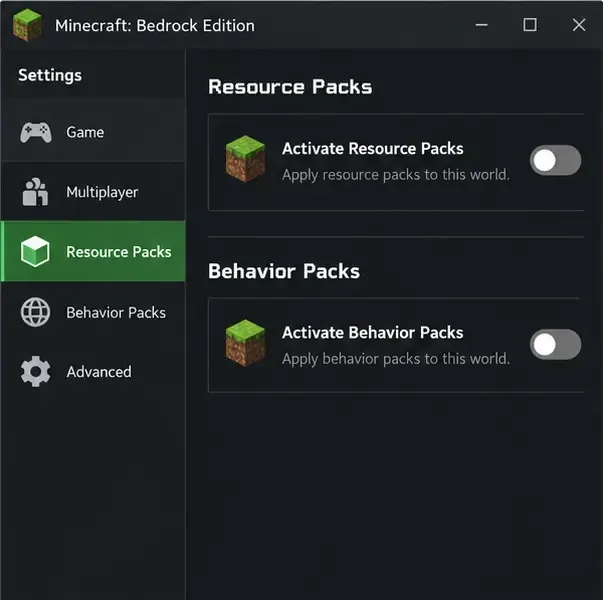
Bedrock add-ons can conflict, especially when several are active together. Make a copy of the affected world first, then disable optional behavior and resource packs on the copy—or create a new test world with no extra packs. Try the world again. If it works, re-enable packs one at a time. Some templates or maps require their own packs, so do not remove required content from the only copy of a world. Minecraft Support notes that disabled add-ons remain available in storage.
For a safe conflict test, disable optional packs on a copied world or use a new test world.
8. Save the error details before contacting support
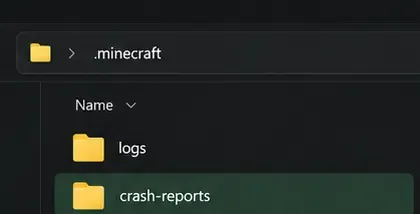
If a clean test still fails, record the edition, version, device and operating-system version, available storage, and the exact action that triggers the error. Note whether the test used mods or packs. For Java’s default game directory, logs and crash-reports are separate folders under .minecraft; a custom game directory changes where to look. Attach the relevant log or crash report when submitting a bug, and remove account tokens or other private information before sharing files publicly. Mojang’s bug-reporting guide asks for reproduction steps, environment details, and helpful evidence such as logs.
For Java diagnostics, look for the separate logs and crash-reports folders in the active game directory.
Workarounds that can make diagnosis harder
Do not delete saves, configuration, or app data without a backup. Reinstalling does not recover a damaged world and can remove local files.
Do not assume the seed is corrupted. Retesting with a different seed can rule out a setting, but it is not a repair for a broken installation or conflicting add-on.
Do not apply server commands to a local creation failure. Commands such as teleport or world-border changes require an existing world and do not fix a save that never gets created.
Do not copy arbitrary JVM flags. Memory defaults and recommendations depend on the game version and device.