Hey, Summoner! 😤 Nothing kills the hype like firing up League of Legends only to slam into Error Code 193. This pesky installation issue pops up during setup or launch, often screaming about missing files or access denied. Don't rage quit yet—we've got your back with proven, battle-tested fixes that'll have you back in Rift action in minutes. Let's crush this bug together! 🚀
What Causes League of Legends Error Code 193?
Error Code 193 in League of Legends (LoL) typically hits when the Riot Client can't execute properly. Common culprits include:
- 👎 Antivirus or firewall blocking the installer.
- ❌ Corrupted game files or incomplete downloads.
- 🔒 Insufficient admin privileges on Windows.
- ⚙️ Outdated system drivers or conflicting software.
Pro tip: This error is Windows-specific and often tied to the "leagueclient.exe" file. Stick with us—these steps are ordered from quickest to nuclear option. No fluff, just wins! ⭐
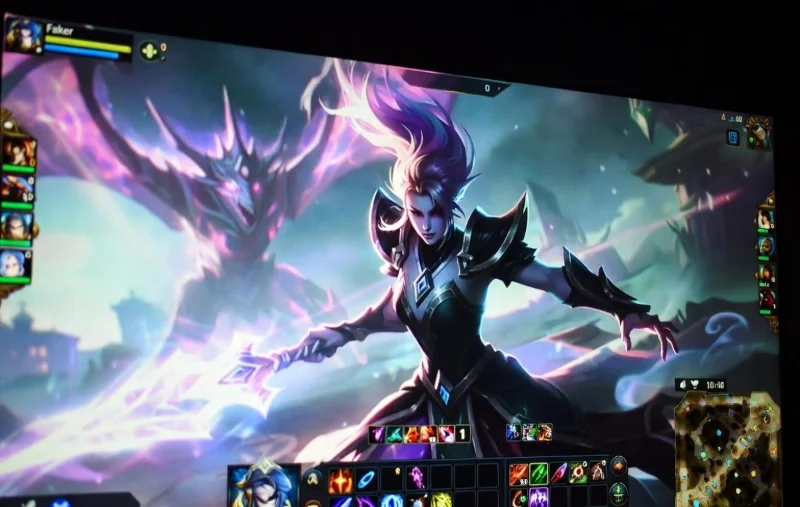
Step 1: Run Riot Client as Administrator 👆
The #1 fix for League of Legends Error Code 193—90% of users solve it here!
- Right-click the Riot Client shortcut (or
leagueclient.exe in C:\Riot Games\Riot Client).
- Select "Run as administrator".
- Try launching or repairing the install.
If it works, make it permanent: Right-click shortcut > Properties > Compatibility > Check "Run this program as an administrator." Boom—problem solved! 🎉
Step 2: Disable Antivirus & Windows Defender Temporarily
Antivirus loves to "protect" you by nuking LoL files. Here's how to tame the beast:
| Antivirus Software |
Quick Disable Steps |
| Windows Defender |
Settings > Update & Protection > Virus & threat protection > Manage settings > Turn off Real-time protection. |
| Norton / Avast / McAfee |
Open app > Pause/Disable protection for 10-30 mins. Add Riot folder to exclusions. |
| Third-Party Firewalls |
Whitelist leagueclient.exe and League of Legends folder. |
After disabling, relaunch the client. Re-enable security once fixed. Safety first, but gaming second? Nah—both! 😎
Step 3: Use the Built-in Repair Tool in Riot Client
Riot's got your six with an auto-fix magic button:
- Open Riot Client as admin.
- Go to LoL profile > Click the gear icon (Settings).
- Select "League of Legends" > "Repair".
- Wait for the scan— it verifies and replaces bad files.
This handles most installation issues without reinstalling. Patience pays off, Summoner! ⏳
![Riot Client repair tool interface for League of Legends Error Code 193]()
Step 4: Perform a Clean Boot to Eliminate Conflicts
If basics fail, third-party apps are the villain. Clean boot isolates LoL:
- Press Win + R > Type
msconfig > Enter.
- Services tab > Hide all Microsoft > Disable all.
- Startup tab > Open Task Manager > Disable non-essentials.
- Restart PC > Launch LoL.
Success? Re-enable services one-by-one to ID the culprit. Ninja-level troubleshooting! 🥷
Step 5: Full Reinstall with Hextech Repair Tool
Time for the big guns. Grab Riot's official savior:
- Download Hextech Repair Tool from Riot Support.
- Run as admin > Full Repair (scans entire install).
- If needed, uninstall LoL via Control Panel, delete
C:\Riot Games\League of Legends, then fresh install.
Bonus: Clear temp files first—Win + R > %temp% > Delete all. Fresh start = zero errors! ✨
Advanced Fixes for Stubborn LoL Error Code 193
Still glitching? Dive deeper:
- Update Windows & Drivers: Settings > Update & Security. NVIDIA/AMD GPU drivers via GeForce Experience or Adrenaline.
- Visual C++ Redistributables: Download latest from Microsoft (x64 & x86).
- DirectX End-User Runtime: Riot bundles it, but manual install helps.
- Registry tweak (rare): Search "193 error regedit" but backup first—pros only! ⚠️
![Advanced troubleshooting for League of Legends installation error 193]()
| Quick Troubleshooting Table |
Symptom |
Best Fix |
| Install freezes |
Antivirus block |
Step 2 |
| Launch crash |
No admin rights |
Step 1 |
| Corrupt files |
Bad download |
Step 3 |
| Conflicts |
Background apps |
Step 4 |
Prevent League of Legends Error Code 193 Forever 💪
Lock it down:
- Always run as admin.
- Add LoL folders to antivirus exclusions.
- Keep client updated—auto-patches fix bugs.
- Use SSD for installs (faster, fewer errors).
You're now armed against Error Code 193. Drop a comment if it worked—let's celebrate those PENTAKILLS! 🎊 For more LoL tips, check our guides on lag fixes next. GG WP!