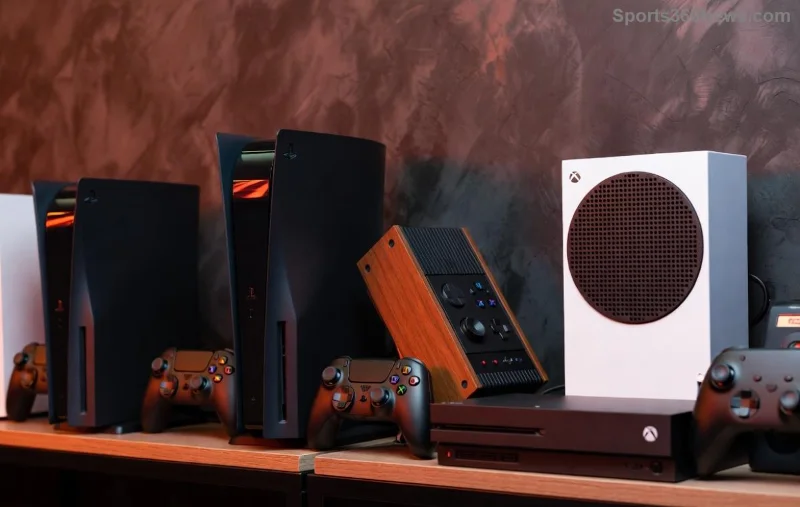
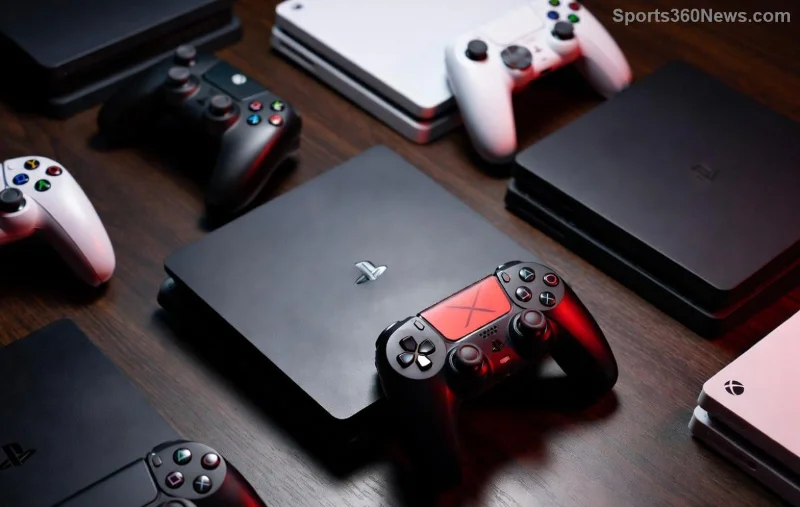
🚀 Imagine leveling up your game on any device with the ergonomic perfection of your Xbox controller. No more fumbling with touchscreens or mismatched pads. Whether you're dominating on PC, chilling on mobile, or hacking away on Switch, this guide unlocks it all. Ready to plug in and play? Let's dive straight into the action!
Why Your Xbox Controller Rules Non-Xbox Worlds
The Xbox controller isn't just for consoles – it's a universal beast with native Bluetooth, precise analog sticks, and that comfy grip gamers crave. Newer models like Series X|S shine with low-latency wireless and hybrid D-pad. Perfect for cross-platform titles like Fortnite, Elden Ring, or indie gems.
- ✅ Universal compatibility: Works wired or wireless on most devices.
- ✅ Battery life up to 40 hours on AA or rechargeable packs.
- ⭐ Pro feature: Share button for quick clips.
But how? Follow these platform-specific setups for plug-and-play bliss. We'll start with the easiest: PC.
Using Xbox Controller on PC: Native Windows Magic
Windows loves Xbox gear out of the box. No drivers needed for modern controllers (One, Series X|S).
- 🔌 USB Wired: Plug in any USB port. Instant recognition! Test in Settings > Devices > Bluetooth & devices.
- 📶 Bluetooth: Hold pair button (top) until Xbox light flashes. Go to Windows Bluetooth settings > Add device > Select controller.
- 🌐 Xbox Wireless Adapter: Official dongle for low-latency multiplayer. Plug USB adapter, pair via button.
Pro tip: Steam auto-detects it perfectly. Launch Big Picture Mode for controller-optimized menus. Games like Cyberpunk 2077 feel native!
| Connection Type | Pros | Cons | Best For |
|---|
| USB | Zero latency, charging | Cable clutter | Casual PC sessions |
| Bluetooth | Wireless freedom | Slight input lag | Sofa gaming |
| Wireless Adapter | Low lag, multi-controller | Extra cost (~$25) | LAN parties |
Stuck? Update firmware via Xbox Accessories app from Microsoft Store.
Steam Deck & Big Picture: Portable Power
![Xbox controller paired with Steam Deck]()
Steam Deck treats Xbox controllers like royalty. Pair via Bluetooth in Settings > Bluetooth. Instant mapping for thousands of games. Big Picture Mode on desktop PC? Same seamless vibe.
✅ Works with Proton for Windows-only titles. Your Xbox controller on PC via Steam = endless library access.
Xbox Controller on Android & iOS: Mobile Gaming Revolution
Mobile epicness awaits! Latest Android (8.0+) and iOS (13+) support native Bluetooth.
Android Setup
- Enable Bluetooth. Hold controller pair button.
- Select in settings. Play Call of Duty Mobile or Genshin Impact with precision.
- Apps like Mantis Gamepad Pro for custom mapping.
iOS Magic
AirPlay who? Pair in Settings > Bluetooth. Apple Arcade titles shine. Bonus: Works with Apple TV too!
⚠️ Wired? Use USB-C OTG adapter for Android; Lightning for iOS.
Using Xbox Controller on Nintendo Switch: Adapter Adventures
Switch doesn't native support, but 8BitDo adapters bridge the gap flawlessly.
- Grab 8BitDo Wireless USB Adapter 2 (~$20).
- Plug into Switch Dock. Pair controller (hold Xbox + pair buttons for Switch mode).
- Play Smash Bros or Zelda with Xbox ergonomics! 🎮
Pro: Gyro aiming via adapter. Feels like home.
![Xbox controller on Nintendo Switch with adapter]()
macOS, Linux & PlayStation: Advanced Tweaks
macOS
Bluetooth native since Catalina. Sonoma enhances it further. Pair easily; works in Apple Arcade and Steam.
Linux
SteamOS? Native. Ubuntu? Install xpadneo-dkms for full features. Heroic Games Launcher for Epic games.
PlayStation (PS5/PS4)
Official? Nope. But Xbox controller on PS5 via third-party like Cronus Zen or Brook adapters. Risky for bans in online play – stick to offline. Better: Use on PS PC ports!
| Platform | Native? | Best Method | Latency |
|---|
| PS5/PS4 | ❌ | Adapter | Medium |
| macOS | ✅ | Bluetooth | Low |
| Linux | ✅* | Drivers | Low |
Troubleshooting: Fix Issues Fast
Controller not detected? 🛠️
- 💡 Update firmware: Xbox Accessories app (Windows) or Xbox support page.
- 🔄 Reset: Hold pair + Xbox button 10s.
- 📱 Interference? Move away from Wi-Fi routers.
- ❌ Button drift? Clean or replace sticks (DIY guides abound).
Common fix table:
| Issue | Solution |
|---|
| No vibration | Enable in game settings |
| Drifting sticks | Recalibrate in Windows Game Controllers |
| Disconnects | Firmware update + fresh batteries |
Top Games to Test Your Setup
1️⃣ PC: Street Fighter 6 – Precision combos.
2️⃣ Mobile: Dead Cells – Rogue-like mastery.
3️⃣ Switch: Monster Hunter Rise – Epic hunts.
Feeling pumped? Your Xbox controller just became omnipotent. Share your wins in comments – what's your go-to setup? Dive deeper into custom mappings next time. Game on! 👏