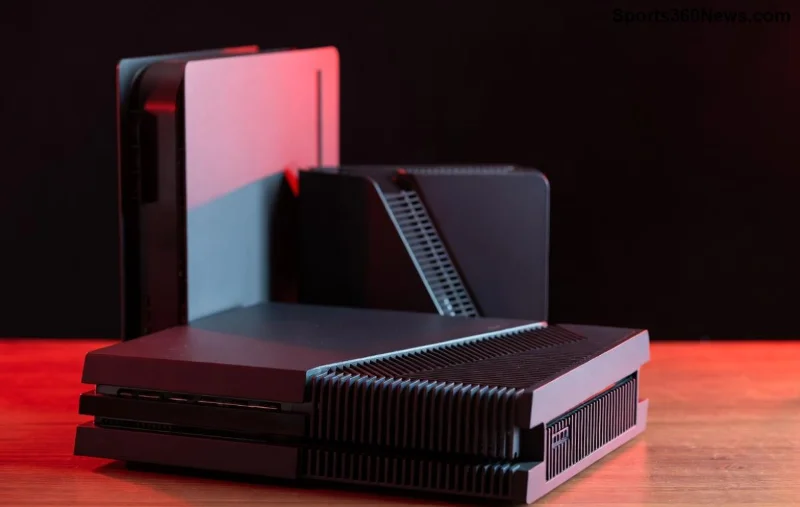
Is your PlayStation 5 Slim refusing to read discs? 😩 No more endless loading screens or scratched Blu-rays ruining your epic gaming sessions. Replacing the disc drive on a PlayStation 5 Slim is simpler than you think – especially with its modular design. This PS5 Slim disc drive replacement guide will walk you through every step, using official parts for a perfect fit. Get back to dominating in your favorite titles without shipping your console away. Let's gear up! 🔧
Why Replace the Disc Drive on PlayStation 5 Slim? Common Issues and Benefits
The PS5 Slim Blu-ray drive is a powerhouse for physical games, movies, and 4K UHD discs. But wear and tear happens – from constant use or accidental damage. Symptoms include:
- Discs not ejecting or spinning ❌
- Error codes like "Cannot read disc" 😤
- Noisy grinding sounds 🚫
Good news: Sony made the PlayStation 5 Slim disc drive user-replaceable! No soldering or deep internals needed. Benefits?
- Save $100+ on repairs ⭐
- Back to gaming in under 30 minutes ⏱️
- Preserve your warranty if using genuine parts ✅
Pro tip: Always match the serial number on your new drive to your console's base for compatibility. Ready? Grab your tools! 🎯
What You'll Need for PS5 Slim Disc Drive Replacement
Gather these essentials before starting. Official Sony parts ensure seamless integration.
| Item |
Description |
Where to Buy |
| Genuine PS5 Slim Disc Drive |
Model CFI-ZDD1 with matching serial (check your console base) |
Sony Direct or authorized retailers |
| PS5 Special Screwdriver (PH0) |
Torx-like security bit for the single screw |
iFixit kit or Amazon |
| Clean microfiber cloth |
For dust-free handling |
Any electronics store |
| Optional: Anti-static wrist strap |
Protect internals from ESD |
Electronics suppliers |
Total cost: Around $100-130 for the drive. iFixit teardown confirms this is a 1/10 difficulty repair – perfect for gamers! 🌟
Step-by-Step: How to Replace the Disc Drive on PlayStation 5 Slim 🔄
Power off your PS5 Slim, unplug all cables, and work on a soft, static-free surface. Time: 15-30 minutes. Follow these numbered steps precisely.
- Locate the Disc Drive Panel 👆
Slide the glossy black cover on the front-right (disc edition). It pops off easily – no tools needed. Expose the drive slot.
- Remove the Securing Screw 🔩
Spot the single silver screw on the drive's bottom edge. Use your PS5 special screwdriver to turn it counterclockwise until loose. It won't come out fully – that's normal!
- Slide Out the Old Drive ➡️
Gently pull the drive straight out by its black handle. Wiggle if stuck, but never force. Wipe any dust with your microfiber cloth.
![Close-up of PS5 Slim disc drive removal with special screwdriver]()
- Prepare the New Drive ⭐
Unbox your genuine replacement. Verify the serial matches your console (printed on the base). No matching? It won't work – return it!
- Insert the New Drive ➡️
Align the gold connectors and slide in until it clicks. Replace the screw and tighten clockwise – snug but not overtight.
- Reattach the Cover ✅
Snap the panel back. Plug in, power on, and test with a disc. 🎮 Success!
If it doesn't boot, double-check connections. Sony's design shines here – modular magic! ✨
Troubleshooting PS5 Slim Disc Drive Issues Post-Replacement
Ran into snags? Here's your fix-it cheat sheet:
| Problem |
Solution |
| Drive not recognized |
Confirm serial match; reseat drive |
| Screw won't loosen |
Use correct PH0 bit; apply steady pressure |
| Discs still not reading |
Update firmware via USB; clean laser gently |
| Noisy operation |
Check alignment; contact Sony if persistent |
For firmware: Download from PlayStation.com. Still stuck? Official support awaits. 👍
Pro Tips for Long-Lasting PlayStation 5 Slim Blu-ray Drive Performance
Keep your new drive spinning smoothly:
- Handle discs by edges only 👐
- Use vertical stand for stability 🕐
- Regular firmware updates = peak performance 🚀
- Store in dust-free environment 🌬️
Bonus: Digital owners, this upgrade future-proofs your hybrid setup. Imagine ripping through physical collections again! 🔥
Final Thoughts: Game On with Your Revived PS5 Slim! 🏆
Congrats – you've mastered how to replace the disc drive on a PlayStation 5 Slim! No more downtime, just pure gaming joy. Share your success in comments below – did this save your raid night? 👇 If you followed along, you're now a PS5 repair pro. Drop a like if it helped, and explore our other guides for controller fixes or SSD upgrades. Happy gaming! 🎉