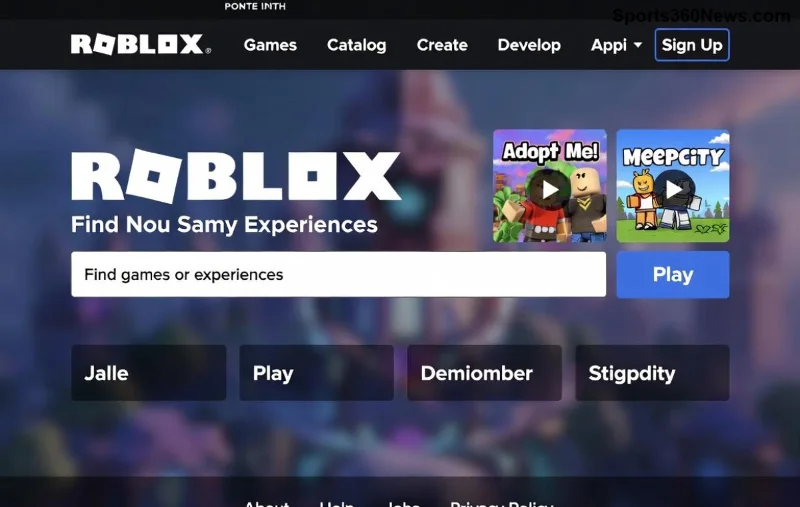
Ready to dive into endless worlds of creativity and adventure? Roblox isn't just a game—it's a universe where you build, play, and connect with millions. Whether you're a newbie or a seasoned player, knowing how to download and install Roblox on any device is your first step to epic fun. This guide cuts through the noise with precise, up-to-date steps for every platform. Let's get you in the game fast! 👉
Quick System Requirements: Ensure Smooth Gameplay ⭐
Before jumping in, check if your device meets Roblox's requirements. No worries—most modern gadgets qualify!
| Device |
OS |
RAM |
Storage |
Internet |
| PC (Windows) |
Windows 10/11 |
1 GB+ |
20 MB |
Broadband |
| PC (Mac) |
macOS 10.13+ |
1 GB+ |
20 MB |
Broadband |
| Android |
5.0+ |
1 GB+ |
Varies |
Wi-Fi/4G |
| iOS |
12.0+ |
N/A |
Varies |
Wi-Fi/5G |
| Xbox |
Current gen |
N/A |
Installed |
Broadband |
Pro tip: Update your OS for the smoothest experience. Now, let's install! 🚀
How to Download and Install Roblox on PC (Windows & Mac) 💻
PC offers the best Roblox experience with high graphics and mod support. Here's the straightforward way:
- Visit the Official Site: Head to Roblox.com/download.
- Click Download: Select Windows or Mac version. It auto-detects your OS.
- Run the Installer: Open the .exe (Windows) or .dmg (Mac) file. Follow on-screen prompts—it's a quick 1-minute process! 😊
- Log In or Create Account: Launch Roblox, sign up free, and boom—you're ready to play Adopt Me or Brookhaven.
Trouble? Clear cache or disable antivirus temporarily. Windows users: Roblox now supports DirectX 12 for buttery performance.
Download Roblox on Android & iOS Mobile 📱
Mobile Roblox is perfect for on-the-go fun. Touch controls make it addictive!
Android Steps:
- Open Google Play Store.
- Search "Roblox"—grab the official app by Roblox Corporation (100M+ downloads).
- Hit Install. It downloads ~200MB, so use Wi-Fi.
- Open, log in, and join friends instantly! ⭐
iOS Steps:
- Launch App Store.
- Search "Roblox".
- Get the app (free, optimized for iPhone/iPad).
- Sign in and explore user-generated games.
Mobile tip: Enable notifications for friend invites and events. Cross-play means PC friends join you seamlessly! 🎮
![Roblox on mobile and PC devices]()
Install Roblox on Consoles: Xbox, PlayStation & Switch 🎯
Console gamers rejoice—Roblox shines on big screens with controllers.
- Xbox Series X/S, One: Search Roblox in Microsoft Store, install (free), Xbox Live login required. Voice chat enabled! 👏
- PlayStation 4/5: PS Store > Search Roblox > Download. PSN account links to your Roblox profile.
- Nintendo Switch: eShop > Roblox > Install. Portable mode is a blast!
Console bonus: Party mode for multiplayer dominance. All progress syncs across devices.
Play Roblox in Web Browser—No Download Needed! 🌐
Quick sessions? Use any modern browser like Chrome, Edge, or Firefox:
- Go to Roblox.com.
- Log in, pick a game— it streams via Roblox Player plugin.
- Enable hardware acceleration in browser settings for lag-free play.
Ideal for school Chromebooks. Note: Full features need the app.
Common Issues & Fixes: Troubleshoot Like a Pro 🛠️
Stuck? Here's your fix-it table:
| Problem |
Solution |
| Download fails |
Check internet; try VPN off |
| Installation crashes |
Run as admin; update graphics drivers |
| Black screen |
Update DirectX/OpenGL |
| Lag on mobile |
Lower graphics in settings |
Still issues? Roblox support at help.roblox.com has your back.
Pro Tips to Level Up Your Roblox Experience 🔥
- Customize Controls: Tweak keybinds on PC for pro moves.
- Safe Chat: Enable parental controls for kids.
- Robux Boost: Earn free Robux via Microsoft Rewards.
- Cross-Platform Friends: Add via username—play anywhere!
Want more? Dive into top games post-install: Phantom Forces for action, Royale High for roleplay. Your adventure awaits!
Ready to Play? Your Roblox Journey Starts Now! 🎉
With these steps, downloading and installing Roblox on any device is a breeze. Pick your platform, follow along, and unleash creativity. Share your first game wins in comments—what's your fave Roblox world? Stay tuned for avatar guides next. Game on! 🚀