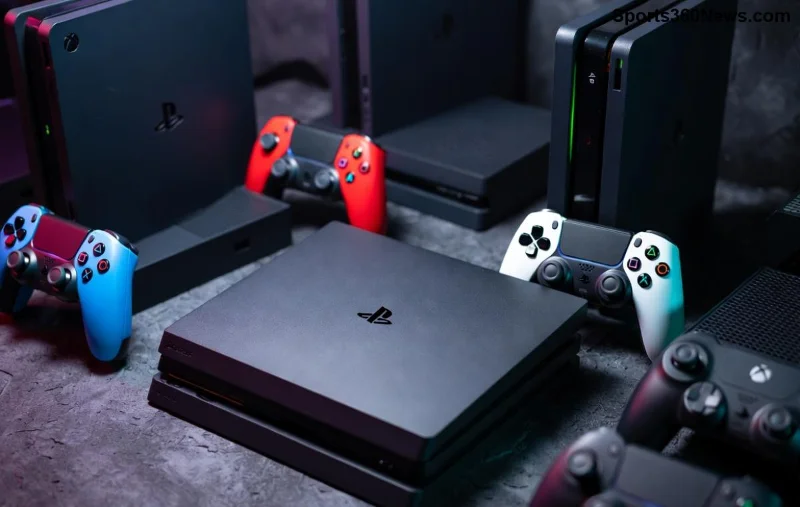
Nothing kills the gaming vibe faster than hitting "buy" on your dream game in the PlayStation Store only to face an error. 😩 Whether you're on PS5, PS4, or the app, can’t buy games on PlayStation Store issues are frustratingly common. But don't rage-quit yet! This guide dives straight into the top reasons why you can’t buy games on PlayStation Store and delivers proven, step-by-step fixes. By the end, you'll be downloading that blockbuster title in no time. Let's troubleshoot like pros! 🚀

1️⃣ Common Culprits: Why PlayStation Store Can’t Buy Games Happens
Before fixes, pinpoint the cause. Here are the most frequent PS Store purchase errors:
- Payment method rejected: Card declined or expired.
- Network glitches: Unstable Wi-Fi blocks transactions. ❌
- Account restrictions: Region mismatch or parental controls.
- Server downtime: PSN outages hit purchases hard.
- Outdated firmware: Old software causes compatibility woes.
- Insufficient funds or wallet issues: Low balance surprises.
Sound familiar? Keep reading for targeted solutions that work on PS5, PS4, and even PC/app. Pro tip: Test one fix at a time to avoid overload. ✅
2️⃣ Fix #1: Test and Stabilize Your Internet Connection
A shaky connection is the #1 killer of PS Store purchases. Run a speed test—aim for 5Mbps+ download.
- Restart your router and console. Unplug for 30 seconds.
- Switch to wired Ethernet if on Wi-Fi. 🌐
- Disable VPNs—they confuse PSN servers.
- Test connection in Settings > Network > Test Internet Connection.
If speeds are low, contact your ISP. Many gamers fix this in under 5 minutes and slide right back into shopping! Ready for payment checks next?
3️⃣ Fix #2: Verify and Update Your Payment Method
PS Store payment errors like "We’re unable to process your payment" scream method issues. Here's how to nail it:
| Payment Type |
Common Issue |
Quick Fix |
| Credit/Debit Card |
Expired or insufficient funds |
Update expiry/CVV in Account > Payment Management |
| PayPal |
Account not linked |
Re-link via PSN website |
| PS Wallet |
Zero balance |
Add funds or gift cards |
| Mobile Billing |
Carrier block |
Confirm with provider |
Pro move: Add a backup method. Head to PlayStation's official payment guide for more. Fixed your wallet? Region settings await...
![Close-up of payment options screen on PlayStation Store interface]()
4️⃣ Fix #3: Check Account Region and Restrictions
Region locks are sneaky—games bought in one country might not work elsewhere. Ensure your PSN account matches your location:
- Log into account.sony.com.
- Verify address under Account Information.
- Disable parental controls: Settings > Family Management.
- Check for bans: Contact PS Support via live chat. 👆
If you're traveling, use a VPN cautiously or wait it out. Thousands of gamers dodge this bullet yearly!
5️⃣ Fix #4: Update Console Software and Apps
Outdated systems cause why can’t I buy games on PS Store glitches. Update now:
- PS5/PS4: Settings > System > System Software > Update.
- Store app: Force close and relaunch.
- Clear cache: Safe Mode (hold power button) > Clear Cache.
Restart after. Boom—smoother transactions! But what if servers are down?
6️⃣ Fix #5: Monitor PSN Server Status
Outages spike during big releases. Check real-time status at PlayStation Network Status. If red, grab snacks and wait. ⏳ Most resolve in hours.
7️⃣ Fix #6: Rebuild Database (Safe Mode Magic)
For stubborn errors:
- Boot to Safe Mode.
- Option 5: Rebuild Database (doesn't delete data).
- Sign out/in of PSN.
8️⃣ Fix #7: Try Alternative Devices
Purchase via PS App (iOS/Android) or web store at store.playstation.com. Syncs instantly to your console. Genius workaround! ⭐
9️⃣ Fix #8: Contact PS Support
Escalation time? Use live chat or ticket at support.playstation.com. Provide error codes for speed.
🔟 Bonus Fixes: PS Plus and Wallet Top-Ups
PS Plus required for some deals? Renew it. For wallet: Buy digital gift cards from retailers like Amazon—add instantly.
Frequently Asked Questions (FAQ) 🎯
Why does PlayStation Store say "An error occurred" when buying?
Usually payment or network. Follow Fixes #1-2.
Can I buy games without a credit card?
Yes! PS Wallet, PayPal, or gift cards shine here.
PS5 vs PS4: Same issues?
Mostly yes—fixes apply to both.
Wrap-Up: Conquer PS Store Purchase Errors and Game On! 🏆
There you have it—your roadmap to fixing why can’t I buy games on PlayStation Store. Start with basics like internet and payments, then escalate. Most issues vanish in 10-15 minutes. Now, queue up those downloads and dive into epic adventures. Share your fix in comments—what worked for you? Happy gaming! 🎉