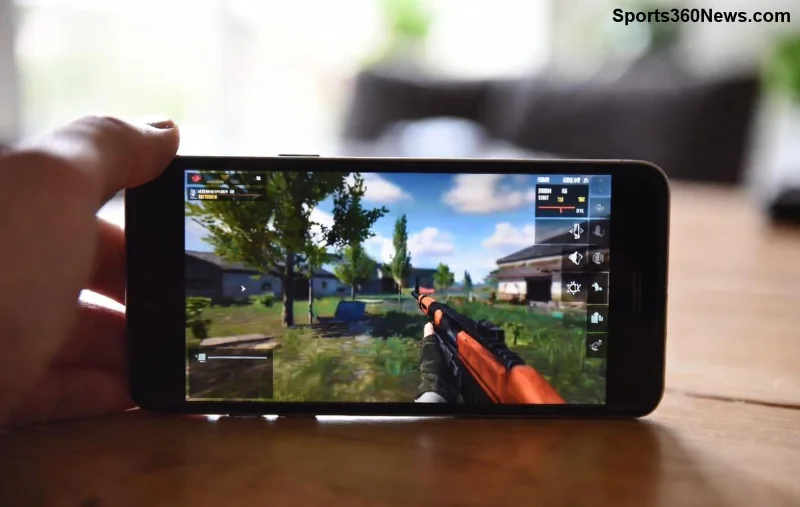
Imagine peeking around a corner in PUBG Mobile, spotting an enemy, and landing headshots without exposing your full body. That's the magic of the Lean and Fire feature. This game-changer lets you lean left or right while firing, minimizing your hitbox and maximizing your edge in intense firefights. Whether you're a seasoned squad leader or climbing the ranks solo, mastering Lean and Fire can skyrocket your KD ratio. Ready to level up? Let's dive into the essentials and pro strategies that top players swear by. 🚀
What is Lean and Fire in PUBG Mobile?
The Lean and Fire mechanic simulates real-life cover usage, allowing you to tilt your character sideways from behind walls, doors, or windows. It reduces your visible profile by up to 50%, making it harder for foes to hit you while you unleash precise shots. Activated in the latest updates, this feature shines in close-quarters combat (CQC) and mid-range engagements.
Key Benefits:
- ⭐ Smaller hitbox for survival.
- ✅ Quick peeks without full exposure.
- 🎯 Improved aim stability during leans.
How to Activate and Use Basic Lean and Fire
Getting started is simple—customize your controls first for seamless execution. Head to Settings > Controls > Customize Layout.
| Platform |
Lean Left |
Lean Right |
Lean and Fire Tip |
| Mobile (Default) |
Left side of screen (hold) |
Right side of screen (hold) |
Tap fire button while leaning for instant shots. |
| Gyroscope Users |
Swipe left on screen |
Swipe right on screen |
Combine with ADS for pinpoint accuracy. |
| Claw Grip (4-finger) |
Thumb on index button |
Index finger dedicated |
Practice auto-lean toggle for speed. |
1️⃣ Step 1: Position behind cover (wall, crate).
2️⃣ Step 2: Hold lean button—your character tilts.
3️⃣ Step 3: Aim down sights (ADS) and fire. Release to snap back.
Pro Tip: Enable "Peek and Fire" in settings for auto-lean on ADS. This shaves off precious milliseconds in heated battles!
Advanced Lean and Fire Techniques for PUBG Mobile Domination
Basic leans win skirmishes, but pros chain techniques for chicken dinners. Here's how to elevate your game:
Jiggle Peeking
Spam lean left-right rapidly to bait shots and reveal enemy positions. Alternate holds (0.2-0.5 seconds) while pre-firing corners. Perfect for Erangel's houses or Sanhok's bushes.
Quick Lean Swaps
In duo/squads, communicate: "Lean left, covering!" Swap sides to confuse enemies. Use voice chat for <I'm lean left> pings.
Gyro + Lean and Fire Combo
Enable gyroscope in settings. Tilt device left/right for leans while thumb-firing. Sensitivity: Camera 120-150%, ADS 100-130%. This mimics PC mouse precision on mobile.
![Advanced PUBG Mobile Lean and Fire jiggle peek in action]()
Weapon-Specific Mastery
| Weapon Type |
Best for Lean and Fire |
Why It Works |
Loadout Reco |
| AR (M416, SCAR-L) |
Mid-range peeks |
Low recoil, stable ADS |
Compensator + Vertical Grip |
| SMG (UMP45, Vector) |
CQC doors/windows |
High fire rate, hip-fire lean |
Extended Mag + Laser Sight |
| Sniper (Kar98k, M24) |
Long peeks |
One-shot potential |
Cheek Pad + 8x Scope |
Attach suppressors to stay stealthy—enemies hear less, peek more blindly. 😎
Common Mistakes to Avoid with Lean and Fire
Even veterans slip up. Dodge these pitfalls:
- ❌ Over-leaning: Holding too long exposes you to flanks. Quick tap only!
- ❌ No cover alignment: Lean must hug walls perfectly—test in training mode.
- ❌ Ignoring sound cues: Footsteps? Pre-lean and pre-fire.
- ❌ Wrong sensitivity: Tweak in training grounds until leans feel snappy.
Practice in PUBG Mobile's Training Mode or Arcade for muscle memory. Aim for 80% hit rate on leaning bots.
Pro Player Insights and Real-Match Scenarios
Watch pros like PUBG Mobile's official channel—they lean-fire 70% of engagements. In Livik, use it for rooftop duels; in Miramar, compound clears.
Squad Synergy: One leans left, another right—crossfire heaven! Solo? Drop hot, loot fast, lean from vehicles.
Training Drills to Perfect Your Lean and Fire
Daily 15-min routine:
- ⭐ 5 mins: Static leans on targets.
- ⭐ 5 mins: Jiggle vs. bots.
- ⭐ 5 mins: TDM matches focusing leans only.
Track progress: From 2.0 KD to 5.0? It's possible. Share your stats in comments—what's your go-to lean weapon? 👇
Final Boost: Customize for Victory
Fine-tune HUD: Enlarge lean buttons, opacity 70%. Update to the newest patch for refined lean animations. Now, drop in, lean smart, and fire to win. Your next Conqueror push starts here! 🏆
Mastered Lean and Fire? Experiment in custom rooms with friends. What's your best lean clutch story? Drop it below and keep grinding!