Home
» 🎮 Esports
»
Master Your Gaze: How to Calibrate Eye Tracking on PlayStation VR2
Master Your Gaze: How to Calibrate Eye Tracking on PlayStation VR2
Master Your Gaze: How to Calibrate Eye Tracking on PlayStation VR2
Quick answer: On your PS5, open Settings > Accessories > PlayStation VR2 > Eye Tracking. Turn on Enable Eye Tracking if needed, then choose Adjust Eye Tracking. Wear the headset in a stable, comfortable position, keep your head still, and follow the on-screen dot with your eyes. Sony’s setup guide gives the same core instruction: follow the dot and avoid moving your head during calibration.
This guide explains how to calibrate eye tracking on PlayStation VR2, check that it is enabled, and separate gaze-tracking problems from ordinary headset-fit or image-clarity issues. The procedure is in the PS5 settings menu; a PS VR2 Sense controller is not required to track the calibration target, but keep your controller nearby to navigate the console.
What PS VR2 eye tracking does
The PS VR2 uses eye tracking to detect where you look. Depending on the game, that input can affect interactions, character responses, or eye-tracked foveated rendering, which gives more rendering detail to the area you are viewing. The feature is game-dependent: not every PS VR2 title uses gaze input or foveated rendering, and calibration will not add those features to a game that does not support them.
Calibration aligns tracking with your eyes while you wear the headset. It is different from adjusting lens distance or headset position to make the whole image clearer. If the entire view looks blurry, check the fit and lens alignment first rather than assuming eye tracking is the cause.
Before you calibrate: fit the headset and clean the lenses
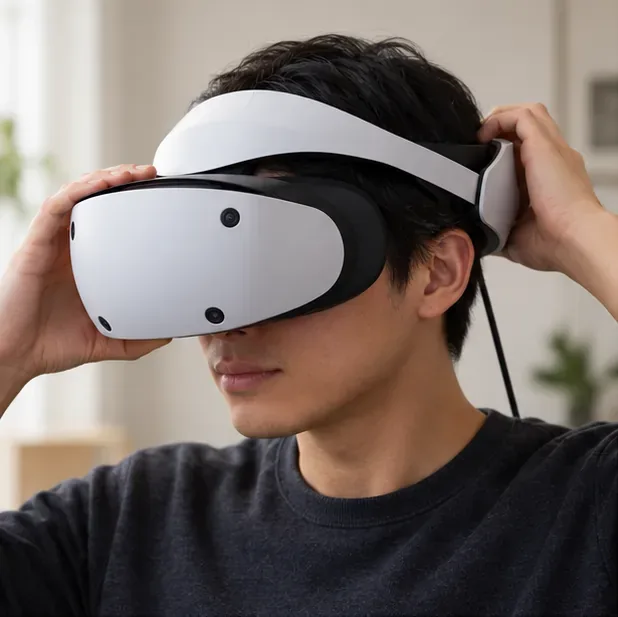
Settle the headband and scope so the headset stays in position while you follow the calibration targets.
Wear the headset securely. Position the headband low on the back of your head, bring the scope toward your face, and tighten the band enough to keep it steady without discomfort.
Center your eyes in the lenses. Use the lens adjustment dial and Sony’s visibility adjustment if needed. Sony says glasses can remain on while wearing PS VR2; make sure they do not press against the headset lenses.
Clean smudges safely. Disconnect the headset before cleaning. For the lenses, Sony recommends only a soft, dry cloth made for lens cleaning. Do not use paper towels, tissues, alcohol, or other chemical cleaners.
Sony’s room-light advice is for the headset to track your surroundings: the setup guide says to turn on room lights and avoid direct sunlight. That is not a recommendation to dim the room for eye calibration.
How to calibrate eye tracking on PlayStation VR2
Step 1: Start the PS5 and headset
Turn on PS5 and PS VR2, sign in to the profile using the headset, and check that the PS5 system software is current.
Step 2: Open the Eye Tracking settings
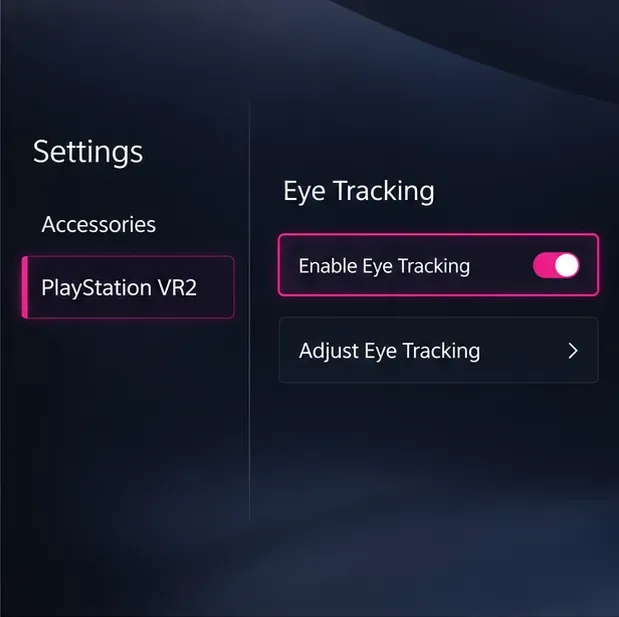
From the PS5 home screen, select Settings > Accessories > PlayStation VR2 > Eye Tracking. You can also reach PS VR2 settings from the Control Center while using the headset.
Step 3: Enable eye tracking
Select Enable Eye Tracking. If it is already on, leave it enabled and choose Adjust Eye Tracking.
Step 4: Follow the calibration target
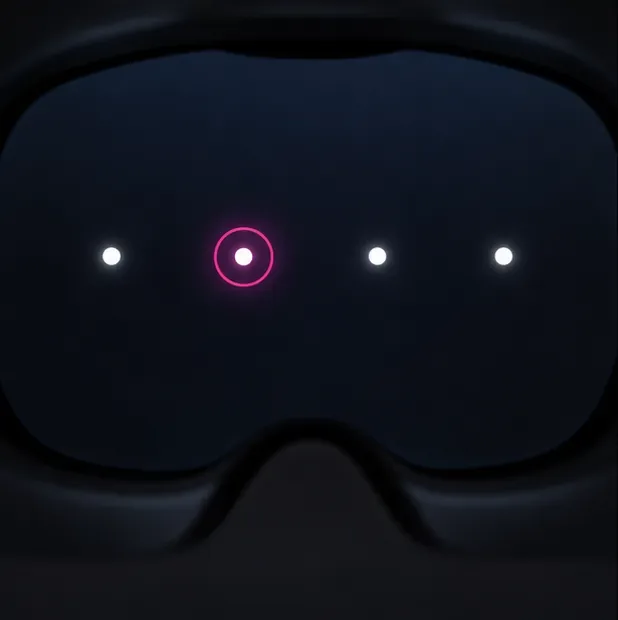
Keep your head as still as you can and look at the dot as it moves on screen. Move your eyes to follow it, not your whole head. Follow any additional on-screen prompts until the console confirms the adjustment.
Step 5: Check it in a compatible game
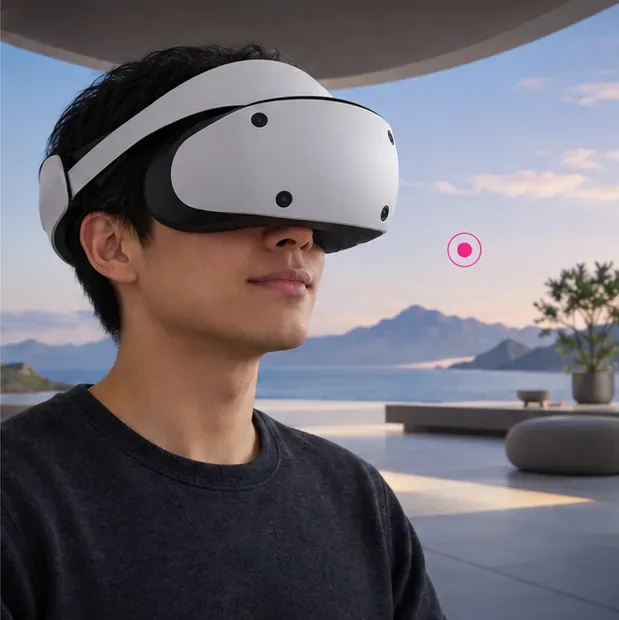
Return to the game and enable any eye-tracking option the game provides. Look at a gaze-responsive element or target to check that the input follows your eyes. The effect varies by game.
The relevant options are Enable Eye Tracking and Adjust Eye Tracking under the PS VR2 Eye Tracking settings.During calibration, follow the on-screen target with your eyes while keeping your head steady.
PSVR2 eye tracking troubleshooting
What you notice
What to check
What to do
Eye Tracking is missing or off
The headset may not be on, or the feature may be disabled.
Turn on PS VR2, then check Settings > Accessories > PlayStation VR2 > Eye Tracking and enable it.
The target does not seem to follow your gaze
The headset may have shifted or your eyes may not be centered in the lenses.
Reposition the scope and headband, adjust lens distance, then run Adjust Eye Tracking again while keeping your head steady.
The entire image looks blurry
Image clarity depends on headset position and lens spacing, not only gaze calibration.
Use the PS VR2 Adjust Visibility controls and lens dial. Clean the lenses with a soft, dry lens cloth if they are smudged.
Eye tracking works in one game but not another
Games choose which PS VR2 features they support.
Check the game’s settings and feature information. Eye tracking and foveated rendering are not universal across every title.
The headset loses the room or player position
This may be headset tracking rather than eye tracking.
Check room lighting and the headset’s tracking-camera settings separately; rerunning eye calibration does not recalibrate the room camera.
If calibration still fails after you have corrected the fit and repeated the on-screen process, check for a PS5 system software update and consult PlayStation’s PS VR2 setup and eye-tracking instructions. Avoid changing room brightness as a trial-and-error eye-tracking fix; Sony’s lighting instructions concern tracking the play space.
When should you recalibrate?
Sony does not prescribe a weekly calibration schedule. Run Adjust Eye Tracking when the console’s prompts call for it or when gaze input appears inaccurate after you have repositioned the headset. If the whole scene is unclear, adjust headset visibility and lens spacing before repeating calibration.
Use a gaze-responsive feature in a compatible game to check the result; the exact response depends on the title.