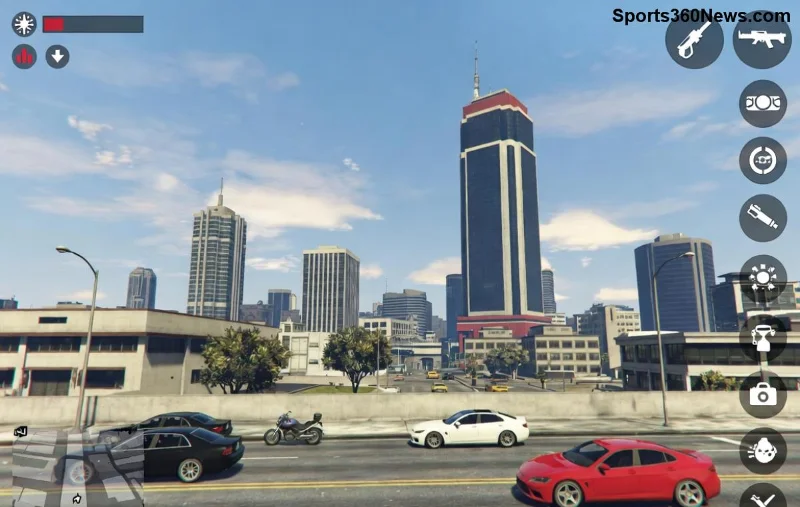
Are you torn between the high-octane chaos of GTA Online and the immersive storytelling of GTA RP? Both modes bring Grand Theft Auto V to life in wildly different ways, captivating millions of players worldwide. Whether you're grinding heists or living out epic character arcs, understanding these differences will supercharge your gaming experience. Let's dive straight in! 👇
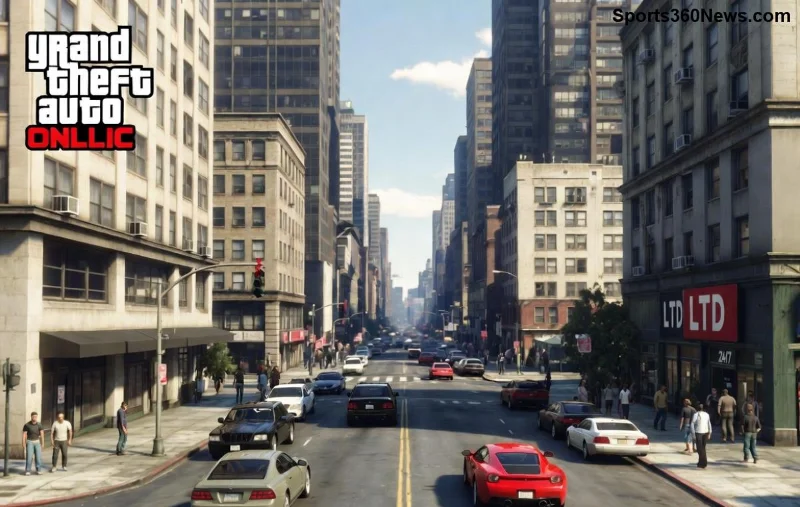
What is GTA Online? The Official Multiplayer Madness
GTA Online is Rockstar Games' official multiplayer mode for Grand Theft Auto V. Launched alongside the game, it has evolved into a massive open-world playground with constant updates, new vehicles, and billion-dollar economies.
- ⭐ Core Gameplay: Free-roam with missions, heists, races, and adversary modes. Jump in, cause mayhem, or team up for big payouts.
- 👍 Economy & Progression: Buy apartments, yachts, businesses like nightclubs or arcades. Shark Cards speed up grinding.
- 🔥 Social Features: Friends lists, crews, voice chat – pure action-packed fun with strangers or buddies.
It's all about adrenaline: Steal supercars, battle griefers, or dominate leaderboards. Perfect for casual sessions! But if you crave deeper stories... enter GTA RP.
What is GTA RP? Roleplay Servers That Redefine GTA
GTA RP (Grand Theft Auto Roleplay) thrives on community-run servers using mods like FiveM or RageMP. Players create detailed characters and stick to roleplay rules – no random violence, always stay in character!
- ⭐ Immersion First: Become a cop, streamer, mechanic, or crime lord. Everyday life in Los Santos with jobs, relationships, and drama.
- 👍 Custom Servers: No Man's Sky-inspired worlds like NoPixel or Eclipse RP, with unique economies and whitelists for quality.
- 🔥 Community-Driven: Live events, heists planned in-character, and Twitch streams turning pros like xQc into stars.
Recent surges in popularity come from viral clips and celebrity streamers, making GTA RP a storytelling powerhouse.
GTA Online vs GTA RP: Head-to-Head Comparison Table
Ready for the ultimate breakdown? Here's a clear GTA Online vs GTA RP table highlighting the core differences:
| Feature |
GTA Online |
GTA RP |
| Gameplay Style |
Action-packed, PvP-focused, missions & heists |
Roleplay immersion, story-driven, in-character interactions |
| Rules |
Rockstar's guidelines; random deathmatches OK |
Strict RP rules; bans for breaking character |
| Economy |
Shark Cards, businesses generate passive income |
Server-specific; earn via jobs, no pay-to-win |
| Customization |
Cars, clothes, properties – official content |
Modded outfits, custom maps, voice changers |
| Player Interaction |
Voice chat, crews, quick lobbies |
Text/voice RP, whitelists, long-term stories |
| Accessibility |
Free with GTA V, all platforms |
PC only (FiveM), apply to servers |
| Updates |
Rockstar weekly content drops |
Server admins add newest mods |
![GTA RP immersive roleplay scene with characters interacting]()
1️⃣ Top Reasons GTA RP Feels Worlds Apart
Beyond the table, here are standout GTA Online vs GTA RP contrasts that hook players:
- Power Fantasy vs Realism: GTA Online lets you spawn OP vehicles instantly. GTA RP? Grind as a pizza delivery guy first – the progression feels earned! 😎
- PvP Chaos vs RP Drama: Tired of tryhards ruining your heist? RP bans OOC violence, fostering alliances and betrayals like a soap opera.
- Short Bursts vs Epic Sagas: Online sessions last hours; RP characters live weeks, with marriages, gangs, and court trials.
Pros & Cons: Which One Wins for You? 🏆
GTA Online Pros: Instant access, cross-play, endless official content. Cons: Grindy, toxic lobbies.
GTA RP Pros: Unmatched creativity, tight communities. Cons: PC-only, application waits, rule learning curve.
Many players alternate: Grind cash in GTA Online, then export to GTA RP for stories. Pro tip: Use the same Steam account for seamless transfers!
How to Jump into GTA RP Today (Step-by-Step) 🚀
- Own GTA V on PC.
- Download FiveM – the top mod for GTA RP servers.
- Pick a server: NoPixel for pros, or beginner-friendly like GTA World.
- Apply via Discord – craft a backstory!
- Practice RP: "Hey, how's the traffic?" not "GG ez noob."
Stick around for rising servers with the newest custom jobs and vehicles – the scene evolves daily!
Final Verdict: GTA Online or GTA RP? Why Not Both? 🔥
Neither is "better" – GTA Online delivers raw GTA thrills, while GTA RP unlocks emotional depth and creativity. With GTA RP servers booming via streamers, now's the perfect time to try. Which side are you on? Drop your stories below and level up your GTA game! 👇
Stay tuned for more GTA guides – your ultimate Los Santos adventure awaits!