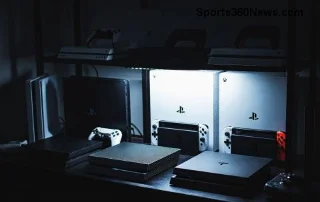
Is the PlayStation 5 Still Worth Buying in 2026? The Honest Verdict
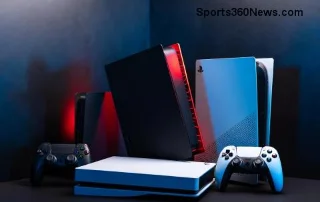
Yes, the PlayStation 5 is still worth buying in 2026 if you want its current game library, a straightforward living-room setup, and access to most of your PS4 collection. The catch is value: the console price depends on your country and the deal in front of you, and games, storage, and online play can add to the bill. For most first-time buyers, the standard PS5 is the sensible choice. The PS5 Pro is for people who will notice and pay for its supported visual upgrades.
This is not a blanket recommendation. If your current console already plays the games you want, or your preferred titles are on a platform you own, you do not need a PS5 just because it is 2026. But if there are several PS5 games you genuinely want to play, the system remains a capable way to play them.
Is the PS5 outdated in 2026?
No. The standard PS5 still offers fast SSD loading, ray tracing in supported games, and DualSense features such as haptic feedback and adaptive triggers in selected titles. Sony lists output up to 120Hz, but that does not mean every game runs at 120 frames per second. Resolution, frame rate, and graphics modes depend on the game, and a compatible high-refresh display is needed to see the benefit. Treat promises like “4K at 60 FPS” as a title-specific result, not a guarantee for the whole console library.
That caveat aside, the PS5 remains a good fit for people who want to start a game without tuning PC settings. Its controller features can add a noticeable layer of feedback when a game supports them, while its solid-state storage keeps many games feeling responsive. Check the official PS5 feature list for details on compatible displays, VRR, audio, storage, and controller features.
The game library is the strongest reason to buy
The real question is not whether the PS5 can display impressive graphics; it is whether you want to play its games. The PlayStation library includes action adventures, role-playing games, racing games, sports titles, multiplayer releases, and a large selection of third-party games. Familiar examples include Astro Bot, Marvel’s Spider-Man 2, God of War Ragnarök, Horizon Forbidden West, and Gran Turismo 7. These are examples to compare against your own tastes, not a claim that every one is exclusive to PlayStation forever.
There is also a concrete 2026 reason the platform is still active: PlayStation Store lists Marvel’s Wolverine as a PS5 game released on September 15, 2026. A new release does not make a console a good purchase by itself, but it is a useful sign that the PS5 is still receiving major games this year.
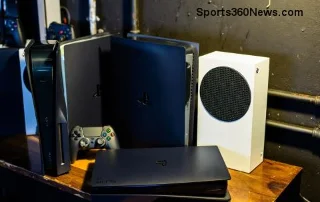
Already own PS4 games? Sony says the PS5 plays the vast majority of PS4 titles, with a small list of exceptions. Some games benefit from Game Boost, but performance improvements and free PS5 upgrades are not universal. Check the compatibility and upgrade notes for the specific games you own before counting them as savings. For disc copies, you need a PS5 model with a disc drive; PS4 discs do not work in the all-digital edition. See Sony’s PS4-to-PS5 compatibility guidance.
PS5 vs. PS5 Pro: which one makes sense?
| Option | Best for | Trade-off to consider |
|---|
| Standard PS5 | Most new buyers who want PS5 games and strong performance without paying extra for enhanced rendering. | Its visual and frame-rate modes vary by game; do not expect every title to run at maximum resolution and frame rate together. |
| PS5 Pro | Players with a 4K display who care about higher image quality, ray tracing, or smoother modes in supported games. | Pro-specific enhancements are game-dependent, and the console costs more. Its 2TB built-in SSD is useful, but does not make it a better value for every player. |
| Wait or keep your current system | Anyone without a must-play PS5 game, or whose current console already meets their needs. | You miss the PS5 library for now, but avoid spending on a system you may barely use. |
Sony describes the Pro’s PSSR upscaling, more advanced ray tracing, and 2TB of storage, and notes that its enhanced features apply to compatible games. In other words, the PS5 Pro vs. PS5 decision is about particular games and your display—not a required upgrade to play the PS5 library. Review the official PS5 Pro feature page and its enhanced-game list before paying a premium. If the standard PS5 is already in your home and performs well for your games, the Pro is optional.
What does a PS5 really cost?
There is no single worldwide PS5 price in 2026. Retail pricing, taxes, stock, bundles, and promotions vary by region and seller, so an old dollar estimate can mislead readers elsewhere. Compare the current price of the exact model in your local PlayStation store and reputable retailers. A bundle is only a bargain if you actually want the included game or accessory.
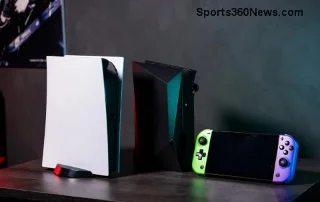
Also compare the full cost of playing, not just the console. If you prefer physical games, a disc-drive model can let you use compatible discs and shop from physical-game sellers. The all-digital model means buying downloads through the store; that convenience may suit you, but it removes disc-based borrowing and resale. Some slim digital models support a separately sold disc drive, but compatibility depends on the exact model. Read the product listing carefully before buying.
Storage is another model-by-model detail. Current and older PS5 revisions can list different SSD capacities, and some storage is reserved for system software. If you keep several large games installed, check the available space and the cost of a compatible M.2 SSD. Online multiplayer and subscription catalogs can add recurring costs too. PlayStation Plus has multiple tiers: Essential covers core benefits such as online multiplayer and monthly games, while higher tiers add a changing game catalog and other features. Names, prices, and benefits differ by region, and catalog titles can rotate. Check the current PlayStation Plus page for your region instead of relying on a fixed monthly price or a promise of a permanent game library.
Who should buy a PS5 in 2026?
- Buy the standard PS5 if you can name several games you want to play, want a console that is easy to set up, or have a PS4 collection you would like to carry forward.
- Consider the PS5 Pro if you own a suitable 4K display, value its supported visual improvements, and the local price difference fits your budget.
- Choose a disc-drive model if you have PS4 or PS5 discs, borrow games, collect physical editions, or want to compare physical-game prices. Verify the model’s drive configuration before ordering.
- Wait if your current platform covers your gaming needs and no PS5 release is pulling you in. Base the decision on games and an announced plan you can verify, rather than rumor alone.
Before checkout, make a short list of the first three games you would buy or play, compare console-only and bundle pricing where you live, decide whether you need a disc drive, and include any subscription or storage upgrade you expect to use. If that total feels reasonable for the hours you expect to play, the PS5 is a sound purchase. If you are stretching your budget for one title, waiting for a sale or borrowing a friend’s console may be smarter.
Frequently asked questions
Is the PS5 worth buying if I already own a PS4?
It can be, especially if you want PS5-only releases, shorter loading, or an improved version of a game you already own. Most PS4 games work, but check individual compatibility and upgrade terms; do not assume every upgrade is free.
Do all PS5 games run at 4K and 60 FPS?
No. The console supports high-resolution output and some games offer 60 FPS or higher modes, but each game’s settings differ. A compatible display is also required for features such as 120Hz or VRR.
Should I buy the PS5 Pro instead of the standard PS5?
Only if the Pro’s supported enhancements are important to you and justify its extra cost in your region. Both belong to the PS5 family; you do not need the Pro to play PS5 games.
Is waiting for the next PlayStation console better?
That depends on how urgently you want to play the current PS5 library. If your current setup works, waiting costs you nothing but time. If you want several PS5 games now, buy based on the verified price and features available today rather than an unconfirmed timetable.
Final verdict
The PlayStation 5 is still worth buying in 2026 for the right player. Its active game library, broad PS4 compatibility, fast storage, and simple setup remain compelling. The standard model is the value pick for most people; the Pro is a targeted upgrade for players who care about its supported image and performance improvements. Check the exact model, local price, game compatibility, and recurring costs before committing—and let the games you will actually play make the final call.