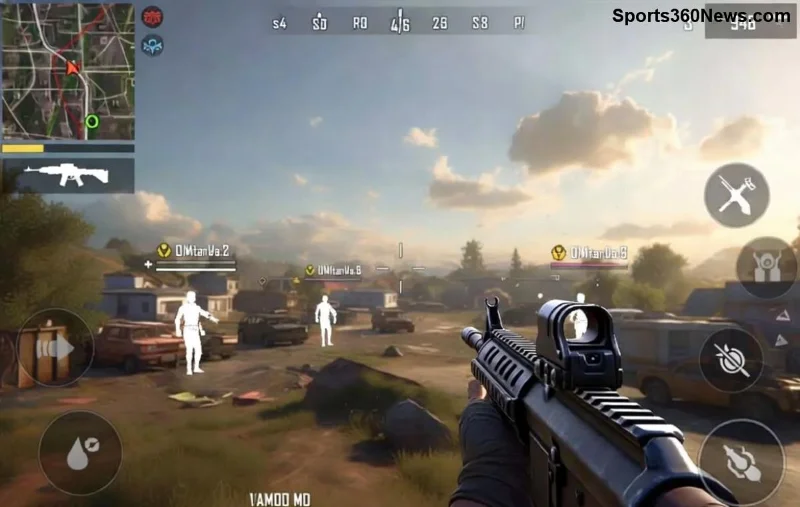
Hey, fellow PUBG Mobile warrior! 😎 Nothing kills the thrill of a chicken dinner like frustrating PUBG Mobile lag on your 3GB RAM Android phone. Dropped frames, stuttering, and input delays during intense Erangel drops? We've all been there. But don't rage-quit yet! This guide packs the latest, battle-tested fixes to transform your low-spec device into a lag-slaying beast. Expect smooth PUBG Mobile at 60-90FPS even on potato hardware. Ready to dominate? Let's dive in! 👊
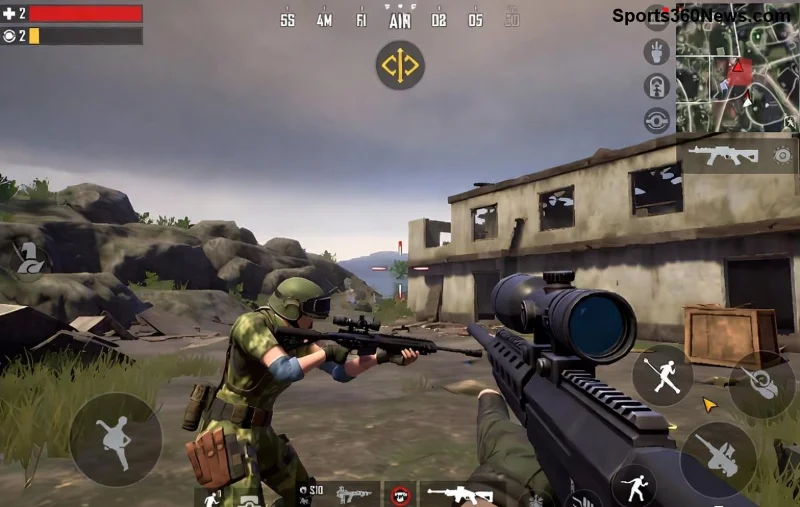
⭐ Step 1: Master In-Game Graphics Settings for Instant FPS Boost
The fastest way to crush PUBG Mobile lag on 3GB RAM Android starts right in the game menu. PUBG Mobile's latest updates let you dial down visuals without sacrificing fun. Head to Settings > Graphics.
| Setting |
Recommended for 3GB RAM |
Why It Helps |
| Graphics Quality |
Smooth |
Reduces GPU load by 40-50%, skyrockets FPS |
| Frame Rate |
High (60FPS) |
Balances smoothness without overheating |
| Style |
Classic |
Minimal shaders for low-end devices |
| Anti-Aliasing |
Disabled |
Cuts lag spikes in busy areas |
| Shadows |
Disabled |
Frees up 20% RAM, no visual compromise |
| Auto-Adjust Graphics |
Disabled |
Prevents random drops during matches |
Pro Tip: Enable "Extreme" frame rate if your device handles it—test in Training Mode first! These tweaks alone can boost FPS by 30-50%. Feeling the difference already? Great, but we're just warming up. Next: RAM liberation! 💥
👍 Step 2: Free Up RAM and Clear Junk for Non-Stop Performance
Your 3GB RAM Android is a multitasking nightmare for PUBG. Background apps gobble memory like pros looting crates. Here's how to reclaim it:
- Close Background Apps: Swipe away everything before launching PUBG. Use your phone's built-in RAM cleaner (like on Samsung or Xiaomi Game Turbo).
- Clear PUBG Cache: Settings > Apps > PUBG Mobile > Storage > Clear Cache (not data!). This fixes corrupted files causing stutters.
- Uninstall Bloatware: Ditch unused apps. Free up at least 2GB storage—PUBG runs silkier with breathing room.
- Enable Developer Options: Tap Build Number 7x in About Phone. Set Background Process Limit to "At most 2 processes." Game-changer for low RAM!
Bonus: Activate your phone's Game Booster or Game Mode (One UI, MIUI, etc.). It prioritizes PUBG, killing distractions. Players report 20-30% less lag post-cleanup. Pumped? Time for pro tools! 🚀
🔧 Step 3: Unlock Power with GFX Tools (Safe & Latest Versions)
For ultimate PUBG Mobile lag fix on 3GB RAM, GFX Tools are legends. They force unsupported settings like HDR + Extreme FPS. Download from trusted sources only to avoid bans.
- Recommended Tool: Latest GFX Tool for PUBG Mobile (Google Play verified apps).
- Key Settings:
- Resolution: 720p
- Graphics: Potato/Extreme
- Frame Rate: 90FPS Unlock
- Zero Lag Mode: Enabled
Warning: Use at your own risk—official PUBG stance is against third-party tools, but millions use them ban-free. Test in unranked first. Combined with in-game tweaks, hit 90FPS stable! Who's ready for those headshots? 🎯
![GFX Tool optimizing PUBG Mobile on low RAM Android device]()
🌐 Step 4: Conquer Network Lag for Ping Under 50ms
Lag isn't always hardware—PUBG Mobile lag often hides in bad connections. Optimize like this:
- Switch to WiFi 5GHz: Faster, stabler than 2.4GHz. Use Ethernet adapter if possible.
- Enable Game Accelerator: PUBG's built-in VPN routes to low-ping servers.
- Close Bandwidth Hogs: Pause downloads, streaming.
- Custom DNS: Set to 1.1.1.1 (Cloudflare) in WiFi settings—slashes ping by 20ms.
Table for quick ping check:
| Server |
Ideal Ping (3GB RAM) |
Action if High |
| Asia |
<50ms |
Switch to Europe |
| Europe |
<80ms |
VPN to SEA |
| NA |
<100ms |
WiFi only |
These nets fixes eliminate rubber-banding. Almost pro-level now? Last push: device TLC! 😤
🔥 Step 5: Advanced Device Tweaks & Maintenance
Keep your rig cool and lean:
- Cool Down: Play in AC, avoid cases during sessions. Throttling kills FPS.
- Update Everything: PUBG Mobile, Android OS, Google Play Services—latest patches optimize low-end perf.
- Battery Saver Off: Switch to Performance Mode.
- Headphone Mode: Wired audio reduces Bluetooth drain.
For extras, check PUBG Mobile official site for device compatibility lists.
![PUBG Mobile high FPS after full lag optimization on 3GB RAM phone]()
🏆 Wrap-Up: Your Path to Lag-Free PUBG Glory
Congrats, squad leader! You've got the full arsenal to fix PUBG Mobile lag on 3GB RAM Android devices. Start with graphics & RAM, layer on GFX and nets—watch enemies eat your dust at 90FPS. Share your before/after FPS in comments! Still lagging? Drop your device model below—we'll troubleshoot. Drop hot, play smart, and claim those victories. GG! 🎉