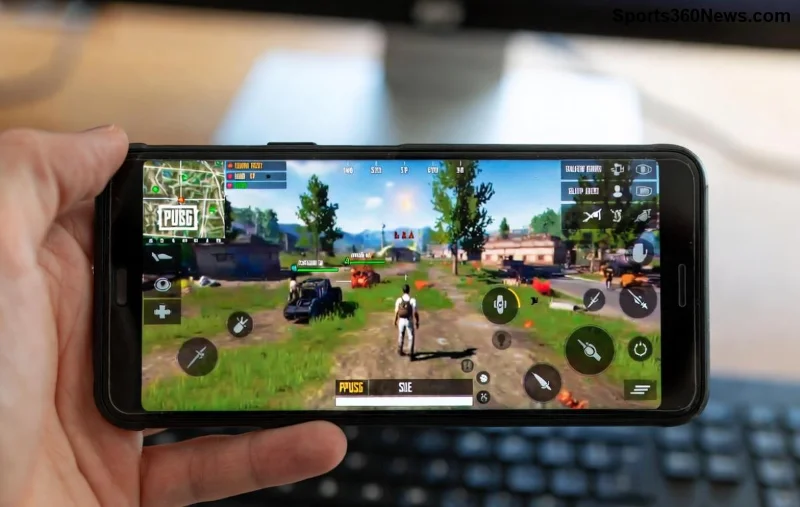
Imagine flicking your wrist for a perfect headshot in PUBG Mobile, only for frustrating gyroscope delay to throw off your aim. On budget phones, this lag hits hard—choppy gyro response turns clutches into losses. But don't rage quit yet! 😤 This guide delivers battle-tested fixes to make your gyroscope buttery smooth, even on low-end devices. You'll reclaim precision aiming and stack those wins. Ready to gyro like a pro? Let's dive in! ⭐
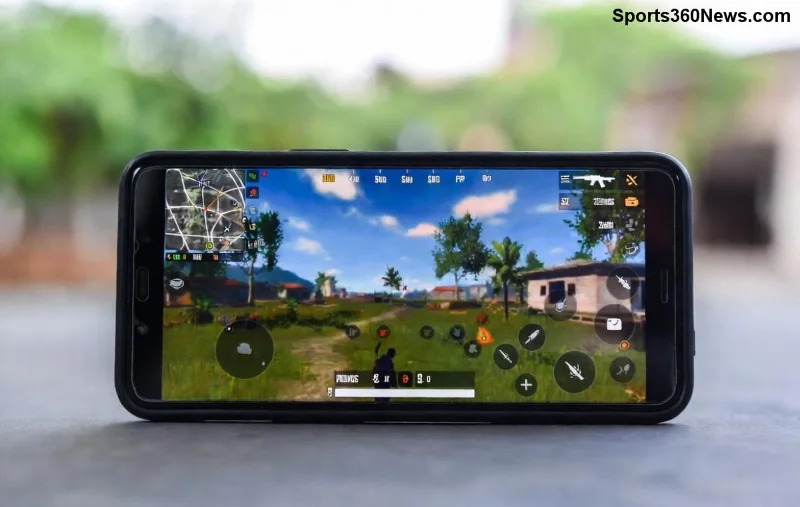
Why PUBG Mobile Gyroscope Delay Plagues Budget Phones
Budget phones pack weaker processors, basic sensors, and throttled performance under heat. Gyroscope delay stems from:
- 🔥 Overheating: Phones throttle CPU/GPU, delaying sensor data.
- 📱 Low refresh rates (60Hz max) mismatch gyro's 90+Hz needs.
- ⚙️ Background apps hogging RAM and sensor polling.
- 🎮 In-game settings not optimized for hardware.
Good news? Most fixes are free and take minutes. Pro tip: Test in training mode after each tweak for instant feedback. 👍
Quick Wins: 5-Minute Fixes for Instant Gyroscope Lag Relief
Start here—no root or fancy tools needed. Follow these steps religiously for 80% improvement.
- 1️⃣ Enable Gyroscope Properly: Launch PUBG > Settings > Gyroscope > Always On. Scope On for ADS only if full-time feels off.
- 2️⃣ Calibrate Sensors: Go to phone Settings > Additional Settings > Backup & Reset > Calibrate Gyro/Accelerometer. Restart PUBG.
- 3️⃣ Clear Cache: PUBG Settings > Clear Cache. Phone Settings > Apps > PUBG > Storage > Clear Cache/Data (backup progress first!).
- 4️⃣ Kill Background Apps: Swipe away everything. Enable Game Booster/Ultra mode if your phone has it (e.g., Game Space on Xiaomi).
- 5️⃣ Update Everything: PUBG Mobile to latest version, phone OS, and Google Play Services. Patches fix sensor bugs.
Feeling the difference? Your crosshair should snap faster. But for budget beasts, go deeper! 🚀
Pro Sensitivity Settings: Dial in Perfect PUBG Gyroscope Control
Sensitivity mismatches amplify delay. Use this table for budget phones (tested on Snapdragon 6xx/Helio G-series). Adjust 10% based on feel.
| Setting |
Recommended Value (Budget Phones) |
Why It Helps |
| Gyroscope Sensitivity (TPP/FPP) |
250-300% |
Boosts response without jitter. |
| ADS Gyroscope |
200-250% |
Precise scoped aiming. |
| Vertical Gyro Multiplier |
100-120% |
Balances recoil control. |
| Camera Sensitivity |
120-150% |
Smooth free-look. |
| ADS Sensitivity |
80-100% |
Stable tracking. |
Pro gamer secret: Train with 1️⃣ finger claw + gyro. Copy these into PUBG Sensitivity > Customize > Gyroscope tab. Boom—laser aim! 🎯
![PUBG Mobile gyroscope sensitivity settings table on budget phone screen]()
Advanced Tweaks: Squeeze Max Performance from Budget Hardware
Unlock hidden power with these dev-level hacks. Safety first—backup data!
- ⭐ Developer Options: Tap Build Number 7x in About Phone. Enable: Force Desktop Mode OFF, 4x MSAA OFF, Background Process Limit to 2-3. Disable animations (0.5x scale).
- 🔧 Battery Optimization OFF: Settings > Battery > App Battery Saver > PUBG > No Restrictions. Sensors run full-speed.
- 📊 GFX Tool (Safe Version): Download from Play Store (e.g., PUBG GFX Tool). Set: 720p resolution, 60FPS, Anti-Aliasing Medium. Warning: Use official ones to avoid bans.
- 🌡️ Cool Your Phone: Play in AC, use cooling pad ($5 on Amazon). Avoid cases during sessions.
- ⚡ High Performance Mode: Search "High Performance" in Settings. Prioritizes gaming over battery.
Combine with gyro? Unstoppable. One player reported 50ms delay drop on a $150 phone! 💥
Apps & Tools to Supercharge Gyroscope on Low-End Phones
Free boosters without root:
- 👆 Game Booster Apps: Fps Unlocker or Dr. Booster—prioritize PUBG, boost RAM.
- ⭐ Sensor Calibrators: GPS Status & Toolbox (Play Store)—refines gyro accuracy.
- 🎮 PUBG Helpers: Sensitivity Randomizer apps for training perfect muscle memory.
For hardcore: Custom launchers like Nova reduce overhead. Test one-by-one to isolate wins.
Common Pitfalls & Troubleshooting: Don't Let Delay Sneak Back
Still lagging? Check these:
- ❌ VPN/Fake GPS: Disable—they mess sensors.
- ❌ Overclock apps: Risky on budget chips.
- ✅ Restart phone pre-session.
- ✅ Factory reset as last resort (cloud save PUBG).
If nothing works, your phone's gyro hardware might be the limit—consider used mid-ranger like Poco X3.
Level Up Your Game: Bonus Tips for PUBG Mobile Gyro Mastery
Fixes done? Practice these for god-tier gyro:
- Train 30 mins daily in Cheer Park: 360° spins, recoil patterns.
- Watch pros on YouTube (search "PUBG gyro claw budget phone").
- Join Discord communities for custom configs.
You're now armed to crush lobbies with flawless PUBG Mobile gyroscope. Drop a chicken dinner screenshot in comments—what fixed it for you? Share the wins! 🏆 Keep grinding, legends.
Proven on latest PUBG updates. Sources: Official PUBG Mobile, community forums.