Home
» 🎮 Esports
»
How to Use a PlayStation Controller on Steam (DualSense & DUALSHOCK 4)
How to Use a PlayStation Controller on Steam (DualSense & DUALSHOCK 4)
How to Use a PlayStation Controller on Steam
Yes, you can use a PlayStation controller on Steam with either a wired USB connection or Bluetooth. The main steps are to connect your DualSense or DUALSHOCK 4 to Windows, confirm Steam detects it, and choose the right Steam Input setting for each game. Controller support and advanced features still depend on the game.
Quick setup: Connect the controller, open Steam > Settings > Controller, and check that it appears. If a game does not respond, open its Steam Library properties and adjust its controller override. You do not need to enter Big Picture mode just to connect a controller, though Big Picture is useful if you want to browse Steam from the couch.
Which PlayStation controllers work with Steam?
Controller
Wired connection
Bluetooth pairing buttons
What to know
DualSense (PS5)
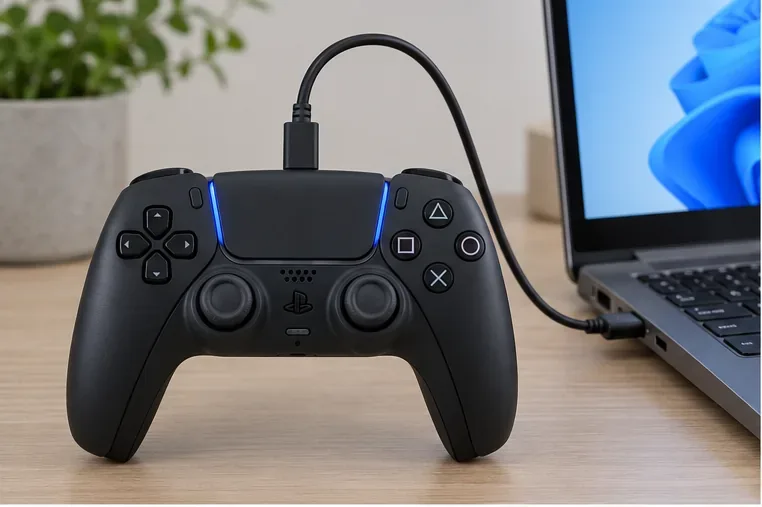
USB-C data cable
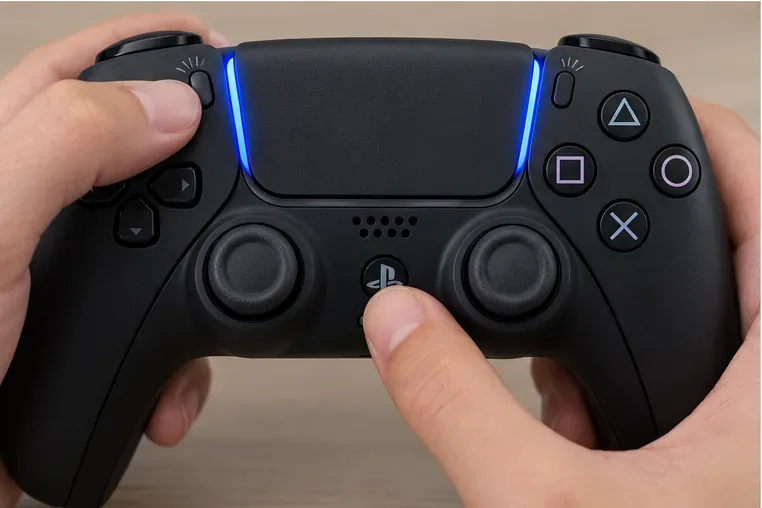
Create + PS
Gamepad input works in compatible games. Haptics and adaptive triggers are game-dependent; PC haptic feedback requires USB in supported titles.
DUALSHOCK 4 (PS4)
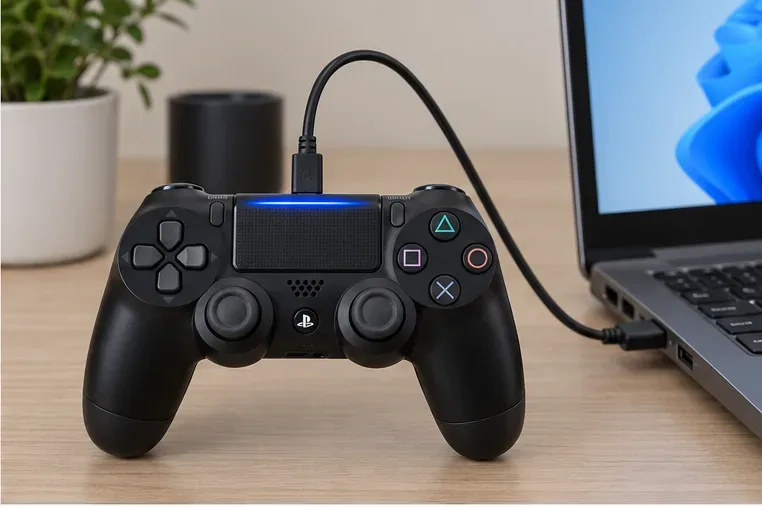
Micro-USB data cable
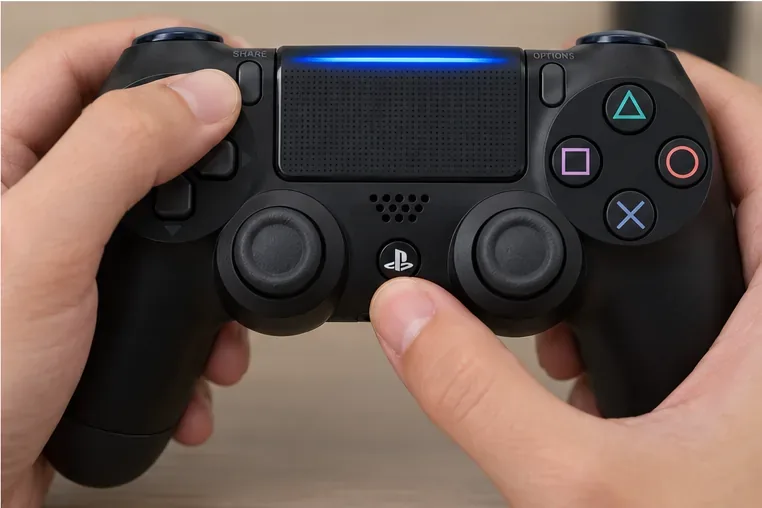
Share + PS
Steam Input can remap its controls. Individual games determine which controller features they use.
If a cable only charges the controller, Windows will not receive its inputs. Use a USB cable that supports data transfer. For Bluetooth, your PC needs built-in Bluetooth or a compatible Bluetooth adapter.
Step 1: Connect the controller to your PC
Use a USB cable
Turn on your Windows PC and connect the controller directly to a USB port with a data-capable cable.
Use USB-C for a DualSense or micro-USB for a DUALSHOCK 4.
Give Windows a moment to recognize the gamepad, then open Steam.
A USB-C data cable provides a simple wired connection for a DualSense controller.The DUALSHOCK 4 uses a compatible micro-USB cable for wired play.
Pair over Bluetooth
First, make sure the controller is off. If its player indicator is on, hold the PS button until it turns off, and unplug any USB cable. Then enter pairing mode:
DualSense: Hold the Create button, then hold the PS button until the light bar flashes.
DUALSHOCK 4: Hold Share, then hold the PS button until the light bar flashes.
Hold Create and PS together until the DualSense light bar flashes.Hold Share and PS together until the DUALSHOCK 4 light bar flashes.
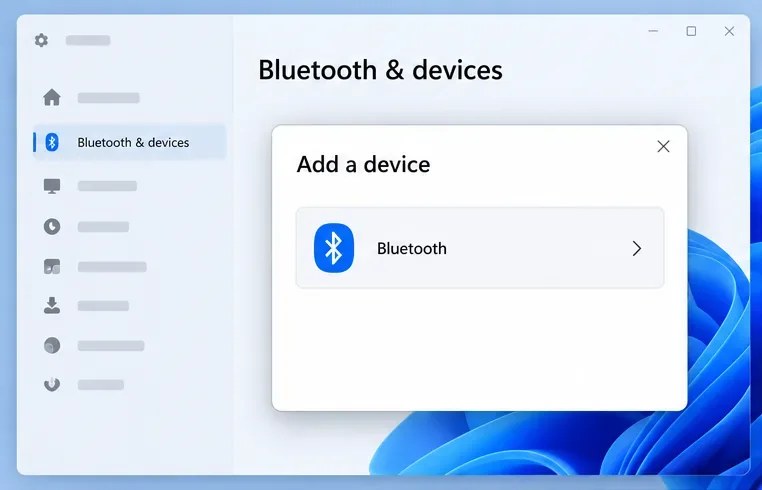
On Windows 11, open Settings > Bluetooth & devices > Add device > Bluetooth. On Windows 10, go to Settings > Devices > Bluetooth & other devices > Add Bluetooth or other device > Bluetooth. Select the controller shown in the device list and wait for Windows to finish pairing. The displayed name can vary.
Choose Bluetooth from Windows’ Add a device dialog to find the controller.
A controller can reconnect to a previously paired device when you turn it on, but switching between a console and PC may require selecting or pairing the PC again. Keep the controller charged before troubleshooting intermittent wireless play.
Step 2: Check the controller in Steam
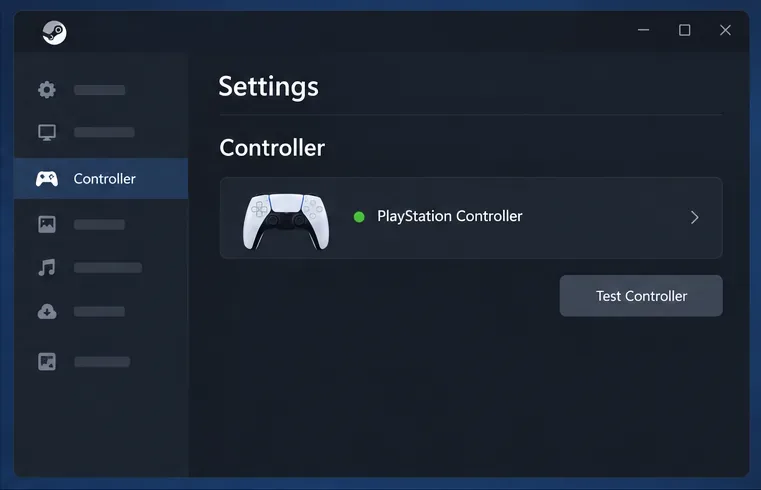
Open Steam and select Steam > Settings > Controller. Steam’s player setup documentation also describes controller settings in the desktop client and Big Picture mode. Look for your connected PlayStation controller in the controller list. Depending on the client version and device, the available support controls may be labeled differently.
If Steam does not show the controller, confirm that Windows says it is connected, reconnect it by USB or Bluetooth, and restart Steam. Close other controller-remapping programs while checking; an extra remapper can make Steam see an emulated gamepad instead of the physical PlayStation controller.
The Steam and Windows panels below are simplified interface illustrations. Screen layout and control labels can vary by software version.
Use Steam’s Controller settings to check whether the client sees the gamepad.
Step 3: Set Steam Input for the game
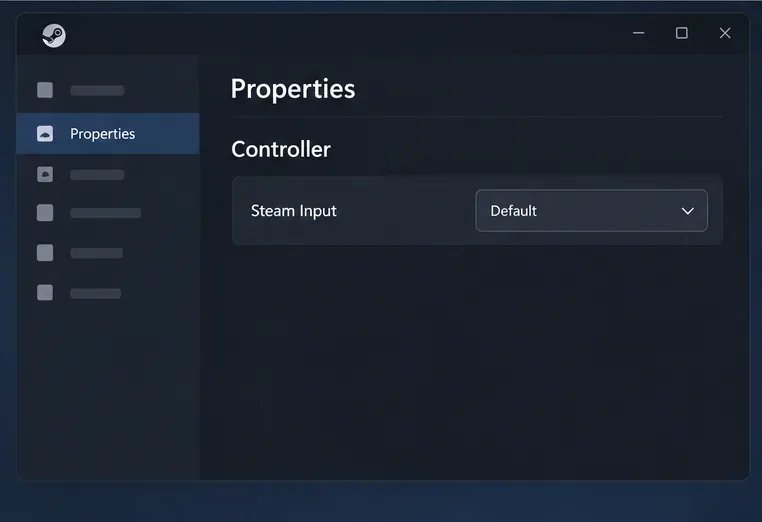
A controller can work in one Steam game and fail in another because each title handles gamepads differently. In your Library, right-click the game, choose Properties, and open Controller. If an override is available, start with the default setting. Change it for that game only if needed:
Use default settings: Let Steam and the game use their normal controller behavior.
Enable Steam Input: Use Steam’s translation and mapping layer when the game needs help recognizing the controller or when you want a custom layout.
Disable Steam Input: Let a game that supports PlayStation input natively handle the controller directly. This can help when Steam Input causes duplicate presses or prevents a game’s native controller features from working.
Restart the game after changing the override. If the menus look different, look for the game’s controller or Steam Input setting in Properties; Steam updates can change the wording.
Steam’s per-game Controller page lets you keep a different input choice for each title.
Step 4: Customize your controller layout
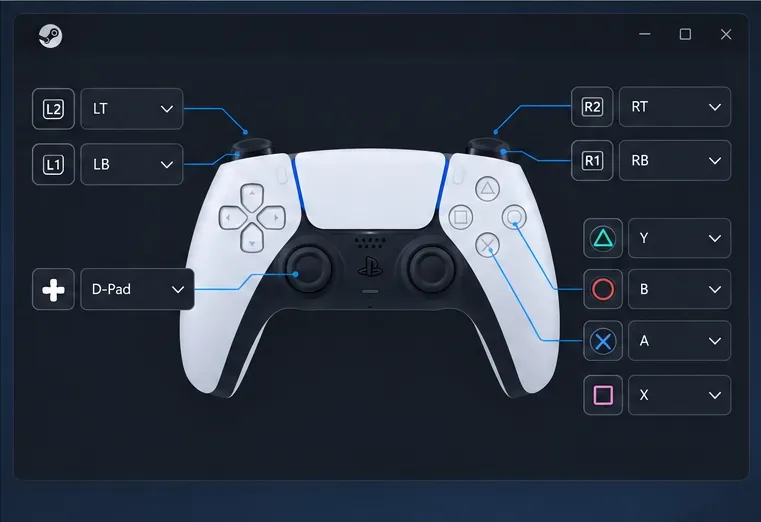
When Steam Input is enabled for a game, open its controller layout or configuration screen. Start with a gamepad template, then remap buttons or adjust stick behavior to suit the game. If community layouts are available, preview one before applying it. Test the result in the game and change only the controls that feel wrong; a per-game layout will not alter every title in your Library.
Steam Input can map physical controller buttons to the inputs a particular game expects.
Steam Input can also translate controller inputs into keyboard or mouse commands where a layout supports those bindings. This is useful for games designed around a keyboard, but it cannot make a game support controller play if the game has no usable controller or input actions.
What to expect from DualSense features on PC
Basic controller input is separate from advanced hardware effects. Sony says adaptive triggers work only when a game supports them, and DualSense haptic feedback on PC requires a USB connection in supported titles. A Bluetooth connection therefore does not guarantee haptics or trigger effects. Check the game’s Steam store page and the developer’s notes for controller support before changing settings to chase a feature the game does not offer.
If a game shows Xbox button icons while the PlayStation controller works, that is usually a prompt style or input-mode choice rather than a pairing failure. Some PC games display Xbox prompts for gamepad input. A native PlayStation input mode or a different Steam Input setting may change the prompts, but the game decides which icons it includes.
Fix common PlayStation controller problems on Steam
Problem
What to try
Windows does not detect the wired controller
Try a different data-capable cable and USB port. A charge-only cable will not carry controller input.
Bluetooth pairing fails
Turn the controller off, disconnect USB, repeat the correct button combination, then remove the old controller entry in Windows and pair it again.
Steam sees no controller
Verify the Windows connection, reconnect the controller, restart Steam, and close other remapping tools while testing.
Only one game ignores input
Check that game’s Steam Store controller-support label and try enabling Steam Input in its Properties. Restart the game after changing the setting.
Buttons trigger twice
Use only one remapping layer at a time. Close DS4Windows or another remapper, or change the game’s Steam Input override and test again.
Rumble, haptics, or adaptive triggers are missing
Confirm the game supports the feature. For DualSense haptics on PC, connect over USB and check the game’s own controller settings.