Home
» 🎮 Esports
»
Top 7 Hall Effect Controller Options for PlayStation in 2026: 4 Picks, DIY & TMR
Top 7 Hall Effect Controller Options for PlayStation in 2026: 4 Picks, DIY & TMR
Quick answer: For a ready-made PS5 controller with Hall Effect sticks, start with the NACON REVOLUTION 5 PRO or Victrix Pro BFG Reloaded. HYPR and HexGaming sell custom Hall Effect builds; eXtremeRate offers a DIY DualSense conversion that requires soldering. The Razer Raiju V3 Pro and NACON REVOLUTION 5 UNLIMITED use TMR sticks, a separate magnetic technology. None should be described as guaranteed “zero drift forever.”
This guide ranks seven PlayStation-ready choices by the published stick technology, PS5 compatibility, customization, and feature trade-offs. It is a specification-based comparison, not a hands-on lab test. Product information was checked on October 17, 2026; prices, stock, warranties, and ship dates vary by region.
Stick shape, grip, and sensor type are separate things to compare when choosing a controller.
What Hall Effect sticks change on a PS5 controller
A conventional thumbstick commonly measures movement through parts that make electrical contact as the stick moves. A Hall Effect joystick senses a magnet’s changing field without using that same contact track. That can reduce wear at the sensing surface and help a controller hold calibration longer, but it does not make every mechanical part indestructible. Springs, centering, calibration, dust, damage, and quality control still matter.
Also, “magnetic” is not one interchangeable specification. TMR thumbsticks use tunneling magnetoresistance sensing, a different technology from Hall Effect. TMR is a relevant anti-drift alternative, but if you specifically want Hall Effect sticks, check the stick sensor itself—not only a product’s triggers. Some controllers use Hall Effect triggers while using TMR sticks, or vice versa.
For PS5, check native console compatibility before buying. A PC or Switch controller with Hall Effect sticks is not automatically compatible with PS5 games. Check the manufacturer’s PS5 compatibility statement before buying. Sony’s official PlayStation accessories page lists licensed partners and compatible products.
Best Hall Effect controllers for PlayStation: 7 picks
Pick
Stick technology
PS5 fit
Best for
Main trade-off
NACON REVOLUTION 5 PRO
Hall Effect sticks and triggers
Licensed PS5 controller
Asymmetrical layout and built-in customization
No haptic feedback or vibration in dedicated PS5 games
Victrix Pro BFG Reloaded
Hall Effect sticks and clutch triggers
Licensed PS5 / PS4 / PC
Modular layouts and fighting games
Many controls and options to configure
HYPR PS5 HE Basic
Hall Effect sticks
Custom PS5 controller; seller states wireless DualSense features
Hall sticks with familiar DualSense feel
Made to order; verify lead time and return terms
HexGaming Phantom
Hall Effect sticks on selected build
PS5-focused custom controller
Calibration and custom controls
Hall sticks and calibration tools depend on configuration
eXtremeRate eXhall
Hall Effect joystick conversion kit
For a compatible PS5 controller; requires installation
DIY upgrade of an existing DualSense
Difficult soldering and desoldering job
Razer Raiju V3 Pro
TMR sticks; Hall Effect analog triggers
Licensed wireless PS5 controller
Competitive play and back buttons
TMR sticks are not Hall Effect sticks; no haptics
NACON REVOLUTION 5 UNLIMITED
TMR sticks; Hall Effect analog trigger mode
Licensed PS5 controller; preorder status varies
On-controller settings and charging dock
Not a Hall Effect-stick model; check release date locally
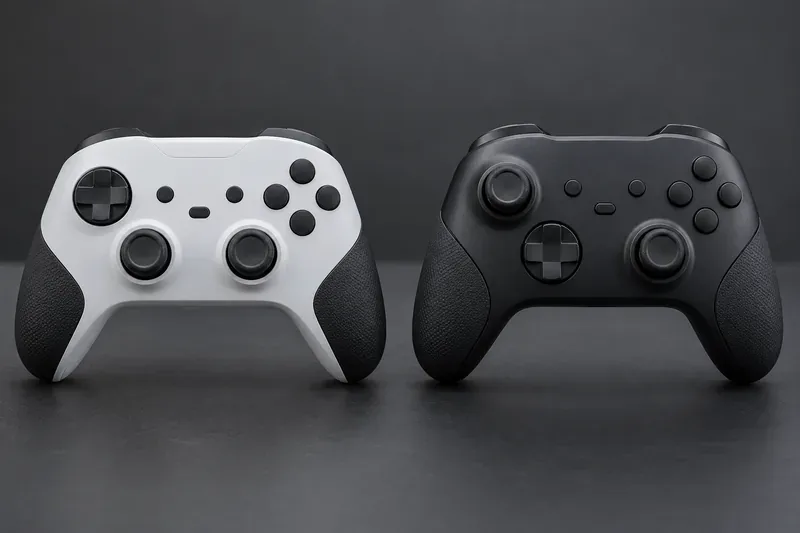
Symmetrical and offset stick layouts change thumb reach and familiarity; they do not determine whether the sticks use Hall Effect sensors.
1. NACON REVOLUTION 5 PRO — best ready-made Hall Effect pick
The REVOLUTION 5 PRO is a licensed PS5 controller with magnetic Hall Effect technology in both its sticks and triggers. Its asymmetrical layout, adjustable weights, alternate stick caps, and saved profiles make it a flexible choice if you want a non-DualSense shape. The trade-off is important: Nacon says its vibration motors work with PC and PS4 games, not dedicated PS5 games, and the controller does not provide DualSense haptic feedback. Choose it for durability features and customization, not immersive DualSense effects.
2. Victrix Pro BFG Reloaded — best modular Hall Effect controller
The PlayStation version of the Victrix Pro BFG Reloaded is officially licensed for PS5 and PS4. The Reloaded includes Hall Effect sticks across its interchangeable stick modules and Hall Effect clutch triggers, with a modular layout, a touchpad, and remappable quick-action buttons. It suits players who switch between shooters and fighting games. Turtle Beach’s PC app handles remapping and fine-tuning, so factor in a setup step if you want to customize profiles. Owners of the earlier Pro BFG can buy the separate Hall Effect Module Pack; it fits the original PlayStation Pro BFG, and the sticks need recalibration after installation.
3. HYPR PS5 HE Basic — best custom build with Hall sticks and DualSense features
The HYPR PS5 HE Basic is sold with Hall Effect thumbsticks. HYPR says its controllers use genuine PS5 internals, pair wirelessly, and retain the native DualSense experience, including haptic feedback and adaptive triggers. That makes it a strong option if you want the familiar PlayStation shape and features while changing the stick sensors. It is a custom order: verify the selected build, current production time, warranty, and return and cancellation terms before checkout.
4. HexGaming Phantom — best configurable Hall Effect package
The HexGaming Phantom is a PS5-focused custom controller based on the original PlayStation design. Its Hall Effect option is configuration-dependent: HexGaming lists builds with Hall sticks and a calibration toolbox, as well as options with Hall sticks without that toolbox. Select the Hall Effect variant deliberately and confirm which calibration equipment comes in the box. It is a good fit for players who want a custom shell and remappable controls, but not a budget recommendation once optional upgrades are added.
5. eXtremeRate eXhall — best DIY DualSense Hall Effect upgrade
The eXtremeRate eXhall kit converts a compatible PS5 controller to Hall Effect joystick sensing; it is not a complete controller. The maker’s installation guide rates the job difficult and lists soldering, desoldering, a PCB holder, and a specialized removal tip among the requirements. This option makes sense for someone with repair experience or a technician, not a plug-and-play buyer. Check the exact controller board revision and guide before ordering because a stick module must match the device being repaired.
6. Razer Raiju V3 Pro — best TMR alternative for competitive play
The officially licensed Razer Raiju V3 Pro has TMR thumbsticks and Hall Effect analog triggers. Razer lists a 36-hour battery claim, swappable stick caps, and four removable back buttons. The stick technology is TMR, not Hall Effect, so it belongs here as a magnetic-sensor alternative rather than a strict Hall Effect pick. Razer also states that the controller has no haptic feedback and cannot wake a PS5 from rest mode.
7. NACON REVOLUTION 5 UNLIMITED — best upcoming TMR option
The REVOLUTION 5 UNLIMITED adds an on-controller settings screen, a charging dock, programmable shortcuts, TMR sticks, and triggers that can switch between Hall Effect analog travel and a short mechanical click. Its sticks are TMR, not Hall Effect. As of October 17, 2026, Nacon’s US product page showed preorders and an October 21 availability date; check the local Nacon page for the launch timing in your market. Consider it if you want the newest magnetic option and can wait for availability.
How to choose the right PS5 Hall Effect controller
Start with the feature you refuse to give up. If you want Hall Effect on both sticks and triggers in a ready-made pad, compare the Nacon REVOLUTION 5 PRO with the Victrix Pro BFG Reloaded. If you want DualSense-style haptics and adaptive triggers, look closely at the HYPR or AimControllers configuration and verify that those features remain in your selected build. If modular layouts matter most, Victrix is the clearest fit. If you are comfortable with TMR, include the Razer or the upcoming Nacon model as separate magnetic alternatives.
Check grip comfort and reach to the back buttons; a sensor upgrade cannot fix a shape that feels awkward in your hands.
Confirm PS5-native support: choose a controller explicitly listed for PS5 games. Do not assume a PC/Switch controller or adapter will work with every PS5 title.
Read the sensor details: “Hall Effect triggers” does not prove the thumbsticks are Hall Effect. Look for the stick specification.
Check DualSense features: haptics, adaptive triggers, speaker, touchpad, and wake-from-rest support vary by model.
Look for calibration guidance: some devices require calibration after changing modules or profiles.
Compare the warranty and returns: custom controllers can have different lead times and cancellation terms from boxed retail controllers.
Frequently asked questions
Can a Hall Effect PS5 controller still develop stick drift?
Yes. Hall Effect sensing reduces wear at the electrical contact track, but it does not eliminate every possible cause of unwanted movement. Mechanical centering, calibration, damage, and component quality still matter. “Drift-resistant” is a better promise than “zero drift forever.”
Are TMR sticks the same as Hall Effect sticks?
No. Both are magnetic sensing approaches, but they use different sensor technologies. A product with TMR sticks may be a good alternative if your priority is non-contact magnetic sensing; it is not a literal Hall Effect-stick controller.
Do third-party Hall Effect controllers keep DualSense haptics?
It depends on the model. HYPR says its PS5 builds retain native DualSense features, while Nacon says the REVOLUTION 5 PRO does not provide haptic feedback or vibration in dedicated PS5 games. Check the manufacturer’s exact product page and the configuration you are buying.
The best Hall Effect controller for PlayStation depends on the trade you are willing to make: native haptics, modular controls, custom fit, or magnetic stick durability. For a ready-made Hall Effect PS5 pad, begin with the Nacon REVOLUTION 5 PRO or Victrix Pro BFG Reloaded; choose the DIY kit only if you are equipped to install it, and treat TMR as a separate magnetic alternative.