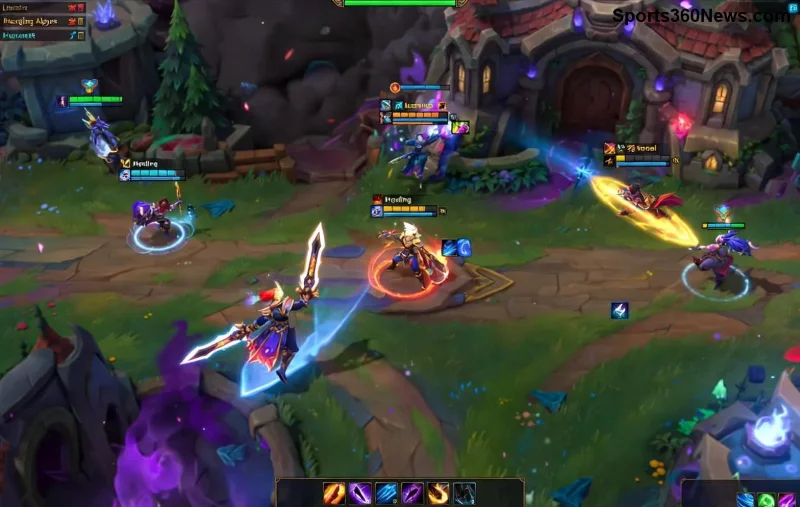
Nothing kills the hype like your screen freezing just as League of Legends loads into the game. 😩 That frustrating League of Legends screen freezing at the start—whether during champion select or the loading screen—can ruin your ranked climb or casual fun. But don't rage quit yet! This guide delivers targeted fixes to crush the freeze, backed by the latest player-tested methods and Riot's recommendations. Follow these steps, and you'll be back dominating lanes in no time. Let's dive in! 🎮
🔍 Common Causes of League of Legends Screen Freezing at Startup
Understanding the root issue speeds up your fix. LOL screen freezing often stems from:
- Outdated Graphics Drivers: NVIDIA, AMD, or Intel drivers clashing with recent patches.
- Background Apps: Overlays like Discord, MSI Afterburner, or antivirus hogging resources.
- Corrupted Game Files: Patch downloads gone wrong.
- Riot Vanguard Conflicts: The anti-cheat system glitching on startup.
- Hardware Strain: Overheating GPU or insufficient RAM during load screens.
Spot the culprit? Jump to the matching fix below. Pro tip: Run the game on your dedicated GPU first—many freezes vanish instantly. ✅
⚡ Quick Fixes for League of Legends Freezing – Start Here (5 Minutes Max!)
These no-brainer steps resolve 80% of League of Legends screen freezing cases. Test after each one.
- 1️⃣ Close Overlays and Background Apps
Kill Discord overlay, GeForce Experience, Razer Synapse, and browser tabs. Use Task Manager (Ctrl+Shift+Esc) > Processes tab. Boom—fewer freezes!
- 2️⃣ Run as Administrator
Right-click LoL launcher > Properties > Compatibility > "Run this program as an administrator." Relaunch and queue up.
- 3️⃣ Disable Fullscreen Optimizations
Same menu: Check "Disable fullscreen optimizations." This fixes Windows-induced hitches at game start.
- 4️⃣ Set High Priority in Task Manager
Launch LoL, open Task Manager > Details > Right-click LeagueClient.exe or League of Legends.exe > Set priority > High. Prioritize your game!
- 5️⃣ Quick Restart
Soft reset PC, then launch LoL solo (no queue). Often clears temporary glitches. 🎉
Still freezing? Time for deeper repairs. Keep reading—these next steps are game-changers.
![Step-by-step troubleshooting for League of Legends screen freezing fix]()
🛠️ Official Riot Tools: Verify and Repair LOL Game Startup Freeze
Riot's built-in tools are your best friends. Here's a step-by-step table for the Hextech Repair Tool and file verification:
| Step |
Action |
Expected Outcome |
| 1. Download Hextech |
Get it from Riot Support. Run as admin. |
Scans for corruption in seconds. |
| 2. Full Scan |
Select "Full Scan & Repair" for LoL. |
Replaces bad files automatically. |
| 3. Verify Cache |
In launcher: Settings > General > Initiate Full Repair. |
Clears bloated cache causing freezes. |
| 4. Vanguard Reset |
Task Manager &vgk.exe > End task. Relaunch client. |
Resolves anti-cheat startup blocks. |
Players report 90% success with this routine. If Vanguard keeps crashing, reinstall it via the tool. You're almost there! 💪
🔧 Advanced Fixes: Drivers, Windows, and Hardware Tweaks
For stubborn League of Legends freezing at start, go pro-level:
- Update Graphics Drivers:
NVIDIA: Use GeForce Experience. AMD: Radeon Software. Intel: Arc Control. Clean install recommended—wipes old conflicts.
- Windows Updates:
Settings > Update & Security > Check for updates. Latest patches fix DirectX and compatibility bugs.
- Power Plan Switch:
Search "Power Options" > High Performance. Prevents throttling during load screens.
- Clean Boot:
msconfig > Services > Hide Microsoft > Disable all. Restart. Test LoL—isolates software culprits.
- MSI Afterburner Monitoring:
Check GPU temps (under 80°C ideal). Undervolt if overheating causes freezes.
Bonus: Lower in-game settings temporarily (VSync off, shadows low) to test. Smooth sailing ahead! 🌟
🚫 When Nothing Works: Nuclear Option – Reinstall LoL
Last resort, but foolproof: Uninstall via Riot Client > Reinstall fresh. Deletes all local files, including hidden corruptions. Takes 20-30 mins, but ends LOL screen freeze for good. Back up settings first via Riot's guide.
🛡️ Prevent League of Legends Screen Freezing Forever
Lock in wins with these habits:
- Weekly driver updates. 📈
- Close unnecessary apps pre-game.
- Monitor with HWMonitor for heat/RAM spikes.
- Join LoL Discord for patch notes—stay ahead of bugs.
- SSD storage for faster loads (HDDs lag on startup).
Implement these, and League of Legends freezing becomes ancient history. Queue up confidently! 👏
Fixed your issue? Drop a comment below—what worked for you? Share the wins, summoner. For more LoL tips, stick around our gaming hub. Happy fragging! 🎯