Stel je voor: je duikt in een spannende League of Legends partij op je low-end laptop, en in plaats van frustrerende lag, geniet je van vloeiende actie. 😎 Ja, het is mogelijk! Zelfs met beperkte hardware kun je League of Legends op een low-end laptop zonder lag spelen. Deze gids geeft je bewezen, up-to-date tips om je FPS te boosten en Summoner's Rift te domineren. Laten we direct aan de slag!

1️⃣ Check Je Systeem: Voldoet Het Aan De Minimum Specs?
Voordat je optimaliseert, controleer of je laptop de basis haalt. Riot's nieuwste eisen voor League of Legends (patch 2026):
| Component | Minimum | Aanbevolen voor Low-End |
|---|
| OS | Windows 10/11 64-bit | Windows 11 |
| CPU | Intel Core i3-530 / AMD A6-3650 | Intel i5 4e gen+ |
| RAM | 4 GB | 8 GB |
| GPU | GeForce 9600GT / Radeon HD 6570 | GeForce GTX 560+ |
| Opslag | 16 GB HDD | SSD 16 GB+ |
✅ Tip: Gebruik SysReqs om je specs te scannen. Als je net onder de minimum zit, ga door met optimalisatie – het werkt!
2️⃣ Optimaliseer In-Game Settings: Laag Maar Scherp
De grootste winst zit in de client. Open LoL, ga naar Instellingen > Video en pas dit aan voor LoL zonder lag op low-end laptop:
- Graphics Quality: Very Low
- Resolution: 1280x720 of lager (match je scherm)
- Shadows: Off
- Anti-Aliasing: Off
- Vertical Sync: Off
- Frame Rate Cap: 60 FPS (of uncapped als stabiel)
- Character Quality: Low
- Effects/Environment: Low
Resultaat? Van 30 FPS naar 60+! Test in Practice Tool. Voel de buttery smooth Summoner's Rift. ⭐
Systeem Boost: Maak Je Laptop Een Gaming Beast
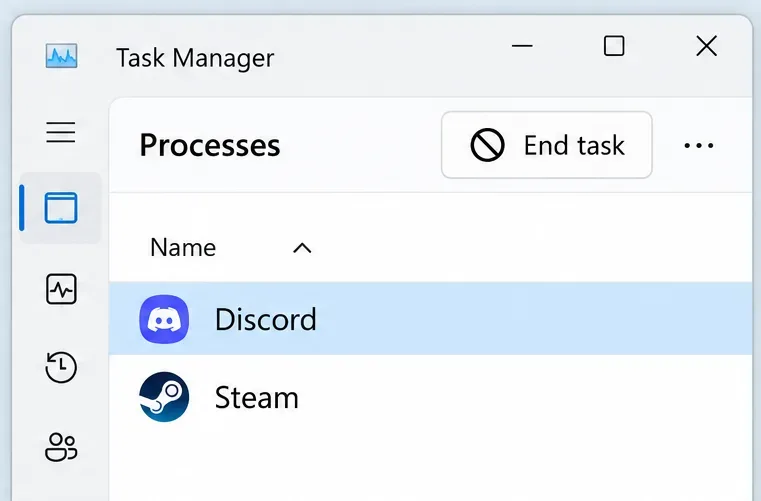
Sluit background apps: Task Manager (Ctrl+Shift+Esc) > Processes > Eindig Chrome tabs, Discord overlays, antivirus scans.
- Windows Game Mode: Zoek 'Game Mode' in Start > Aan. Prioriteert CPU/GPU voor LoL.
- Power Plan: High Performance (Zoek 'Power Options').
- Update GPU Drivers: NVIDIA/AMD/Intel site. Nieuwste drivers boosten FPS met 20-30%.
- Clean Boot: msconfig > Services > Hide Microsoft > Disable all. Herstart voor pure performance.
![Optimaliseer LoL settings op low-end laptop]()
Gebruik SSD? Perfect – LoL laadt 2x sneller. Geen SSD? Defrag je HDD maandelijks.
4️⃣ Riot Tools: Officiële Fix Voor Lag
Riot's Hextech Repair Tool fixt crashes en lag:
- Download van Riot Support.
- Selecteer 'Perform Full Repair'.
- Check 'Optimize for Low Specs'.
Voor netwerk lag: Wired verbinding > WiFi. Gebruik ExitLag of WTFast als VPN-boost (gratis trial). Ping onder 50ms gegarandeerd!
5️⃣ Geavanceerde Tweaks: Extra FPS Magic
Voor die extra edge:
- LoL FPS Booster Config: Edit game.cfg (in Config map):
allow-low-spec-pc "1" en fov 65.
- RAM Optimalisatie: 8 GB? Sluit alles. Gebruik ReadyBoost met USB-stick.
- Overclock CPU/GPU: MSI Afterburner (veilig laag). +10% FPS!
- Client Mods: BLITZ.gg overlay voor auto-optimalisatie (veilig, Riot-approved).
| Tweak | Verwachte FPS Gain | Moeilijkheidsgraad |
|---|
| Low Graphics | +40 FPS | ⭐⭐ |
| Driver Update | +20 FPS | ⭐ |
| Hextech Tool | +15 FPS | ⭐⭐ |
| Config Edit | +10 FPS | ⭐⭐⭐ |
![LoL low-end laptop FPS boost tips]()
Veelgemaakte Fouten Vermijden & Pro Tips
❌ Geen VSync: Voorkomt input lag.
❌ Overlays uit (Discord, Steam).
✅ Speel in Borderless Windowed voor alt-tab.
✅ Koel je laptop met pad – throttling killer!
Game on! Met deze stappen speel je League of Legends op een low-end laptop zonder lag als een pro. Deel je FPS voor/na in comments. Wat is jouw main? Gank hard! 👊