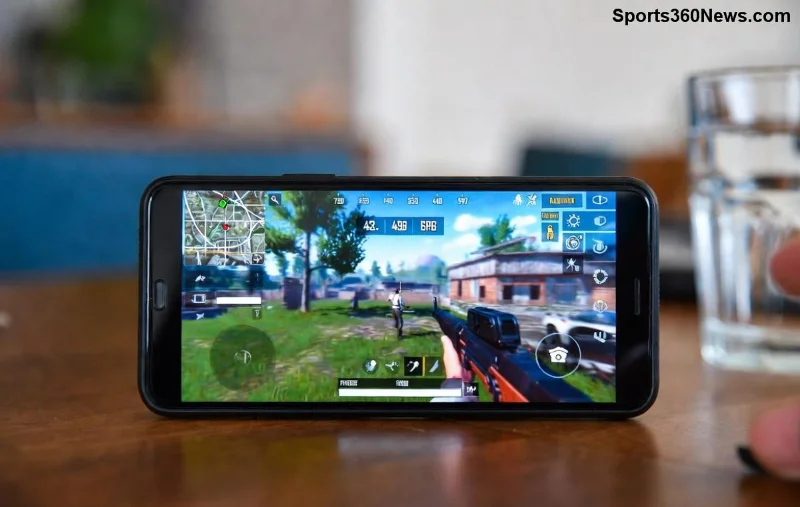
Stel je voor: je duikt in de intense Battle Royale van PUBG Mobile, maar in plaats van vingers die glijden over het scherm, heb je de precisie van een PS5 controller of Xbox controller. 😎 Geen lag, perfecte aim en soepele movement – dat is de droom van elke gamer! In deze gids leiden we je door alles: van connectie tot pro-tips. Laten we direct duiken in de actie!
✅ Vereisten Voor PUBG Mobile Met Controller
Voordat je begint, check deze essentials. PUBG Mobile ondersteunt Bluetooth-controllers native op Android en iOS (nieuwste updates), maar voor optimale performance:
- 📱 Android 8.0+ of iOS 13+ met Bluetooth 4.0+.
- 🎮 Officiële PS5 DualSense of Xbox Series X/S controller (wired via USB-C werkt ook op Android).
- 🔋 PUBG Mobile app versie nieuwste (download via Google Play of App Store).
- ⚙️ Octopus-app (gratis keymapper voor Android) voor custom mapping als native niet genoeg is.
Tip: Update je controller firmware via de PlayStation App of Xbox Accessories app voor zero-latency bliss! ⭐
1️⃣ Stap-voor-Stap: Controller Verbinden
Super eenvoudig – binnen 2 minuten live!
Voor Android:
- Zet Bluetooth aan: Instellingen > Bluetooth.
- Druk op PS5: Share + PS knop (licht knippert).
- Xbox: Druk Xbox knop (koppel automatisch).
- Selecteer in Bluetooth-lijst en pair. ✅
- Open PUBG Mobile > Instellingen > Controls > Gamepad inschakelen.
Voor iOS (iPhone/iPad):
- Bluetooth aan. PS5/Xbox pairen zoals boven.
- In PUBG Mobile: Instellingen > Basis > Controller support > Aan.
- Test in Training Mode!
Geen verbinding? Herstart device en controller. Wired optie: Sluit USB-C adapter aan op Android voor lag-free play. 🚀
🔧 Button Mapping: Maak Het Perfect Voor Jouw Stijl
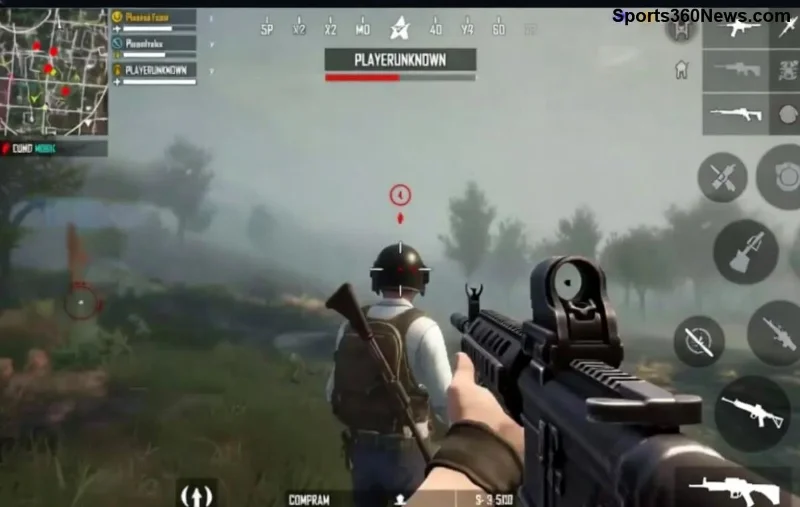
PUBG Mobile heeft basis mapping, maar customize voor pro-level. Gebruik ingame Custom HUD of Octopus voor advanced setups.
| Actie |
PS5 Controller |
Xbox Controller |
| Bewegen |
Left Stick |
Left Stick |
| Aim/Shoot |
Right Stick / R2 |
Right Stick / RT |
| Jump/Crouch |
X / Circle |
A / B |
| Reload |
Square |
X |
| Scope |
L1 |
LB |
Pas aan in PUBG Mobile Controls > Custom Layout. Bind gyro op PS5 voor insane tracking! 🎯
![Xbox controller in actie met PUBG Mobile interface]()
⭐ Pro-Tips Voor Epische Wins Met Controller
Nu je connected bent, level up je game:
- Sensitivity tweak: Camera 120-150%, ADS 80-100% voor snappy turns.
- Gebruik PS5 haptics voor footstep vibes – voel vijanden komen! 🔥
- Xbox users: Dead zones verlagen voor precise micro-aim.
- Training Island: Oefen 30 min recoil control met controller.
- Squad play? Voice chat + controller = onverslaanbaar team! 👊
❌ Veelvoorkomende Problemen & Fixes
Problemen? Wij fixen het:
| Probleem |
Oplossing |
| Geen detectie |
Her-pair Bluetooth, disable andere inputs. |
| Lag/Drift |
Update app, sluit background apps, gebruik wired. |
| Mapping bug |
Reset controls of gebruik PUBG Mobile officiële site forums. |
🎉 Klaar Om Te Domineren?
Met deze gids ben je klaar om PUBG Mobile te veroveren met je PS5 of Xbox controller. Drop in Erangel, neem die Chicken Dinner en deel je K/D ratio in comments! Wat is jouw favoriete mapping? Blijf tuned voor meer gaming hacks. Game on! 🏆
Totale gids gebaseerd op nieuwste PUBG Mobile updates voor seamless controller support.