Ben je moe van laggy matches in League of Legends? Wil je soepel 144+ FPS halen op je setup? Goed nieuws: met de juiste League of Legends instellingen transformeer je je pc in een LoL-machine. Deze gids focust op de beste LoL settings voor maximale prestaties, gebaseerd op de nieuwste patches. Laten we direct duiken in de actie – je bent slechts een paar kliks verwijderd van epische plays! 👍
1️⃣ Begrijp Je Hardware: De Basis voor Maximale Prestaties LoL
Voordat je settings tweak, check je specs. League of Legends draait smooth op bescheiden hardware, maar voor hoge FPS LoL (200+):
- GPU: GTX 1060 of beter (RTX-serie ideaal).
- CPU: Intel i5-10e gen of Ryzen 5 (multicore voor rendering).
- RAM: 16GB+ DDR4.
- Monitor: 144Hz+ voor fluiditeit.
Gebruik tools als MSI Afterburner om FPS te monitoren. Klaar? Ga naar de game-instellingen!
2️⃣ De Beste League of Legends Instellingen: Video Sectie voor FPS Boost
De kern: stel alles laag voor pure snelheid. Hier de optimale LoL settings voor maximale prestaties. Test in practice tool en pas aan.
| Instelling |
Beste voor Prestaties |
Reden |
FPS Winst |
| Overall Quality |
Very Low |
Balans alles laag |
+50-100 FPS |
| Shadows |
Off |
Grootste FPS-killer |
+30-60 FPS |
| Character Quality |
Low |
Minder model details |
+20 FPS |
| Effects |
Low |
Particles minimaliseren |
+25 FPS |
| Environment |
Low |
Kaart minder complex |
+15 FPS |
| Anti-Aliasing |
Off |
Geen edge smoothing |
+10-20 FPS |
| V-Sync |
Off |
Voorkom input lag |
+Variabel |
| Frame Rate Cap |
Unlimited |
Max FPS pushen |
Max potentieel |
| Mulithreaded Rendering |
On |
CPU optimaliseren |
+10-30 FPS |
Deze tabel is goud waard! ⭐ Pas toe en voel het verschil in teamfights. Wil je meer? Lees door voor geavanceerde tweaks.
3️⃣ Geavanceerde LoL Performance Optimalisatie: Buiten de Game
![Grafische instellingen League of Legends voor maximale prestaties]()
Niet alleen in-game: boost verder met deze stappen voor FPS boost League of Legends.
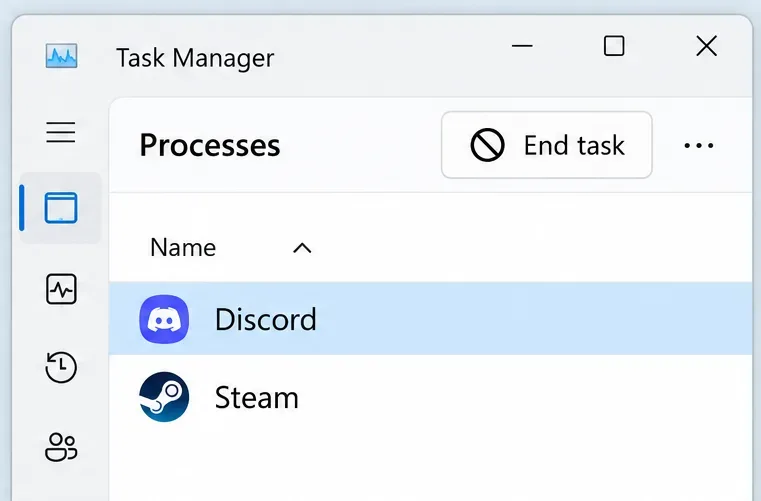
- Sluit Background Apps: Task Manager > Eindig Discord overlay, browser tabs. Winst: +20 FPS.
- Update Drivers: NVIDIA GeForce Experience of AMD Software – nieuwste voor LoL.
- Windows Optimalisatie: Power Plan op High Performance. Game Mode aan.
- NVIDIA/AMD Control Panel: Stel LoL op High Performance. Low Latency Mode: Ultra.
- Client Settings: In League of Legends launcher: Low Spec Mode aan (nieuwste updates).
Pro tip: Gebruik Hextech Repair Tool voor clean install. Klaar voor ranked? 😎
4️⃣ Specifieke Tweaks per Hardware: Pas Aan Jouw Setup
Lage-end PC? Alles Very Low + resolutie naar 1280x720. Mid-range? Medium shadows, 1080p. High-end? High quality met 240 FPS cap op 1440p.
Test in benchmark modus (achter menu). Track met League of Graphs voor stats.
| Hardware Tier |
Aanbevolen Resolutie |
Target FPS |
| Low-end (GTX 1050) |
720p |
120+ |
| Mid (RTX 3060) |
1080p |
200+ |
| High-end (RTX 4080) |
1440p |
300+ |
5️⃣ Veelgemaakte Fouten Vermijden & Troubleshooting
❌ V-Sync aan? Input lag! ❌ Shadows high? Drops in fights. ❌ Geen restart na tweaks? Geen effect.
Problemen? Check firewall, reinig temp files. Voor diepere issues: Riot Support.
Conclusie: Domineer met Deze Beste LoL Settings! 🏆
Toepassen van deze League of Legends instellingen geeft je edge in elke match. Test, tweak en climb ranks! Deel je FPS voor/na in comments. Welke hero main je nu smoother? Blijf tuned voor meer guides – jouw perfect game wacht! 🚀