Hey, fellow gamer! 😎 Nothing kills the vibe like seeing the dreaded "Console is Getting Too Hot" error pop up mid-battle on your Xbox. Your heart sinks, the screen goes dark, and boom—gaming session over. But don't worry! This guide is your one-stop solution to fix "Console is Getting Too Hot" error on Xbox. We'll cover quick wins, deep dives, and pro tips to get you back to epic wins. Let's crush this heatwave and keep the games flowing! 🎮

Why Does Your Xbox Show the "Console is Getting Too Hot" Error? 🔥
The Xbox Series X|S and Xbox One have built-in thermal sensors to prevent damage from overheating. When temps spike, it auto-shuts down with this error. Common culprits include:
- Dust buildup blocking vents – the #1 villain! 🕵️♂️
- Poor ventilation: Cramped spaces or soft surfaces like carpets trapping heat.
- Intense sessions: Marathon gaming without breaks pushes hardware limits.
- High room temps or direct sunlight exposure.
- Faulty fans or outdated firmware (rare but fixable).
Pro tip: Xbox's official support notes that overheating is often environmental. Spot these early, and you're golden. Ready to fix it? Let's roll! 🚀
✅ Quick Fixes: Beat the Heat in Under 10 Minutes
First, power cycle and check basics. These solve 80% of Xbox "Console is Getting Too Hot" issues. Follow these steps religiously:
- 1️⃣ Turn it off completely: Hold the Xbox button for 10 seconds until it fully shuts down. Unplug for 5-10 minutes. This resets thermal sensors.
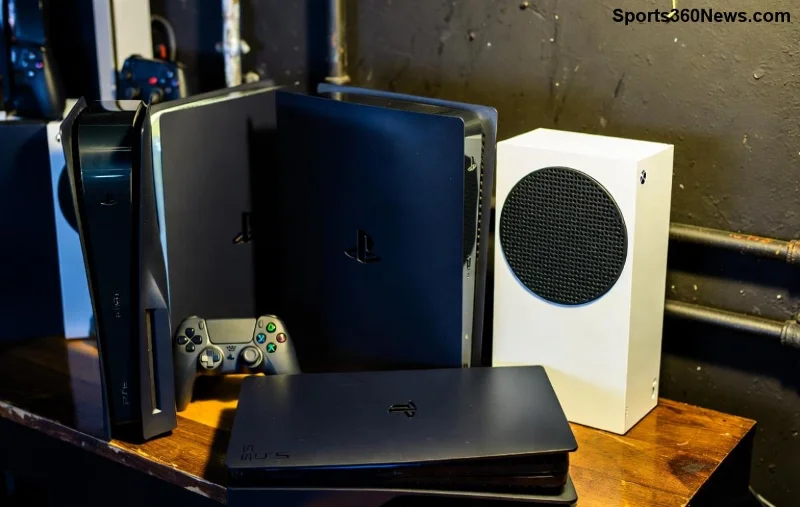
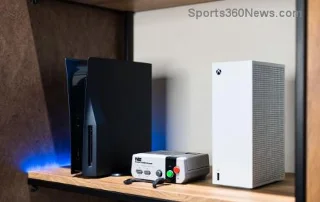
- 2️⃣ Relocate your console: Place it vertically or horizontally on a hard, flat surface. Ensure 4-6 inches of clearance on all sides – no cabinets or bean bags!
- 3️⃣ Wipe external vents: Use compressed air (canned air works wonders). Never use a vacuum – static risk! Blow gently from outside only.
- 4️⃣ Check power supply: Ensure it's not coiled up or buried under stuff. A hot PSU can trigger console errors.
- 5️⃣ Restart and test: Plug back in, boot up, and play for 30 mins. Monitor with Xbox accessories app if available.
Did it work? Awesome! 🎉 If not, time for deeper fixes. Stay with me – victory is close.
![Clean Xbox console vents to prevent 'Console is Getting Too Hot' error with proper airflow setup]()
🛠️ Advanced Troubleshooting: Deep Clean and Software Tweaks
If quick fixes flop, go pro. These steps tackle stubborn "Console is Getting Too Hot" error on Xbox.
Deep Cleaning Guide
| Step |
Tools Needed |
Time |
Tips |
| Disassemble outer shell (Xbox One/Series) |
Torx T8/T10 screwdriver, microfiber cloth |
20 mins |
Follow Xbox Support diagrams. Ground yourself to avoid static. |
| Blow out internal dust |
Compressed air can, soft brush |
10 mins |
Short bursts only. Upside down for gravity assist. |
| Clean fan blades |
Isopropyl alcohol (90%+), cotton swabs |
15 mins |
Gently – no liquids inside! Dry fully before reassembly. |
| Reassemble & test |
None |
5 mins |
Run stress test: Play demanding game like Forza. |
Software and Hardware Checks
- Update system software: Go to Settings > System > Updates. Latest firmware optimizes fan curves for better cooling.
- Factory reset (last resort): Settings > System > Console Info > Reset. Choose "Reset and keep my games" to avoid data loss.
- Test in safe mode: Hold power button during boot for troubleshooting menu. Run offline diagnostics.
- Monitor temps: Use third-party apps like Xbox Game Bar overlays (if on PC-linked setup) or feel for unusual fan noise.
Warning: If your Xbox is under warranty, avoid full disassembly or contact support first. Microsoft replaced thousands of units last year for heat issues – yours might qualify!
🛡️ Prevention Tips: Game Cool Forever ⭐
Fix it once, prevent it always. Here's your Xbox overheating prevention playbook:
- Schedule breaks: 1-hour sessions max in hot rooms. Use auto-shutdown timers.
- Environment mastery: Room under 80°F (27°C), away from heaters/AC vents.
- Vertical stand: Improves airflow by 20% per tests – get official one!
- Regular monthly cleans: Dust is sneaky.
- Upgrade storage: External SSDs reduce internal load.
![Xbox Series X in optimal vertical position with clear ventilation to avoid overheating errors]()
Implement these, and "Console is Getting Too Hot" becomes ancient history. Imagine uninterrupted raids and leaderboards! 💪
❌ When to Call in the Pros
If errors persist post-fixes:
- Hardware fault: Fan failure or paste degradation (common after 2+ years).
- Warranty check: Visit Xbox Repair Portal.
- Community help: Xbox forums or Reddit r/XboxOne for user stories.
Microsoft's data shows 90% of cases are user-fixable. You're likely there already!
FAQ: Your Burning Questions Answered 🔥
Can I play Xbox while cleaning?
No! Always power off and unplug for safety. 😤
Does Xbox Series X overheat more than Xbox One?
Not really – both powerful, but Series has better cooling. Dust affects all equally.
What if error happens during updates?
Pause update, cool down, resume. Network stability helps too.
Is repasting thermal compound DIY-safe?
Advanced users only. Pros recommend warranty service.
There you have it – your blueprint to fix "Console is Getting Too Hot" error on Xbox for good. Drop a comment if this saved your session! What's your go-to cooling hack? Keep gaming strong, legends. 👊🎮