How to Fix Free Fire High Ping on Mobile Data

Fix Free Fire high ping on mobile data with practical connection checks, LTE vs. 5G tests, background download fixes, and tips for reporting persistent lag.
Ever watched a Fortnite pro dominate tournaments and wondered why their screen looks so bare-bones? No fancy shadows, no lush grass, just pure action. It's not laziness—it's strategy. Professionals use low graphics in Fortnite to gain a massive competitive advantage. In this guide, we'll break down the exact reasons, backed by pro insights, so you can copy their setup and climb the ranks. Ready to see enemies before they see you? Let's dive in! ⭐
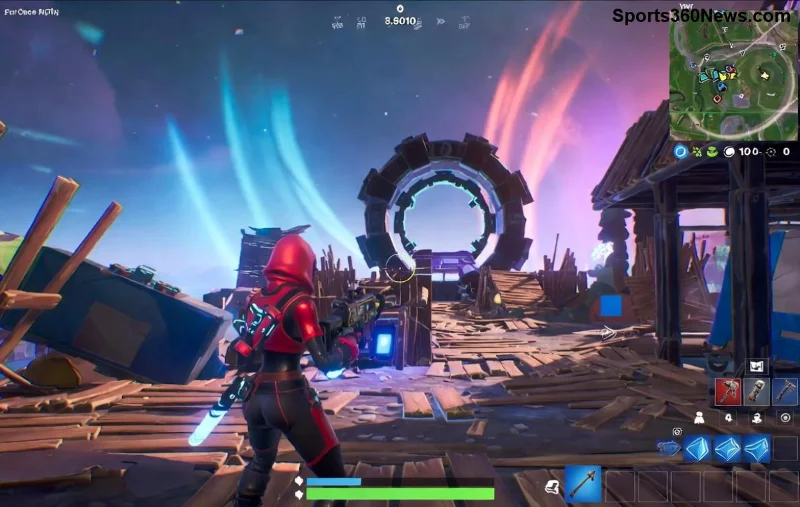
The #1 reason pros use low graphics in Fortnite is raw performance. High graphics settings devour your GPU and CPU, causing frame drops during intense build fights or endgames. Low settings? They unleash 200-500+ FPS even on mid-range rigs.
Why does FPS matter? Higher frames mean faster input response. Every millisecond counts in Fortnite—aim smoother, track enemies better, and outbuild opponents. Pros like Bugha (Fortnite World Cup champ) swear by it: low graphics ensure consistent 240Hz monitor performance without stutters.
| Setting | High Graphics | Low Graphics (Pro Choice) |
|---|---|---|
| View Distance | Far (distant clutter) | Near (focus on close threats) |
| Shadows | High (hides enemies) | Off (zero distractions) |
| Textures | High (blurry in motion) | Low (sharper outlines) |
| Effects/Anti-Aliasing | High (input lag) | Off/Low (max responsiveness) |
| Avg FPS Gain | Baseline | +150-300% |
Pro tip: Drop to low graphics in Fortnite and cap FPS at your monitor's refresh rate. Feel the difference in your next solo queue! 👍
Graphics aren't just eye candy; they're camouflage for foes. Low graphics in Fortnite strip away visual noise: no tall grass hiding snipers, no shadows masking flanks, no post-processing blur.
Imagine rotating in a storm—high grass sways, blocking your view. Pros turn it off, revealing every player pixel. Streamers like Tfue and Clix demo this in vlogs: enemies pop like neon signs against barren terrain. In the newest Fortnite seasons, with dynamic weather and builds, this edge is huge.
Key settings pros tweak:
Result? You react 0.2 seconds faster—enough to win 1v1s. Thousands of pros in FNCS tournaments run this setup. Try it: your KD will thank you! 😎
Tournaments aren't always on beast PCs. LAN events, teammate swaps—pros need setups that work everywhere. Low graphics Fortnite levels the field, delivering stable performance on laptops or older rigs.
Epic Games' official performance guide echoes this: minimize variables for consistency. No crashes from VRAM overload, no thermal throttling mid-clutch.
Bonus: Low settings reduce input lag from V-Sync or heavy effects. Pair with NVIDIA Reflex (if available), and you're golden. Pros like Peterbot hit 0 ping feels on 144 FPS consistently.
Less visual fluff = laser focus. High graphics distract with particles and bloom. Low mode? Clean HUD, pure mechanics. It's like minimalist training—hone aim without bells and whistles.
Coaches recommend it for grinding: switch low for ranked, high for casual fun. Your brain adapts, spotting patterns pros exploit daily.
Copy-paste these Fortnite pros settings for instant gains:
| Category | Pro Setting | Why It Wins |
|---|---|---|
| Display | Fullscreen, 100% DPI | Zero scaling lag |
| Rendering | DirectX 12, Nanite Off | CPU efficiency |
| Quality Presets | Low | Baseline pro choice |
| Post Processing | Low/Off | No blur in fights |
| VSync/Motion Blur | Off | Pure responsiveness |
Test in Creative mode first. Tweak based on your hardware—NVIDIA users, enable Performance Mode in settings.
"It looks potato!" Wrong. Pros see the same core action, just optimized. Your eyes adjust in hours, and victories feel sweeter. High graphics? Fun for streaming, deadly for comp.
Want proof? Check Fortnite Pro Settings tracker—99% of top 100 run low.
1. Settings > Video > Crank to Low.
2. Restart, benchmark FPS.
3. Queue ranked—watch wins stack.
Mastering why professionals use low graphics in Fortnite is your ticket to pro-level play. Less eye candy, more Victory Royales. What's your first win story? Drop it below and keep grinding! 👇🚀
Fix Free Fire high ping on mobile data with practical connection checks, LTE vs. 5G tests, background download fixes, and tips for reporting persistent lag.
Brawl Stars opens to a black screen on your iPad? Try these safe checks for the app, connection, iPadOS, and updates before reinstalling or contacting Supercell.
Learn how to clear Free Fire’s cache on Android, what iPhone users can do, and how to avoid deleting game data while troubleshooting lag.
Find confirmed LoL Worlds, VALORANT, CS2 and Dota 2 events for October 19–25, with local kickoff times, UTC conversions, matchups and bracket stakes where published.
Compare balanced, steady, and fast-drag Free Fire sensitivity profiles on the 0–200 scale, then tune General and scope values to your device.
Save Dota 2 camera spots to keys, jump back to lanes or objectives, and troubleshoot missing or conflicting camera position binds.
Fix a TFT Mobile black screen after loading with official server checks, updates, cache troubleshooting, compatibility guidance, and safe reinstall steps.
Reduce Marvel Rivals DirectX 12 shader stutter with preload, driver, cache, and file checks. Learn when a cache reset helps and which older advice to avoid.
Enable PUBG’s network statistics HUD to monitor ping and packet loss in a match. See where to find it, what the numbers mean, and what they cannot diagnose.
Learn how to import VALORANT crosshair codes, compare presets with manual settings and spectator copy, and fix common import issues.






