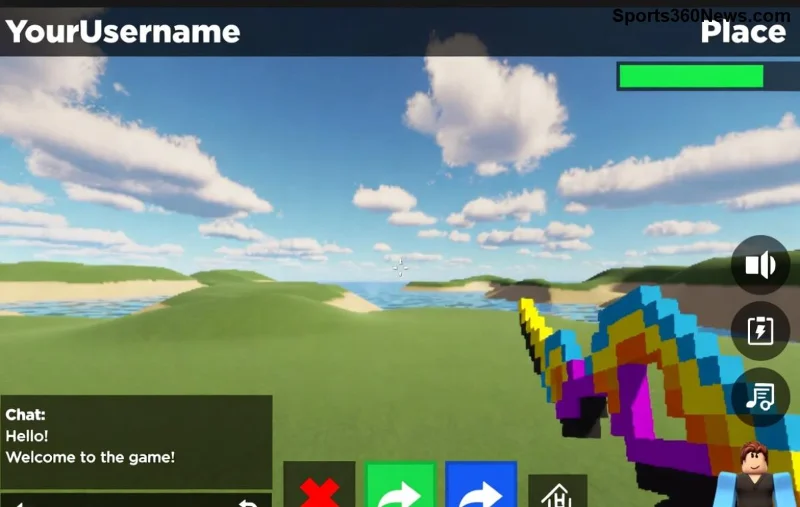
Imagine your Roblox game thumbnail popping up in search results, instantly grabbing players' attention with vibrant colors and epic action shots. That's the power of a killer Roblox icon and thumbnail! As a game creator, nailing these visuals can boost visits by thousands. This guide dives straight into how to create a Roblox icon and thumbnail using beginner-friendly tools—no pro skills required. Get ready to make your game shine! ⭐
Why Your Roblox Icon and Thumbnail Matter More Than Ever
Roblox's marketplace is packed—stand out or get buried. A sharp Roblox icon acts like your game's logo, perfect for app stores and listings. Thumbnails? They're your billboard, showcasing gameplay hooks at a glance. Official specs from Roblox Creator Documentation ensure compatibility:
| Asset Type |
Recommended Size |
Format |
Key Tips |
| Roblox Icon |
512x512 pixels (square) |
PNG (transparent background optional) |
High-res, simple design for small previews |
| Roblox Thumbnail |
1920x1080 pixels (16:9 landscape) |
JPG or PNG |
Action-packed, readable text, under 15MB |
Pro tip: Test on mobile—80% of players browse there. Ready to build? Let's jump in! 👍
🛠️ Essential Tools for Creating Your Roblox Icon and Thumbnail
No budget? No problem. Here's your starter kit:
- Free: Canva or Pixlr – Drag-and-drop magic for newbies.
- Pro: Adobe Photoshop or GIMP – Layer control for custom effects.
- Roblox-Specific: Roblox Studio Screenshots – Capture in-game moments directly.
- AI Boost: Roblox Icon Generator tools like Kapwing or Placeit for quick mocks.
Download GIMP (totally free) or fire up Canva in your browser. We'll use Canva for these steps—it's game-changer simple.
1️⃣ Step-by-Step: How to Create a Roblox Icon That Pops
Your Roblox icon needs to scream "Play me!" in a tiny square. Focus on bold symbols, your mascot, or glowing effects. Here's the foolproof process:
- Start a New Canvas: In Canva, search "Custom size" → 512x512 px. Boom, perfect frame!
- Capture or Design Core Element: Screenshot your hero character from Roblox Studio (F12 for high-quality). Or upload game assets.
- Add Punchy Background: Gradient (blue to purple for sci-fi vibes) or solid color. Avoid clutter—icons shrink small.
- Layer Magic: Drop in your character, resize to 70% canvas. Add glow (Effects → Shadow) and text like "YourGame" in bold font (e.g., Impact, 100pt white with black outline).
- Polish & Export: Sharpen edges, ensure 300 DPI. Download as PNG. Test: Does it look epic at 100x100 px?
Result? A Roblox icon that hooks players instantly. Feeling pumped? Your thumbnail's next level awaits!
2️⃣ Masterclass: How to Create a Roblox Thumbnail for Maximum Clicks
![Stunning Roblox thumbnail showcasing intense gameplay action]()
Thumbnails are your hype machine—think explosive battles or cozy worlds. Nail this, and watch player counts soar. Step-by-step:
- Set Up Canvas: Canva → 1920x1080 px. Golden ratio rules here.
- Grab Epic Shots: In Roblox Studio, use Camera tool for cinematic angles. Multiple screenshots? Layer 'em!
- Build the Scene: Background: Blurred gameplay. Foreground: Main action (e.g., player jumping with effects). Rule of thirds—place hero off-center.
- Text That Sells: Top: Game title in massive font (200pt+). Bottom: Hook like "Epic Battles Await!" Outline for readability. Colors: Contrast high (yellow on dark).
- Effects & Branding: Add particles, speed lines (free Canva elements). Slap your Roblox icon in corner for consistency.
- Optimize & Upload: Compress under 10MB (TinyPNG.com). Upload via Roblox Creator Dashboard → Game Settings → Images.
Preview on different devices. Players scrolling fast? Yours stops them cold! 🔥
⭐ Top 7 Pro Tips to Supercharge Your Roblox Icon and Thumbnail
- Color Psychology: Red/orange for action games, blue/green for adventures—evoke emotions!
- Mobile-First: Ensure text is huge; details shine on small screens.
- A/B Test: Upload variants in Roblox, see what gets more visits.
- Trends: Study top games like Adopt Me—bright, character-focused wins.
- Free Assets: Roblox Toolbox for models, Unsplash for textures (credit if needed).
- Legal Check: No copyrighted stuff—original or Roblox-approved only.
- Iterate: Update post-launch based on feedback. Fresh visuals = fresh players!
![Professional Roblox icon and thumbnail design inspiration]()
Common Mistakes to Dodge (And Fixes) 😤
| Mistake |
Why It Fails |
Quick Fix |
| Blurry images |
Looks cheap on listings |
300 DPI, vector shapes |
| Too much text |
Unreadable on mobile |
3-5 words max |
| Dark/muted colors |
Blends in feeds |
High saturation, neon pops |
Level Up: Advanced Tricks for Dev Gods
Want god-tier? Animate thumbnails in After Effects (export GIF, but static JPG for Roblox). Use Blender for 3D renders. Integrate your Roblox icon as a watermark. Share on Roblox DevForum for feedback—community gold!
Now you've got the blueprint. Create your first Roblox icon and thumbnail today, upload, and watch the magic. Your game deserves the spotlight—what are you waiting for? Drop a comment below with your creation! 👇
Ready to dominate Roblox? These visuals are your secret weapon. Game on! 🎮